Jailbreak Apps

‘Xpandr 2’ makes Keyboard Shortcuts faster

If you're a blogger, then you'd be crazy not to use TextExpander. TextExpander is an app that runs on the Mac, that automatically expands shortcuts into larger lines of text.

For example, I have a shortcut named jb, which expands fully to the word jailbreak. It works with phrases to, for instance, jbt = jailbreak tweak. Needless to say, TextExpander is a life saver for those of us who have to type the same words and phrases over and over again, day in, and day out.

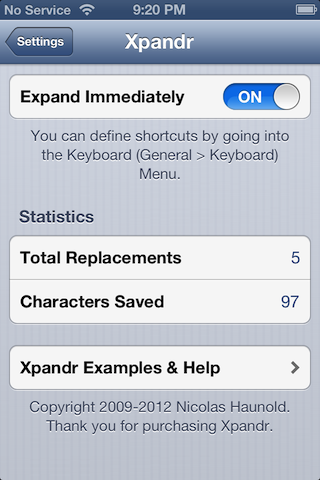
Apple introduced a sort of "TextExpander light" in iOS 5, and it came in the form of Keyboard Shortcuts. Keyboard shortcuts work, but unlike TextExpander, they don't immediately expand; instead, the shortcuts appear as suggestions, and then you have to use the space bar to fully expand them.

Xpandr 2, is the jailbreak tweak that seeks to put an end to this issue. Check out our full video walkthrough inside...

This upcoming tweak will add water effects to your iOS device

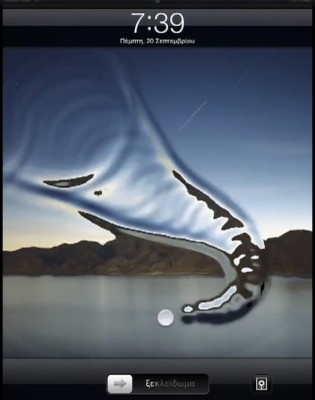
AquaBoard is a new jailbreak tweak currently in development by Elias Limneos. As you'll see from the video inside, it adds cool water effects to your device's Lock screen, and Home screen.

Currently, the tweak is set to be compatible with the iPad, iPad 2, The new iPad, iPhone 3GS, iPhone 4, and iPhone 4S. I'm pretty sure that at the very least, the iPod touch 4th generation will probably be shown some love as well.

How to jailbreak iOS 6 and install Cydia

iOS 6 was just released a while ago, and now we're going to show you how to jailbreak it.

First of all, please note that this is a tethered jailbreak, and it only works with A4 devices like the iPhone 4.

Secondly, since there currently isn't any jailbreak tool that will install Cydia just yet, we're going to have to go about installing Cydia using a manual process.

Still game after all of those asterisks? Then come inside, as we show you how to jailbreak iOS 6 final...

TinyUmbrella updated to support iOS 6

It seems like it's been forever since we've seen a TinyUmbrella update. The SHSH blob-saver has been noticeably absent throughout the summer as Apple has released multiple iOS 6 betas.

But notcom, the utility's creator, broke the silence this week, announcing that TU has finally been updated to support the new software. It now works with iOS 6 and the latest Apple TV firmware...

Is iOS 6 a dud for jailbreakers?

Everyone is entitled to their opinion, and for that reason, let me preface this post with a disclaimer: I'm not bashing anyone's right to an opinion. That's one of the things that makes life so great, differing points of view on all sorts of matters.

Apparently, whoever posted this post on the Big Boss blog isn't too high on iOS 6, in fact, they go as far as to label it a "dud."

I certainly don't feel that way; I'm the complete opposite. That made me think, do most jailbreakers feel this way about iOS 6? Are many of you guys and gals planning on staying right where you are on iOS 5 until a jailbreak is released for iOS 6?

Unfold 2.0 now available for free on Cydia

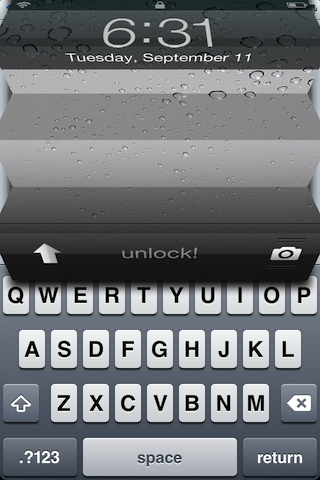
Lost amidst yesterday's well warranted hype for the iPhone 5, was the release of Unfold 2.0 — a jailbreak tweak available on Cydia.

Unfold 2.0 allows for an accordion unlock style, in either a horizontal or vertical direction. It can be had for free on Cydia's BigBoss repo. Watch the video, and let us know what you think.

RedSn0w updated with support for iOS 6 GM

Apple seeded the final beta of its new mobile operating system to developers yesterday, iOS 6 GM. The update included a new Panorama mode for the iPhone 4S, and the standard bug fixes.

And like clockwork, the Dev Team has posted a new version of RedSn0w to support the release. So for all of you folks out there with A4 devices running iOS 6 GM, you can now jailbreak...

Privata makes it easier to enable private browsing in Safari

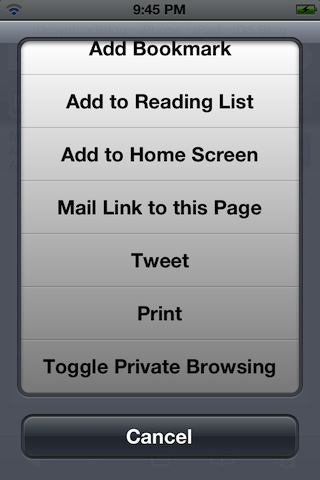
Enabling private browsing in Mobile Safari is a chore, because you have to exit the app, go to Settings, and enable it from there. There's actually no way to enable private browsing from inside the app itself, which is kind of lame.

Wouldn't it be better if you could enable private browsing quickly from the share menu in Safari? That's the exact premise behind Privata — a new jailbreak tweak that's available for free on Cydia's ModMyi repo.

MissionBoard Pro is a complete app switcher alternative

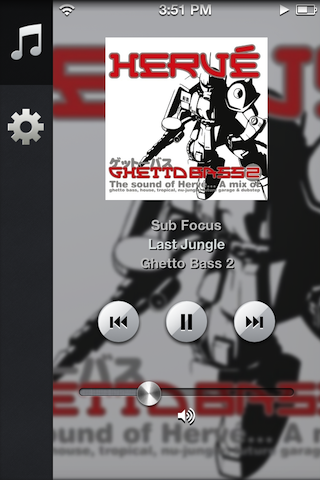
MissionBoard Pro — like the original MissionBoard — is a jailbreak tweak that acts as an app switcher replacement for the iPhone.

In contrast with the basic version of MissionBoard, the pro version features elements like music controls and toggles to make it much more suitable as an outright app switcher replacement. But is it worth its steep $2.99 asking price?

Unfold tweak updated with new vertical unlock animation

Unfold — the popular jailbreak tweak that brings an accordion style unlocking animation to your iPhone — is being updated with new features, including a new vertical unlock animation.

Unfold 2.0, due soon on Cydia's BigBoss repo for free, is an update that brings new features to an already solid jailbreak tweak. Developer, Jonas Gessner, provided us with a preview copy of Unfold 2.0 to try for ourselves. Take a look inside for a video walkthrough showcasing what we found...

FireCore releases aTV Flash (black) 2.0 for jailbroken Apple TVs

Back in August, we reported that FireCore was working on a major update for its aTV Flash (black) application. The software enables jailbroken Apple TVs to perform a wide range of additional tasks.

Well, today, FireCore released that update in the form of aTV Flash (black) 2.0. It features a new library view, which makes browsing through your content easier than ever before, and much more...

SlideSB places a brightness slider on the iPhone’s Home screen

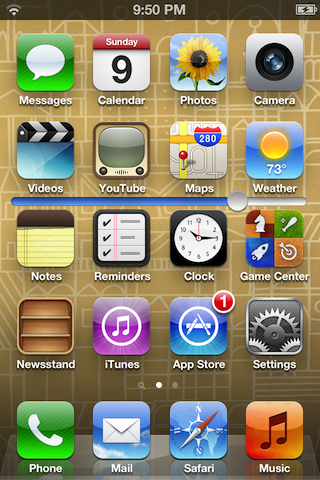
SlideSB is a new jailbreak tweak that places a brightness adjustment slider on each page of your Home screen. This allows you to quickly adjust the screen brightness, instead of going about more traditional means of doing so.

Although SlideSB is an extremely simple tweak, it stumbles a bit in execution. Take a look at our video walkthrough inside for the details...