Jailbreak Apps & Tweaks

These are the latest jailbreak apps and tweaks available for your iPhone or iPad. We save you time by highlighting only the best tweaks.

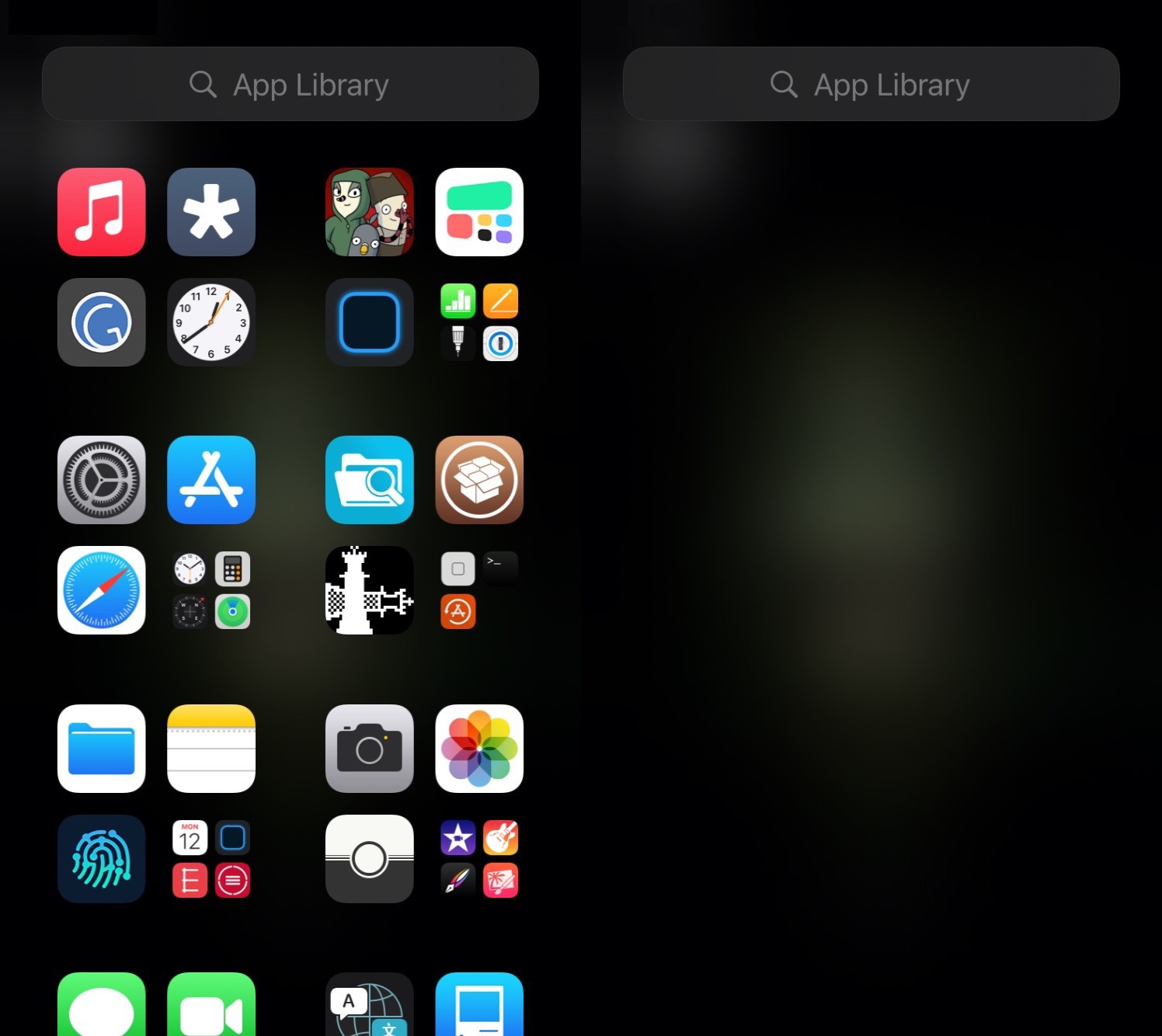
This tweak lets jailbreakers on iOS 14 customize the App Library

One of the new features in iOS 14 that received a ton of praise from early adopters is the App Library. It not only serves as a one-stop shop for all your handset’s installed apps, but it also enables users to effectively hide certain icons from the Home Screen to make more room for the upgraded widget experience.

Now, with the help of a newly released and free jailbreak tweak dubbed App Library Controller by iOS developer Tomasz Poliszuk, those rocking pwned iOS 14 devices will be able to do more in the realm of customizing the App Library interface.
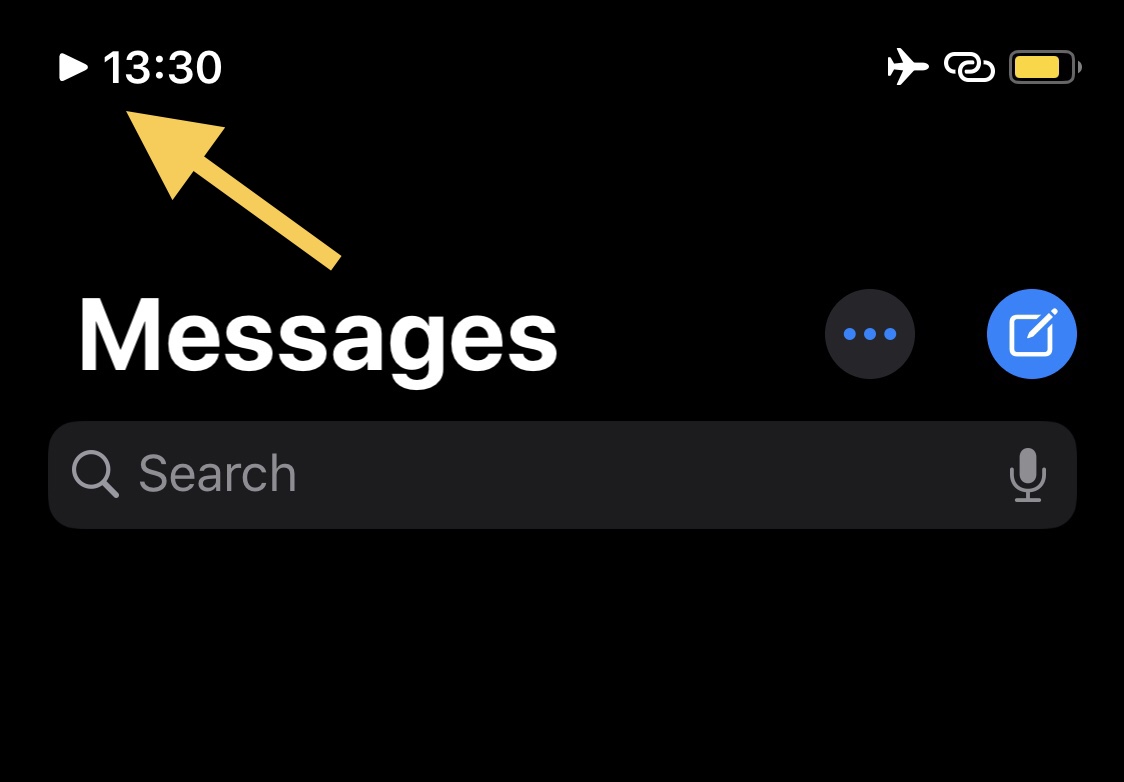
This tweak adds an icon in the Status Bar whenever music is playing

If you’re one to listen to a ton of music via your jailbroken iPhone or iPad, then chances are you could benefit from the likes of a newly released and free jailbreak tweak dubbed NowPlayingIndicator by iOS developer iCraze.

This tweak’s name is particularly telling in terms of what it does. Once installed, NowPlayingIndicator adds a play button-shaped icon to the Status Bar, just to the left of the time, whenever you have music playing. The illustration above depicts how the tweak looks in action.

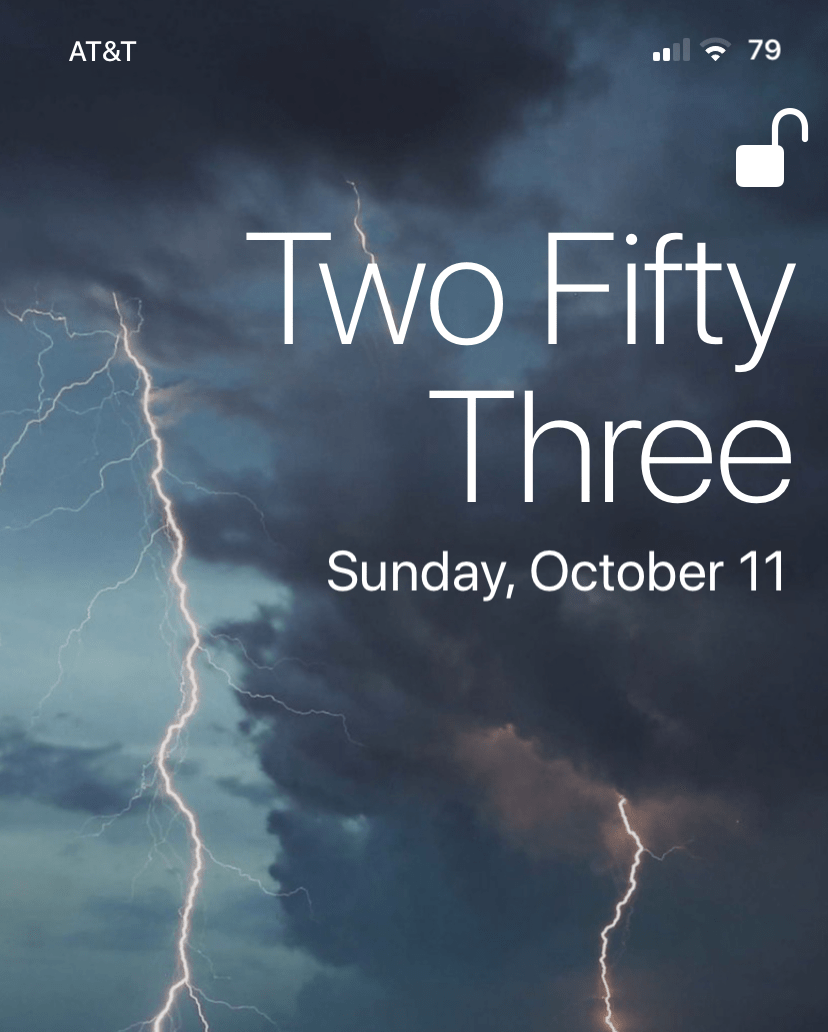
TextTime gives jailbreakers a text-based Lock Screen time display

The iPhone’s Lock Screen was designed to show the current date and time at a glance, and it does a particularly good job of it right out of the box. The large numerical display that comes from the factory makes discerning the current time an effortless task. But let’s say you’re jailbroken and want something fancier…

TextTime is a newly released and free jailbreak tweak by iOS developer Lightmann that changes how the iPhone’s Lock Screen displays the current time. It does this by switching from a digital numeric readout to a word-based readout that quite literally spells the time out for you.

Jailbreak tweaks of the week: AltDaemon, Annotation, iGotBlind, and more…

The jailbreak community has been nothing short of a crazy roller coaster ride lately. From the release of the first public iOS 14 jailbreak from checkra1n and the announcement of an imminent exploit for iOS 13.7 to the departure of legendary security researcher and exploit finder Brandon Azad, it's tough to tell what might happen next. Still, the wheels just keep on turning.

In this roundup, we'll discuss all the latest jailbreak tweak released from Monday, October 5th to Sunday, October 11th. As usual, we'll start by talking about our favorite releases and then work our way into an outline of the rest afterward.

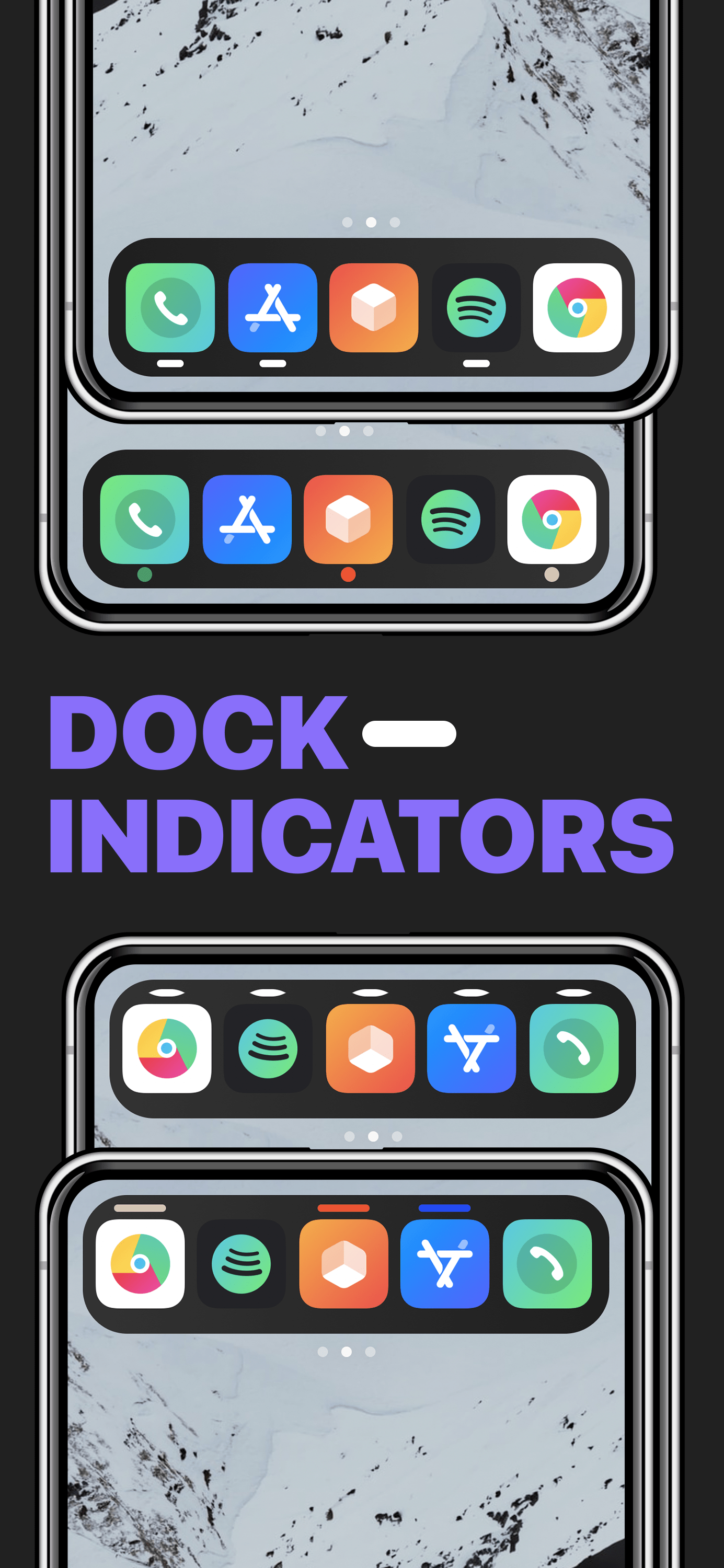
This tweak brings macOS-inspired open app indicators to the iPhone’s Dock

On a Mac, running applications are represented in the Dock with a tiny indicator light beneath the icons that represent said applications. iPhones and iPads also have application Docks, but no such indicator appears on those platforms.

Whether or not such a feature would be useful on an iPhone or iPad remains to be seen, however a newly released and free jailbreak tweak called Dock Indicators by iOS developer LacertosusDeus can bring this functionality to these devices in a fun and customizable fashion.

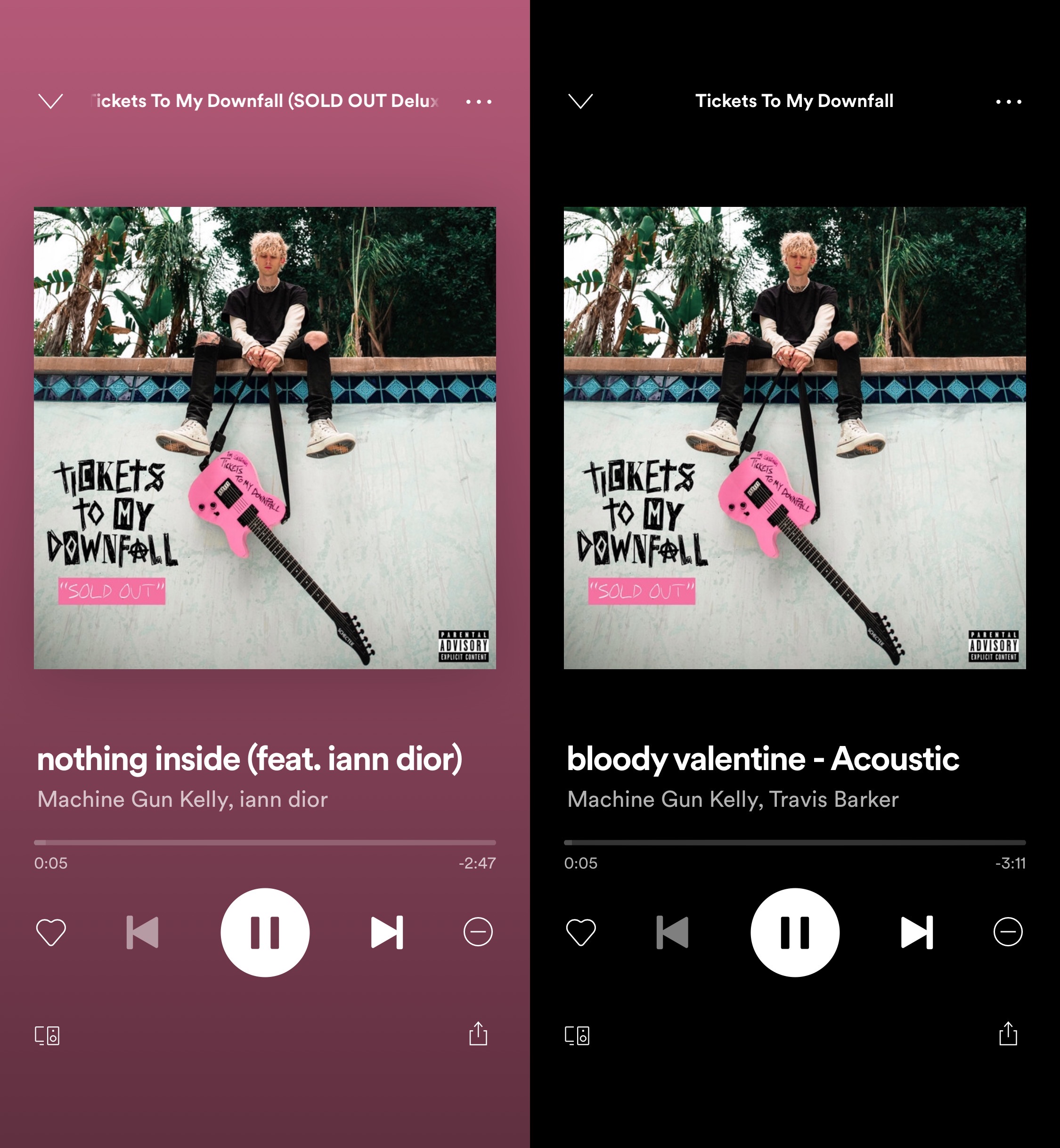
Make Spotify’s Now Playing interface more OLED-friendly with Blackout

The Spotify Music app is one of the best alternatives to Apple Music in terms of online music streaming for the iPhone or iPad, and while the application itself already sports a somewhat ‘dark’ aesthetic, there are certainly some areas where it could do with improvement for those who like using dark mode or who use an OLED display-equipped handset.

Blackout is a newly released and free jailbreak tweak by iOS developer atebitsy that brings improved dark mode and OLED display support to the Spotify Music app, and it does so by providing users with an always-blacked out Now Playing interface background, as depicted by the before and after screenshot examples above.

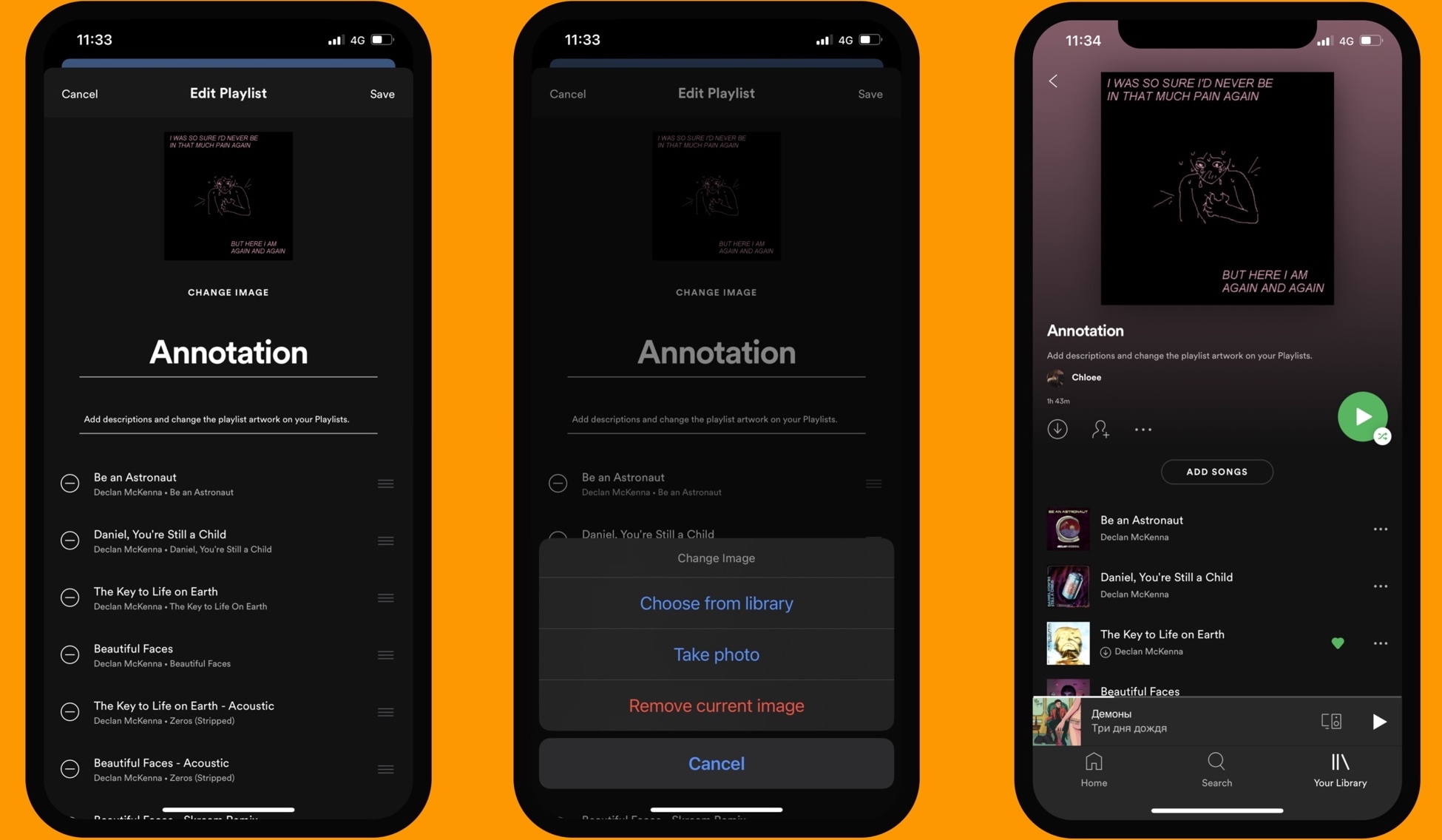
Annotation lets Spotify users add descriptions & custom cover art to music playlists

While it has always been possible to create music playlists in the Spotify Music app for iPhone and iPad, one thing that seemed to be missing was a way to customize those playlists in depth. Fortunately, those with a jailbreak are no longer bound to such asinine limitations.

Annotation is a newly released and free jailbreak tweak by iOS developer atebitsy that brings music playlist customization options to the Spotify Music app. Right out of the box, it will permit users to add detailed descriptions to their music playlists and even change the playlist’s cover artwork to their liking.

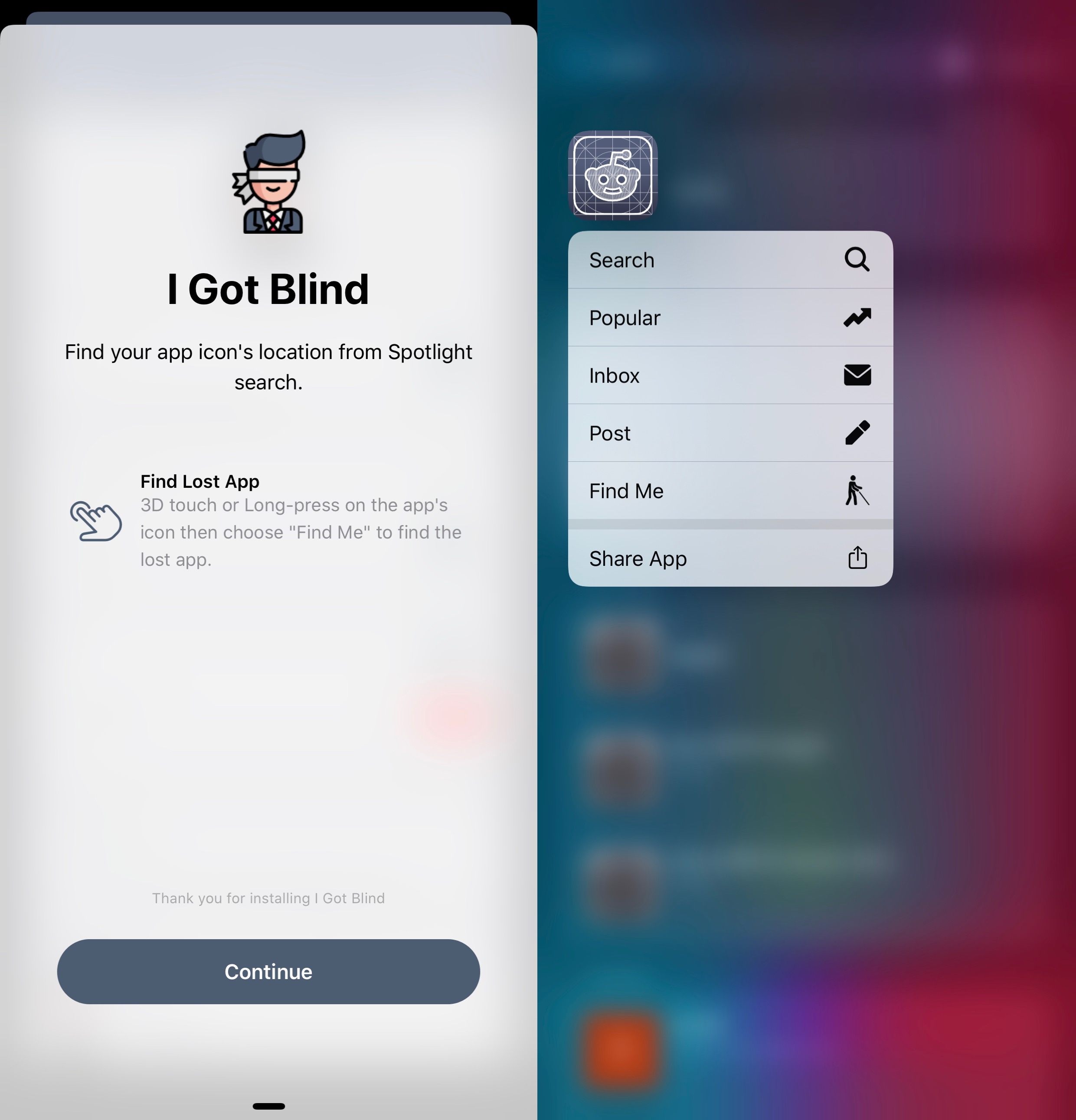
iGotBlind helps jailbreakers with cluttered Home Screens find their apps

If you have a lot more apps installed on your iPhone than the average Joe, then chances are that you might forget where an app resides on your Home Screen from time to time. iOS & iPadOS 14 aim to improve Home Screen organization with the all-new App Library and the novel ability to hide apps from the Home Screen, but the circumstances are vastly different for those jailbroken in iOS or iPadOS 13 or earlier.

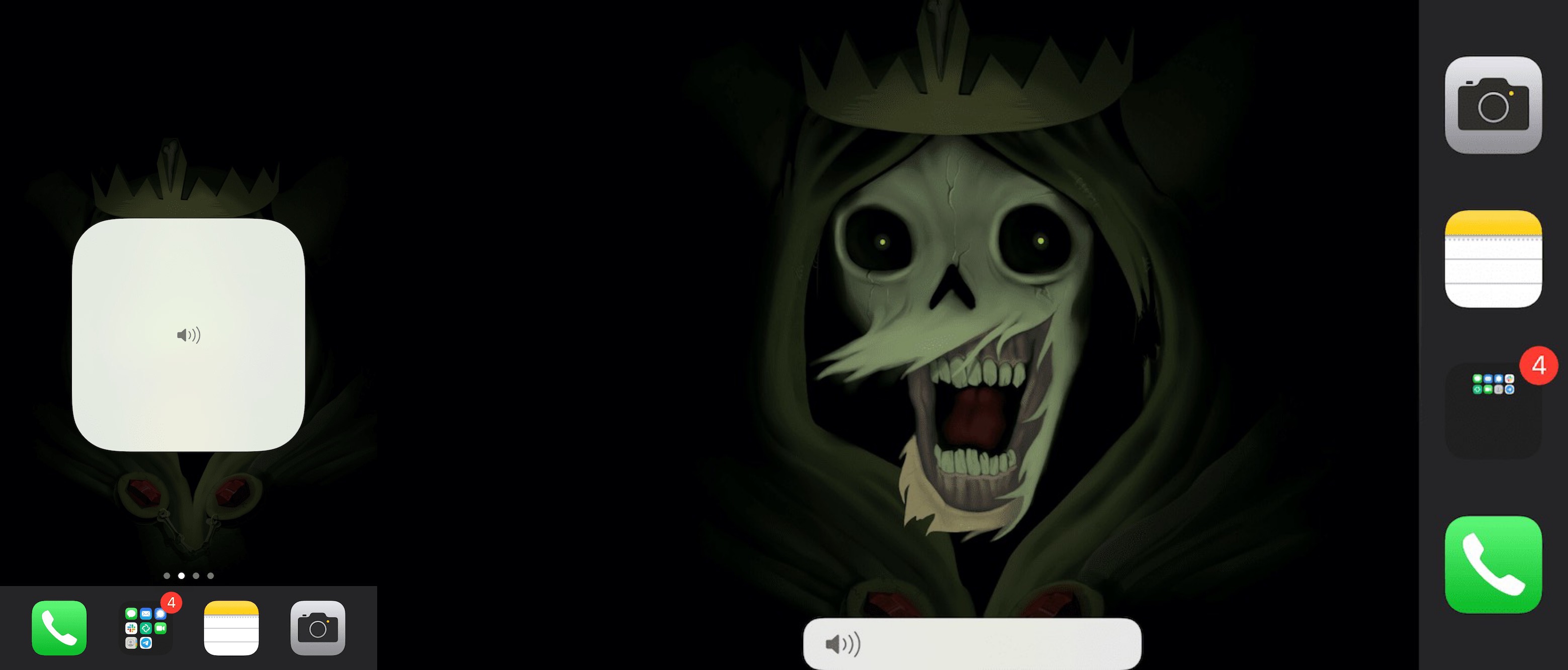
Tweak your pwned handset’s volume HUD with Volume Controller

As you interact with the volume buttons on your iPhone or iPad, a subtle yet functional volume HUD appears on the screen for a brief moment to advise you what your current volume level is. Users can also make fine adjustments to their handset’s volume level by performing tap and drag gestures on the volume HUD interface itself.

But let’s say you wanted a different volume HUD shape or X/Y positioning on the screen — this is something Apple doesn’t offer as a native feature on the iPhone or iPad out of the box. Fortunately, a newly released and free jailbreak tweak dubbed Volume Controller by iOS developer Tomasz Poliszuk can help with that.

Jailbreak tweaks of the week: Bakgrunnr, Dove, Puck, and more…

With a new mobile operating system upon us and a recently teased iOS 14-centric security vulnerability, the wait has started to see if and when a new jailbreak tool will be made and released to liberate Apple’s device users from the company’s so-called ‘walled garden.’ That aside, those who are already jailbroken are surely wondering about the best ways to take advantage of their pwned handset, and that’s what this piece will be all about.

In this roundup, we’ll showcase all the latest jailbreak tweaks to be released from Monday, September 28th to Sunday, October 4th. As always, we’ll kick things off by showcasing our favorite tweaks first and then move on to an outline of all the rest afterward.

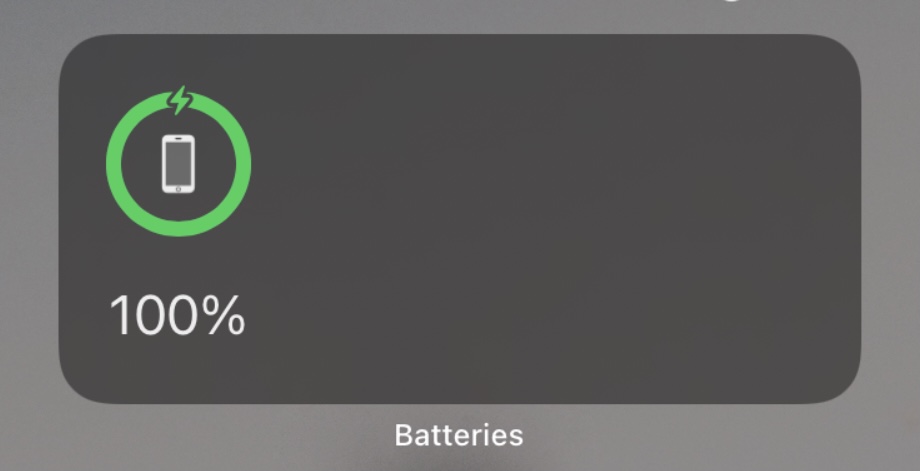
Centauri lets jailbreakers on iOS 14 customize the native Batteries widget

One of the most substantial changes Apple implemented in the new iOS and iPadOS 14 software updates a couple of weeks ago involves widget functionality. Once confined to the Today page, widgets can now be integrated directly into the Home Screen user experience; furthermore, those same widgets have become more advanced and interactive than they were in previous versions of iOS and iPadOS, but they’re still far from perfect.

If you’re fortunate enough to have a jailbroken iOS or iPadOS 14 device at your disposal (currently only possible with the checkra1n jailbreak and an A9 or A9X handset at the time of this writing), then you may now take advantage of a newly released and free jailbreak tweak dubbed Centauri by iOS developer MTAC to unlock new features specifically designed for iOS and iPadOS 14’s native Batteries widget.