iPhone

Stay up-to-date on the latest iPhone news and learn new tips and tricks with our comprehensive tutorials. From software updates to new features, we’ve got you covered.

Not Hotdog, GiftHead, Stigma, and other apps to check out this weekend

This week's edition of our Apps of the Week roundup includes a not-so-smart food identifying app, a personal shopper that is an expert at helping you pick out gifts, and a journaling app aimed at helping you improve your mood. And as usual, we have two great new games for you to check out this weekend.

Not Hotdog

If you're a fan of HBO's TV series Silicon Valley, you probably already know what this is. In last week's episode, budding entrepreneur Jian-Yang demonstrated an app called Seefood, which was supposed to be able to identify different foods using your phone's camera. Instead, all it was able to do was differentiate between hot dogs and non-hotdog items—thus, Not Hotdog was born. That's literally all the app does, but I got a little kick out of taking pictures of random things and sharing them with friends using the 'Not hotdog' caption. And you could too. Not Hotdog is available for free.

GiftHead

Here's a not-so-new app that you may not have known about. It's called GiftHead and it just received a huge update with a major redesign and support for 500 new stores. The app works like this: tell it who you're shopping for, what the occasion is and your preferred price range. Then pick a gift from the curated list of suggestions, and the app will point you to the right store. Rather shop online? The app can do that too. Other features include sale alerts, wish lists and gift reminders, so you'll never miss a birthday or anniversary again. GiftHead is available for free.

Stigma

Stigma is another not-so-new app that could be useful for folks that don't know about it. It's described as a "mental health" app, with a built-in journal, mood calendar, reminders and a word cloud that allows you to see the types of words you're using most in your journal entries. There's also a support network aspect, with PenPals (supportive peers), Support Groups, and a community you can share your journal entries with. Now the app itself is free, but there is a Pro service that starts at $2.99 per month with premium features like advanced analytics and longer journal entries. Stigma is available for free.

Old Man's Journey

Old Man’s Journey is a soul-searching puzzle adventure game about life’s precious moments, broken dreams, and changed plans. Immerse yourself in a visual narrative as you uncover stories of the old man’s life told through beautiful vignettes of his memories. Interact with the serene, whimsical environment as you solve playful puzzles and shape the landscape around you, growing the hills to create the old man’s path forward. Note that this game has won a ton of awards for its visuals and storytelling, but some of the iTunes reviews complain that the puzzles are too easy and the game is too short. We still think this is worth checking out. Old Man's Journey is available for $4.99.

Timber Tennis

From the makers of the hit Timberman comes Timber Tennis, essentially a unique take on the game Pong with a lumberjack twist. Take part in the annual Timber Tennis World Championship—beat all your old rivals by upgrading your skills, using super-shots and staying clear of other players' specials. Unlock a slew of characters and balls, and compete in local multiplayer against your friends. Note that this is a freemium title, with an in-app purchase to remove ads, and some of the early reviews complain that the ads are super intrusive. Even so, if this game is half as addictive as Timberman, it's worth checking out. Timber Tennis is available for free.

More apps to check out Microsoft refreshes OneNote apps with new design and accessibility features Apple’s free app of the week: Eggggg – The Platform Puker Things 3 is out with overhauled interface and multiple new features Hey Siri, make some room for Google Assistant on my iPhone Gmail for iOS now uses machine learning to provide smart replies Todoist gains 2-way Google Calendar integration, Dynamic Type support & more Instagram rolls out selfie filters, rewind option for videos, hashtag sticker & eraser brush

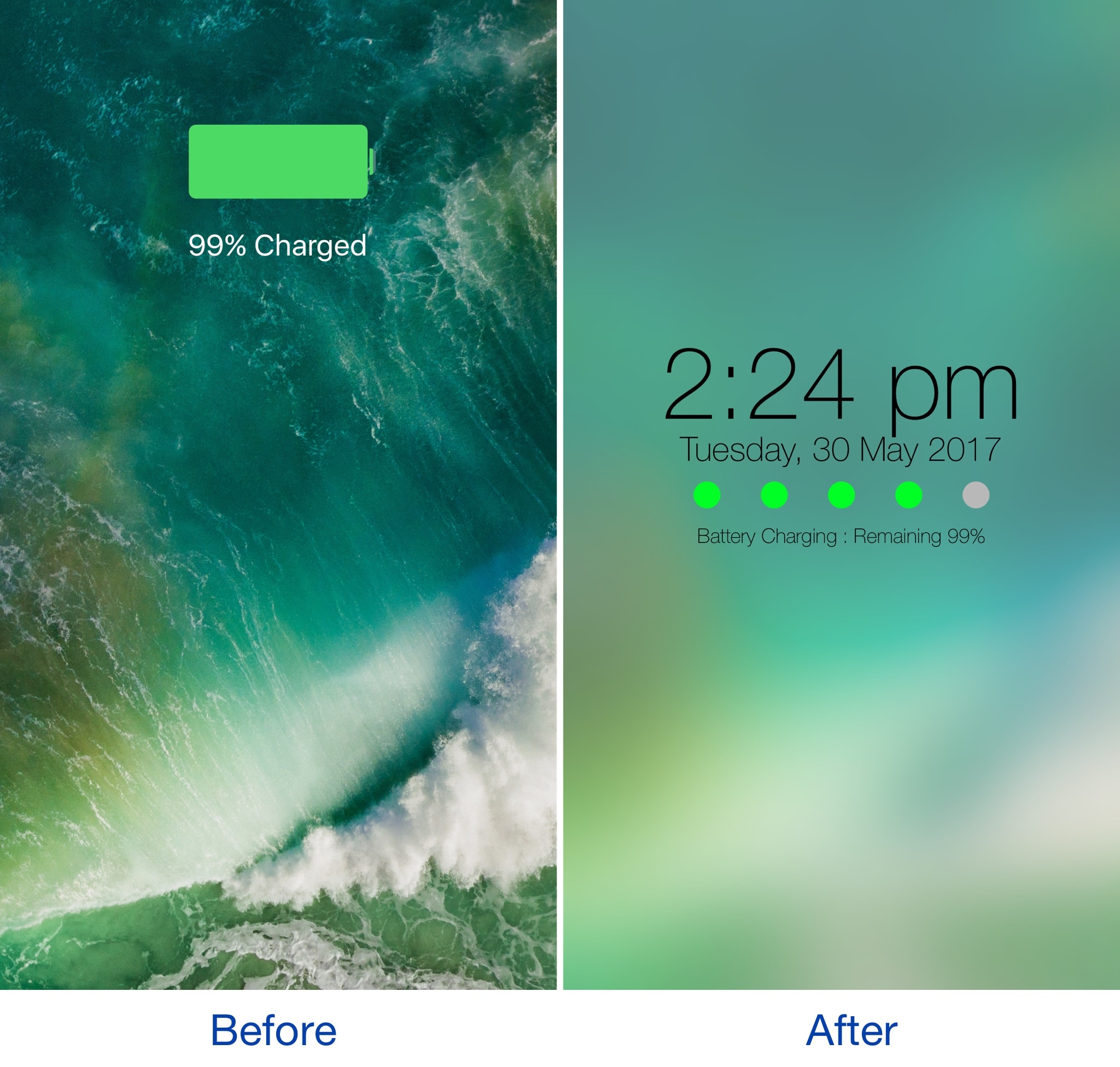
This tweak also clears app icon badges when clearing notifications from Notification Center

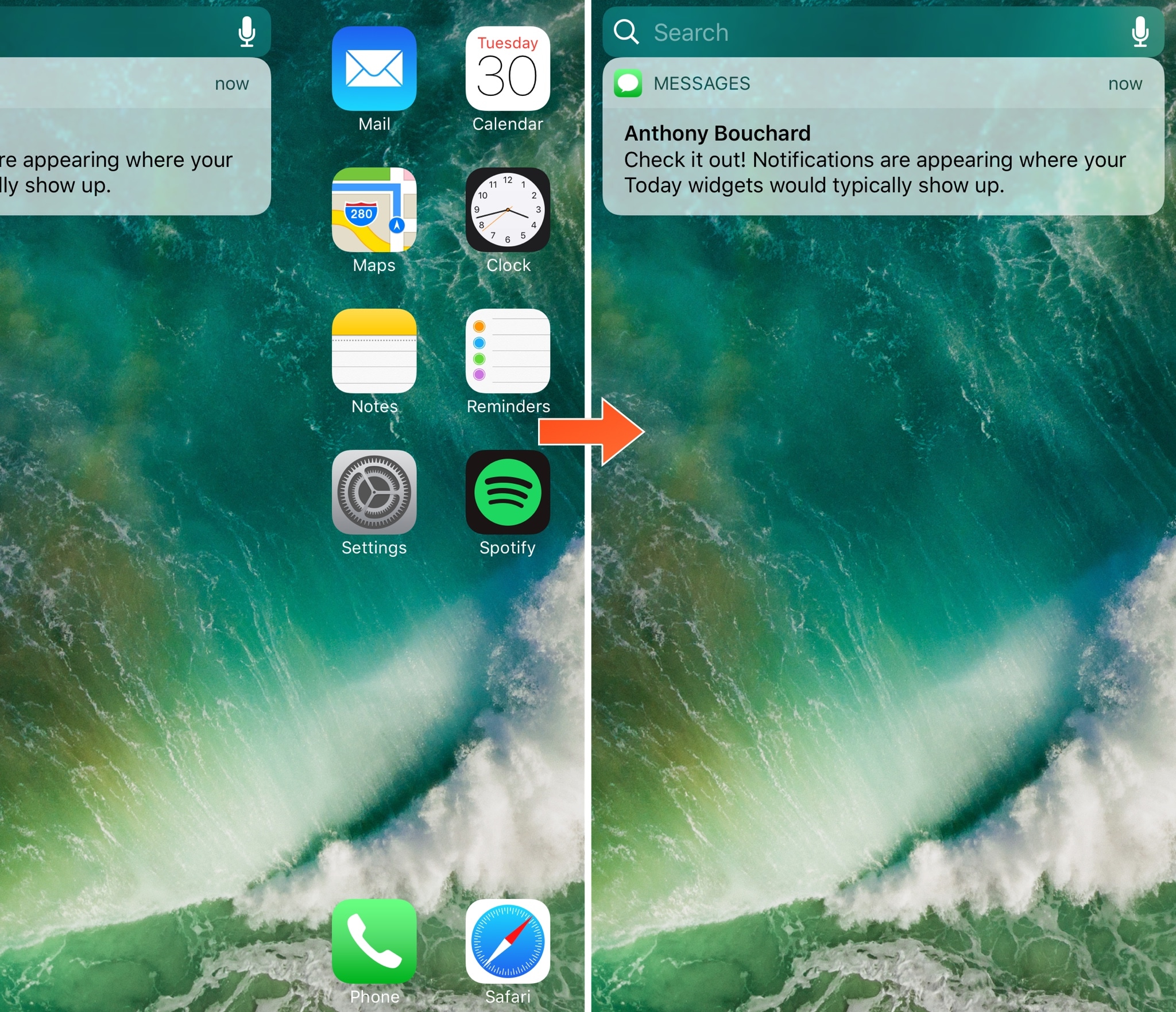
One of the pet peeves I’ve always had as an iOS user is that when I clear notifications from Notification Center, the badges remain on the Home screen app icons, requiring me to manually dismiss the badges after I already went through the process to dismiss the notification in Notification Center.

A new free jailbreak tweak dubbed Pigeon by iOS developer ridn eliminates this tedious problem by automatically updating the icon badge number after you cleared notifications via Notification Center.

Tinc adds a splash of color to Control Center and Notification Center

If you like adding personalization on your jailbroken device, then sometimes it’s the simple things that stand out the most. Subtly changing UI colors so they don’t overpower the whole interface or user experience is just one example of this concept.

A new free jailbreak tweak called Tinc by iOS developer ridn lets you tint the interfaces of Notification Center and/or Control Center in iOS any color you like, and is a testament too subtle customization.

Hypeman announces Now Playing changes by voice or banner notifications

If you ever listen to radio apps or random playlists that you didn’t create, then you’re probably familiar with how it feels when you can’t quite figure out what’s playing; a real buzzkill when you like the beat and want to save the song for later.

A new free jailbreak tweak dubbed Hypeman by iOS developer ridn can help in this regard, as it keeps you in the loop with song information every time the Now Playing track changes.

Colorize your notification banners with Cheader

Banner notifications throughout iOS 10 are bland, lacking any visual appeal whatsoever. On the other hand, a new free jailbreak tweak dubbed Cheader by iOS developer ridn aims to fix that.

Once installed, Cheader automatically colorizes your notification banners based on the dominant color found in the icon of the app that delivered the notification.

Apple publishes 4 new “How to shoot on iPhone 7” video tutorials

Apple on Friday added four new video tutorials to the “How to shoot on iPhone 7” series on its YouTube channel. The four new videos were designed to teach customers how to shoot with zoom on their iPhone 7 Plus, convert their photographs to black & white, as well as take a one-handed selfie and edit it on the phone.

How to shoot with zoom on iPhone 7 Plus

“Get closer with 2x optical zoom. Or use digital zoom to get up to 10x closer,” says Apple.

https://www.youtube.com/watch?v=wsaA1s7oCKA

If you tend to use the zoom feature while shooting video on your iPhone 7 Plus, it may be a good idea to disable the automatic lens switching feature in camera settings to avoid any glitches that may occur when zooming in and out during video capture.

How to convert to black & white on iPhone 7

https://www.youtube.com/watch?v=RQoEsUJpy_Q “The right filter and a bit of experimenting with light levels give you a dramatic black-and-white image,” says Apple.

How to shoot a one-handed selfie on iPhone 7

https://www.youtube.com/watch?v=4miX5CNATEI

“The quick-draw selfie in three easy steps.”

How to edit a selfie on iPhone 7

https://www.youtube.com/watch?v=UUxahFzjGS4

“Use cropping and auto-enhance to create an even better selfie for sharing,” says Apple.

If you'd like, feel free to explore additional photography tips and techniques at Apple's website.

The clips join Apple's seven video tutorials on using iPhone 7's camera, published last week.

Our own iPhone Photography series is a valuable resource of free tips, tricks and advanced photography techniques, whether you are an experienced photographer or a beginner.

iPhone hacked by jailbreak developer to interact with NFC devices

iPhones have come equipped with Near Field Communication (NFC) technology since the iPhone 6 launched in 2014. NFC's primary use in the iPhone is for Apple Pay and allows contactless payments via supported merchants at the point of sale.

On the other hand, well-known jailbreak developer Elias Limneos was tinkering with iPhone NFC on his spare time and managed to hack it to work in ways that are typically locked off by Apple out of the box.

Microsoft refreshes OneNote apps with new design and accessibility features

Software maker Microsoft on Friday rolled out new versions of its note-taking apps for iPhone, iPad, Apple Watch, Mac, Android, Windows 10 and the web. OneNote's interface has been tidied up and navigation improved in the latest release.

The app now includes new assistive features to help users with disabilities.


OneNote's revamped interface makes organizing your notes easier than before with an improved layout. You'll notice that the reworked interface puts your content front and center, with all of the notebooks, sections and pages moved to columns on the left side of the app.

This allows for efficient organization of your notebooks.

The company celebrated the redesigned OneNote launch with the following video.

https://www.youtube.com/watch?v=fmGVp76WyIU

The newly implemented accessibility features, available across iOS and macOS, let people with various disabilities efficiently navigate the app with screen readers, improved keyboard shortcuts and other assistive technologies.

And with the left-hand navigation controls, screen readers can easily navigate through the app.

OneNote is now available with a consistent experience across devices: with this update, says Microsoft, your experience will be the same regardless of what device you happen to be using.

The new redesign for OneNote is rolling out for Windows 10, Mac, iOS, Android and on the web over the coming weeks so check back later if it's not live yet.

OneNote for iPhone, iPad and Apple Watch is available free on App Store.

OneNote for Mac is available free on Mac App Store.

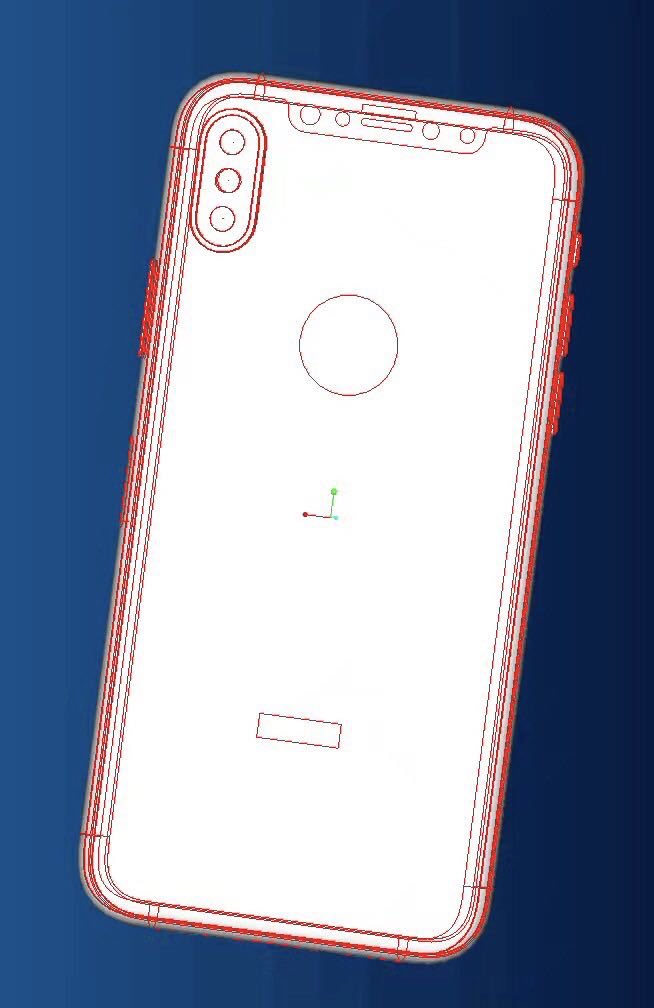
3D Touch component costs for iPhone 8 to double vs iPhone 7

Apple is paying between $7 and $9 per unit for iPhone 7's 3D Touch components, but that price is expected to triple for the firm's rumored OLED-based iPhone 8 model to between $18 and $22.

The 150 percent price increase, according to a report in the Chinese-language Economic Daily News cited by DigiTimes, stems from the fact that pressure sensors for OLED displays require a separate protective glass bonding on both the front and rear of the display panel.

“Due to the additional bonding of glass covers, overall processing cost for OLED-based 3D Touch solution is about 50 percent higher than that for the LCD-based one but the quotes for the client is about 150 percent higher,” reads the report.

Taiwanese touch panel makers TPK Holdings and General Interface Solution act as suppliers of 3D Touch parts for existing LCD-based iPhones. Both TPK and General Interface Solution should be the sole suppliers of iPhone 8's enhanced 3D Touch components as well.

Apple has accepted the price increase, according to Economic Daily News.

iPhone 7's 3D Touch module, as mentioned before, directly bonds pressure sensors on the LCD display panel. For OLED display technology, TPK's 3D Touch solution entails bonding of a glass cover on the front and back side of an OLED panel each “to reinforce the fragile panel.”

TPK has reportedly passed certification for its OLED-based 3D Touch solution for iPhone 8. The company now expects to obtain significant orders from Apple.

PresentPage lets you assign a default Control Center card

Control Center is one of the most useful interfaces you can use in iOS, as it provides you with quick access to toggles, shortcuts, and music playback options from anywhere.

If you ever find yourself using a specific Control Center card more frequently than the other and prefer the interface wouldn't remember the card you used last, then you’d probably like a new free jailbreak tweak called PresentPage by iOS developer Cole Cabral.