iPhone

Stay up-to-date on the latest iPhone news and learn new tips and tricks with our comprehensive tutorials. From software updates to new features, we’ve got you covered.

First two months of Galaxy S8 sales 20 percent lower versus Galaxy S7

Citing brokerage analysts, The Korea Herald reported Tuesday that Samsung's latest Galaxy S8 flagship smartphone has moved fewer units than the previous-generation Galaxy S7 model.

Samsung sold an estimated 9.8 million units in Galaxy S8's first two months of availability, or about 20 percent less than Galaxy S7’s twelve million sales in the same period last year.

It should be taken into account that Galaxy S8 started selling in three key markets while its predecessor sold globally immediately.

The report attributed the sales decline largely to the saturated smartphone market and, in part, to fiercer competition from Chinese rivals. Samsung apparently reduced supply orders for some parts, an unnamed industry source said.

That Samsung hasn't' bragged recently about Galaxy S8's sales is another indication of the potentially slowing sales. “We estimate Galaxy S8’s sales volume to be similar to that of Galaxy S7 for now,” is all a Samsung official had to say about the matter.

The only data point Samsung shared was on May 16, when it said global shipments of its latest flagship smartphone exceeded ten million units in its first three weeks of availability.

Galaxy S8 debuted on March 30 and started selling globally on April 21.

“Since the 10 million shipment, Samsung is not revealing sales figures possibly due to slowing sales,” said a local analyst. “We assume Galaxy S8 is selling less than Galaxy S7.”

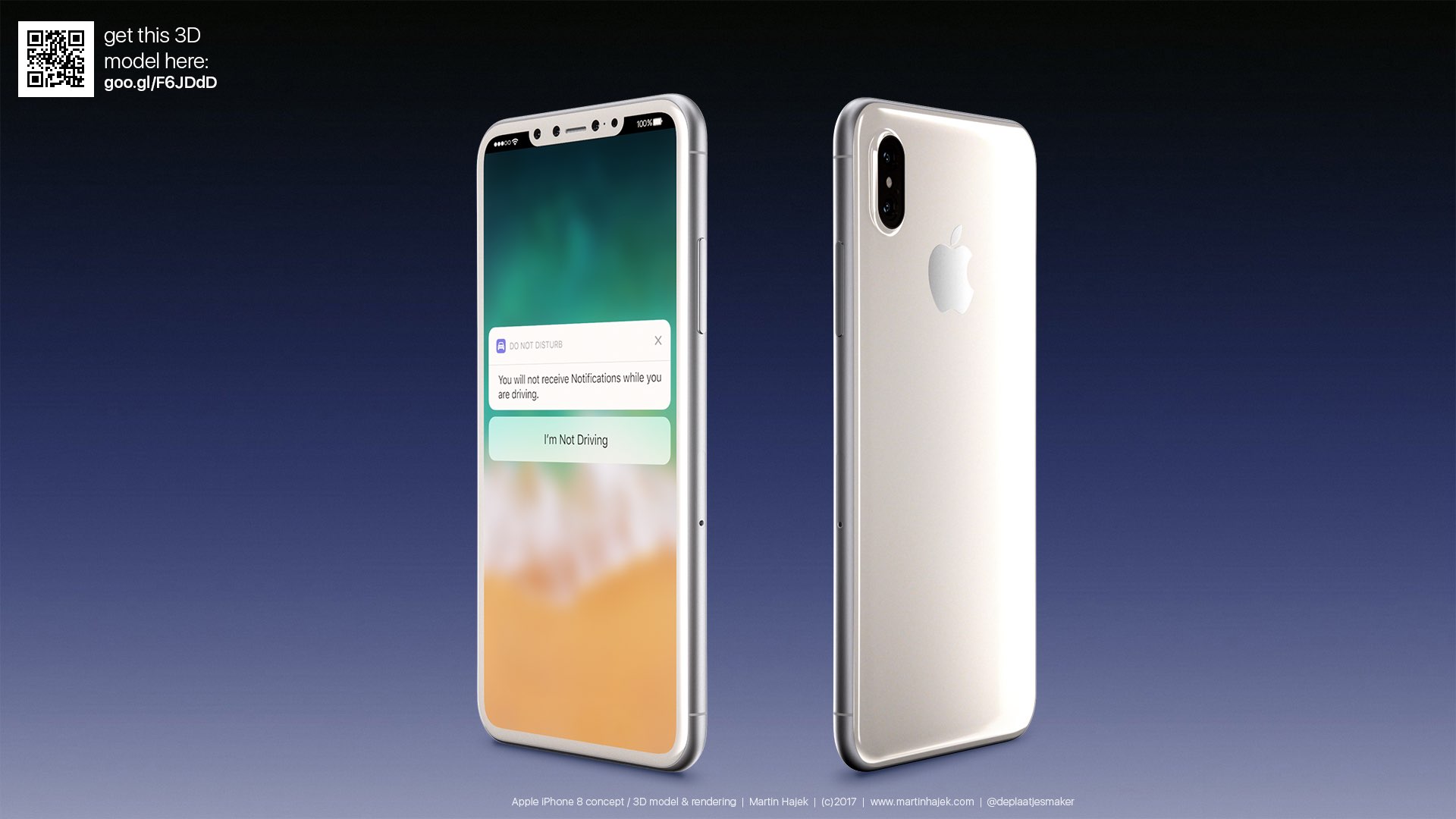
Hands-on video shows iPhone 8’s supposed industry-highest screen to body ratio

YouTuber Unbox Therapy got his hands on the most comprehensive CNC-machined iPhone casing “I've ever seen”, offering a look at the handset's screen to body ratio and other features.

According to trusted Apple analyst Ming-Chi Kuo of KGI Securities, Apple's flagship 5.8-inch OLED iPhone will have the highest screen-to-body ratio of any smartphone currently available.

According to the YouTuber:

iPhone 8 represents a very important device for Apple. In a market where smartphone prices are dropping rapidly companies like Apple and Samsung have to work much harder to convince customers that their products are worth the cost premium.

Some will say that Apple has copied Samsung in the design of the iPhone but I think the race for maximum screen to body ratio was inevitable for smartphone vendors. Current speculation puts this iPhone 8 design at the top in those terms.

There's no other phone currently available that has this much screen in a body this size.

Prior rumors alleged that iPhone 8 would switch from a 16:9 to an 18:9 display, resulting in a 2:1 aspect ratio that would make the screen appear taller and perhaps slightly narrower than the screens on existing iPhone models.

The 18:9 aspect ratio has been popularized by the latest phones from Samsung and LG with displays that are taller than the 16:9 ratio used by the majority of smartphones.

And here's his hands-on video, posted last week.

https://www.youtube.com/watch?v=4WHMgBs_C3s&t

Current speculation—supported by the CNC-machined iPhone 8 model in the video and analysts—appears to indicate the lack of a Touch ID fingerprint scanner.

It' remains unclear, however, if Apple might decide to opt for an advanced facial recognition unlock system similar to Samsung’s Galaxy S8 as a Touch ID replacement.

According to KeyBanc Capital Markets analyst Andy Hargreaves, iPhone 8 could launch without Apple Pay support unless the Touch ID situation is resolved in a timely manner.

“We do not believe facial recognition would be initially qualified as an acceptable verification method for Apple Pay,” said Hargreaves.

He explained that the solution wouldn’t work without clear line of sight to your face and, which could pose problems for customers using their iPhone 8 to pay with Apple Pay at stores.

Analyst: Apple has until August to solve iPhone 8’s Touch ID situation

Highly unlikely claims by KeyBanc Capital Markets analyst Andy Hargreaves were cited in today's report by the investment publication Barrons, alleging that Apple has “just weeks” to decide whether to put a Touch ID fingerprint sensor under the cover glass of iPhone 8 or completely replace the popular feature with an advanced facial recognition system.

Apple's struggles with the workaround for the fingerprint sensor increases the potential that the OLED iPhone could be delayed or even ship without a fingerprint sensor at all, he speculates.

Hargreaves went as far as to suggest the flagship device could launch without Apple Pay support unless the Touch ID situation is resolved in a timely manner.

“We do not believe facial recognition would be initially qualified as an acceptable verification method for Apple Pay,” he wrote. “While Apple could achieve this over time, the likelihood for an initial lack of Apple Pay could adversely affect demand.”

It would typically take at least three months from ordering Touch ID chips to full iPhone volume production. If Apple does place orders for the chips before August, the company would likely be able to reach volume production in late October or early November, the analyst speculates.

“We believe this remains Apple's preferred path, and expect it would be acceptable to both consumers and investors,” he said, adding it is “entirely unclear” if Apple will be able to fix the problem in this time frame.

He doesn't think that an advanced facial recognition system would provide strong security required for Apple Pay, even if Apple designed this feature to work from many angles and in low-light environments, as suspected.

That's because scanning your face wouldn't work without clear line of sight to your face, which could be  especially problematic when paying with Apple Pay at stores.

Here's an excerpt from the report:

Even if this encompassed just five percent of login scenarios, it would mean that several times a day the new iPhone would perform worse at an elemental feature than older iPhones, which would risk pushback from consumers.

Further, we do not believe facial recognition would be initially qualified as an acceptable verification method for Apple Pay. While Apple could achieve this over time, the likelihood for an initial lack of Apple Pay could adversely affect demand.

Hargreaves says a delay in the retail availability of iPhone 8 is “very unlikely, but possible,” especially if Apple decides that facial recognition isn't suitable for Apple Pay.

Take the report with a grain of salt.

I don't think Apple would launch its highly anticipated premium smartphone without Touch ID and Apple Pay support, although anything is possible.

How about you?

Claimed iPhone 8 schematics top of post via Sonny Dickson.

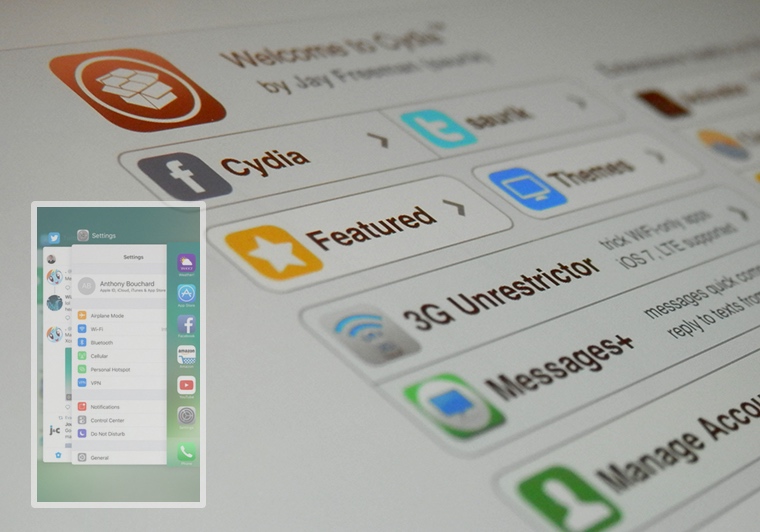
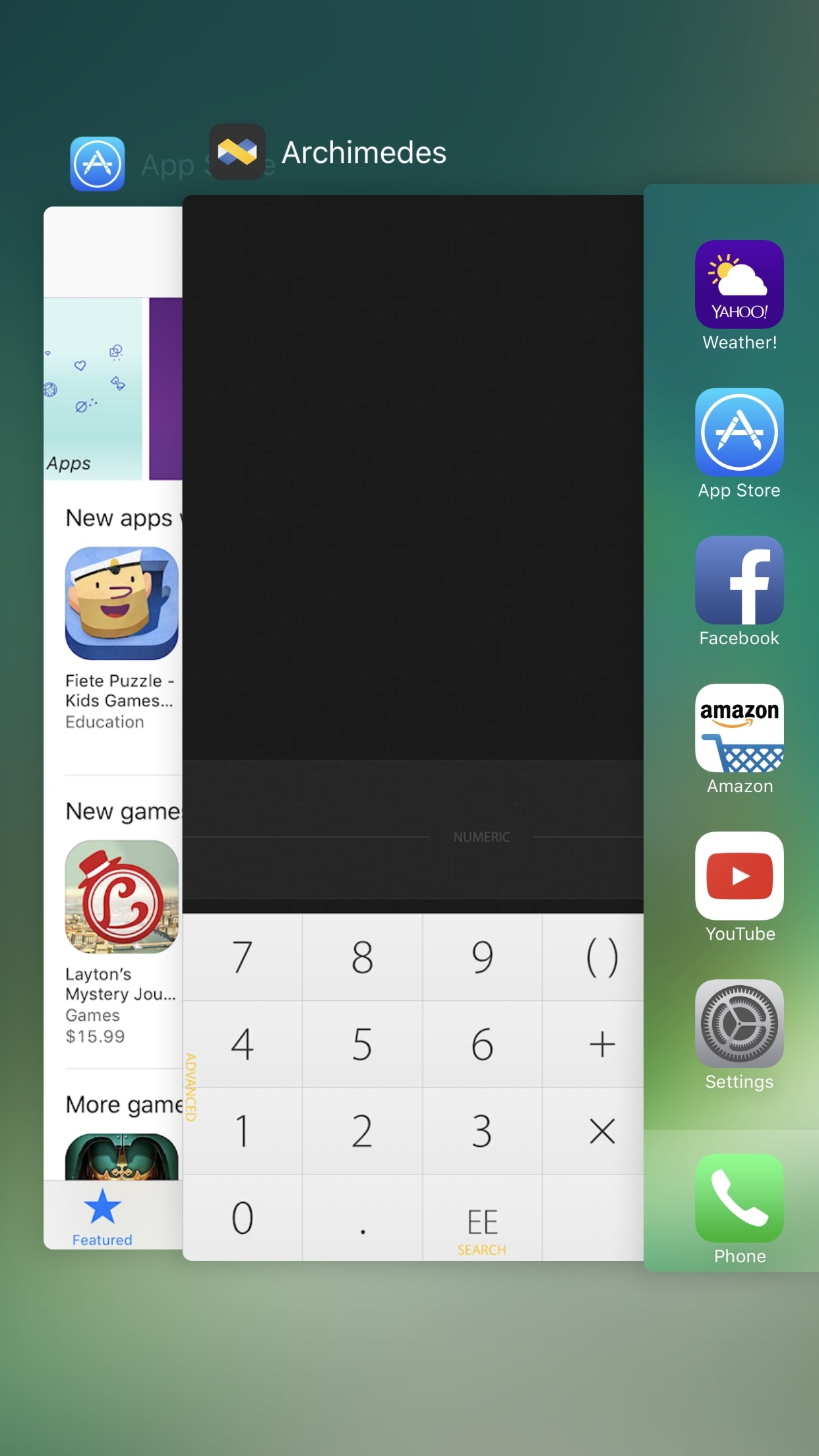
Get the iOS 11 Control Center interface on iOS 10 with ControlCenterXI

Just a couple of days ago, iOS developer LaughingQuoll released the first piece of the Eleven jailbreak tweak suite, which brings many of iOS 11’s features to jailbroken iOS 10 devices without needing to upgrade the firmware. Dubbed LockscreenXI, it mimicked the iOS 11 Lock screen interface.

If you found that release exciting, then you’ll be happy to know another piece of Eleven is now available in Cydia. ControlCenterXI is now available and brings iOS 11's modular Control Center interface to jailbroken iOS 10 devices.

Everything new in iOS 11 beta 3

A third beta of iOS 11 for the compatible iPhone, iPad and iPod touch devices was released earlier today to Apple's registered developers and members of the paid Apple Developer Program.

The accompanying second public beta of iOS 11, which would have the same features as third developer-only beta, should be released through Apple's Beta Software Program later this week, probably tomorrow, allowing non-developers to take the latest beta for a spin on their iOS devices.

Here's everything new in iOS 11 beta 3, based on Apple's official release notes and community findings (which you can contribute to in the comments section).

https://www.youtube.com/watch?v=bixdLWqPIvA

Subscribe to iDownloadBlog on YouTube

New features in iOS 11 beta 3

iOS 11 beta 3 takes advantage of a brand new syncing system for Safari's Bookmarks and Reading List features, which should increase performance and elevate your security. Migration to the new sync system occurs silently after all the devices signed in to your iCloud account are running iOS 11.

Safari content blockers are working again in beta 3. A new API allows native apps who will implement it to log in the user automatically by re-using a previously saved Safari password for the app's web-based version.

Siri in iOS 11 can translate text for you and the third beta adds support for translation requests from English US to Chinese, Spanish, German, French and Italian. New Siri voices for both genders of Brazilian Portuguese, Canadian French, Dutch and Swedish are available in beta 3, as well as new female voices for English and Mexican Spanish.

Plus, the Siri voice for both genders of Japanese and Chinese has been upgraded.

iOS 11's built-in screen recording feature now comes with a new Start Broadcasting option, which seems to do nothing in beta 3 beyond saving the screen recording to the Photos app. We expect subsequent betas will fully implement this feature.

https://twitter.com/iamgroot11/status/884476382129999872

Siri can now get directions when Do Not Disturb While Driving is active.

Elapsed time is now updated when using the system media player's play and stop controls , or when seeking during video content playback. Notifications in the Music app are now working and song metadata now syncs correctly with iTunes.

Messages on iCloud should now be available after a device has been offline.

Safari's view controller, a feature that lets you browse the web within apps complete with Safari features like Reader Mode, now sports an improved interface for 3D Touch previews and default preview actions.

When you open a link in an app that supports Safari's controller, like Tweetbot, you'll notice that Safari's toolbars have been collapse to show just the domain.

iOS 11 beta 3 implements SFAuthenticationSession, Apple's new API for authenticating a user with a web service. For what it's worth, some of my colleagues are experiencing issues using Google services with iOS 11, but this problem does not seem to be replicable for everybody 100 percent of the time.

Top fixes in iOS 11 beta 3

Aside from these outward-facing new features and improvements, iOS 11 beta 3 includes a fair share of bug fixes, under-the-hood improvements and other changes. We'll only mention the most important fixes.

For starters, third-party keyboards should now work if not allowed full access. Audio should no longer drop during Skype calls. The Phone app should no longer crash when a voicemail message is deleted and carrier services like voicemail, messaging, call wait, call forwarding and others on Wi-Fi calling-enabled devices may now work for specific carriers/markets.

Pulling down the notifications shade when the device is unlocked now displays both your current and older alerts without the need for scrolling. An upward swipe for force-quitting apps is back on iPad, replacing the “x” button which appeared in prior betas when an app was held down in the app switcher.

Apps over 100 megabytes should no longer download over your iPhone's cellular connection after acknowledging the warning prompt. Speaking of which, connecting to a cellular network after restarting or powering on your device should now work correctly, as does activating a Sprint cellular data plan on your iPad.

Buttons for Day, Week, Month and Year in the Calendar app now trigger on the first tap.

The Offload App feature now works for apps that are shipped with iOS 11. The Settings app no longer crashes when you delete the Podcasts app or add/delete keyboards, while storage graph and size information now updates correctly.

You can now create a new Photos or Kaleidoscope face for your Apple Watch from the share sheet in the Photos app, as well as share Live Photos via AirDrop. Photographs captured on iOS 11 now show the correct orientation on versions of macOS earlier than 10.13.

In the Watch app, changes to Mail → Include Mail are now saved and watchOS email alerts now use your configured settings.

Tapping Learn More from the prompt that appears when you attempt to launch a 32-bit app now opens the App Compatibility section within the Settings app, as it should.

Apple says 32-bit apps will not run on future betas of iOS 11.

Migrating from your Android phone using Android Migration should work correctly while restoring a device from an iTunes backup will no longer yield white app icons on your Home screen. After restoring from an iTunes backup, you can now authenticate iCloud credentials during the iOS 11 setup process.

When restoring from iCloud Backup in Setup Assistant, you'll see the correct list of backups. Apple says that “certain services” should sync correctly on initial iCloud login.

Using 3D Touch with phone numbers, addresses and so on now works correctly throughout the system. AirPlay has been fixed to work as expected in apps. The SlingTV app now plays back audio and video normally and Kindle books sync as you'd expect.

Facebook Messenger now launches when the Facebook app is not installed. In Amazon Video, the video playback controls now work correctly and navigation bars should look correct.

Last but not least, iOS 11 beta 3 fixes the most annoying thing about the new Control Center where the Wi-Fi toggle would not work properly. Now if you hit the Wi-Fi icon in Control Center, your device disconnects from the current network and temporarily disables Wi-Fi networking (the same goes for the Bluetooth control).

And if your press the Wi-Fi control in Control Center to expand it, it now updates the network name when transitioning between networks. The 3D Touch shortcuts menu for the Camera app in Control Center has been improved as well.

In Apple's new File app, you can now use the QuickLook feature to preview iWork documents while file thumbnails should now display properly.

If you use HomeKit, Siri will finally recognize your smart home setup on devices upgraded to iOS 11 beta. You can now drop PDFs and books into iBooks and audiobooks now appear in your library after purchasing or re-downloading.

Say hello to new bugs

There are still many known issues to be resolved before the iOS 11 software update releases publicly.

For example, syncing 32-bit apps via iTunes may leave a placeholder for the app. In a similar vein, you many be unable to log in to the Pinterest app using your email address.

In Tweetbot, you may not be able to post tweets containing recently taken photos. The excellent VSCO camera app may throw an error when importing photos that have been recently taken.

Under some circumstances, rotating an iOS device may cause Apple Pencil to become unusable.

Restoring from an iTunes backup containing an offloaded app which is also present in the iTunes library on your computer installs the offloaded app and then re-installs it from App Store, which can result in the restored backup taking more space on your device than the size of the backup.

As a workaround, offload the app after the restore process completes.

Submit your own discoveries

If you have managed to detect other user-focused changes or improvements in the new beta not mentioned in the article, post your findings in the comments below and we'll update the write-up as new information becomes available.

You can also submit them via tips@iDownloadBlog.com.

iOS 11 beta 3 seeded to developers

Apple today seeded a third beta of iOS 11 for iPhone, iPad and iPod touch to its registered developers and members of the Apple Developer Program. To deploy iOS 11 beta 3 (build number 15A5318g), use the Software Update mechanism in the Settings app on your device with an appropriate configuration profile installed, which can be obtained from Dev Center.

iOS 11 was originally released as a developer-only preview at WWDC in June, followed by iOS 11 beta 2 on June 21 and the iOS 11 public beta on June 26. The first public beta of iOS 11 has the same features as developer-only iOS 11 beta 2.

Here's Andrew's hands-on walkthrough of the changes in the previous beta.

https://www.youtube.com/watch?v=TZ5pwZMPRxI

Subscribe to iDownloadBlog on YouTube.

iOS 11 sports a redesigned App Store, new iPad multitasking features with the Dock and drag and drop, a Files app, AirPlay 2 with multi-room audio, new Siri capabilities, visual refinements, a customizable Control Center, a redesigned app drawer in Messages and much, much more.

TUTORIAL: How to switch from iOS 11 beta to official iOS release

iOS 11 will release for public consumption this fall across supported iOS device models.

If you have identified new outward-facing user features in iOS 11 beta 3, ping us on Twitter, shoot us an email at tips@iDownloadBlog.com or post your findings in the comments section and we’ll make sure to update the article with new information as it becomes available.

iPhone 8 could include “mirror-like” color option

Apple's OLED-based iPhone 8 could be offered in four color finishes when it launches later this year, including a mirror-like reflective version which hasn't been used for iPhones before, prolific smartphone leaker Benjamin Geskin said on Twitter this weekend.

He learned this interesting tidbit from one of his sources. By comparison, iPhone 7 is offered in six distinct colorways: Silver, Gold, Rose Gold, Black, Jet Black and (PRODUCT)RED.

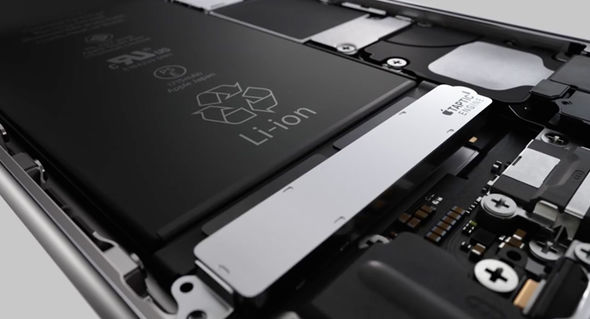
Geskin has been leaking information about Apple's 2017 iPhones for moths, but his track record in the Apple rumor business has yet to be established so treat his latest claim with skepticism. He shared an image of an iPhone 6s in a third-party reflective case, seen top of post, to illustrate what the new color option for iPhone 8 might look like.

iPhone in Canada asked veteran leaker Steve Hemmerstoffer, who has a reliable track record, to comment on Geskins' tweet. He said that this particular rumor could have originated from widely available Chinese clones.

https://twitter.com/VenyaGeskin1/status/883598357658316800

Hemmerstoffer also called out Geskin publicly, saying he shouldn't be taking credit for so-called “leaks” discovered publicly on Chinese social media. In fact, Hemmerstoffer, who runs the OnLeaks account on Twitter, told the publication that Geskin lifted one of his first iPhone 8 dimensions leaks and passed it on as his own with a watermark.

https://twitter.com/OnLeaks/status/881551922599251970

At any rate, iPhone 8 wouldn't be the first phone to include a reflective finish.

That crown belongs to Sony, which made two phones with a mirror-like finish: Xperia Z5 Premium and Xperia XZ Premium. The Xiaomi 6 phone also includes a mirror-like color option..

Four distinct colors for Apple's flagship phone seems a lot if you consider a recent report from trusted Apple analyst Ming-Chi Kuo of KGI Securities, who predicted iPhone 8 would offer fewer casing colors than the iPhone 7s/Plus models to “maintain its boutique image”.

Thoughts?

LockscreenXI brings iOS 11’s Lock screen interface to iOS 10

Some jailbreakers are already drooling over the host of interface changes that come with iOS 11, but we encourage these folks to hold onto their seats. A jailbreak tweak collection dubbed Eleven is nearing full release that will bring many of iOS 11's new interface experiences to jailbroken iOS 10 devices.

The first piece of Eleven, LockscreenXI, brings the Lock screen experience of iOS 11 to jailbroken iOS 10 devices. It was just released in Cydia by its creator LaughingQuoll ahead of all other pieces of Eleven, which are still a work in progress.

‘Modern’ brings a new look to notification banners & Today widgets

If you’re interested in a new and modernized look and feel for your iOS notifications, then a new jailbreak tweak called Modern by iOS developer FromDerik might be worth checking out.

This tweak replaces the horrendously-large stock banner notifications that appear throughout iOS, whether you’re in an app, on the Lock screen, or looking at Notification Center with something better.

Give your power down menu an iOS 7-inspired makeover with StyloPowerDown

When you press and hold the power button on your iPhone or iPad, you’re presented with a switch for powering down your device.

This switch has undergone a host of cosmetic changes throughout previous iterations of iOS, and if you’re nostalgic of how it used to look in earlier versions, or you're just looking for a totally new look and feel altogether, then you might want to try a new jailbreak tweak dubbed StyloPowerDown by iOS developer iKilledAppl3.

Apple isn’t paying bug hunters nearly enough for iPhone exploits

According to a report from Motherboard, iPhone, iPad and Mac bugs are too valuable to report to Apple, which leads to sky-high prices for iOS and macOS exploits on the grey market.

“For now, security researchers who have been invited by Apple to submit high-value bugs through the program prefer to keep the bugs for themselves,” reads the article. All of the eight bug hunters that the publication interviewed said they have yet to report a bug to Apple.

According to Nikias Bassen, a security researcher for the company Zimperium, and who joined Apple's program last year:

People can get more cash if they sell their bugs to others. If you're just doing it for the money, you're not going to give bugs to Apple directly.

Apple's bug-bounty initiative debuted at the Black Hat conference in August 2016.

The program offers between $25,000 and $200,000 for an iOS or macOS exploit, depending on where it is and what it does. For now, the initiative is invite-only.

As The Loop's Dave Mark put it, the question here is, are the bugs valuable enough for Apple to raise their bounties to compete with the grey market?