iPhone

Stay up-to-date on the latest iPhone news and learn new tips and tricks with our comprehensive tutorials. From software updates to new features, we’ve got you covered.

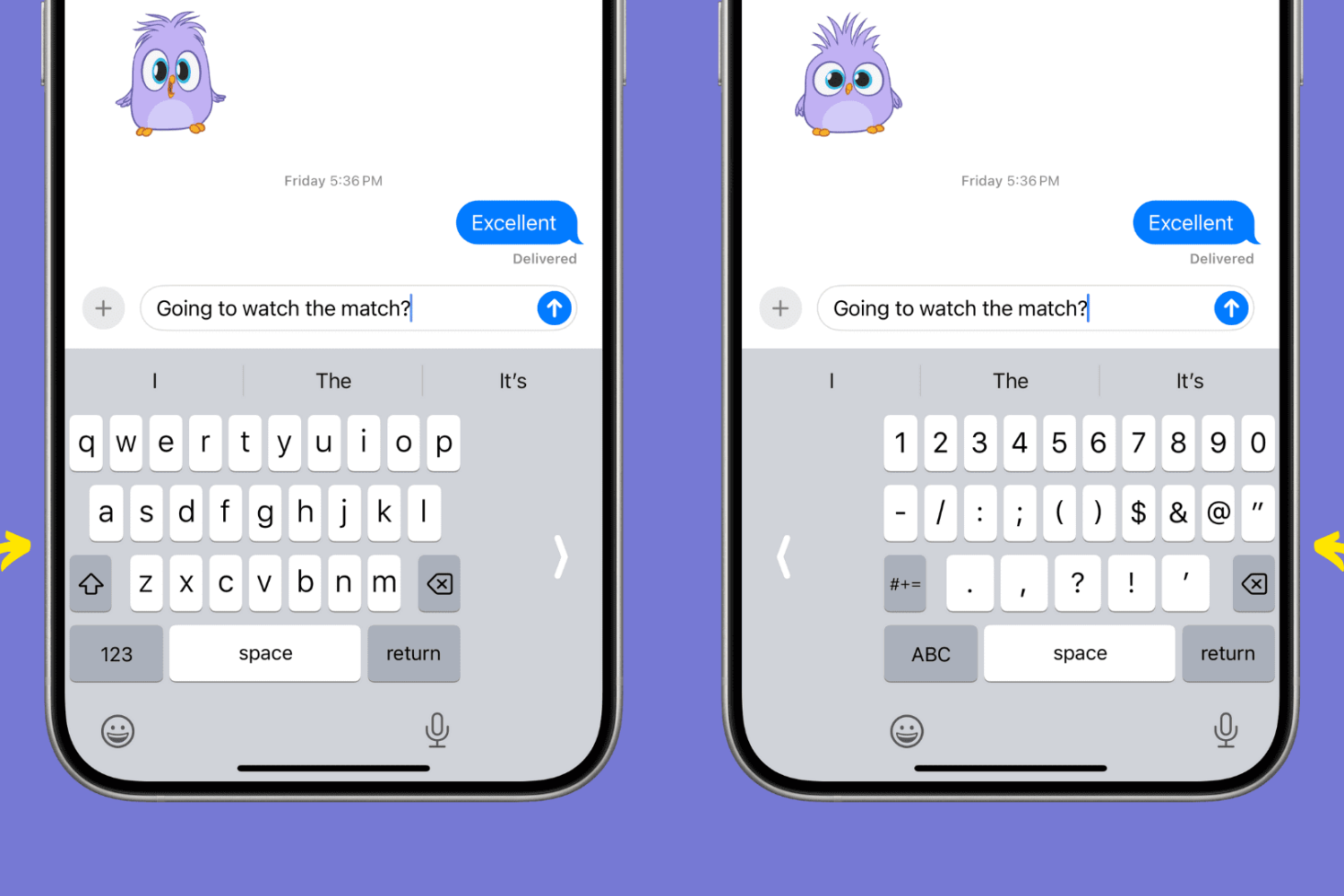
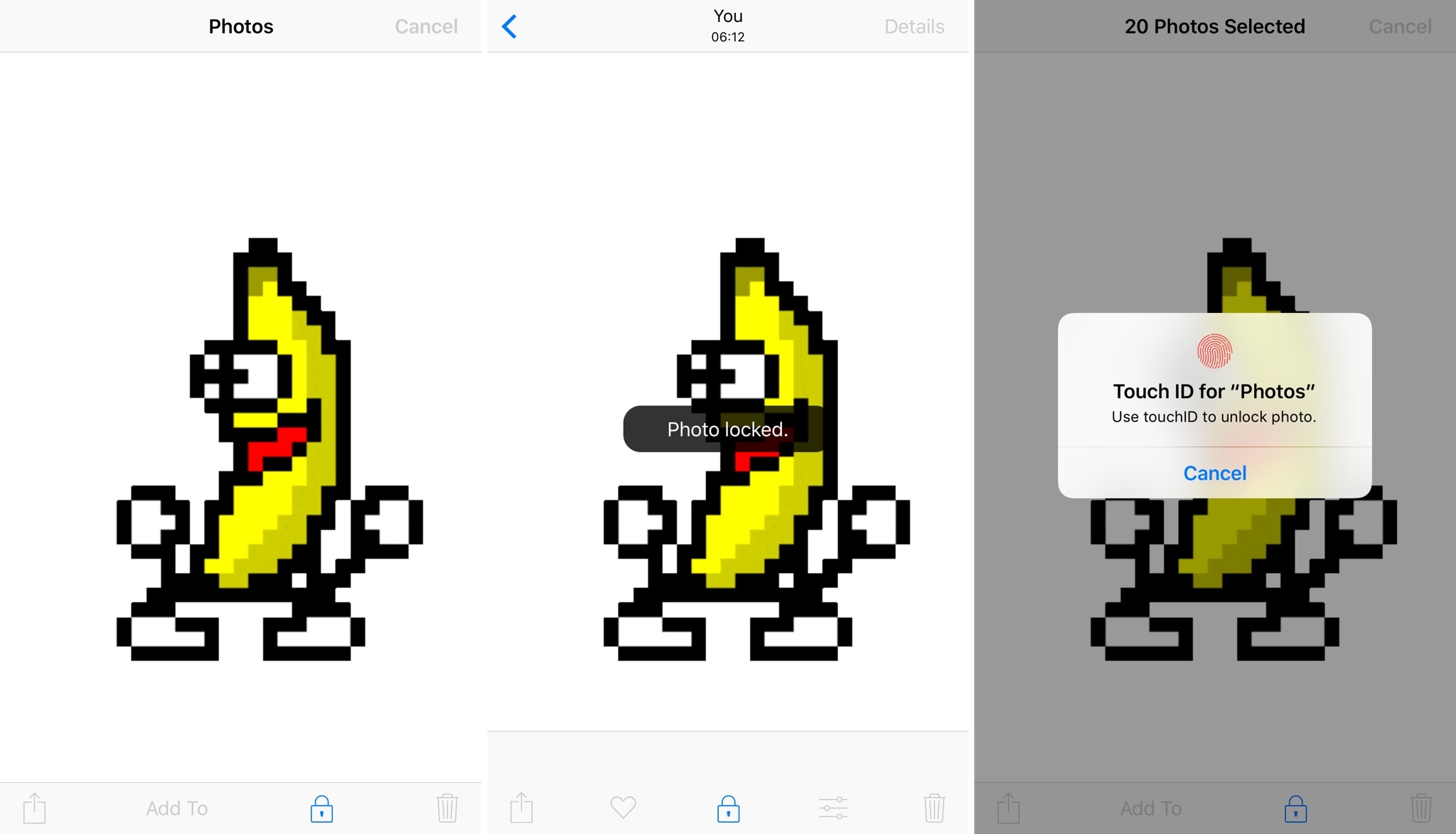
Manually designate your favorite Emojis with Selectmoji

Emojis are one of the joys of texting and instant messaging, and iOS integrates them right into the keyboard for your convenience. A feature embedded within the Emoji selector keeps track of the Emojis you use the most often and puts them in a category called “Frequently Used.”

Since you might prefer to manually designate your favorite Emojis for this section, a jailbreak tweak called FavoriteEmojis was recently released for this purpose, but a new competing tweak called Selectmoji by iOS developer Cole Cabral is now available that is said to address some of the shortcomings of the former tweak.

Analyst says Tesla Model 3 launch could be as big as 2007 iPhone introduction

Gene Munster, a longtime Apple analyst who had been calling for an HD TV set from Apple for years before eventually giving up on that pipe dream, said today that the upcoming release of Tesla's Model 3 sedan would be as big a launch as the 2007 introduction of the original iPhone.

In a blog post on the Loup Ventures website, Munster writes that the combination of the Model 3’s value and technology has the potential to change the world and accelerate the adoption of electric and autonomous vehicles in the next decade.

“We believe we will eventually look back at the launch of the Model 3 and compare it to the iPhone, which proved to be the catalyst for the shift to mobile computing,” he wrote.

The launch of the vehicle is viewed as Tesla's make or break moment because Model 3 is the company's first truly mass-market electric car priced at the sweet spot of $35,000 before federal and state tax incentives.

According to Elon Musk, Tesla is poised to ship about thirty units of the Model 3 sedans on July 28 and ramp up production to 20,000 Model 3 units per month by December of this year.

Chart via Bloomberg

Imagining that Tesla could produce an estimated 2.5 million cars by 2025 may seem hard to believe given it only delivered about 100,000 cars in the past year. But as Munster says, car hardware does not scale as easy as software, but it can scale.

“Looking back at the iPhone in 2007 it was a stretch to envision the company producing 50 million phones a year, but in 2015, the company sold 232 million units,” he wrote. Owning a Model 3 is only thirteen percent more expensive than owning a Toyota Camry over a five-year period, estimated the analyst.

It's important to note that this figure assumes no state or federal tax credits for electric vehicles as the analyst expect those incentives to end before December 2020.

Loup Ventures is a VC fund focused on augmented reality, artificial intelligence and robotics which Munster founded following his exit from investment firm Piper Jaffray in December of last year, putting an end to Munster's 21-year career as Piper's senior Apple analyst.

You can now reply to Instagram Stories with photos and videos

Instagram today announced that users of its popular photo-sharing service can now reply to Stories from people they follow with photos and videos. “From selfies to Boomerangs, now you can be even more fun and playful when you respond to friends,” said the company.

The new feature requires Instagram version 10.28 for iOS.

To reply to a Story with a photo or a video, hit the new camera button that appears while you're watching a Story. If you don't see the icon, the feature has not launched yet in your country.

Like with regular posts, you can pretty up your reply using Instagram's creative tools, allowing you to use face filters, stickers and the Rewind feature. “Replies also include a sticker of the Story that you can move around and resize,” said Instagram.

You'll get a message via Direct when someone replies to your Story with a photo or a video.

You can tap the message to view the reply and also see a sticker of the original story that’s only visible to you. As with disappearing media in Direct, your friends will know when you’ve taken a screenshot (Android only) or replayed a reply.

To learn more about these new features, be sure to check out Instagram's Help Center.

Instagram for iPhone and iPad is available free from App Store.

Industry-wide shortage of DRAM chips may impact production of 2017 iPhones

A major malfunction at one of its manufacturing facilities in Taiwan has caused DRAM chip provider Micron Technology to scrap half of the wafers produced at the plant, trade publication DigiTimes said Thursday. About 60,000 units of twelve-inch wafers have been scrapped.

The problems with nitrogen gas have caused production lines at the fab to stop temporarily, said a report from Taiwan's TechNews, without citing its source.

Research firm TrendForce said that a nitrogen gas dispensing system malfunction had led to the contamination of wafers and equipment in Micron's plant near central Taiwan.

The facility in question is known to have produced LPDDR4 RAM for iPhone devices in the past.

”The temporary shutdown of Fab-2 could have an impact on shipments of the upcoming new iPhone devices as well,” added the research firm.

TrendForce analysts base their reports on channel checks in the supply chain.

“Regarding recent rumors about Micron's fabrication facility in Taoyuan, Taiwan, Micron hereby clarifies that there was no nitrogen leaking incident nor evacuating of personnel,” Micron said in a statement to Reuters.

“There was indeed a minor facility event but operations are recovering speedily without material impact to the business.”

According to DRAMeXchange in June, the average selling price of these chips will rise five percent sequentially in the third quarter of this year as supply remains tight. The rise in DRAM prices could also be seasonal due to the expected ramp up in iPhone production during the summer ahead of new models coming in the fall.

DRAMeXchange is a division of TrendForce.

It's unclear if the incident at the Micron plant will impact Apple's launch volume targets for the OLED-based iPhone 8 and the iterative LCD-based iPhone 7s and iPhone 7s Plus smartphones.

The Cupertino company typically diversifies its suppliers in order to minimize risk.

For what it's worth, Apple has also experienced a shortage of 3D NAND flash chips for 2017 iPhones due to lower-than-expected yield rates for SK Hynix and Toshiba's 3D NAND technologies, forcing the Cupertino giant to turn to Samsung as a supplier.

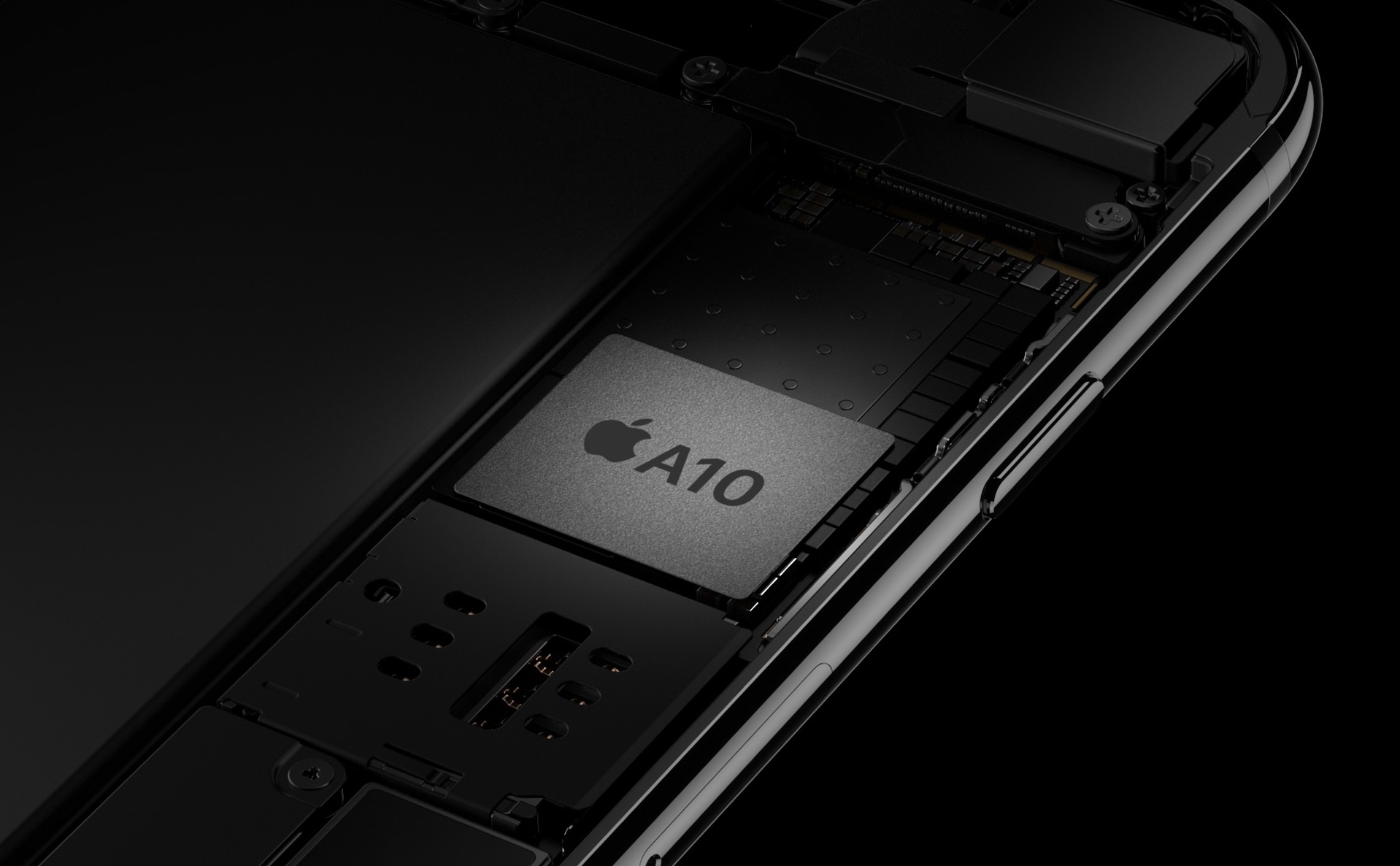
iPhone 7 X-ray image courtesy of iFixit

Shortages of 3D NAND flash chips for 2017 iPhones forcing Apple to turn to Samsung, again

Apple's upcoming iPhone models—the OLED-based iPhone 8 and the iterative LCD-based iPhone 7s and iPhone 7s Plus handsets—have been hit in a global shortage of 3D NAND flash chips, forcing the Cupertino giant to call on Samsung in an effort to secure more.

According to a new report Thursday from DigiTimes, the overall supply of 3D NAND flash components for 2017 iPhones has fallen short of Apple's orders by as much as thirty percent.

That's because the company's current flash chip suppliers SK Hynix and Toshiba have both experienced lower-than-expected yield rates for their 3D NAND technologies.

SK Hynix is among the bidders for Toshiba’s lucrative flash chip unit.

Here's an excerpt from the DigiTimes report:

Apple has turned to Samsung for more NAND chip supplies for its upcoming phones, since Samsung has relatively stable yield rates for 3D NAND technology and has scaled up its output of 3D NAND chips.

TrendForce estimated that supplies of the 3D NAND flash storage chip won't ease until the middle of 2018. “The NAND Flash industry’s manufacturers will continue to devote their attention to the development of 3D 64L NAND Flash technology in 2017,” said TrendForce.

In the second half of 2018, some suppliers will also begin to shift their attention towards the industry’s newer and more advanced 96L flash storage products. Samsung, Toshiba and Micron Technology are currently transitioning to 64-layer 3D NAND flash products, while SK Hynix plans to jump straight to supplying 72-layer 3D chips.

“These gradual changes are all expected to have a potentially beneficial effect on the productions of NAND Flash in 2018,” added TrendForce. “As a result, their prices could start to fall as early as next year”. However, the global supply of NAND flash chips is set to remain tight through the end of 2017.

Business Korea said that Samsung Electronics (which leads the global NAND flash market), Toshiba, Western Digital and SK Hynix are accelerating the development of these three-dimensional NAND flash chip technologies, which basically stack more memory cells than 2D chips while utilizing existing mass production facilities.

The 128GB iPhone 7 model, for example, uses Toshiba’s 3D BiCS NAND technology, which stores three bits of data per transistor and stacks 48 NAND layers onto a single die, bringing accelerated read and write performance compared to 2D flash memory chips.

Nikkei: all iPhones released next year will use OLED screens

Apple will use advanced organic light-emitting diode (OLED) panels in all new iPhones launched from the second half of 2018, according to industry sources cited in a report Thursday by Japanese outlet Nikkei.

An industry source added that the Californian company is “tentatively looking” at releasing three new iPhones next year, adding Apple has already started to design the upcoming models.

Apple's plans are contingent upon suppliers' ability to churn out OLED panels in volume.

Because of that, the company could change its plans down the road. Sources in the OLED production equipment industry suggested that vendors may be unable to manufacture enough OLED panels to meet demand should Apple in fact go with OLEDs across 2018 iPhones.

An unnamed Sharp executive was quoted in the story as saying that “it was not likely” Apple will be using OLED screens for all new iPhones next year.

Here's a recent video of a CNC-machined iPhone 8 dummy based on the rumor-mill.

https://www.youtube.com/watch?v=pW1gx086ZxU

This year, as you know, Apple is widely expected to outfit iPhone 8 with an OLED-based screen.

The flagship device is expected to sport the highest screen-to-body ratio, ditch the physical Home button and reduce or completely eliminate the top and bottom chin.

Yuanta Investment Consulting said shipments of 2017 iPhones will reach 90 million handsets, half of which will be OLED models.

As for the iterative iPhone 7s and iPhone 7s Plus updates coming down the pike this year, these devices will continue to sport LCD screens like prior iPhone models.

Nikkei added that the iPhone 7s and iPhone 7s Plus models will be sold into early 2019. In other words, panel vendors will still be able to supply LCDs for older Apple handsets next year and well into 2019.

Ventana gives your iPhone a Windows 10-inspired Lock screen

We’ve seen tons of Lock screen replacements for jailbroken devices over the years, but for the first time, a new jailbreak tweak dubbed Ventana by iOS developers CoolStar and Jeremy Goulet brings a highly-polished Windows 10-like Lock screen to iOS 10 devices.

As shown above, this tweak is nothing short of a full redesign for the Lock screen, and includes a refreshed look and feel for the date and time indicator, incoming notifications, and Now Playing music interface.

Get notifications when your iPhone switches Wi-Fi networks with this tweak

As you leave your home to visit over places, you probably bounce from Wi-Fi network to Wi-Fi network to save your cellular data. In some cases, your device automatically connects to known or trusted Wi-Fi networks, whether you want it to or not.

A new jailbreak tweak called NotifyWiFi10 by iOS developer ichitaso is a Wi-Fi notification management platform that alerts you every time your device connects to different Wi-Fi network. It comes with a slew of features for choosing what happens after connecting to certain ones.

How to adjust the intensity of bright colors on iPhone and iPad

Since iOS 7.1, Apple's mobile operating system has included a feature that allows you to manually adjust the display's white point to your liking. A white point, also known as reference white or target white, defines the color white in reproduction.

Lowering the white point makes bright colors on your iPhone, iPad or iPod touch's screen more intense. Conversely, increasing the white point reduces the intensity of bright colors, thereby helping extend the run time of your iPhone or iPad.

The ability to manually adjust the white point so that it matches a white surface in your room is particularly handy for owners of devices that lack Apple's True Tone display technology.

How to adjust the intensity of bright colors on iPhone and iPad

1) Launch the Settings app on your device.

2) Tap Accessibility.

3) Tap Display & Text Size underneath the Vision heading.

4) Slide the button labeled Reduce White Point to the ON position.

5) Now drag the slider underneath the button to the right to make bright colors less intense or move it to the left to lower the white point, which will make bright colors more intense.

Reducing the intensity of the screen's battery-hogging backlight by increasing the white point is one of the nearly dozen proven ways to save battery life on iPhone and iPad.

TIP: To get to this feature faster, set it as a triple-click Home button action in Settings → General → Accessibility → Accessibility Shortcut.

Again, don't confuse Reduce White Point with the True Tone feature.

True Tone ≠ Reduce White Point

What exactly is the difference between True Tone and Reduce White Point?

True Tone is Apple's display technology currently found on iPad Pro models which changes the white point of the display on the fly while simultaneously adjusting brightness in order to compensate for the lighting in the environment

The Reduce White Point option does not take advantage of the ambient light sensors in your device like True Tone does. As a result, you cannot tell your device to adjust the white point of its display dynamically to match the current lighting conditions in a room.

Put simply, should lighting conditions change you'll need to repeat these steps to manually recalibrate the intensity of bright colors for the current ambient lighting.

Have you ever wanted to set the screen brightness on your iOS device below the normal threshold? If so, the Low Light filter in your Zoom accessibility settings is your friend.

Need help? Ask iDB!

If you like this how-to, pass it along to your support folks and leave a comment below.

Got stuck? Not sure how to do certain things on your Apple device? Let us know via help@iDownloadBlog.com and a future tutorial might provide a solution.

Submit your how-to suggestions via tips@iDownloadBlog.com.

Apple issues sixth beta of iOS 10.3.3 to developers

Apple on Wednesday seeded iOS 10.3.3 beta 6 to its registered developers and members of the paid Apple Developer Program. The new update has a build number of 14G57 or 14G58, depending on the device. It can be deployed to any compatible iPhone, iPad or iPod touch via the Software Update mechanism in the Settings app.

Your device must have an appropriate configuration profile installed, which can be downloaded from Dev Center. The latest beta arrives following iOS 10.3.3 beta 5, which was seeded to developers on June 28 (the first beta dropped on May 16).

Some of the fixes in iOS 10.3.3 are mentioned in Andrew’s walkthrough video of the first beta.

https://www.youtube.com/watch?v=Xvh5kOofWW0

Subscribe to iDownloadBlog on YouTube.

As mentioned, iOS 10.3.3 is a bug-fix release which enhances the security and performance of your iPhone, iPad and iPod touch. This is most likely that last point update to iOS 10 as Apple continues to beta-test the major iOS 11 software update ahead of its public release in the fall.

Apple also released macOS Sierra 10.12.6 beta 6 for developer testing today.

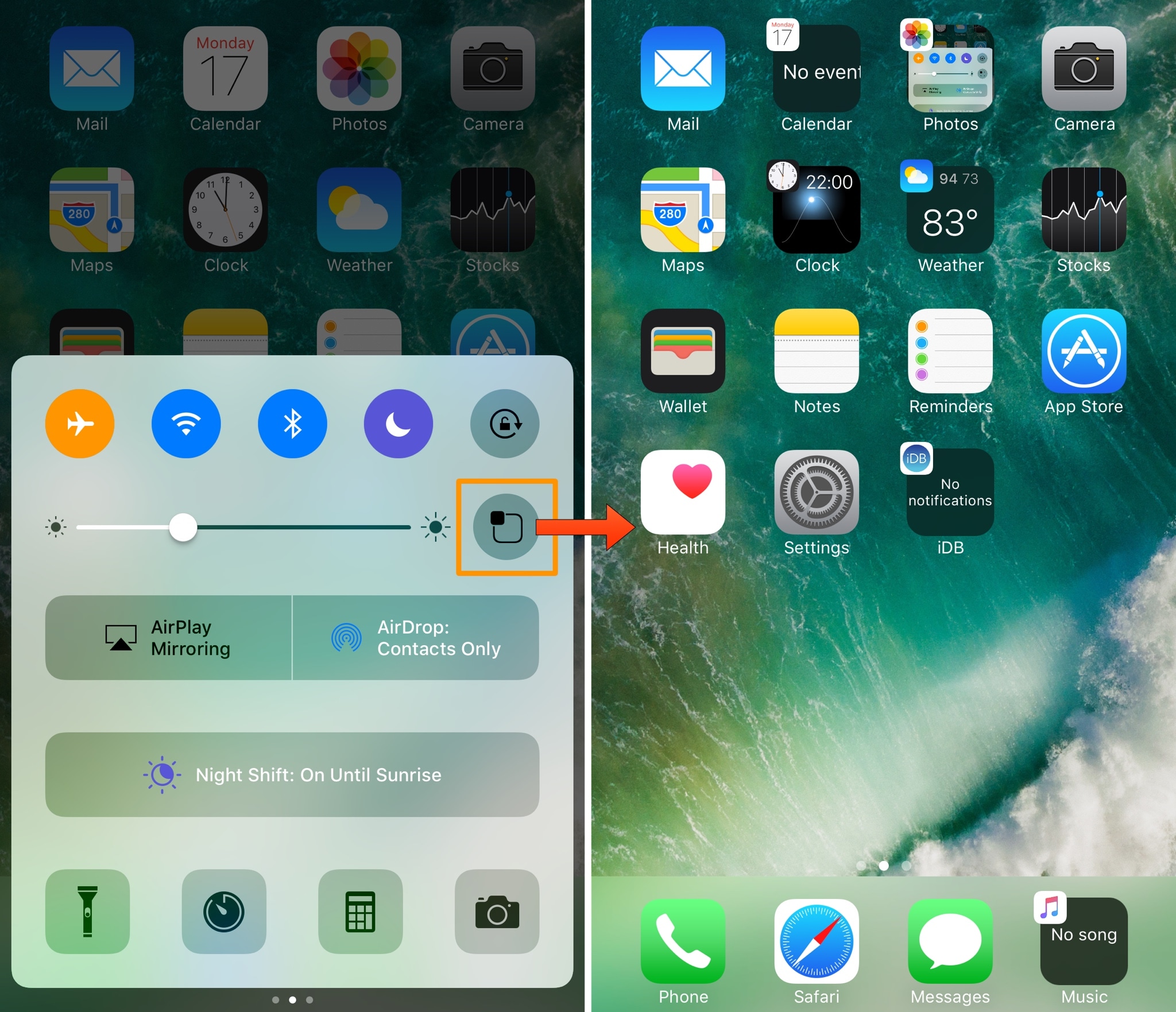
How to use Control Center without 3D Touch

iOS 11 offers more customization for Control Center than ever, allowing you to make it your own by disabling toggles you rarely use. If puts frequently used controls all on one page, many of which can be expanded to reveal additional options when pressed with 3D Touch.

For instance, you can press the Home toggle lightly to bring up your HomeKit scenes, press the Now Playing toggle with 3D Touch to expand media controls, press the Apple TV Remote toggle to navigate your Apple TV or type some text into it, and much, much more.

So far, so great. But what if your device lacks 3D Touch?

Unlike prior iOS editions that didn't provide a fallback mechanism for 3D Touch interactions on non-3D Touch devices, iOS 11 allows you to use all of the features the redesigned Control Center has to offer without having to own a 3D Touch device.

Our resident video editor Andrew O'Hara details how iOS 11's Control Center works on devices that don't include 3D Touch features, like iPads and iPhone 6 and older models.

https://www.youtube.com/watch?v=cpSoo5_TqIQ

Subscribe to iDownloadBlog on YouTube.

Continue reading for step-by-step instructions on using Control Center without 3D Touch

How to use Control Center without 3D Touch

1) Access Control Center by swiping up from the bottom of the screen

TIP: Enable Access Within Apps in Settings → Control Center to have your device respond to that gesture when you're using an app.

2) Tap and hold on the control to expand it.

In Andrew's example, he long-taps the Brightness toggle to access controls for turning Night Shift on or off. You can long-tap other Control Center items that are expandable. For example, long-tapping the Volume control enlarges the slider as if you pressed it with 3D Touch.

iPad lacks Taptic Engine so you won't feel haptic feedback when long-tapping.

That's it, boys and girls, now you know how to interact with Control Center on iOS 11 without actuating having to have a 3D Touch device. This tip should be especially useful for iPad owners as Apple's tablets lacks 3D Touch features.

TUTORIAL: How to force-quite iPad apps on iOS 11

Don't forget you can selectively enable or disable nearly two-dozen different toggles and change the order in which they appear in Control Center under Settings → Control Center → Customize Controls, including new system toggles and features like Screen Recording, Voice Memos, Low Power Mode, Apple TV Remote, Accessibility Shortcuts and more.

To lear more about iOS 11's Control Center, watch another walkthrough video below.

https://www.youtube.com/watch?v=UGWjmt6UXJI

Aside from drag and drop, iOS 11 brings five different types of tap gestures, including a longer tap to move multiple apps on the Home screen, a special half-long tap to pull up an extra Dock menu and a long-tap in the notifications overlay to access additional options.

Need help? Ask iDB!

If you like this how-to, pass it along to your support folks and leave a comment below.

Got stuck? Not sure how to do certain things on your Apple device? Let us know via help@iDownloadBlog.com and a future tutorial might provide a solution.

Submit your how-to suggestions via tips@iDownloadBlog.com.

Analyst says iPhone 8’s 3D sensing module is ready for mass production

iPhone 8 is expected to use a laser transmitter and receiver for advanced facial recognition, 3D mapping, augmented reality and other features. A Barrons report, citing analyst Jun Zhang with Rosenblatt Securities, suggests iPhone 8's 3D sensing module is ready for mass production.

The analyst believes that a company called Viavi Solutions will build 150 million optical filter units for Apple in 2018. He said 3D sensing could be used for facial recognition on iPhone 8, potentially supporting simple gesture recognition in the front.

Furthermore, a 3D sensor for the rear camera should improve depth-of-field photography.

As we previously reported, other suppliers of 3D-sensing modules for iPhone 8 are said to include Largan, Lumentum and Finisar. In the analyst's view, the adoption curve could ramp once the cost of 3D-sensing modules lowers to $10 per piece.

Viavi is one of the 3D-sensing market leaders.

iPhone 8 mockup via iDropNews.