iPhone

Stay up-to-date on the latest iPhone news and learn new tips and tricks with our comprehensive tutorials. From software updates to new features, we’ve got you covered.

RotaryPass brings a rotary-style passcode entry interface to iOS

For years, the iPhone’s passcode interface has appeared as a traditional number pad. But if you’re looking for something a bit more exotic that will help your handset stand out from the crowd, then you just might come to appreciate a newly-released jailbreak tweak called RotaryPass by Geometric Software.

As you can discern for yourself in the screenshot examples above, RotaryPass brings an entirely new passcode entry interface to your iPhone – more specifically, one that’s based on those antiquated rotary-style telephones that were commonplace before the 21stcentury.

BTPower puts a battery level icon in the Status Bar for any connected Bluetooth headset

Some folks have so many Bluetooth peripherals in their possession that keeping track of their battery levels becomes a daunting task. Apple made things a little bit easier by implementing the Battery widget in the Today view, but if you’re anything like me, then you might find it to be more convenient to see that information directly in the Status Bar.

A number of Bluetooth headsets that I’ve used for phone calls in the past already supported Status Bar-centric battery level displays, but not all. A newly-released free jailbreak tweak called BTPower by iOS developer Karimo299 ensures that all your Bluetooth headsets exhibit this behavior for simplified battery level tracking.

Jailbreak tweaks of the week: Copypasta, Lisa, MiscSettings, and more

Whether you're using the tried and true unc0ver jailbreak by Pwn20wnd or utilizing the newly-released Chimera jailbreak by the Electra Team, surely you're hungry for some new jailbreak tweaks that might make your pwned handset even cooler?

In this roundup, we’ll summarize each of this week’s new releases from Monday, May 6th to Sunday, May 12th. As usual, we’ll kick things off by discussing our favorites and then outline the rest afterward.

Relocate lets you spoof your iPhone’s location with ease

Location spoofing is perhaps one of the most highly sought-after reasons to jailbreak an iPhone, especially since it can’t be done on a non-jailbroken handset. Sadly, the list of available location-spoofing tweaks that actually work how they should appears to be particularly short.

If you’re in the market for a no-BS location spoofing solution for iOS, then you just might come to appreciate a newly-released jailbreak tweak called Relocate by iOS developer Nepeta. As you might come to expect, this tweak allows its users to say they’re somewhere that they really aren’t.

Translomatic makes it easy to translate text to other languages in almost any app

Translomatic banner image.

If you occasionally stumble upon a text written in another language that you don’t understand, then you might be quick to use a third-party translation service such as Google Translate to get a better idea about what’s being said. But what if you never needed to leave the app you were in?

With the help of a newly-released jailbreak tweak dubbed Translomatic by iOS developer FoxfortMobile, you can now enjoy this type of integrated experience on your jailbroken handset in almost any app you use.

Lisa: A new OLED-friendly notification experience for iOS

Ever since Apple first debuted an OLED display on the iPhone X, users have been begging for a refreshed OLED-friendly Lock screen experience akin to what some might get when using competing Android handsets.

While Apple certainly hasn’t stepped up to the plate in this department, that hasn’t stopped the jailbreak community from doing what it does best. With that in mind, we’re excited to show you a new free jailbreak tweak release dubbed Lisa by iOS developerEsquilli.

Clear unwanted screenshots from your Photo Library more quickly with Screender

I take so many screenshots every day that it isn’t even funny, and as you might come to expect, they clutter up my Camera Roll in seemingly no time at all.

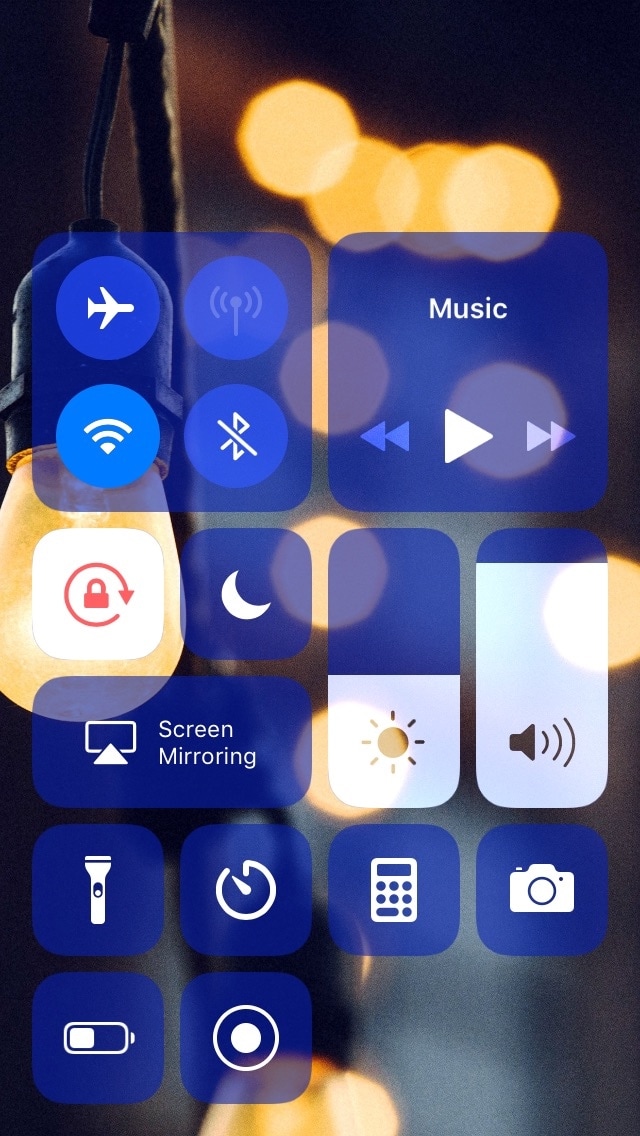
Typically, I’ll delete all my excess screenshots when I’m finished with them, but a free jailbreak tweak called Screender by iOS developer Esquilliaims to make this process easier by implementing a screenshot delete function directly into iOS’ Control Center interface.

This tweak lets you unlock your iPhone with a piano-based passcode

More than six years ago, I was pleasantly surprised by the release of a fun and quirky jailbreak tweak called Piano Passcode that would let you unlock your iPhone by entering a specific piano tune in place of a numeric passcode.

It seems like these fun and quirky jailbreak tweaks don’t come around as often as they used to, and that’s precisely why I’m excited to show you a new jailbreak tweak release called PianoPassby iOS developer SparkDev.