iPhone

Stay up-to-date on the latest iPhone news and learn new tips and tricks with our comprehensive tutorials. From software updates to new features, we’ve got you covered.

JellyLock Reborn breathes new life into a popular Lock Screen launcher tweak from the past

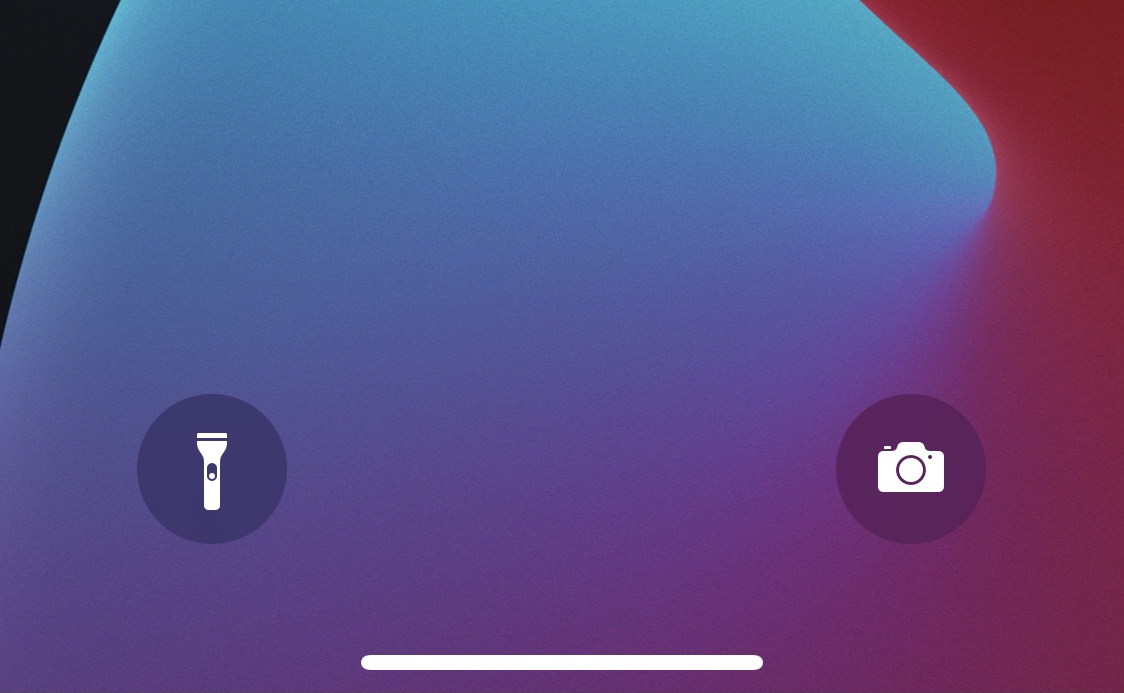
Remember JellyLock? If you don’t, then we’re happy to remind you that it was a popular jailbreak tweak from way back in the day that allowed pwned iPhone users to enjoy an Android-inspired app launcher from the comfort of their Lock Screen.

JellyLock’s intense popularity when was first released is a testament to just how much iPhone users wanted access to these kinds of shortcuts on their device. Fast-forward to today, and iOS features Camera and Flashlight shortcuts, but not much else. That’s why we’re excited to talk today about JellyLock Reborn by iOS developer MegaDev, as it breathes new life into this beautiful tweak for modern iterations of iOS.

Apple makes its official app for developers more aesthetically pleasing ahead of WWDC21

Apple Developer app

After announcing that WWDC21 has been scheduled to kick off online beginning June 7, 2021, Apple has refreshed its official app for developers with a new look and feel.

STORY HIGHLIGHTS:

The Apple Developer app gets a new look and feel. Available on the iPhone, iPad and Mac. It uses Apple's Catalyst framework.

A revamped Discover tab

“We've made improvements to the look and feel of the Developer app across iPhone, iPad, and Mac to help you enjoy articles, videos, news and announcements, as well as past WWDC content,” the company wrote in release notes accompany the app's version 9.0 update.

The Discover tab has been updated on macOS Big Sur with improved support for larger Mac displays to make better use of the available screen real estate. Additionally, the search feature has been improved across platforms to make it “easier to find the content you want to watch.”

→ Tips every iPad owner should be familiar with

On iPads, the app now lets you navigate the content faster using the new sidebar feature for apps that was rolled out to developers with the release of iPadOS 14 last year.

Aside from those improvements, the new release extends login session duration, fixes bugs and adds various other enhancements. Available across the iOS, iPadOS, macOS and tvOS platforms, the software also includes a dedicated iMessage app.

A sign of Catalyst improvements?

The Apple Developer app lets you read check out developer news, browse various features, read programming stories and watch WWDC sessions, keynotes and other videos, including those from past events. You can also download videos to watch offline.

https://www.youtube.com/watch?v=hqH32fvHNT8

Subscribe to iDB on YouTube

Catalyst is built using Apple's Catalyst software framework for porting existing iPadOS apps over to macOS without having to redesign the user interface from scratch. However, Catalyst still isn't perfect at converting all iPadOS user interface controls into their macOS counterparts.

Apple will likely advance Catalyst at this year's WWDC, which kicks off with a keynote on June 7 and will be hosted in an all-online format similar to last year's conference.

Alt5tore simplifies the process of updating unc0ver directly from the AltStore app

If like so many other jailbreakers out there, you depend on the unc0ver tool to keep your iPhone or iPad pwned, then we’ve got some good news for you – especially if you take advantage of AltStore to install unc0ver on your device.

As many AltStore users already know, the app hosts download links to some of Riley Testut’s software, including the Delta emulator app for various Nintendo-centric systems and the Clip clipboard manager. Both can both be installed with the tap of a button directly from the AltStore app as long as you’re connected to the same Wi-Fi network as AltServer on your computer.

Spice up your jailbroken iPhone’s Now Playing widget with Arkita

Anyone who uses their iPhone for frequent media consumption will inevitably interact with the handset’s Now Playing widget under various circumstances. It can be useful for pausing the Now Playing track in a pinch or resuming playback when it has already been paused. Moreover, it makes skipping to the next or returning to the previous one without unlocking your device a breeze.

Despite just how useful the iPhone’s Now Playing widget can be, I still find myself desiring more when I see it. It could be that the widget is merely too plain for my taste; or perhaps that I feel that Apple could’ve done so much better than they did when designing it. If you agree, then a newly released jailbreak tweak dubbed Arkita by iOS developer P2KDev may offer a hint of refuge.

Volify adds a volume slider to Spotify’s Now Playing interface

Spotify is a wonderful alternative to Apple Music on Apple’s mobile device lineup, but the app’s third-party Now Playing interface is missing an obvious element that I would’ve expected most music players to incorporate: a simple volume level slider.

If you’re jailbroken and you’d like to add a volume level slider to your Spotify app’s Now Playing interface, then we invite you to try out a newly released and free jailbreak tweak called Volify by iOS developer ginsu.