iPhone

Stay up-to-date on the latest iPhone news and learn new tips and tricks with our comprehensive tutorials. From software updates to new features, we’ve got you covered.

Get weather information on your jailbroken iPhone’s Lock Screen with visum

iPhone users that want to know more about the weather outside have a couple of options: 1) view the Weather widget; or 2) open the Weather app.

Even as we approach the upcoming iOS 15 release, it’s somewhat upsetting to reflect upon how the iPhone still doesn’t display weather information on the Lock Screen, as it would provide users with valuable information without unlocking their handset.

Keep the Shortcuts app from displaying automation notifications with this jailbreak tweak

Anyone who takes advantage of the Shortcuts app to perform automations would be familiar with the notification banner that manliest itself after the automation completes.

Apple intended for this notification to let the user know when the automation finishes running, but if you’re already familiar with what your automation is supposed to do, then sometimes it can come off as redundant information.

Command your iPhone’s Control Center in new ways with ShyCC

Control Center is something I take advantage of on a daily basis, whether for turning on Do Not Disturb, Low Power Mode, or toggling my iPhone’s wireless radios on or off.

While I’ve come to realize the convenience of Control Center, I also recognize that the gesture can sometimes get in the way, especially when playing full-screen games in landscape mode.

Some of the best jailbreak tweaks for iOS 14’s Lock Screen

Jailbreakers are almost always looking for ways to gear up their pwned iPhones and iPads. Sadly, some of the best jailbreak tweaks tend to get lost in the proverbial memory hole with time, especially as newer releases drown them out. This can make tweak discovery a continuous challenge.

Fortunately, we’re here to help. Our mission to enhance visibility for the best jailbreak tweaks for certain elements of the iOS and iPadOS mobile operating systems hasn’t stopped. We’ve already taken deep dives into some of the best jailbreak tweaks for iOS 14’s Control Center, Home Screen, Keyboard, Messages app, Now Playing interface, and notification system. But this week, we’ll adjust our focus to iOS 14’s Lock Screen.

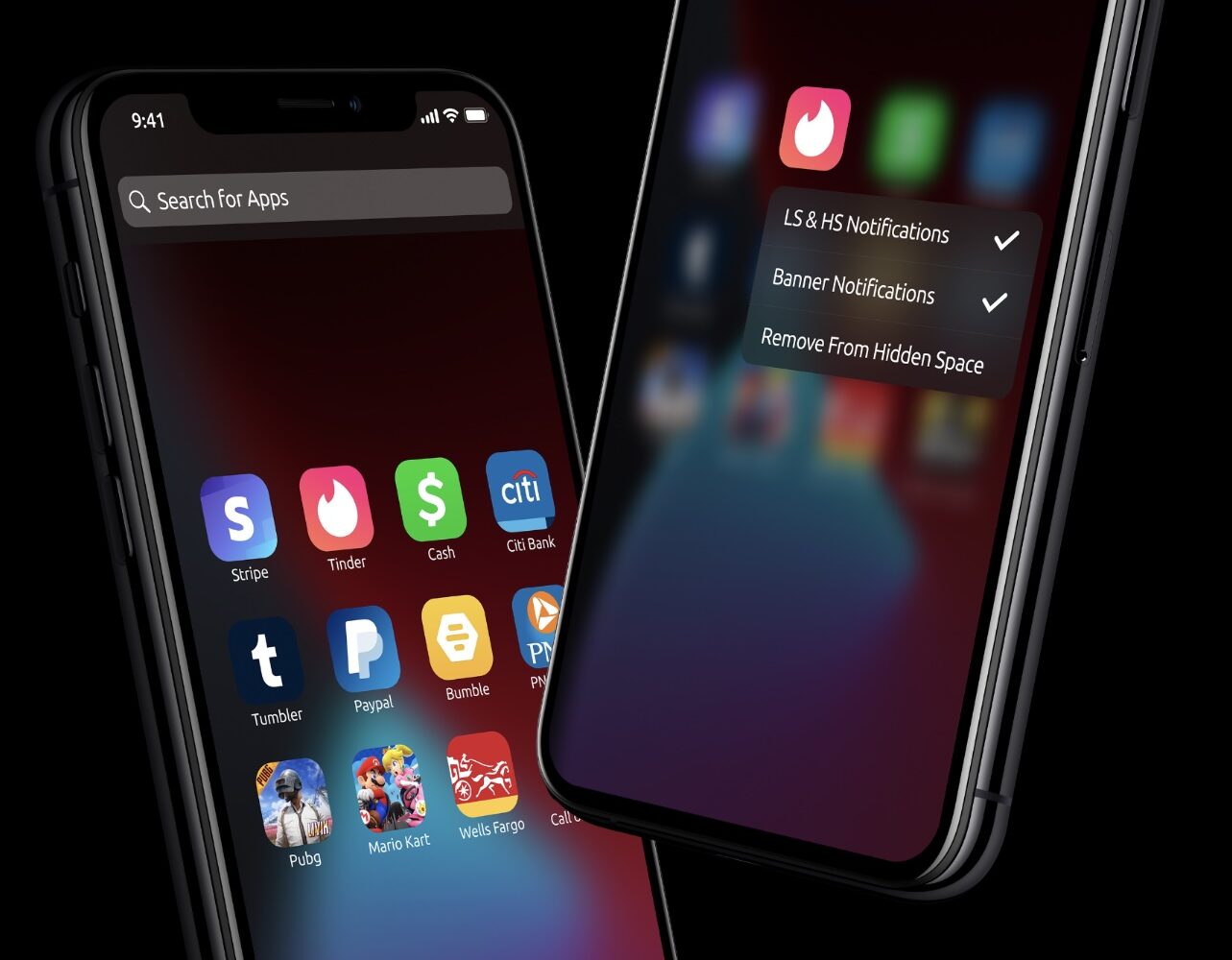
Avya improves notification banner privacy when sharing your iPhone’s screen with friends

When your iPhone is locked, iOS will try to mask the contents of your Lock Screen’s incoming notification banners until you authenticate yourself so that onlookers who shouldn’t be snooping on your notifications won’t be able to in the first place.

This is a brilliant privacy feature on Apple’s part, and such a feature may also have uses when your iPhone is unlocked, such as when showing a friend or co-worker your iPhone’s screen to look at a photo or video and an unexpected notification banner pops up.

WiFiNameBugFix protects jailbreakers from the newly discovered malformed Wi-Fi name bug

Another notable bug was discovered and publicized just over the weekend by security researcher Carl Schou in which the presence of a malformed Wi-Fi network name, also known as the SSID, could ‘permanently’ disable an iPhone’s ability to view and connect to nearby Wi-Fi networks. It’s not the first time a Wi-Fi name glitch has affected iPhones, which understandably raises some eyebrows.

Citing the security researcher, the bug would be triggered if the iPhone comes within range of a Wi-Fi network or personal hotspot with the offending name or SSID. Consequently, the Settings app’s Wi-Fi toggle switch becomes disabled and grayed out, preventing the user from turning it back on. Not even resetting the iPhone’s network settings fixes this, compelling the iPhone owner to effectively restore the device to factory settings.