Apps

Next-generation Yahoo Messenger now available on iOS, web and Yahoo Mail

Yahoo today announced it's re-launching its venerable messaging software—Yahoo Messenger—on iOS, Android, on the web and in Yahoo Mail on the desktop.

The app offers a fresh new messaging experience rebuilt from the ground up, integrates the best of the Flickr, Tumblr and Xobni, does photo sharing and animated GIFs and is focused on group messaging with features such as sharing, unsending and liking.

Starbucks app gets 3D Touch quick actions

Several major apps have added 3D Touch support earlier today. Wunderlist and LinkedIn, for example, have brought out support for Home screen shortcuts and Peek and Pop gestures within the app with 3D Touch. And now, Starbucks has issued a similarly-themed update to its iPhone application in the App Store.

With Starbucks 3.3.4 for iOS, you can press the app's Home screen icon lightly on your iPhone 6s or iPhone 6s Plus to bring up a 3D Touch menu with several quick actions: Nearby Stores, Order, Reload Card and Pay.

A brand new Wunderlist for iPhone and iPad is here

Just in time for the holidays, Wunderlist, a to-do, lists and tasks application that was acquired by Microsoft this summer, released a brand new experience for the iPhone, iPod touch and iPad today.

The new Wunderlist 3.4 for iOS packs in full support for 3D Touch Home screen shortcuts and Peek and Pop gestures within the app. In addition, the app is simpler, more lightweight and intuitive than before and comes with iOS 9 productivity-boosting features.

LinkedIn overhauls iOS app, adds 3D Touch, Spotlight Search support and more

LinkedIn, the leading business-oriented social networking service, today released a major update to its iPhone, iPod touch and iPad application in the App Store. Featuring a brand new interface redesigned from the ground up, the app is now streamlined into five core areas: Your Feed, Me, My Network, Messaging and Search.

In addition, owners of the iPhone 6s and iPhone 6s Plus can press firmly LinkedIn's Home screen icon for Search, New Message, View Activity and Share features.

Chrome for iOS gains 3D Touch shortcuts and support for more Bluetooth keyboard shortcuts

Google today updated its Chrome browser for the iPhone, iPod touch and iPad in the App Store with two new feature additions: 3D Touch shortcuts on the Home screen via the iPhone 6s and iPhone 6s Plus and expanded support for shortcuts when the app is used with a Bluetooth keyboard.

Pressing firmly on Chrome's Home screen icon on your iPhone 6s will now bring up a 3D Touch menu with Voice Search, New Incognito Tab and New Tab options.

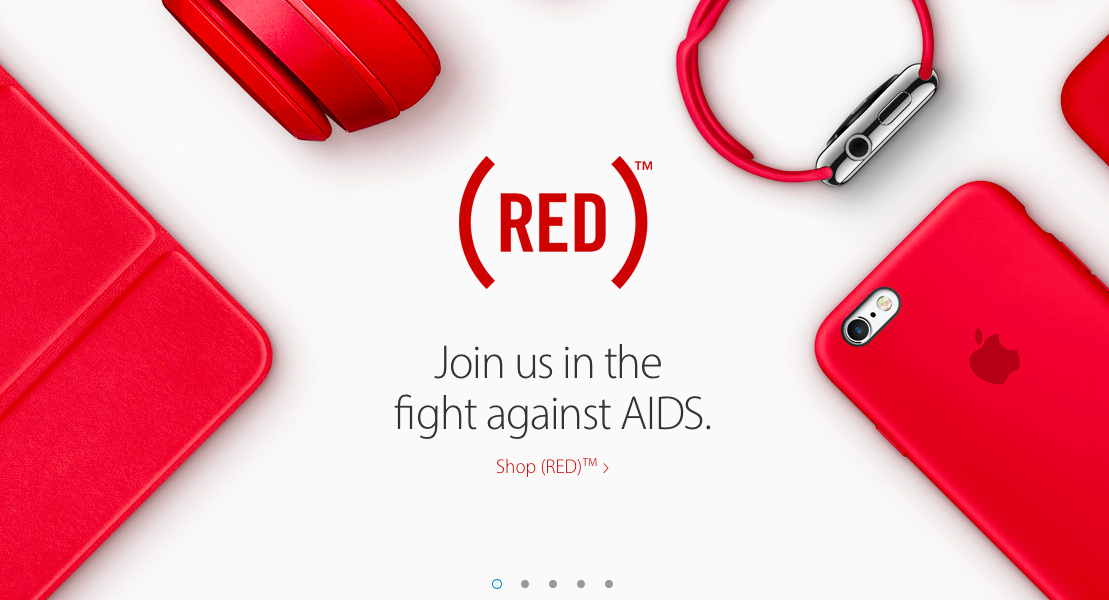
Apple honors World AIDS Day with (RED) apps, products, accessories and more

Apple logos on the company's retail stores around the world have turned bright red today, and that means one thing: it's honoring the World AIDS Day. In the App Store, Apple and (RED) joined forces with developer Supercell, with 100 percent of proceeds from customers who buy (RED) packs for Supercell's games going to the Global Fund to fight AIDS.

And via its homepage at Apple.com, the company is inviting customers to help the initiative by purchasing (RED)-branded products like Macs, iPhones, iPads, iPods, Watches and accessories such as Beats headphones, the Smart Cover for the iPad Air and the Smart Case for the iPad Air 2.

Hangouts for iOS now supports Apple Watch, gains quick-replying from notifications and more

Google Hangouts, the search giant's instant messaging and VoIP mobile client, was updated in the App Store last evening with several new features and refinements.

For starters, Apple Watch owners can now respond to instant messages received from other Hangout users directly on their wrist and also from the notification banner on their iPhone, iPod touch or iPad (provided they use iOS 9.1).

Google Docs and Play Books gain new features

Several of Google's applications in the App Store—including Docs, Slides, Sheets, Play Books and YouTube—have gained new features or bug fixes in a barrage of updates this morning. The company's productivity and Office replacement app, Docs, will now render your comments and suggestions in Print layout, show line spacing and strikethrough in Office's Compatibility mode and let you control paragraph directionality for right-to-left languages.

Microsoft rolling out Cortana for iOS to beta testers

Following its announcement earlier in the month that Cortana for iOS would soon launch for a limited number of beta testers, Microsoft has now made good on that promise and started rolling out the beta software, TechCrunch reported this past weekend.

Cortana for iOS looks just like the Windows 10 Mobile and Android equivalents, and works in a very similar way, with a few exceptions stemming from Apple-imposed restrictions on third-party iOS app development.

Puzzle platformer To-Fu Fury is Apple’s new Free App of the Week

To-Fu Fury from Amazon Game Studios, regularly $1.99, is available at no charge until next Thursday as Apple's new Free App of the Week via the App Store's weekly promotion.

Released in July 2015, this puzzle platformer challenges you to save the Fortune Kitty playing as To-Fu, a stretchy, sticky, flingy and combative cube of bean-curd. Expect a lot of puzzle solving and physics-based action in this game.

Lara Croft GO gets its first expansion

Just in time for Thanksgiving, Square Enix's Lara Croft GO for iOS has received its first expansion pack following the game's August 2015 debut in the App Store. Titled “The Shard of Life” and available at no charge to those who have purchased the game, the update packs in more than two-dozen additional levels and a bunch of new monsters to defeat, costumes to unlock and gemstones and artifacts to discover.

How to save Vine videos

Who knew 6-second-long looping video clips would turn out to be so much fun? If you're into short-form entertainment, there's probably no better place to get your daily fix of user-posted clips, some of which are quite interesting—I've seen whole how-tos compressed into six seconds—than Vine.

The problem is, both Vine the website and mobile app prohibit you from saving your favorite clips to your computer or mobile device. Thankfully, there are apps for that, too.

In this tutorial, you'll learn how to save Vine videos to your iPhone, iPod touch, iPad or Mac using a nifty little utility and a free of charge web app.