Apps

Facebook is testing Reactions and all-new Dislike button in chats on Messenger

Some users of the mobile Facebook Messenger app have noticed that the empathetic Reaction emojis, which launched in the company's mainland mobile app in February 2016, are now available to them inside the standalone messaging app, along with a brand now iMessage-like Dislike button that's yet to launch in the main Facebook app.

Facebook's confirmed this new feature to TechCrunch.
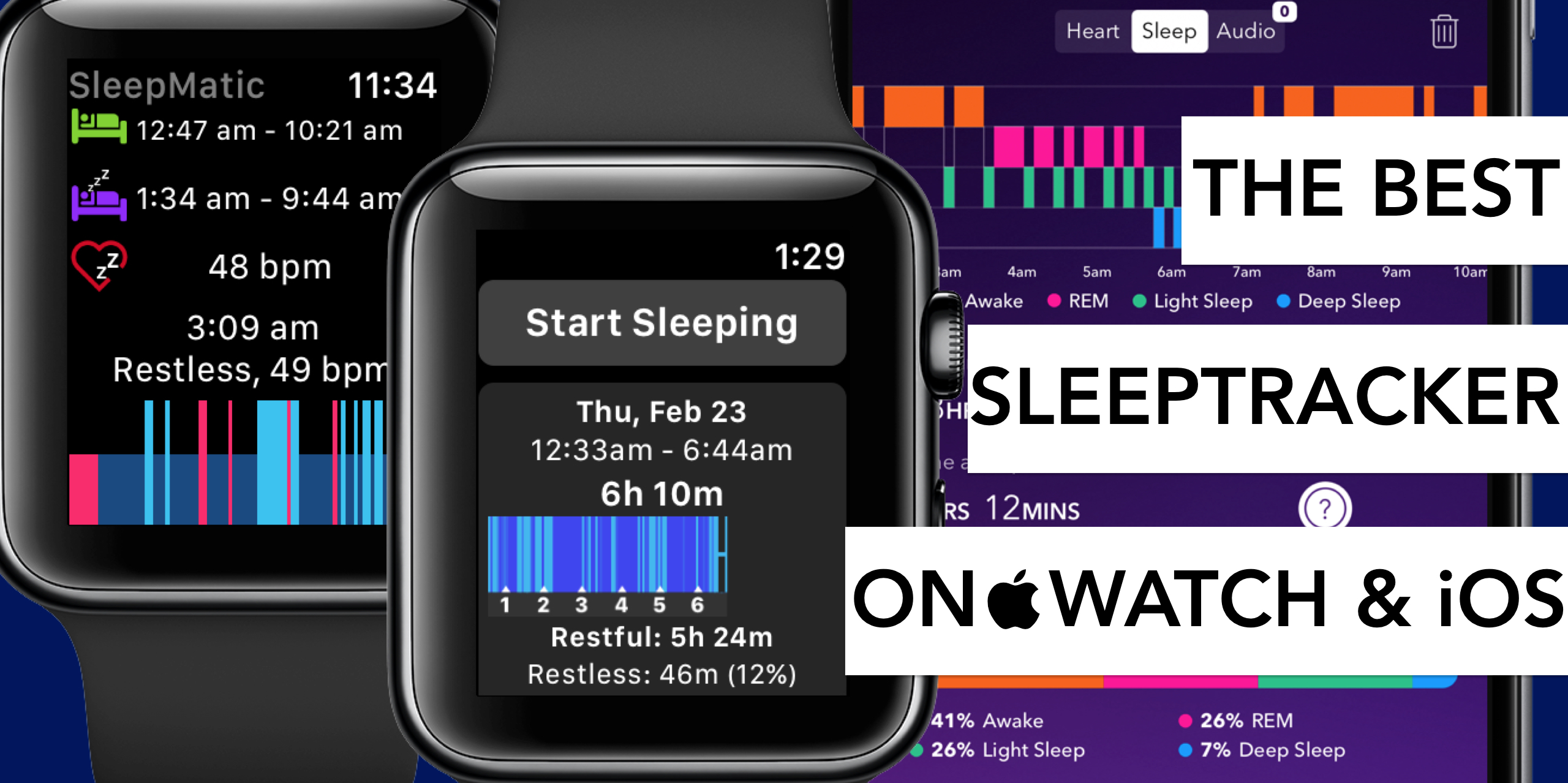
The best sleep tracking apps for Apple Watch and iPhone

Tracking your sleep routine can often lead to insights into all sorts of habits or quirks detrimental to a good night’s sleep. Before Apple Watch, apps promising to analyze your nightly resting patterns and devise remedies to improve on them were already plentiful. Yet after the release of the wrist-worn gadget, a new surge in the category ensued for its ease of use on watch and enhanced precision in measuring body movements at night.

In order to single out the creme de la creme of applications, we have put through their paces both standalone sleep trackers on iPhone and an array of apps requiring the assistance of Apple Watch.

No matter if you rock iPhone and Apple Watch together or solo, find out below which sleep trackers are worthwhile your time and money.

Coming soon to Allo for iOS: animated emoji, revamped GIF picker, and one-tap Google Assistant

Allo, Google's cross-platform messaging app for iPhone, Android and the web which made its debut at Google I/O in March 2016, will soon receive three major enhancements. The first integrates Assistant, Google's conversational AI helper, deeper so you can access it with a single tap.

Aside from improved Assistant access, Allo will let you browse GIFs to add to your messages easier than before with a redesigned picker, plus use animated emojis in chats.

Keep in mind that these new features will be rolling out on Android starting today, and will come to iOS soon (don't worry, we'll keep you posted).

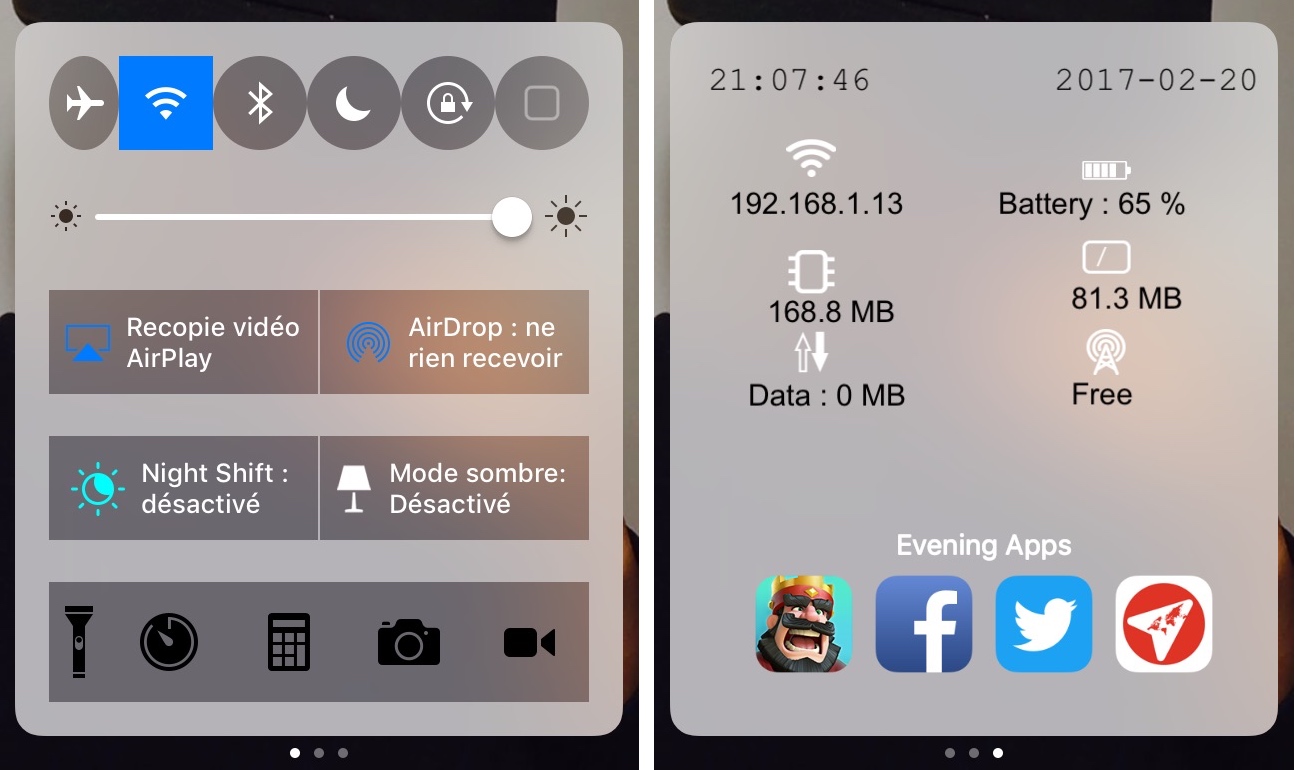
Customize and add new functions to Control Center with Onizuka

Although Control Center is useful on any stock iPhone or iPad right out of the box, Apple doesn’t give you a whole lot of options for customizing it with the toggles and aesthetics you want to have. Fortunately, that’s where having a jailbreak can come in handy.

With a new jailbreak tweak called Onizuka by maximehip, you can customize your Control Center layout through the help of various options that can give it a different aesthetic or change its functional usefulness.

All YouTube links now open in mobile app instead of browser

Google's mobile YouTube app takes advantage of iOS's deep linking capability to automatically launch itself when a user taps a video URL in their browser. That useful feature doesn't always work as intended, however, prompting Google to push an update to YouTube for iPhone and iPad to rectify this. If clicking a YouTube link in Safari or Chrome doesn't launch the app and iOS doesn't display the “Open this page in YouTube?” pop-up, be sure to update your copy of YouTube for iOS to version 12.07.

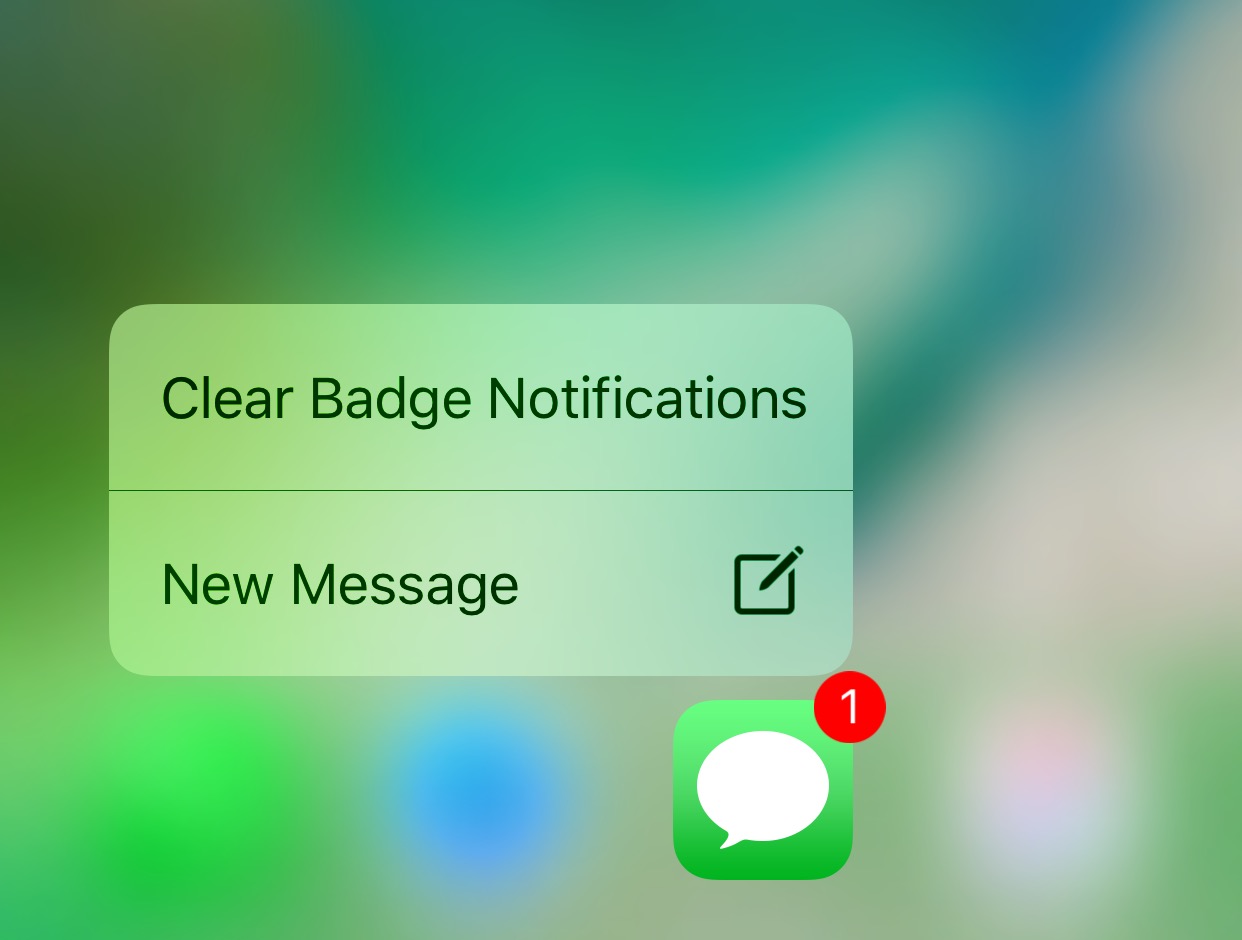
This tweak lets you use a 3D Touch gesture to clear app icons badges

Anyone looking for a quicker way of dismissing unwanted notification badges from their app icons without having to open the app in question might want to turn their attention to a new free jailbreak tweak release called ClearBadges3DTouch10 by HiDaN.

As the self-explanatory name implies, this tweak is intended to give you a way to remove notification badges from your apps with a 3D Touch gesture.

Google Maps gains 3D Touch place previews

Last week, I whined about Google dragging its feet when it comes to implementing support for important iOS features, like 3D Touch, in apps such as Gmail. Other iPhone and iPad apps from Google have been more aggressive in adopting 3D Touch features, including Maps. In the latest update, Google Maps was bumped to version 4.28 and now allows users who have an iPhone 6s, iPhone 6s Plus, iPhone 7 or iPhone 7 Plus to press places on the map to get quicker access to popular actions.

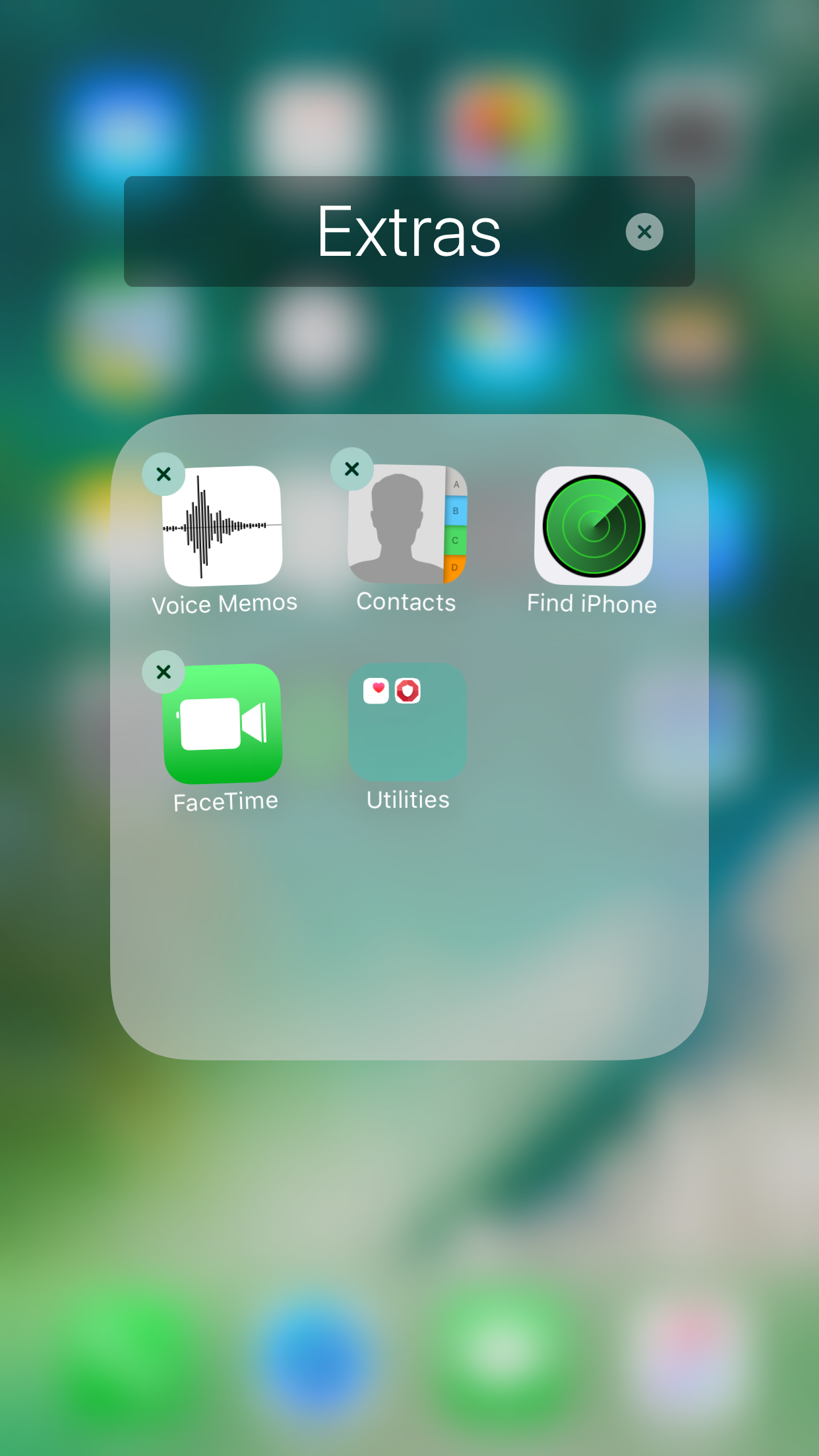
Nest10 lets you have folders within folders in iOS 10

There are those who like to stay organized, and then there are those who take organization to an extreme level that most people would recognize as some kind of OCD.

Anyone who considers themselves as a part of the latter group and goes to extreme lengths to stay organized might be able to benefit from a jailbreak tweak called Nest10 by Tony Kraft, which enables you to have nested folders (folder inside of folders) on your iOS 10 device.