Find out how to quickly remove Gmail, Outlook, Yahoo, or other email accounts from the Apple Mail app on your Mac or iOS device to declutter and streamline your inbox.
How to delete an email account from the Mail app on iPhone, iPad, and Mac

From the latest news to the most comprehensive tutorials, learn how to get the most out of your iPad with our step-by-step guides and expert tips.
Find out how to quickly remove Gmail, Outlook, Yahoo, or other email accounts from the Apple Mail app on your Mac or iOS device to declutter and streamline your inbox.
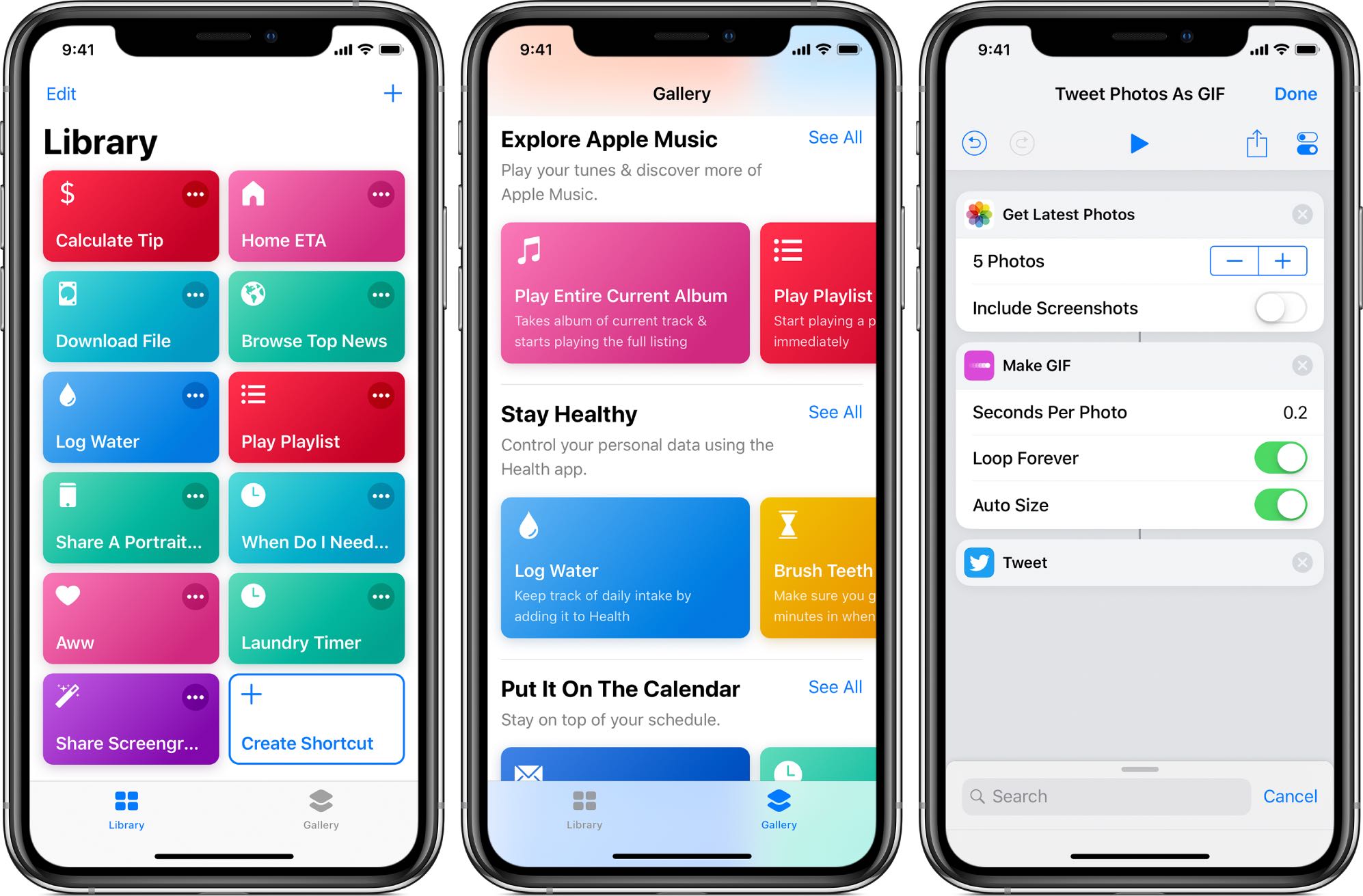
Apple's not made distributing scripts for its Shortcuts app particularly easy as there's no central repository where people could upload and share their own shortcuts with everyone else.
In a routine move by Apple on Thursday, the Cupertino-based tech company stopped signing the iOS 12.2 firmware for its mobile lineup of devices, a move that hinders the iTunes-centric downgrade process to any firmware older than the recently-released iOS 12.3 update.
Apple first released iOS 12.2 nearly two months ago, and iOS 12.3 has been publicly available for a little longer than a week at the time of this writing. Given the circumstances, Apple’s decision to discontinue downgrades to iOS 12.2 isn’t particularly surprising.

As promised, hacker and unc0ver lead developer Pwn20wnd has released a major update for his iOS 11-12-centric jailbreak tool on Thursday. The latest version of unc0ver is now v3.1.0.
Pwn20wnd announced the update just this morning via Twitter, noting that it was the single most substantial update ever released for the unc0ver jailbreak tool:

It’s been approximately one month since hacker and unc0ver lead developer Pwn20wnd released unc0ver v3.0.1 to the general public, and there’ve been no subsequent updates to the jailbreak tool since. But that’s all about to change.
As we reported just last week, Pwn20wnd is planning to release a substantial update for unc0ver with a plethora of bug fixes and stability improvements. At the time, we knew very little about the upcoming update; but Pwn20wnd has been somewhat vocal as of late regarding what we can expect:

This tutorial helps you see the world from your couch using the Flyover feature of the Apple Maps app on your iPhone, iPad, and Mac.
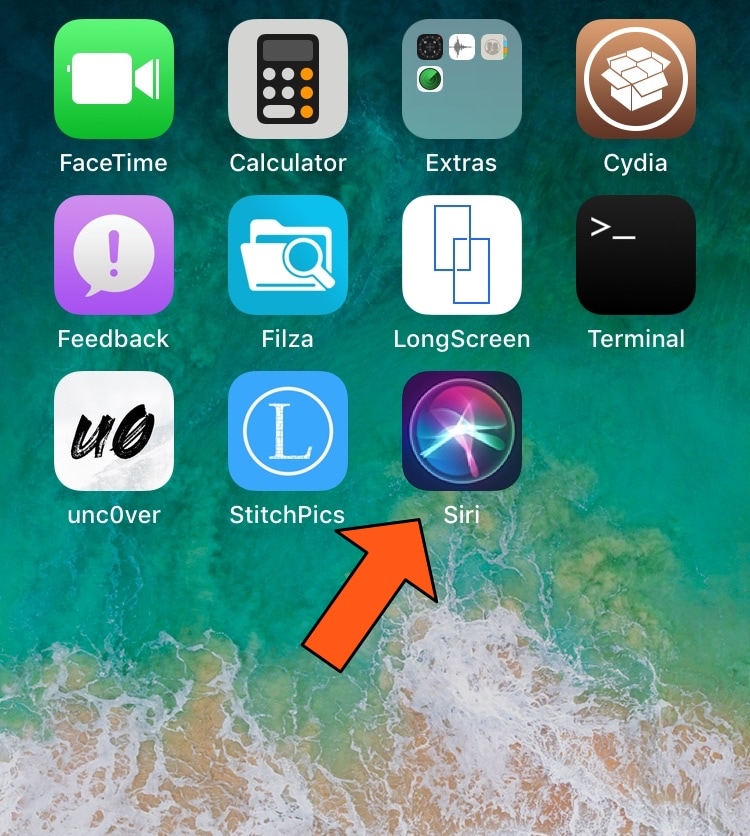
iOS device users can invoke Siri on demand with a simple button press or by muttering ‘Hey Siri’ under certain circumstances, and jailbreakers have even more options for calling upon their virtual assistant for help, such as Ryan Petrich’s Activator extension. But who said your options had to stop there?
With a free jailbreak tweak called SiriApp by iOS developer level3tjg, you can add a dedicated application icon to your Home screen for invoking Siri.
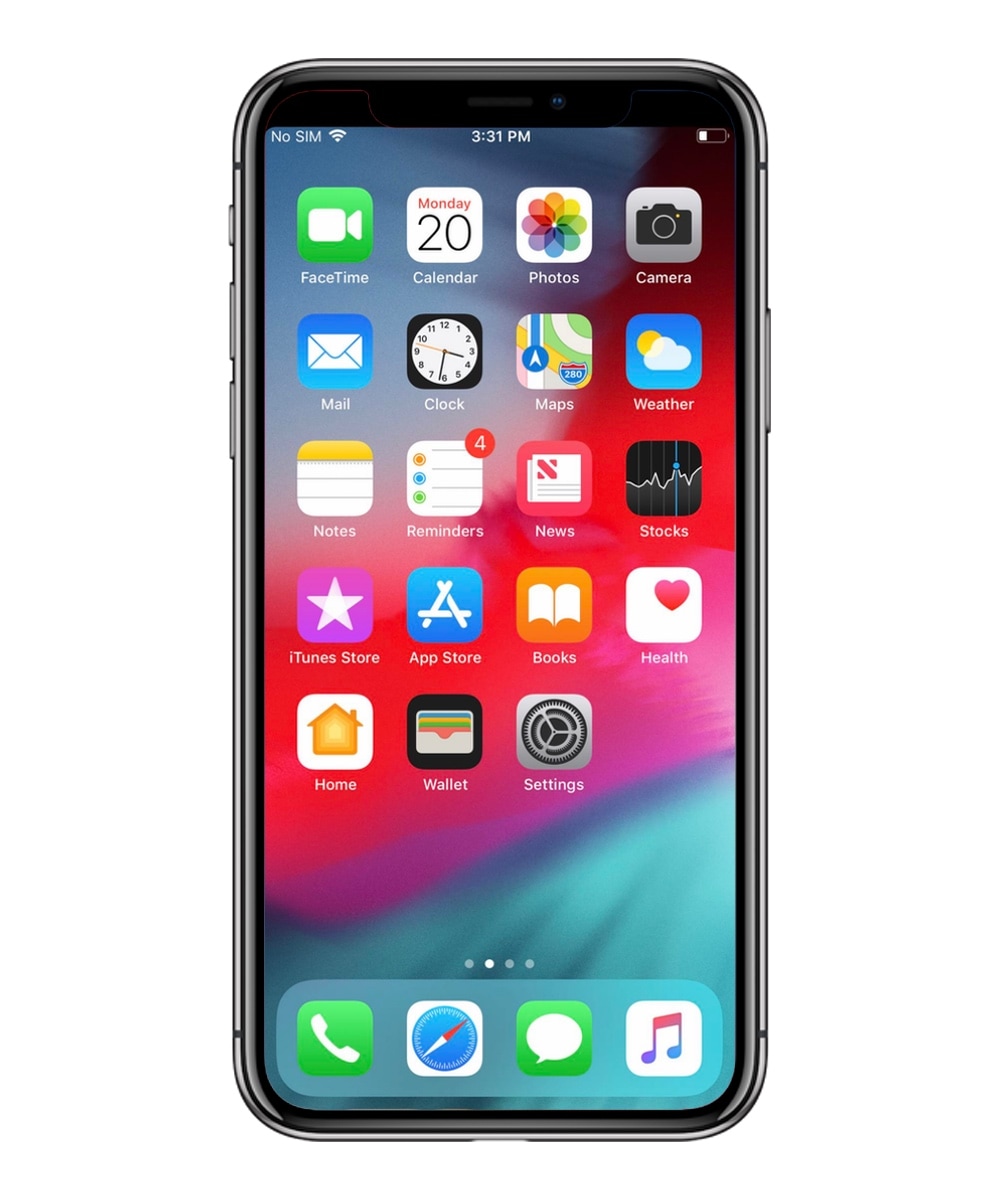
The notch at the top of modern Face ID-enabled handsets such as the iPhone X, XR, XS, and XS Max is a non-issue to me, but some people can’t seem to wrap their minds around having anything besides a straight line integrated with the display’s edge.
If you identify with the latter group of people and your notched handset is jailbroken, then you’ll be excited to learn that you can now download a newly-released jailbreak tweak called SmallStatusBarX by iOS developer level3tjg to hide the notch and enable the legacy Status Bar on relevant handsets.
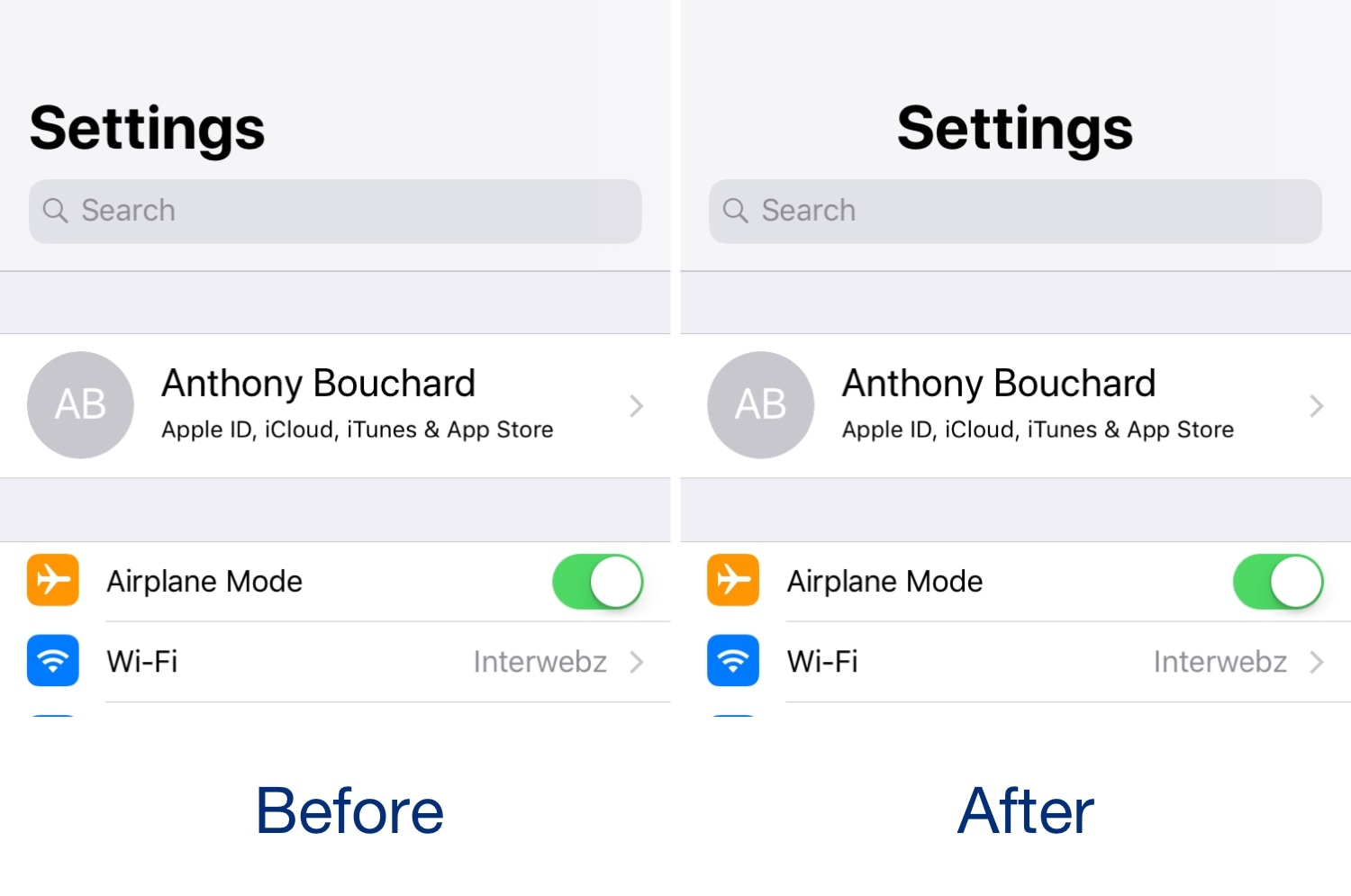
iOS 11 and 12 introduced a lot of changes over iOS 10, but in the aesthetics department, the large emboldened titles that appear in certain apps really tend to stick out.
The emboldened titles don’t look terribly horrendous, but one of the most common complaints that we see regarding them is Apple’s choice to left-align the text. Given the circumstances, iOS developer level3tjg came up with a free jailbreak tweak called CenteredLargeTitles to resolve this debacle for the picky ones.

If you’re enjoying a jailbreak on iOS 11 or 12 by way of the Electra Team’s Chimera or Electra jailbreak tools, then you might be excited to learn that the bundled Sileo package manager has been updated to version 1.0.8 on Tuesday with some notable improvements.
The Sileo Team announced the update via Twitter just this evening:
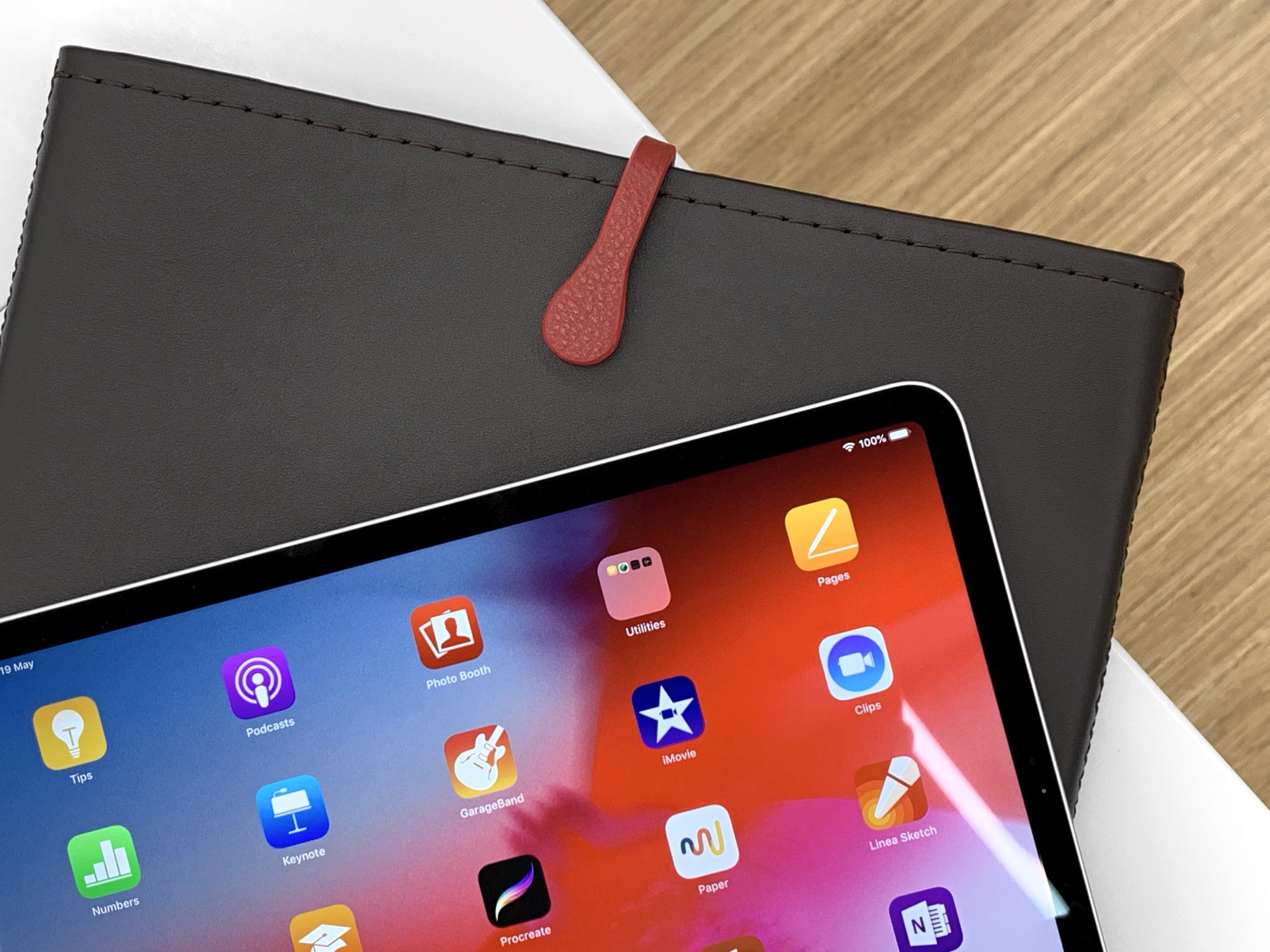
Picaso Lab handcrafts gorgeous leather accessories for keeping your Apple gear in pristine condition. Having previously reviewed their MacBook Air cases and iPad sleeves, we now go hands-on with one of the recently released three new colorways for their iPad Pro cases.
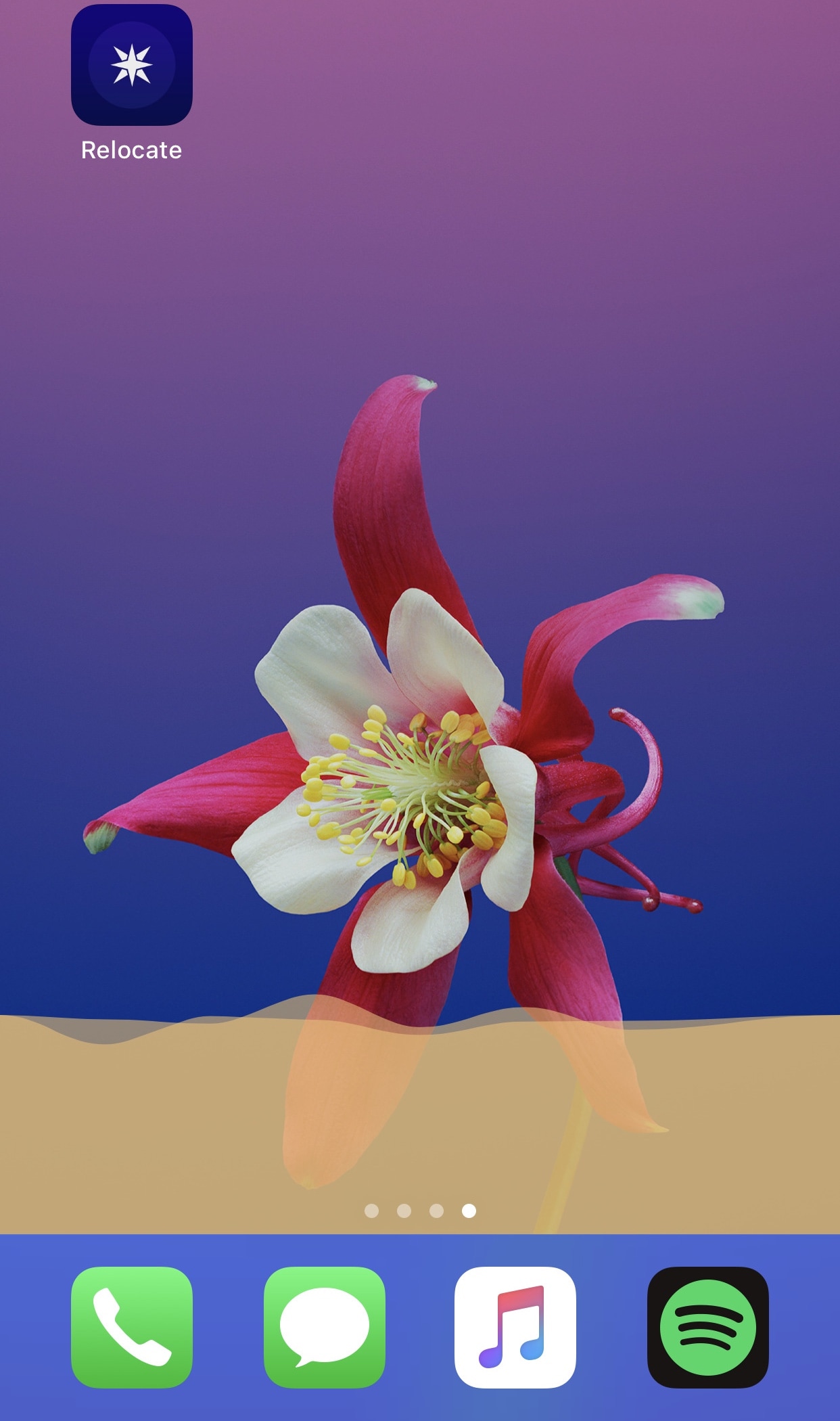
I’m a firm believer that the iPhone needs a native audio visualizer, and that’s mainly why I’m such a massive fan of a popular jailbreak tweak called Mitsuha Infinity that we showed you just last month.
Mitsuha Infinity enabled the audio visualizer in the Now Playing app and on the Lock screen, but with a new add-on called Mitsuha Infinity – Home Screen by iOS developer Nepeta, you can now enjoy the same effect on your Home screen.