iPad

From the latest news to the most comprehensive tutorials, learn how to get the most out of your iPad with our step-by-step guides and expert tips.

Tip: using emojis in iOS Spotlight Search

iPhone, iPod touch and iPad users can use emoji as search terms in Spotlight Search to some rather interesting effects. It's unclear when this feature was added or activated.

That being said, bringing up iOS's built-in Emoji keyboard to type an emoji in Spotlight's search field will produce matching results related to the character's meaning, as highlighted by Cult of Mac.

Twitter confirms it’ll stop counting media and @names within the 140-character limit

In perhaps the biggest change to its service since its inception, Twitter on Tuesday announced a bunch of changes meant to distance itself from the controversial 140-character-per-tweet rule.

As previously rumored, media links generated by attaching photos, animated GIFs, videos, polls, quoted tweets and direct messages—along with @names in replies—will no longer count toward the limit.

Other changes include the addition of the retweet button on your own tweets and automatically exposing any tweets which begin with a username to all your followers.

What’s on your Home screen: Christian Zibreg

Sebastien tries to keep all his apps and folders on only one screen. I'm like Sebastien, with one difference: I never have more than one folder on the first Home screen. But just because I'm not jailbroken doesn't mean my Home screen is a mess, quite the contrary! As a big believer in efficient organization, I take pride in my Home screen layout.

There's logic behind every app choice and a story to be told behind every icon placement. Without further ado, here's what's on my Home screen, and why.

Apple pulls iOS 9.3.2 update following 9.7″ iPad Pro bricking complaints

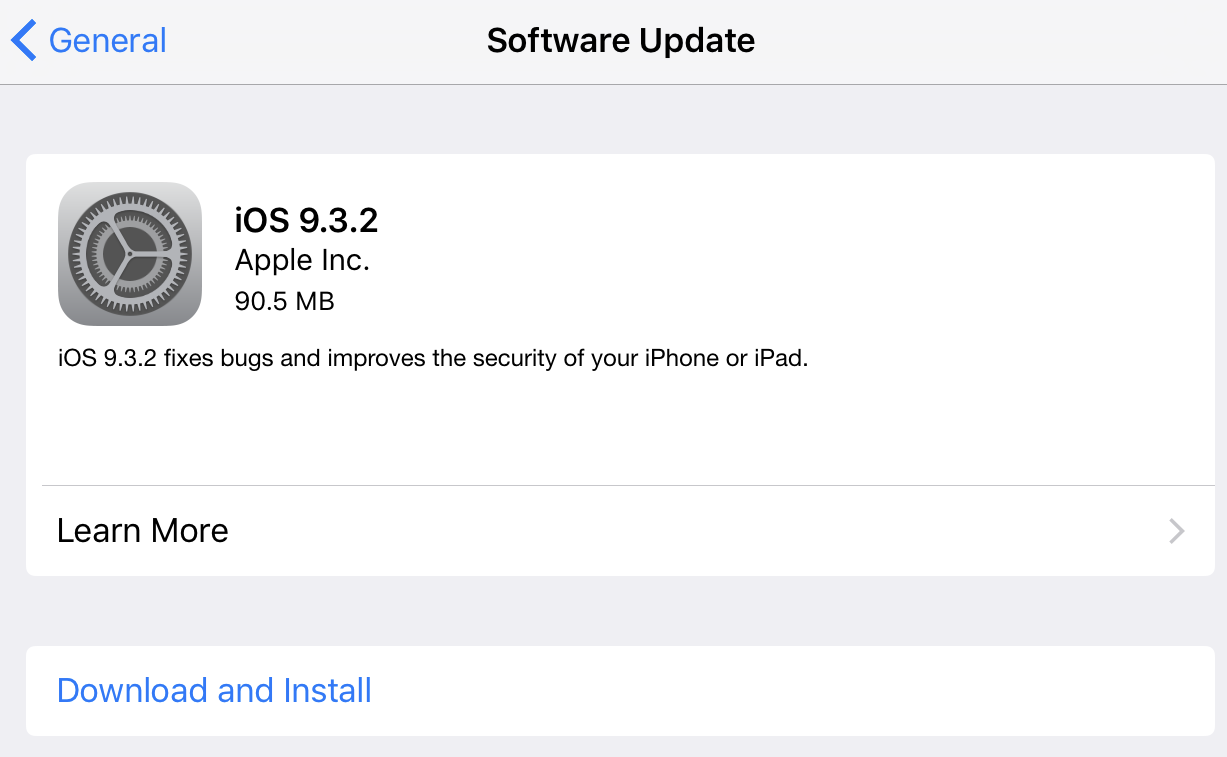
Following an avalanche of complaints from the affected 9.7-inch iPad Pro owners who saw their device bricked and reporting an iTunes error 56 after installing the latest iOS 9.3.2 software update, Apple has now pulled iOS 9.3.2 for that device from its servers. As first noted by MacRumors 9.7-inch iPad Pro owners who have not installed iOS 9.3.2 no longer see the over-the-air update on their tablet.

Making your iPhone and iPad charge faster

It's somewhat depressing that Android manufacturers increasingly outfit their flagship smartphones with fast-charging capability while iPhones, and especially iPads, still take forever to charge from zero to hundred percent. And if you happen to actually use your iOS device while it's connected to power, you'll experience even slower-than-usual charging times.

But as it turns out, there's one simple trick everyone should employ every time they plug their iPhone, iPod touch or iPad into a power brick in order to make it charge faster.

Physics puzzler Pull My Tongue goes free as Apple’s App of the Week

Apple on Thursday updated its App of the Week promotion with the game Pull My Tongue. This means that for the next 7 days, you'll be able to download the popular physics puzzler for both iPhone and iPad for free—a solid savings of $1.

For those unfamiliar with the title, players are tasked with helping feed popcorn to a hungry chameleon named Greg. You do this by pulling his tongue through a series of fun puzzles that include zappers, spikes, chewing gum and balloons.

Infuse 4.2 adds Library view on tvOS, trakt ratings sync, Spotlight search on iOS and more

The versatile Infuse media player for the iPhone, iPad and Apple TV by aTV Flash Black developer FireCore today got bumped to version 4.2, bringing dozens of new features, enhancements and refinements to both the iOS and tvOS edition of the software.

Infuse 4.2 now surfaces your content in Spotlight search, lets you sync ratings for rate content on trakt.tv and has new Continuous Playback options.

On the fourth-generation Apple TV, Infuse gained a new Library mode and Smart Filters, an artwork picker for your Favorites and lots of other improvements. Plus, audiophiles will be pleased to learn that Infuse for Apple TV is now capable of reproducing 7.1 content.

Readdle’s PDF Expert 5 gains Apple Pencil support and seamless Wi-Fi file transfer

Now you can take the most from your Apple Pencil and iPad Pro with a new version of Readdle's PDF Expert for iPhone, iPod touch and iPad, which was pushed to the App Store this morning.

In addition to swiping with your finger and sketching with Apple Pencil, the application now permits you to transfer PDF documents from your Mac to the iPad, or vice versa, with a single tap, courtesy of Readdle's all-new Transfer technology.

Twelve South’s BookBook vintage-style case now available for iPad Pro

Twelve South's BookBook vintage leather case series is now available in iPad Pro sizes, the company announced today. The new BookBook for iPad Pro has a built-in kickstand that tilts the device to the sketcher’s angle for effortless drawing, painting and sketching. Plus, it folds easily into upright mode so that you can present more easily.

As a nice bonus, the case has a built-in holster inside its spine for an Apple Pencil or another stylus brand. BookBook for the 12.9-inch iPad Pro is available starting today, while a version for the 9.7-inch iPad Pro is slated to arrive later this summer.

Mekorama review—guide a tiny robot through mechanical dioramas

As promised, Odd Bot Out developer Martin Magni released his eagerly anticipated 3D puzzler for the iPhone, iPad and iPod touch, Mekorama. Featuring M.C. Escher-style 3D architecture, Mekorama is this year’s Monument Valley.

In this addictive and remarkably well-executed game, you're tasked with guiding a charming robot as he embarks on a journey through more than fifty mechanical dioramas.

As a great bonus, Mekorama comes with a full-blown level editor that lets anyone build their own dioramas and share them online via built-in QR code scanning, no additional downloads required whatsoever.

Apple is ‘looking’ into reports of iOS 9.3.2 bricking some 9.7-inch iPad Pros

Following multiple complaints that the iOS 9.3.2 software update, which released two days ago, has bricked some 9.7-inch iPad Pro models with ‘Error 56’, Apple today acknowledged that it's aware of these reports and is “looking” into them.

Although Apple's statement to iMore does not make it clear whether the company has pinpointed what might be causing this issue, the company did advise those unable to restore their device through iTunes to contact its support team.