iOS

How to record direct feed footage from iOS to a Mac or PC

Lots of people have asked me how I go about recording footage directly from the iPad, iPhone, or iPod touch. The process is one that is simple and straightforward with the help of a couple of hardware and software tools.

From time to time I will record footage directly from an iOS device, while at other times, I like to record the screen using an external camera so that you can see my hands as I work with the device. Depending on the circumstances, I've been known to switch up my methods for doing so.

The bottom line is that there are times in which you should definitely go the direct feed route as opposed to recording the screen externally. As the saying goes, there are many ways to skin a cat, but the method that I've been using has been working quite well for me. Have a look inside as I spill the details on what makes a successful iOS device recording setup.

Official: iOS 7 hits 74 percent adoption rate

If you had any any doubts concerning popularity of the iOS 7 which caused - and continues to cause - quite a commotion among the punditry with its light design, here's your wake up call. According to Apple's official data, iOS 7 is now installed on more than three-quarters of iOS devices in active use.

Specifically, Apple's data indicates a 74 percent adoption rate for iOS 7 as of December 1. Apple released iOS 7 on September 18, 2013.

The 74 percent iOS 7 adoption rate is a huge share no matter how you look at it, especially versus the 22 percent seen by iOS 6. The company put the older iOS versions at just four percent.

By comparison, Android 4.4 KitKat is currently installed on a meager 1.1 percent of Android devices. That the iPhone maker has been able to put iOS 7 on three out of each four devices in the wild in less than three months iOS 7 has been on the market is nothing short of phenomenal...

“Fatal” Apple ID error preventing purchases from iTunes and the App Store on iOS and Mac

Last night, I tweeted a picture of an error message I received while trying to download an app from the App Store. The error was: FATAL::Unable to process your request. Please try again.

I had never encountered that error message until then, and I chalked it up to the random iOS 7 problem. After rebooting my phone and logging out of my Apple ID account via Settings > iTunes & App Store, I was met with the same exact error message. Even when trying on another device the error message persisted. I decided to go to bed, hoping that everything would be okay in the morning.

Well, I just tried to download an app again, and was met with the same exact error message. I thought to myself, "Okay, perhaps this is an iOS 7 issue since I had only tried it on iOS 7 enabled devices up to that point." Nope. After trying it on my iPod touch, which is still running iOS 6, I was met with the exact same FATAL error message. In fact, I was met with the same error on my Mac when attempting to download from the Mac App Store. So what gives? Apple's System Status page is showing everything is okay, but that's obviously not the case...

Following complaints from Apple, TextExpander gives up Reminders trickery

Over time, I've managed to purchase a lot (too many?) of apps for my iOS devices and Macs. But if you asked me to name one instant purchase I have never, ever regretted, I'd easily pick TextExpander by Smile Software in a heartbeat.

This handy utility doesn't come cheap: the Mac edition will run you $34.99, and then an additional $4.99 for the touch-optimized version for the iPhone, iPod touch and iPad.

Despite dropping forty bucks on this particular app, I've recouped my investment many times over in just a few short months, by cutting down on the time spent typing common terms and phrases. TextExpander lets me create handy shortcuts which automatically expand during text entry.

For example, I have the 'iDB' shortcut set up to auto-expand to 'iDownloadBlog'. Same with common URLs, brand names and other oft-used snippets of text. The problem is, the curious little trick the app employs to manage and sync those snippets across third-party iPhone and iPad apps that integrate with TextExpander hasn't sat well with Apple.

The App Store review team has refused to approve a recent update on the grounds that Smile's use of the stock iOS Reminders app for shared snippet storage is no longer acceptable. In response, Smile has introduced a new snippet-sharing method and updated an accompanying SDK for third-party app makers...

iTranslate goes universal, adds native iOS 7 iPad UI

I generally dig software by German developer Sonico Mobile. As I'm not a native English speaker, you could imagine Sonico's free translator and dictionary program called iTranslate is one of the apps I always keep on my Home screen no matter what. I'm happy to report that the team has now produced a universal binary which perfectly adopts to iOS 7 by functionality and design.

The new iTranslate for iPhone and iPad is now available free in the App Store, bringing with it the native iPad interface featuring revamped appearance for iOS 7 aesthetics. Check out the screenshots and additional tidbits right after the break...

There will be one billion iOS devices in use by end of 2018

Much fuss has been made in the tech press over the most recent market share data by IDC and Gartner showing Google's Android growing unabated and commanding a whopping 80 percent of smartphones, though some caution that these estimates are flawed because they include cheap no-name Android handsets as well as Android-based HDMI dongles and other non-smartphone devices from China.

Google said back in July that Android activations surpassed one billion devices. The bigger question is, when will there be one billion iOS devices in use?

Developer ports iOS core to Nokia N900

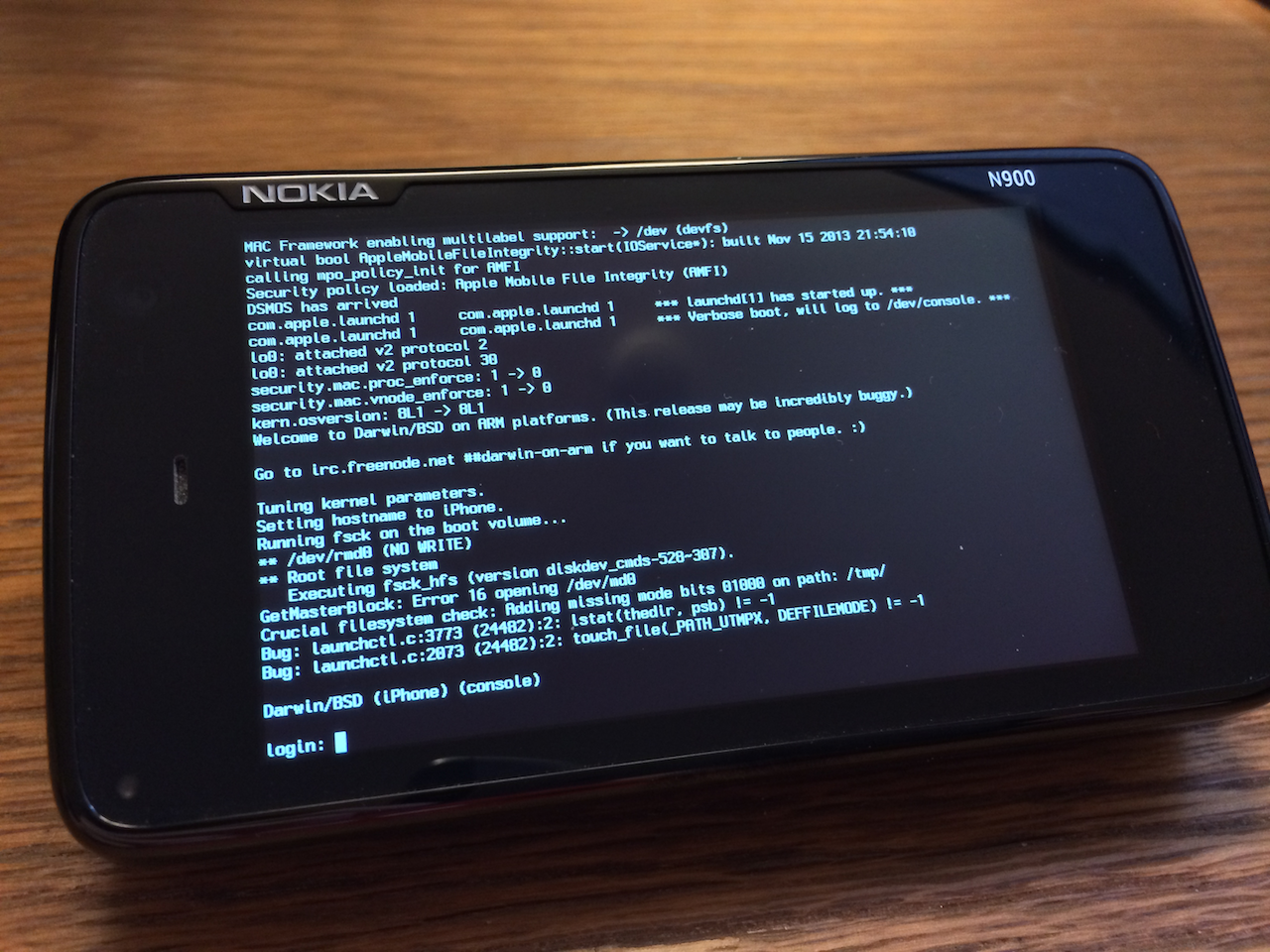
Winocm, the developer leading the work on the iOS 6.1.3/4 jailbreak, has managed to port iOS to a non-Apple device. The photo you see above is the iOS core, known as the "XNU Kernel," running on a Nokia N900 smartphone.

The port is extremely primitive, as it doesn't include any of iOS’s or OS X’s user-interface elements and cannot be run as a useable operating system. But it does signal a major development for the ongoing open source project...

Apple adds new features to iWork for iOS and Mac

As you know, Apple earlier in the month has promised to bring back dozens of recently-removed iWork features over the course of six months. In keeping with that promise, a barrage of updates has gone live Wednesday on the App Store and Mac App Store, adding new capabilities to the iWork suite of applications on Macs, iPhones, iPads and iPods.

This is the first major refresh since last month's downgrade stealthily removed arguably less popular though essential features in favor of cross-platform document compatibility between OS X, iOS and the web.

I've included full release notes and a couple of highlights right after the break...

WhatsApp’s iOS 7 update caught on video

Some time ago, a source with dubious credentials approached me with a bunch of claimed screenies of WhatsApp's long-anticipated iOS 7 refresh.

The genuine-looking images apparently showed off work-in-progress code, but I was reluctant to publish as the source's veracity couldn't be established with a satisfactory degree of certainty.

WhatsApp (free download) recently passed 300 million users and is quite popular.

With that in mind, one could imagine yours truly has since been on the lookout for more proof for it seemed to me there had to be some fire to go along this smoke. Finally, yesterday I stumbled upon a video hands-on which I felt was credible enough to warrant sharing here.

Without further ado, this is what WhatsApp's forthcoming iOS 7 refresh will look like...

Apple releases iOS 7.0.4 with FaceTime bug fix

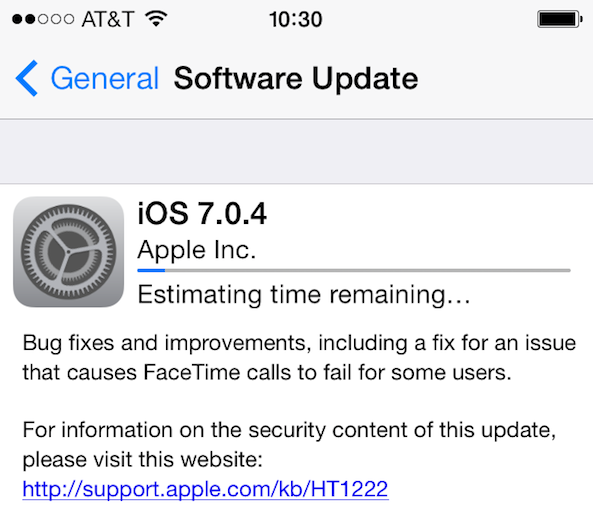
Apple has just released iOS 7.0.4 for iPhone, iPad, and iPod touch. Along with the usual bug fixes and stability improvements, iOS 7.0.4 fixes a bug which would sometimes prevent users from making a FaceTime call.

The update is available over the air, directly from Settings > General > Software Update, or by plugging your device in iTunes...

iOS 7.0.4 is jailbreak safe

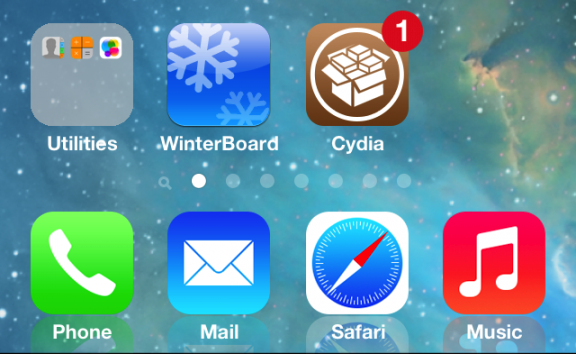
Following this morning's release of iOS 7.0.4, we've been getting many questions regarding the safety of updating to the latest software version for those who are hoping to be able to jailbreak their device one day.

The good news is that it is completely safe to update to iOS 7.0.4 as it will not hinder your chances to jailbreak, should we ever get a jailbreak for iOS 7...

Apple’s iBooks and iTunes U apps finally receive iOS 7 makeover

Apple by now has updated much of its own iPhone and iPad applications that area available on the App Store, with the two major holdouts: iBooks and iTunes U (also pending in the update queue: Find My Friends and Keynote Remote, a Keynote presentation software companion).

Now, Jony Ive's been feeling your pain so today Apple issued a pair of long-expected updates bringing iBooks and iTunes U in line with the general iOS look and feel.

The revamped iBooks "has been updated with a beautiful new design for iOS 7," says Apple. The refresh includes a completely revamped iBook Store.

Did they kill the page curl? Read on for the full breakdown...