iOS

Nike+ Running now integrates with iOS 8 Health, adds elevation tracking and more

Apple CEO Tim Cook has had a seat on the Nike board for quite some time now and the sports equipment giant was first out of the gate with an app that showcased the iPhone 5s's low-powered M7 motion coprocessor. But despite close Apple ties, Nike's been suspiciously mum regarding integrating its many iOS apps with iOS 8's Health database.

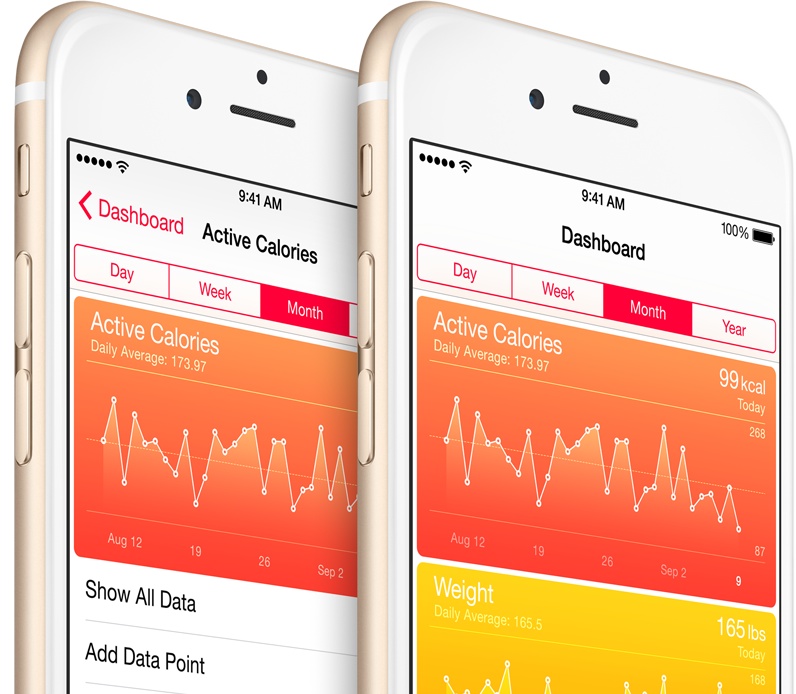
That changed Tuesday as a new version of Nike+ Running got released with support for NikeFuel data sync with iOS 8's Health application. The refreshed app brings out a few other nice-to-haves, such as tracking your elevation on latest devices and more.

Nike's other iOS apps will hopefully pick up Health integration in due time. Nike+ Running is a free download in the App Store.

Shazam updated for iOS 8 with Today widget for tagged music and more

Shazam, a song-matching service that recently passed 100 million active users, on Tuesday released a major update to its free iPhone and iPad application.

Available free of charge in the App Store, the refreshed Shazam 8.0 has been optimized for iOS 8 and introduces a handy Today widget that lists tagged music recognized through the background-listening Auto Shazam feature.

A new Charts page in News Feed lists collates popular tracks other Shazam users have tagged and track lists now have a nicer looking layout.

Argus activity tracker, now with iPhone 6 support and iOS 8 Health sync for workouts and calories

I'm a fitness fan and Azumio's Argus is one of my favorite applications to track my steps, runs and bicycle rides. As I stopped using any health and fitness app which doesn't export data to Apple's Health application in iOS 8, I was pleasantly surprised learning that Azumio just issued a nice Argus refresh which rectifies the problem.

For starters, the new version 3.6 now runs natively on the bigger iPhone 6 and iPhone 6 Plus screens. More importantly, Argus can now export your workouts and calories to the Health app.

Download Argus free in the App Store.

iHeartRadio gains iOS 8 Today widget and CarPlay support

Thursday, an enhanced version 5.3 of iHeartRadio became available for download in the App Store.

The refreshed application brings out a nice Today widget allowing you to play your recent stations from the Notification Center in iOS 8. You should also appreciate its built-in support for Apple's in-car entertainment system dubbed CarPlay, so you can now listen to iHeart Radio in CarPlay-enabled vehicles.

The updated app can be grabbed for free in the App Store.

Fantastical gains fantastic iOS 8 Today widget, Interactive Notifications, Share extension and more

Flexibits on Tuesday issued a major update to its calendar, reminder and to-do replacement app, Fantastical for the iPhone and iPad. Now an iOS 8-only download, the new Fantastical 2.2 is fully optimized for some of iOS 8's headline new features.

It has an informative Today widget for your upcoming tasks, ability to create events in any application that supports iOS's multi-purpose Share menu, notifications that can be interacted with on the Lock screen, within the Notification Center and from the banner alert, and more.

This update is free to existing users. And to celebrate this major new release, good folks over at Flexibits have slashed Fantastical for iOS: the iPhone edition is now $3, down from its regular price of five bucks, while the iPad edition will run you $7 for a limited time, down from its regular asking price of ten bucks a pop.

Cannot activate iOS 8’s Text Message Forwarding and iPhone Cellular Calls? Here’s a fix.

As soon as iOS 8.1 hit two days ago, I immediately went about checking out a pair of new features I care about the most, Text Message Forwarding and iPhone Cellular Calls.

As a quick reminder, Text Message Forwarding lets me mirror text messages sent to my iPhone in the Messages app on the Mac or iPad. With iPhone Cellular Calls turned on, I can finally make and receive phone calls on my other Mac and iOS devices through my iPhone's cellular connection.

But something was amiss, or so I thought, because I just couldn't get either feature to work. While attempting to enable Text Message Forwarding, the system prompted me to enter a confirmation code my Mac was supposed to generated, but didn't.

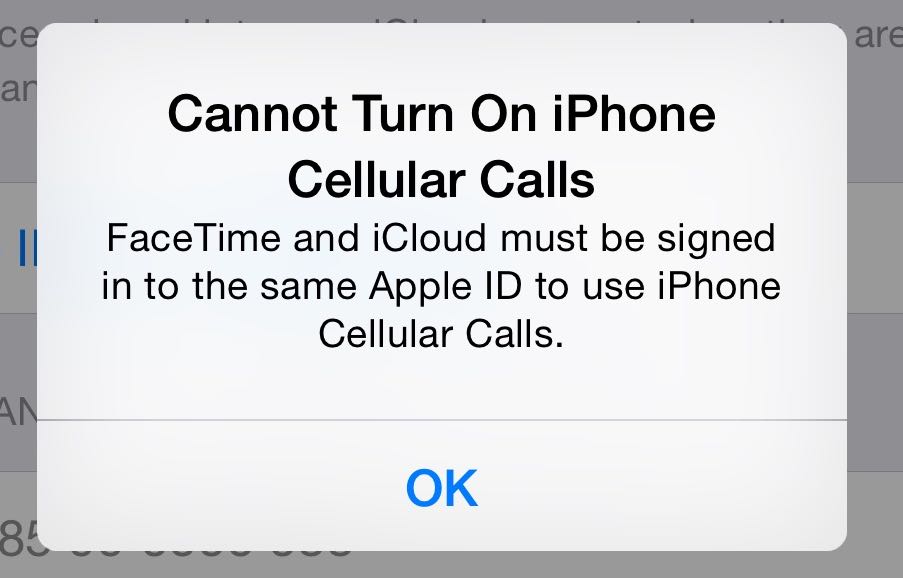
Likewise, trying to enable iPhone Cellular Calls yielded a FaceTime error message saying my devices must use the same iCloud account, even though I was using FaceTime without any problems before.

Having spent a few hours restoring my devices as new, reseting network settings, changing settings on my router and checking the status of iCloud services, I eventually came to the same realization as did the other affected users: Text Message Forwarding requires you to use an email address and for iPhone Cellular Calls to work properly, FaceTime must be signed in with your Apple ID.

Apple releases iOS 8.1 with Apple Pay, Camera Roll, Text Message Forwarding and more

As promised, Apple on Monday released iOS 8.1 for public consumption. Users who have an older version installed on their iPhone, iPod touch or iPad can now update to the latest software over-the-air, by choosing Software Update under Settings > General.

iOS 8.1 flips the switch on Apple Pay in the United States on the iPhone 6 and iPhone 6 Plus, as well as the newly released iPad Air 2 and iPad mini 3.

It also re-enables the missing Camera Roll album in Photos and beta iCloud Photo Library (in beta) while bringing additional Continuity features like Text Message Forwarding between iOS 8 devices and Yosemite Macs and more.

Wunderlist for iOS gets 1Password integration, Mac app gains Handoff, Today widget and more

Wunderlist, an increasingly popular cross-platform to-do and task manager by German developer 6Wunderkinder, got updated both for iOS and OS X with cool new features.

The iOS edition now includes support for 1Password signing and the ability to see your to-dos in iCal while fixing UI issues on iPad and more.

The Mac edition has received a substantial Yosemite-ready refresh adding a more productive Today widget in the Notification Center, interactive push alerts, a more powerful “Add to Wunderlist” feature along with the complete Handoff experience for seamless moving between devices and more.

Rdio ushers in iPhone 6 and CarPlay support, interactive alerts and more in major iOS 8 update

Following a recent overhaul with new features, free streaming in more than two dozen countries and other perks, Rdio, the popular Internet service, on Thursday pushed a major iOS 8 focused update.

Following in the footsteps of rival Spotify which two weeks ago added support for CarPlay, Apple's in-car iPhone entertainment system, Rdio has now jumped on the automotive bandwagon, too.

In addition to music playback and navigating your favorites and playlists from the built-in display in CarPlay-enabled cars, Rdio 3.0.4 has a handy new control to adjust streaming quality (should prove indispensable to those concerned about cellular data usage).

Moreover, this update adds support for the iPhone 6 and iPhone 6 Plus screen sizes, iOS 8's Interactive Notifications (you can play music and follow other users directly from an alert) plus other nice-to-haves mentioned after the jump.

Apple updates iWork with Yosemite support, OS X apps get redesigned

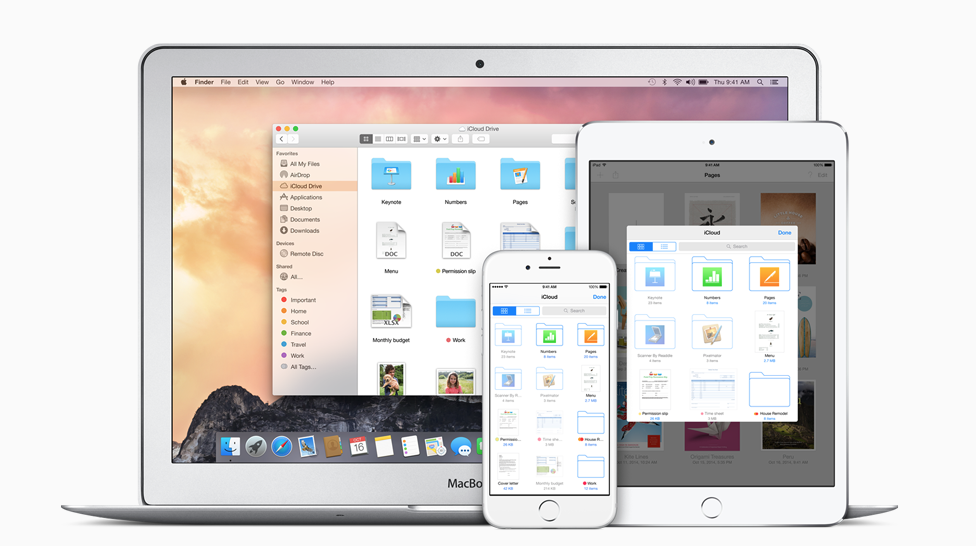
Continuing with its marathon software rollout, Apple has posted updates for its iWork apps on both iOS and Mac. The suite of productivity software now properly supports the just-released OS X Yosemite, along with its major new features like iCloud Drive and Continuity.

Both versions received various improvements, such as customizable alignments and easier file sharing, but the three Mac apps got a lot more love then their iOS counterparts. Pages, Numbers and Keynote for OS X have been redesigned to better match the new Yosemite.

Apple to temporarily remove ability to track blood sugar levels over iOS 8 Health bug

Apple will soon issue a software update that will temporarily remove the ability to track blood glucose levels in iOS 8's Health app following reports from users in the United Kingdom and Australia that the software is incompatible with standard measurements in these countries, Cnet reported Wednesday evening.

Existing blood glucose data won't be deleted from users' devices, said Apple in a support document detailing the issue. “Third-party apps will continue to be able to support both units of measurement and can continue to use HealthKit APIs to store blood glucose data,” reads the document.

A fix for the issue is being worked on and will be released in due time. Once the patch has been released, the previous blood sugar data will reappear in the Health app.