Learn how to turn off those pesky pop-up character previews while typing on your iPhone keyboard and enjoy a distraction-free typing experience.
How to disable pop-up character previews when typing on iPhone keyboard

Learn how to turn off those pesky pop-up character previews while typing on your iPhone keyboard and enjoy a distraction-free typing experience.
Facedown detection stands as one of the underrated features in iOS 9's rich arsenal of power-saving tactics designed to help extend your run time by up to an additional hour.
Facedown detection avoids turning the display on when a notification comes in and your phone is put facedown. But as it turns out, Facedown detection doesn't work on all devices compatible with iOS 9 and there is a good explanation for that why.

Shazam, the popular music and media identification software, has rolled out a brand new 9.0 update to its iPhone and iPad application in the App Store, bringing out support for Spotlight Search on iOS 9, improved Bluetooth listening and other tidbits.
Shazam songs and artists can now be searched from the Home screen on iOS 9 and tapping a Shazam result takes you directly into that content within Shazam's mobile app.
Apple's streamlined Photos app for iPhone, iPod touch and iPad has not gained major new features in iOS 9, unlike Photos for Mac whose upcoming OS X El Capitan release contains several new features that didn't make it into the inaugural version of Photos for OS X last fall.
But there's one tiny refinement in iOS 9's Photos app that I think will delight people like myself who rely on iCloud to keep their photos and videos synchronized across their devices: a more detailed upload progress indicator.

A few dozen iPhone and iPad applications, most of them developed for China, have been infected with XcodeGhost, a malware that collects information on the devices and uploads that data to remote servers.
Among them is WeChat, one of the most popular instant messaging applications in the world.
Rather than exploit an iOS vulnerability, the malware in question sneaks its way into apps indirectly, by targeting Apple's official compilers used to create legitimate apps. The malware was found to inject its malicious code into a Mach-O object file that was repackaged into some versions of Xcode, Apple’s official tool for developing iOS and OS X apps.
These Trojanized Xcode installers were then uploaded to Baidu’s cloud file sharing service used by Chinese app developers, explains Palo Alto Networks. The malicious code then inserts itself into any iOS app compiled with the infected Xcode without the developers’ knowledge.
It's not Apple's fault, really: this would have never happened had these developers downloaded Xcode files directly from Apple. Baidu has since removed all of the infected files from its servers and some of the infected apps have since removed the malware code in their latest builds.

Folks who track their workouts with the Apple Watch or a third-party fitness accessory tend to analyze their logged history in the iPhone's Activity app in order to gain a valuable insight into when they have—and more importantly, have not—met their personal goals.
Realizing you're consistently failing to hit your set workout goal on weekends, for example, is the first step toward changing your routine, working out more and leading a healthier life overall.
Though largely unchanged from its iOS 8 counterpart, Activity on iOS 9 has gained a useful, somewhat hidden toggle for switching between displaying Move, Exercise and Stand rings and highlighting the days you completed dedicated workouts.

You can use the dedicated search field within the Settings app to quickly find a specific setting on your iPhone or iPad.
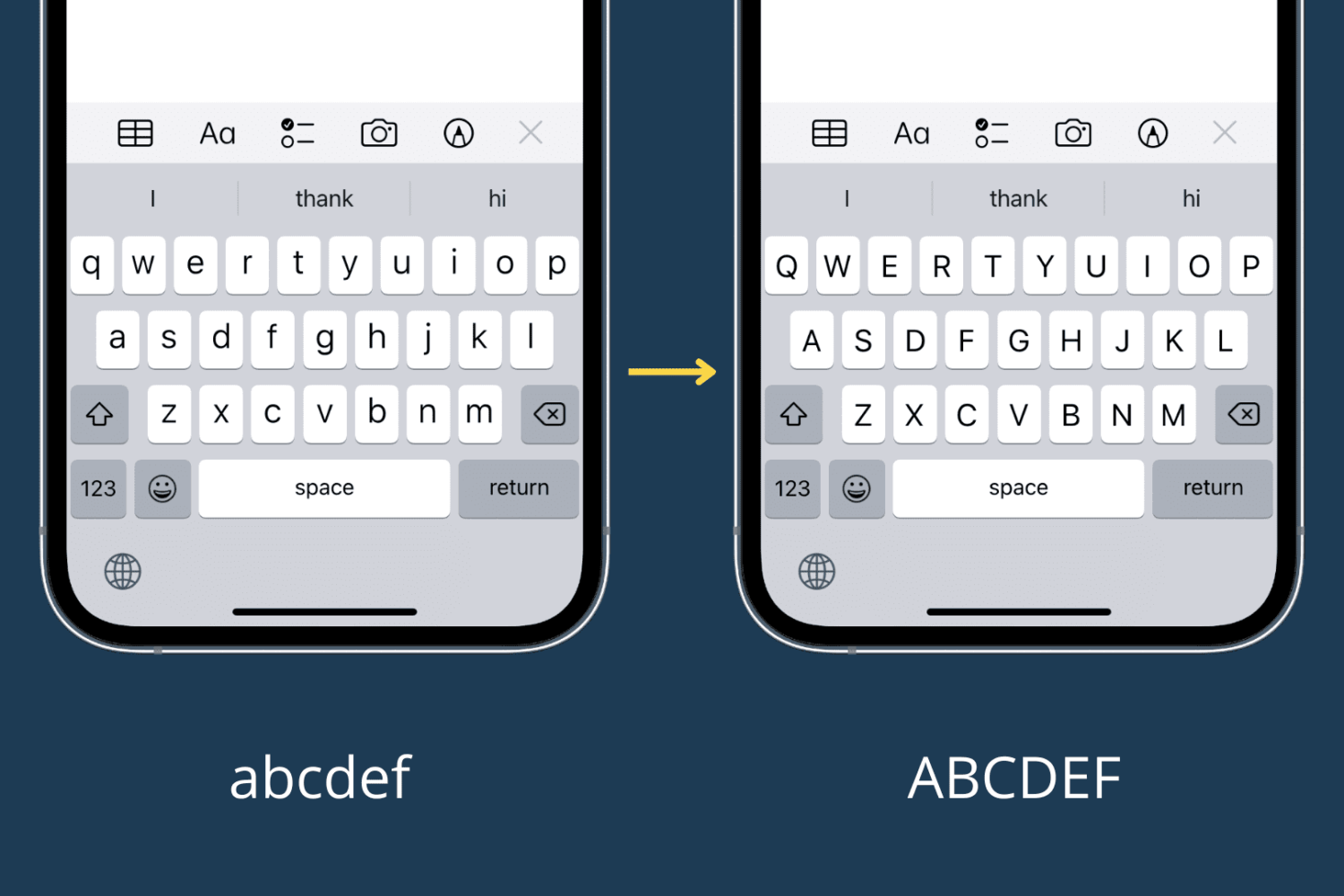
Learn how to switch your iPhone or iPad onscreen keyboard to an UPPERCASE design instead of the default lowercase letters printed on each key.
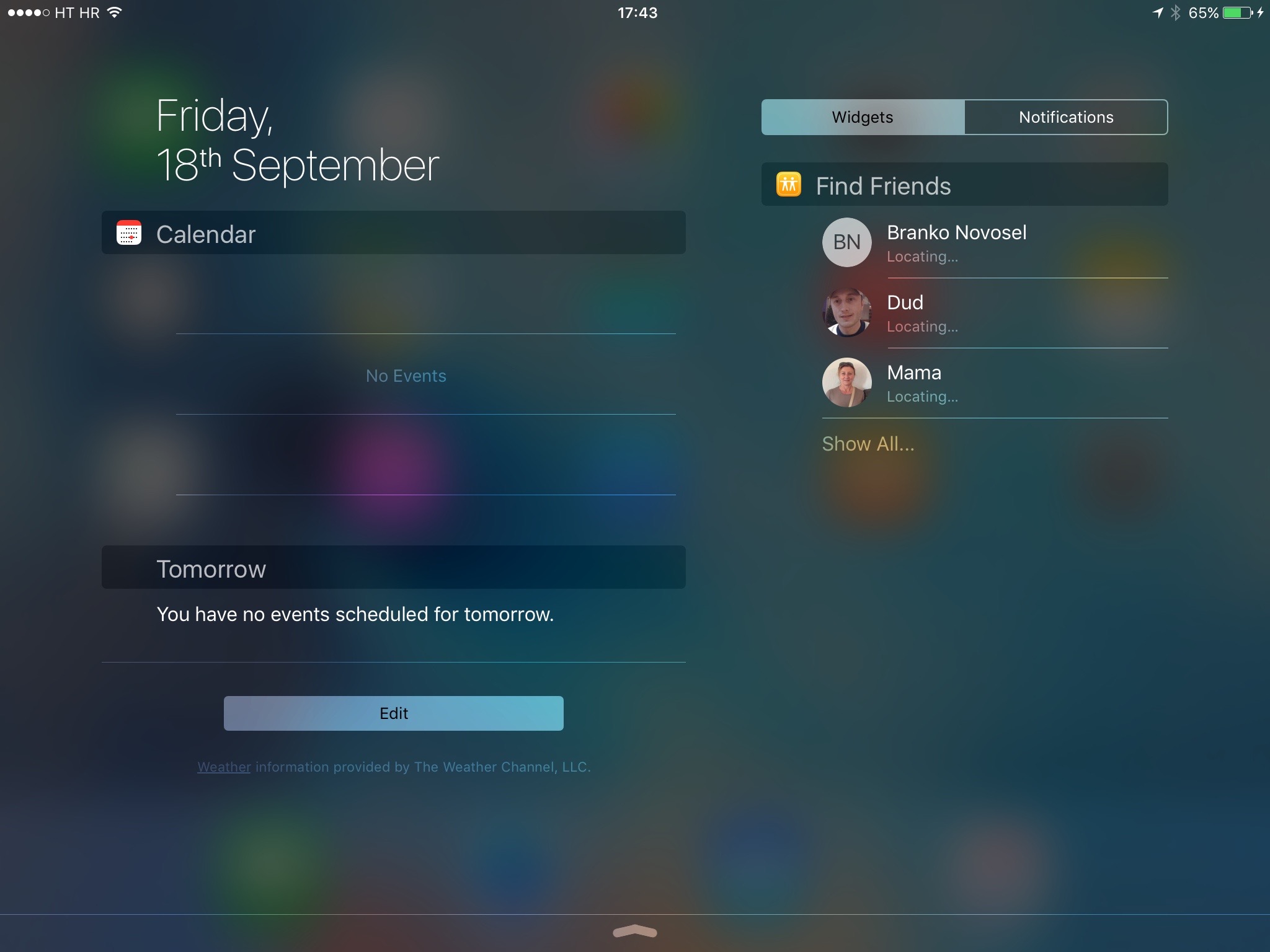
iOS 9 packs in a whole bunch of nice-to-haves and small refinements that haven't even made it into the official release notes.
Among other things, the operating system introduces a more streamlined Notification Center view in landscape mode which Apple designed to take advantage of the larger screen real estate on iPads.
The enhanced look is based on a two-column layout to allow the simultaneous display of your Today view in one column and your Notification Center widgets and app notifications in the other, so you don't have to switch manually between them.

According to a lengthy, and growing, thread on MacRumors Forums, an unknown portion of people who have updated their iPhone, iPod touch and iPad devices to iOS 9 are now complaining about sluggish performance and unexpected crashes.
Some folks are even going as far as to suggest that iOS 9 is laggier than iOS 8.
Unfortunately, I'm one of them as well.
After upgrading my iPhone 6 Plus and iPad Air to iOS 9 I couldn't help but notice overall sluggishness and considerable lag on both my devices, especially when I'm using the new task switcher or bringing up Spotlight Search.
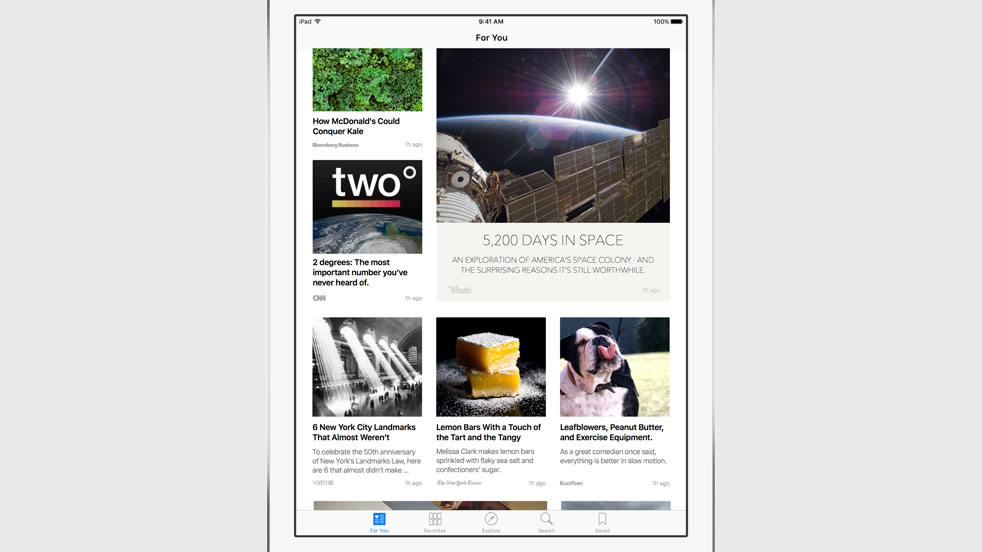
Among other things, iOS 9 adds four new non-removable apps to your Home screen, one of them called News and the other three being iCloud Drive, Find My iPhone and Find My Friends.
Unfortunately, folks living outside the United States are out of luck as News is US-only at launch.
Now, the forthcoming iOS 9.1 software update will officially bring News to the United Kingdom and perhaps some other markets. That being said, you can actually enable News regardless of where you live, and here's how.
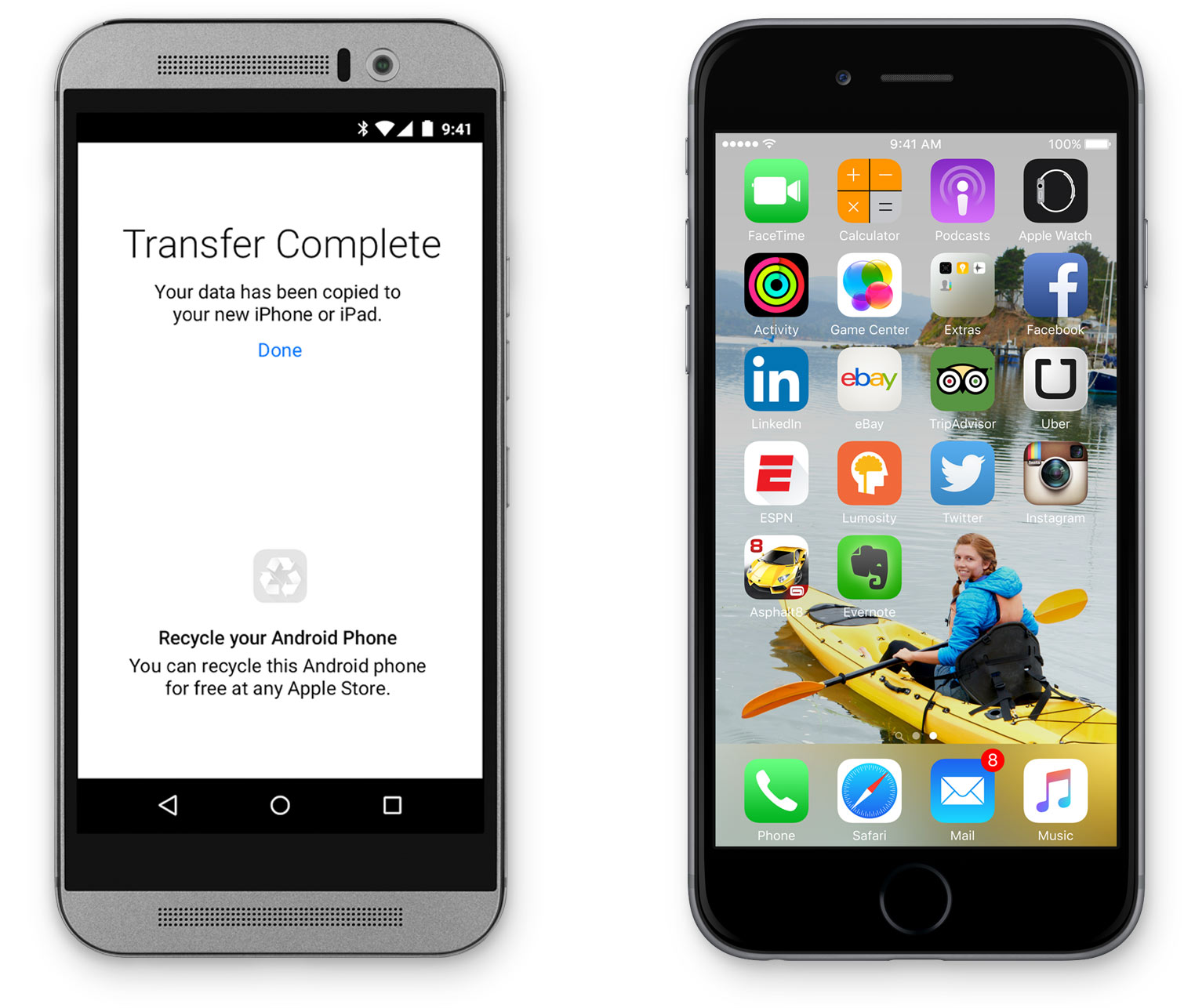
Apple's new 'Move to iOS' app is now available on Android and a lot of fans of Google's mobile platform have already posted hate-spewing reviews on the Play Store. The app lets people switch over from Android to iOS by wirelessly migrating their data, settings and personal information to an iPhone.
The vast majority of reviews have nothing to do with the app itself and instead criticize Apple's closed ecosystem and walled garden approach.
In venting their frustration at Apple, angered Android fans are taking advantage of Play Store reviews to ridicule Apple, call its fans 'iSheep', criticize the iPhone's battery life and diss the Apple Watch as an overpriced luxury device in an apparent absence of any real arguments.