iOS

How to use the on-demand VPN feature on your iPhone or iPad

Depending on the VPN you’re using, your iPhone or iPad might be able to take advantage of a feature called VPN on demand (VPoD).

Essentially what this does is it connects you to your VPN automatically when it’s needed so you don’t have to toggle it on manually before accessing the internet from your device. As a result, you can have peace of mind because your information is protected once you begin using the internet.

Gamify your stand goals with Standland for iPhone and Apple Watch

Filling all three activity rings at the close of day has become a proper ritual and incentive for many Apple Watch owners. Out of the three, the one most likely to botch your hard-earned, months long streak is going to be the blue circle gauging standing times per day. The reasons for it are manyfold, but it often comes down to the simple fact that you cannot pencil in a time slot before or after work to quickly fill up the blue one, as it is contrived to be an achievement realized over the course of 12 hours per day.

Standland, an app for iPhone and Apple Watch users, has identified that pitfall of Apple’s activity tracker and plays on it nicely, offering more control, analytics and motivation to get users standing up at least once per hour. Japan’s iPhone App of the Year 2016 achieves this by serving up a creative blend of pet collection (resemblant of the old tamagotchi days) and fitness curation. Standland can track your standing hours right from your wrist or the inside of your pocket (for iPhone-only users) and has recently been updated for the festive season that is upon us. Follow our review below to find out about the role of in-app purchases and whether or not the stripped-down version of Standland is worth your time.

YouText lets you colorize the text and background of the Notes app

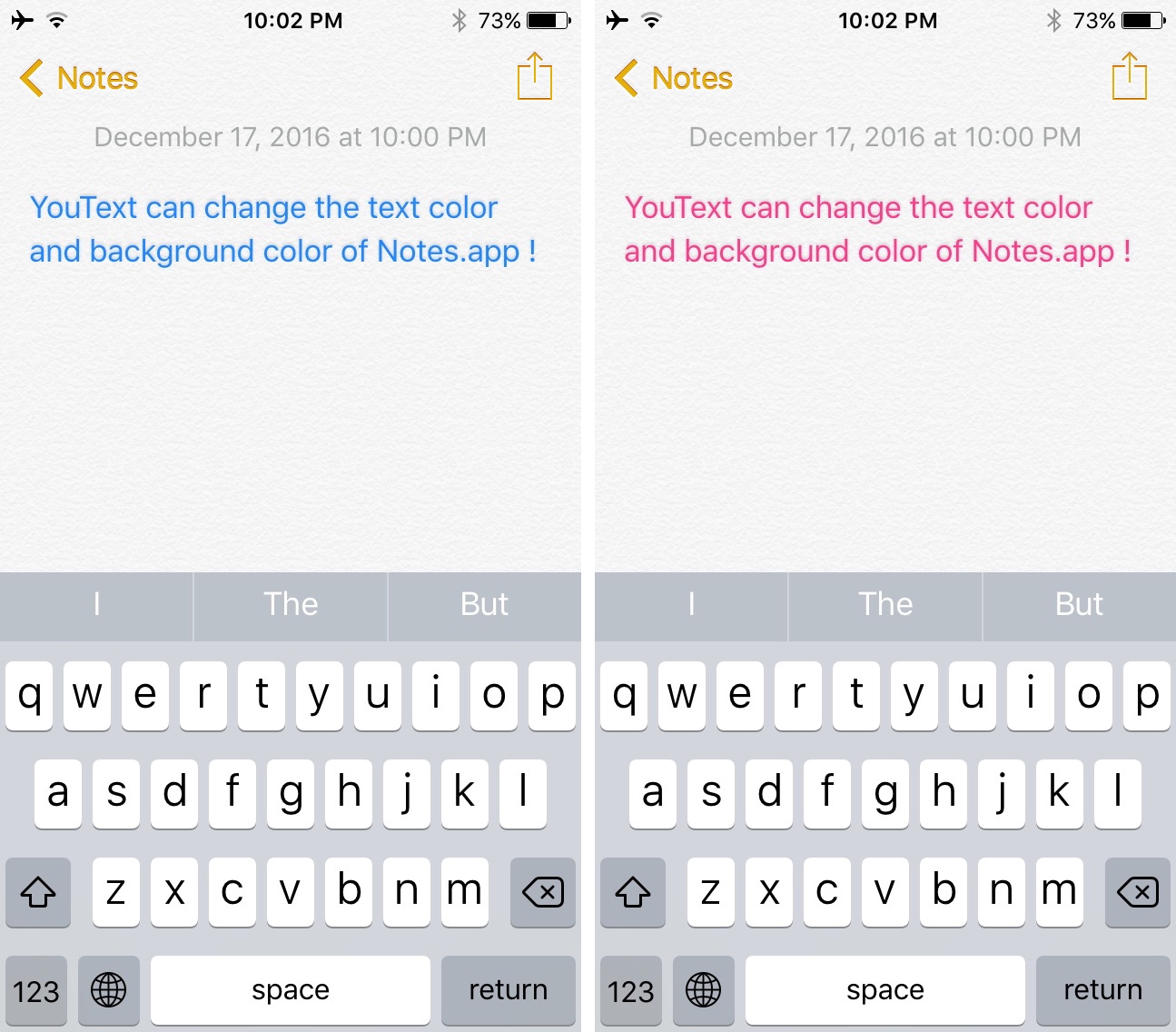
Despite all of the new features the Notes app keeps getting in Apple’s iOS updates, one of the most basic things you still can’t do is change the text color.

A new free jailbreak tweak in Cydia called YouText gives you the ability to change both the text and background color of the Notes app, giving jailbreakers an added layer of customization in the Notes app they didn’t have before.

Scriblit lets you doodle anywhere on your jailbroken device’s screen

Scriblit is a new jailbreak tweak that lets you turn the display of your jailbroken iPhone or iPad into a virtual drawing canvas, allowing you to doodle all over or annotate just about anything you want.

With a slew of configuration options and tools to pick from, you can use Scriblit for a wide range of things, from helping someone out to toying around with photos, but how you use it will depend on your own creativity.

FlixEnhancer adds handy new features to the Netflix app

Netflix is one of the world’s most popular media streaming services in terms of movies and TV shows, and their mobile app is no exception to the service’s popularity.

On the other hand, that doesn’t mean the app is perfect, and that’s why a developer has made a new jailbreak tweak called FlixEnhancer, which brings a slew of new features and improvements to the native Netflix app for iOS.

QuickDial Pro brings 3D Touch-based speed dial to your iPhone

we recently showed you a jailbreak tweak called QuickDial Lite, which allowed you to add speed dial-like features to the iPhone’s Phone app. The same developer has now just launched QuickDial Pro, which takes advantage of new features in the latest iPhones to make the tweak even cooler.

There are some notable differences between the free and paid versions of this jailbreak tweak, and we’ll show you everything you need to know to decide which one is the best fit for you.

Early access version of Flex 3 is now available in Cydia’s BigBoss repo

Those who are deeply involved with the jailbreak community are likely to know a lot about Flex, a platform that allows users to download patches and modifications to their jailbroken iPhones or iPads. They can create and then share their own patches with the rest of the Flex community so everyone else can enjoy the features as well.

An early access version of Flex 3 has now launched in Cydia’s BigBoss repository, giving public availability of the platform to everyone who owns a jailbroken device.

When is Apple going to pay FaceTime the attention it deserves?

The other day I overheard a woman at the coffee shop spiritedly conversing on FaceTime with what I can only presume was her mother. The topic of discussion had been the daughter’s holiday trip, and her mom said something that struck a chord with me: why can’t you show me the photos on here? This got me thinking (at which point I stopped listening in, promised). Since its inception, FaceTime has received dreadfully little attention from Apple. The introduction of FaceTime Audio aside, the service practically makes for an absolute freeze-up in an otherwise constantly forward moving software environment.

As consumers, we have become used to companies spending more resources and time on pet projects of theirs and conversely less on comparably idle services, but what is astonishing is that this analogy does not explain the ongoing neglect of FaceTime. Because for all its faults and plainness, FaceTime is tremendously popular. For reasons only known to the Cupertino giant however, it does barely show in the application’s development. To add insult to injury, the lackluster state is likely to persist for yet another year until the next big software update for iOS rolls in. Never mind the fact this means forever in industry years, but it’s even worse because FaceTime is already adrift of the competition.

With that said, it is time for Apple to start play catch-up and resuscitate the service. Since the coffee shop encounter, I have been mulling over how Apple could ramp up the offering realistically in the near future. Here is what I believe is feasible and crucial for FaceTime to implement within the next year:
How to bypass jailbreak detection in Super Mario Run

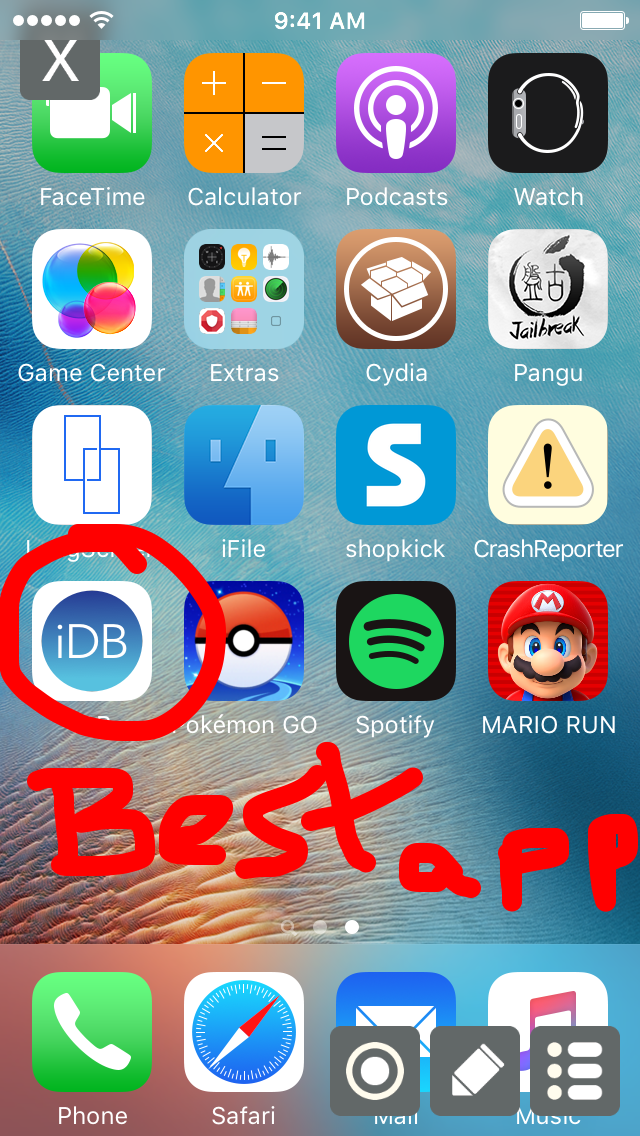
The highly anticipated Super Mario Run platformer game from Nintendo launched on the App Store Thursday afternoon, but anyone who has a jailbroken device is in for a surprise when they try to play, as it appears Nintendo built jailbreak detection into the game.

This is particularly common among a number of hit games from the App Store, including Pokémon GO, and causes the app in question to do nothing but crash whenever you attempt to launch it, but there is a way around it if you still want to play Super Mario Run on your jailbroken iOS devices, and we’ll show you how.

26 Super Mario Run moves to help you go further in the game

Super Mario Run just launched on the App Store, and as you can imagine, there has been a lot of energy from Apple and Nintendo fans around the world.

Being made for a smartphone rather than a handheld gaming unit as these kinds of games are usually made for, the game mechanics for Super Mario Run are a little different from your average Super Mario game.

In this post we'll be outlining the many different moves you can perform in Super Mario Run and explain what they do.

iOS 10.2.1 and macOS Sierra 10.12.3 now available to public beta testers

After seeding iOS 10.2.1 beta 1 and macOS Sierra 10.12.3 beta 1 to members of the Apple Developer Program yesterday, Apple today released versions of these software updates for public beta-testing. If you sign up at the Apple Beta Software Program website to become a beta tester and install an appropriate configuration profile on your device, you too will be able to install the first beta of macOS Sierra 10.12.3 on your Mac and take iOS 10.2.1 for a spin on your iPhone, iPad and iPod touch.