iOS 9

Why iOS 9’s Facedown detection doesn’t work on iPhone 4s, iPhone 5, iPad and iPod touch

Facedown detection stands as one of the underrated features in iOS 9's rich arsenal of power-saving tactics designed to help extend your run time by up to an additional hour.

Facedown detection avoids turning the display on when a notification comes in and your phone is put facedown. But as it turns out, Facedown detection doesn't work on all devices compatible with iOS 9 and there is a good explanation for that  why.

Shazam update brings support for iOS 9’s enhanced Spotlight Search and more

Shazam, the popular music and media identification software, has rolled out a brand new 9.0 update to its iPhone and iPad application in the App Store, bringing out support for Spotlight Search on iOS 9, improved Bluetooth listening and other tidbits.

Shazam songs and artists can now be searched from the Home screen on iOS 9 and tapping a Shazam result takes you directly into that content within Shazam's mobile app.

Apple: more than 50 percent of devices are already using iOS 9

It's been less than a week since iOS 9 was released, but it's already being used by more than 50 percent of iOS devices, according to an Apple press release. The 50%+ adoption rate in less than a week is, as Apple puts it, the fastest iOS adoption ever.

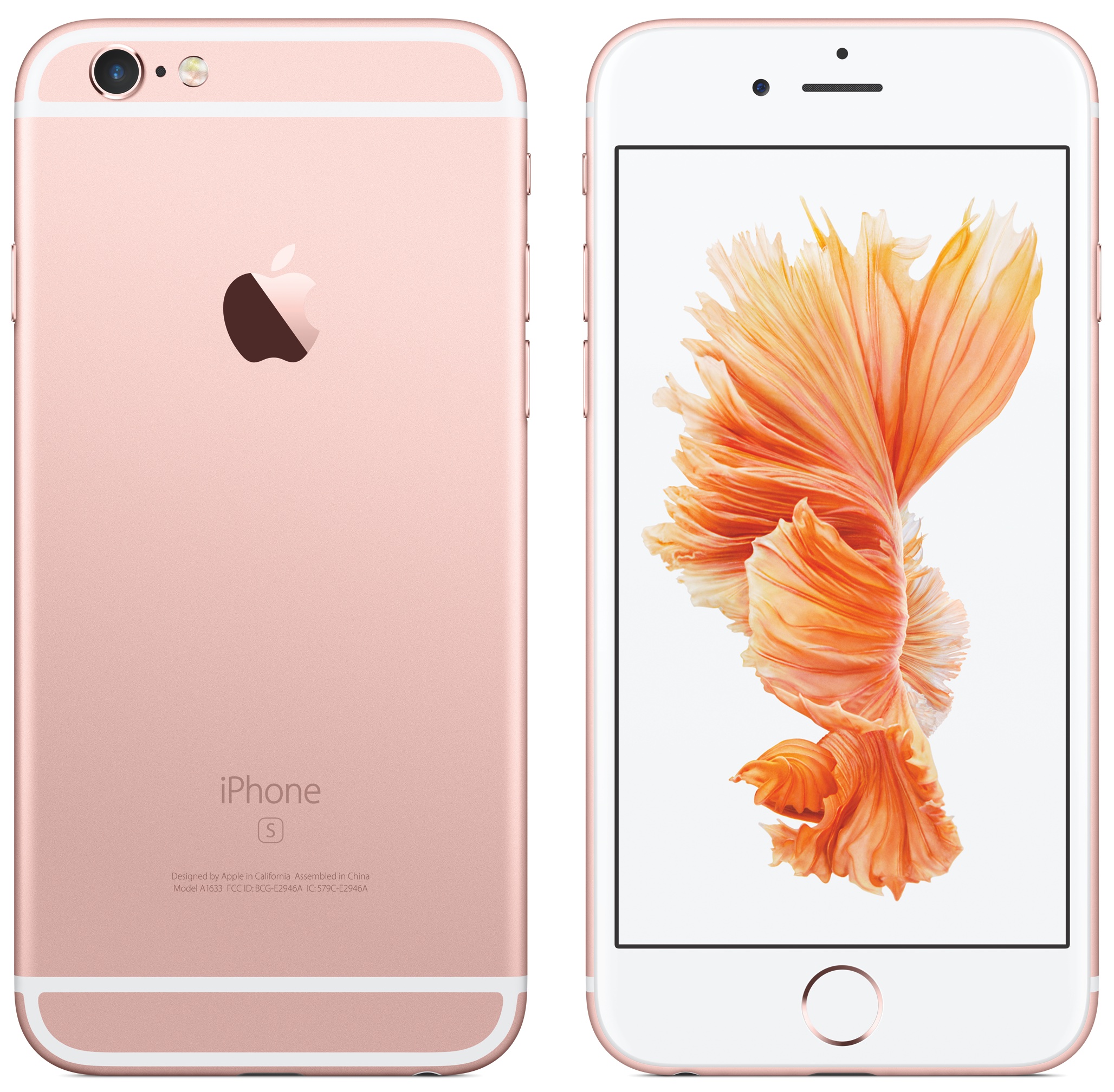
In addition, Apple reiterated its upcoming launch of the iPhone 6s, stating that customers may come to their local Apple Store on Friday, September 25th, as it will be fulfilling walk-in orders. Customers are thus encouraged to arrive early, as supply will no doubt be limited, especially if there's a specific color/size/carrier combination that you simply must have.

New in iOS 9: a more detailed upload indicator in stock Photos app

Apple's streamlined Photos app for iPhone, iPod touch and iPad has not gained major new features in iOS 9, unlike Photos for Mac whose upcoming OS X El Capitan release contains several new features that didn't make it into the inaugural version of Photos for OS X last fall.

But there's one tiny refinement in iOS 9's Photos app that I think will delight people like myself who rely on iCloud to keep their photos and videos synchronized across their devices: a more detailed upload progress indicator.

New in iOS 9: Swipe to delete clocks and alarms in the Clock app

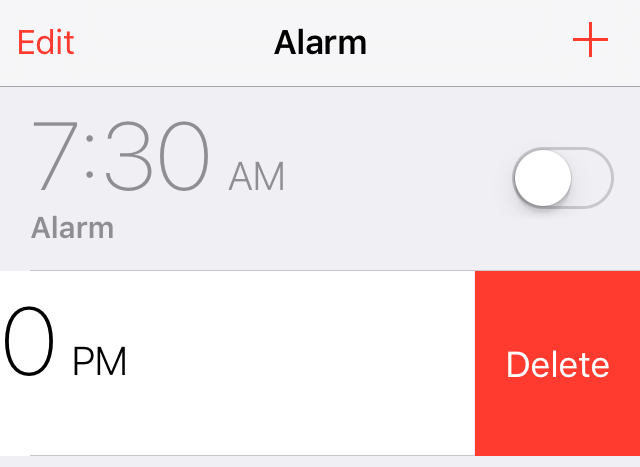
One could argue that iOS 9's new swipe to delete feature in the stock Clock app was borrowed from a jailbreak tweak, but the implementation of such a feature is so obvious that concluding such wouldn't be fair.

Regardless of how it got there, swipe to delete is finally implemented into the stock Clock app in iOS 9. I'm sure I'm not the only one that's super-happy to see this handy gesture make its way to an app that many of us use regularly.

New in iOS 9: ‘Paste and Go’ and ‘Paste and Search’ in Safari

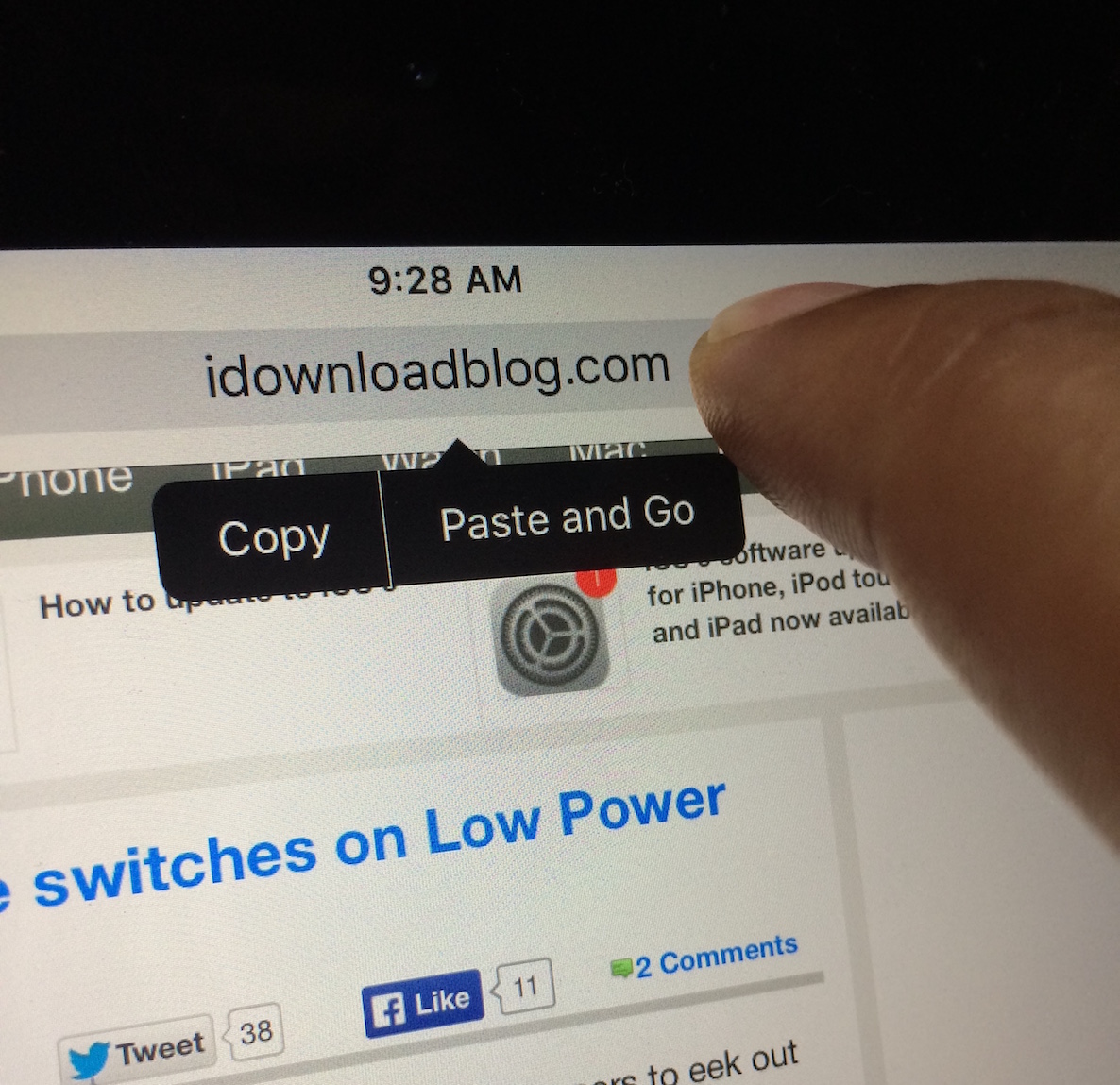
Here's a handy new under-the-radar feature in iOS 9's Safari browser: the ability to quickly paste an item from your pasteboard, and submit a search via Safari. iOS 9 also allows you to quickly paste a URL and submit the URL.

Both of these features require that a user have text copied to the pasteboard, whether that be a full URL, or general text for performing a search. Of course, this isn't a huge groundbreaking feature, but it can save you seconds, and over time, seconds add up.

New in iOS 9: Lost Mode switches on Low Power Mode automatically

The new Low Power Mode option in iOS 9 allows users to eek out more battery life by disposing battery draining features such as parallax effects, throttling down CPU performance, and disabling background app refresh. In all, Low Power Mode can provide users with up to 3 additional hours of battery life.

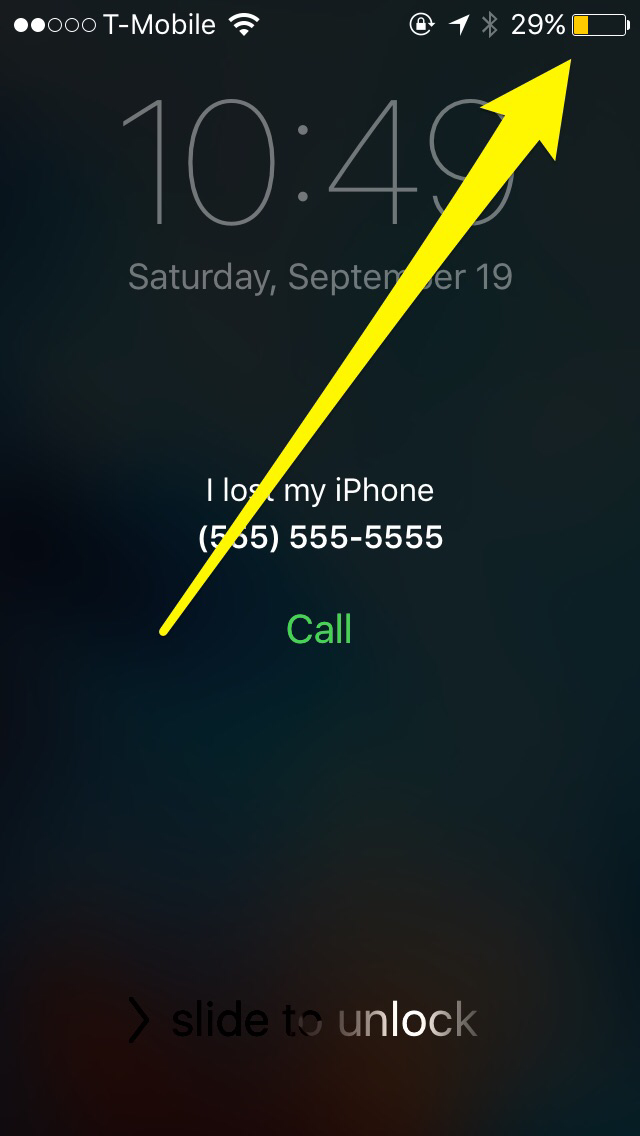
In iOS 9, Apple is allowing Find My iPhone's Lost Mode, a mode that lets you to mark your iPhone as being lost, to use Low Power Mode at the same time. By doing so, lost iPhones have an even greater chance of recovery due to being able to stay on for a longer period of time.

New in iOS 9: Spotlight can solve math problems

One of my favorite things about Spotlight and Alfred on OS X, is that both allow me to quickly churn out quick answers to simple math problems. Prior to iOS 9, Spotlight on iOS was extremely limited, but thanks to some major effort on the part of Spotlight's engineering team, the search feature is starting slowly creep towards its feature-rich big brother on Mac.

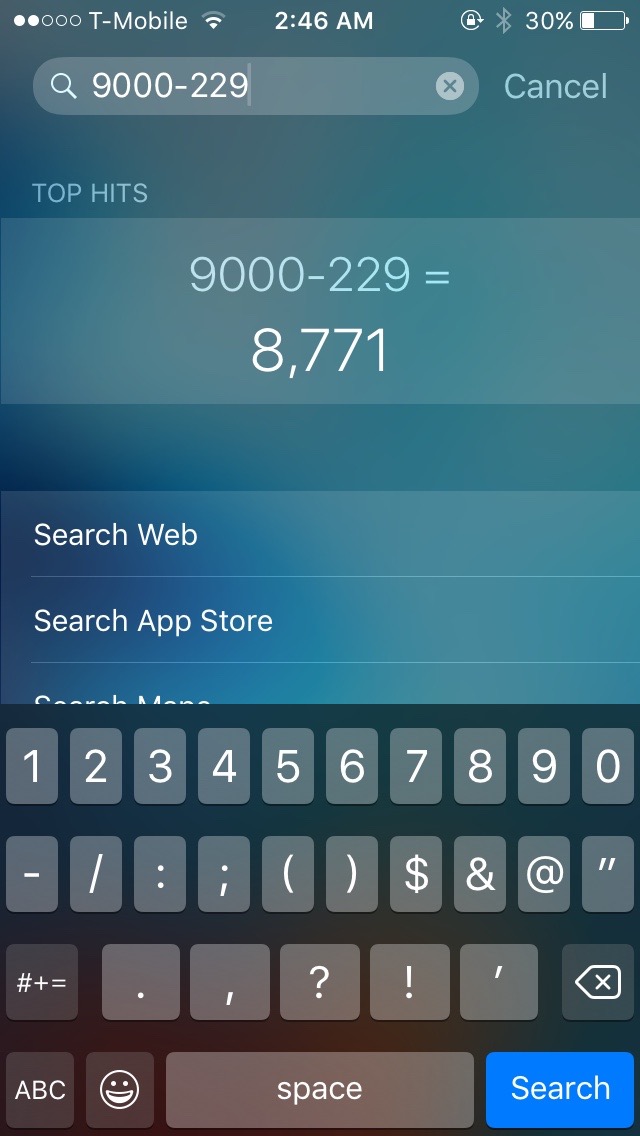
One detail that's been flying under the radar is Spotlight's new ability to solve simple math problems directly from the Spotlight interface. It's like having a calculator app that's readily accessible with just a simple swipe from the Home screen.

How to only show the days you completed dedicated workouts with Activity app

Folks who track their workouts with the Apple Watch or a third-party fitness accessory tend to analyze their logged history in the iPhone's Activity app in order to gain a valuable insight into when they have—and more importantly, have not—met their personal goals.

Realizing you're consistently failing to hit your set workout goal on weekends, for example, is the first step toward changing your routine, working out more and leading a healthier life overall.

Though largely unchanged from its iOS 8 counterpart, Activity on iOS 9 has gained a useful, somewhat hidden toggle for switching between displaying Move, Exercise and Stand rings and highlighting the days you completed dedicated workouts.

New in iOS 9: two-column landscape layout in Notification Center on iPads

iOS 9 packs in a whole bunch of nice-to-haves and small refinements that haven't even made it into the official release notes.

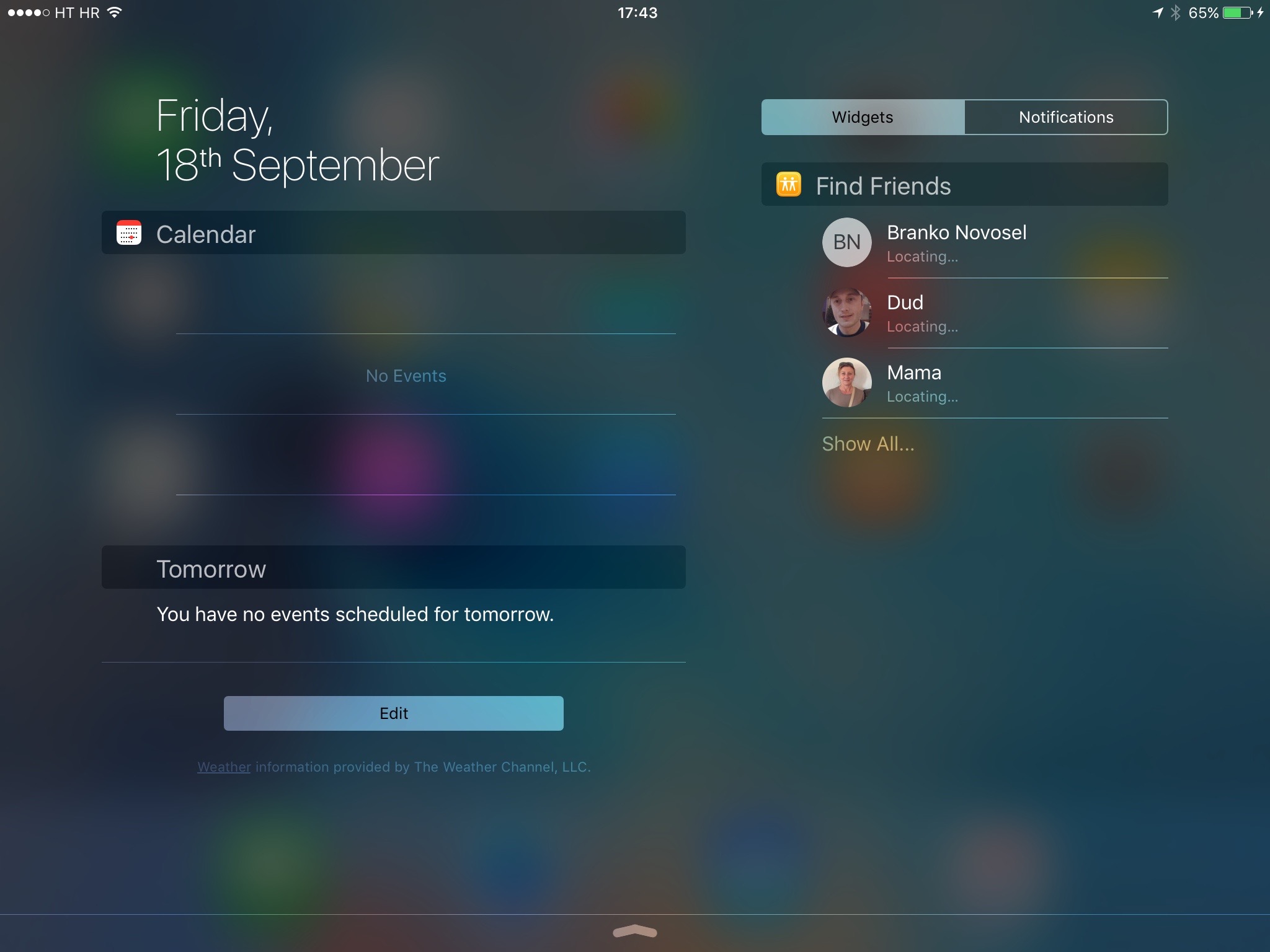
Among other things, the operating system introduces a more streamlined Notification Center view in landscape mode which Apple designed to take advantage of the larger screen real estate on iPads.

The enhanced look is based on a two-column layout to allow the simultaneous display of your Today view in one column and your Notification Center widgets and app notifications in the other, so you don't have to switch manually between them.

Lag-Gate: some devices plagued with lagginess and general sluggishness after updating to iOS 9

According to a lengthy, and growing, thread on MacRumors Forums, an unknown portion of people who have updated their iPhone, iPod touch and iPad devices to iOS 9 are now complaining about sluggish performance and unexpected crashes.

Some folks are even going as far as to suggest that iOS 9 is laggier than iOS 8.

Unfortunately, I'm one of them as well.

After upgrading my iPhone 6 Plus and iPad Air to iOS 9 I couldn't help but notice overall sluggishness and considerable lag on both my devices, especially when I'm using the new task switcher or bringing up Spotlight Search.

New in iOS 9: a larger iPad folder layout

One of the more unheralded benefits of iOS 9 is its new folder layout for the iPad. In earlier versions of iOS, folders on the iPad were limited to a 3x3 grid of app icons per page. This allowed users to see a total of 9 apps at once on a single folder page.

In iOS 9, things have changed a bit with regard to folder layout. Apple's newest iOS update allows users to view up to 16 apps per folder page instead.