iOS 5

App Usage and iCloud Settings in iOS 5

Yesterday, Apple unveiled the next version of their mobile software called iOS 5. We've already shown you a lot of iOS 5, including some screenshots of things like Notifications Center and the new Music app.

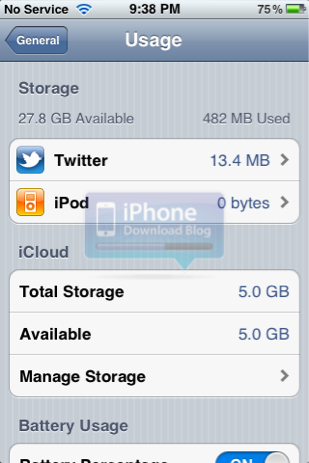
We've got a few more iOS 5 screenshots to show you, and these reveal some of iCloud's settings and customizations. A similar, new feature in iOS 5 is the ability to view memory usage for different apps alongside iCloud usage...
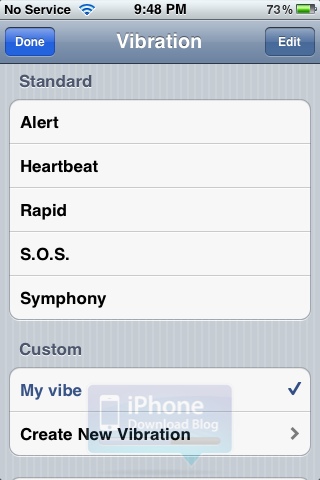
New in iOS 5: Custom Vibrations for Incoming Calls

Up until now, you could assign a specific ringtone to a contact, which is quite a handy feature as it allows you to quickly figure out who's calling you without having to look at your phone. iOS 5 just introduced a similar feature that allows you to assign a vibration pattern to a specific contact.

You can choose from 5 standard vibration patterns, or even better, you can create your own vibration pattern...

iOS 5 Now Lets You Create Your Own Shortcuts

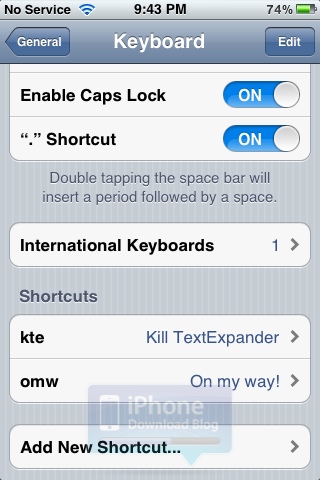
Apple introduced a handy new feature in iOS 5 called "Shortcuts". If you are familiar with the Mac app called TextExpander (I highly recommend it), or even the awesome jailbreak app called Xpandr, then Shortcuts shouldn't seem too foreign to you.

Like the name suggests, Shortcuts allow you to create your own shortcuts. For example, if you're always typing "Talk to you later" in your emails or text messages, you can create a shortcut for "ttyl", and every time you type these 4 letters together, it will automatically insert the full "Talk to you later" phrase...

iOS 5 & iCloud – A Summary of The New Hotness

It's been a hectic day or so here at iDB towers and we're sure we aren't the only ones. Yesterda's WWDC kickoff provided more than a few talking points, with iOS 5 and iCloud being two of the biggest. Granted OS X Lion is one fine looking piece of software, but for us it's the mobile stuff that gets the pulse racing.

This post will be a little roundup of just a few of the most important new things we've learned today, with links to some more in-depth coverage inside the iDB content vaults. So, without further ado, let us begin...

iOS 5 Gets a Jailbreak

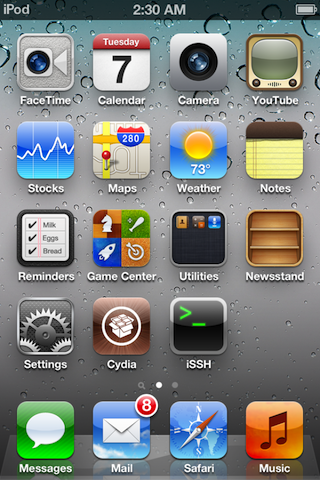
Just like that, in less than 24 hours, iOS 5 has already been jailbroken. Dev Team frontman MuscleNerd posted photos of an iPod Touch 4G sporting the Cydia and iSSH icons. So far this is only a tethered jailbreak, which requires to be plugged in the computer at every reboot.

This jailbreak is not surprising in any ways because it is using the same bootrom exploit it's been using since iOS 4.X. Apple can only patch this bootrom exploit with a hardware update...

Over-the-Air Updates in iOS 5 Shouldn’t Affect Jailbreakers

After the unveiling of iOS 5 by Apple at WWDC, we're trying to process all of the information that has been announced about Mac OS X Lion, iOS 5 and iCloud.

One of the cool new features in iOS 5 is OTA (over-the-air) firmware updates delivered straight to an iDevice. Instead of having to connect your iPhone to iTunes, an update to iOS will be pushed to your iPhone automatically by Apple.

While that concept sounds great, it doesn't sound like a good thing for jailbreakers. As it turns out, OTA iOS updates shouldn't un-jailbreak the iPhone...

What to Do with Your Old MobileMe Account

Mobile is Dead, Long Live iCloud!

MobileMe is dead and iCloud is the new king of the syncing and online storage lands, but what happens to your old MobileMe account? According to Apple, "if you had an active MobileMe account, your service has been automatically extended through June 30, 2012, at no additional charge. After this, the MobileMe service will no longer be available."

Breaking: Photos of iCloud in iOS 5 Music App

We just can't seem to control ourselves. More and more screenshots of iOS 5 keep coming in, and we thought this one was worth sharing.

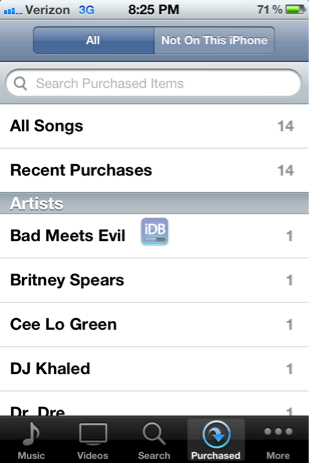
We've already heard plenty about how iCloud will be heavily integrated into iOS 5, and specifically with iTunes. In the iOS 5 iPod app, purchased songs are available for download from the iCloud servers.

More screenshots after the break!

iOS 5 iPod App is Now Called “Music”, Gets a New Icon

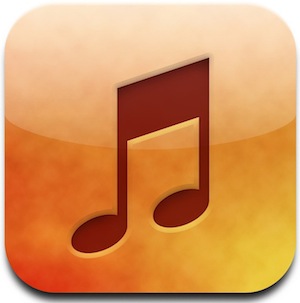
Another little detail that emerged from what we've seen of iOS 5 so far is that the iPod app is now gone and has been renamed/replaced by the "Music" app.

This is the same icon that you could find on the iPod Touch before. It seems that the iPod is now gone, and replaced by the Music app across all iOS devices. Yay for consitency!

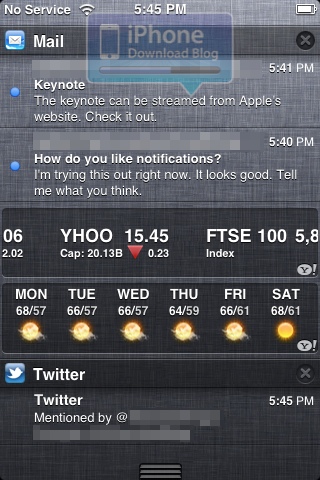
Exclusive: This is What Notifications Look Like in iOS 5

We've been receiving a few screenshots of the new iOS 5 from a secret admirer, and things look yummy on Apple's new operating system for mobile devices. After leaking to us images of the initial iOS 5/iCloud set up, the improved photo app, a bunch of other screenies, we now get a closer look at notifications.

Apple got clearly inspired by the jailbreak community on that one. I guess hiring Peter Hajas is their way to say thank you?

Breaking: More Mouth Watering Photos of iOS 5 Revealed

As if you needed any more reason to anticipate the biggest upgrade to iOS ever! Yep, we have a few more savory pictures of iOS 5 in the flesh, and we want you to see them.

This next batch of photos show off three new features to iOS 5: Newsstand, Reminders, and Twitter integration.

It's funny because prior to the show, Twitter integration was probably one of the most highly anticipated rumors. After the show, you almost forget that Apple even announced it, that's how insanely deep iOS 5 is.

Check out a few more screenshots of iOS 5 inside...

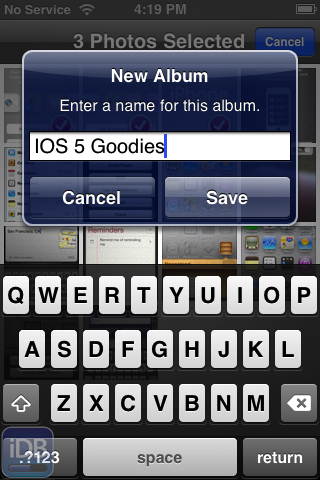
Breaking: New iOS 5 Albums and Camera Photos Emerge

More photo goodness has emerged from a friendly email, and this time they illustrate some new features surrounding photos.

To be more specific, these images focus on album creation and management.

In iOS 5, you're no longer relegated to managing your photo albums on your Mac or PC; nope, now you can manage albums directly on your iPhone.

Apple is apparently very serious about their new PC Free initiative, and it shows when looking at the screenshots contained inside...