iOS 5

New in iOS 5: Swipe from Camera to Camera Roll

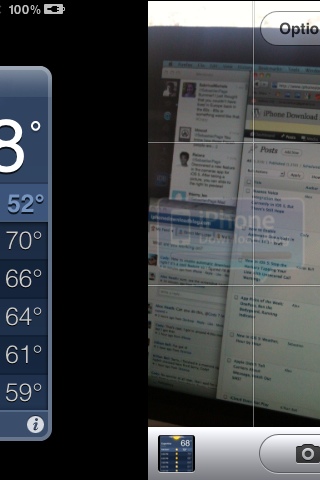
Yet another new feature that made it to iOS 5. When using the camera app, you can swipe to the right to bring your camera roll. From there, you can flick left and right to go to previous pictures or go back to your camera app.

At any time, you can tap anywhere on the screen to bring some of the picture controls and tap "done" to return to your camera app...

Nuance Voice Integration Not Currently in iOS 5, But There’s Still Hope

Apple unveiled a truckload of iOS 5 features at WWDC on Monday, but one major thing was missing: Nuance voice integration. There was a strong series of rumors leading right up to the keynote that claimed iOS 5 would boast huge improvements in voice integration.

Unfortunately, no voice-related features were previewed during Monday's keynote, and the first iOS 5 developer beta has no voice additions to speak of.

Has Apple abandoned their partnership with Nuance in iOS? Or will we still see deeper voice integration in iOS 5 before it's released to the public in the next few months?

New in iOS 5: Stop the Hackers Tapping Your Line With Unsecured Call Warnings

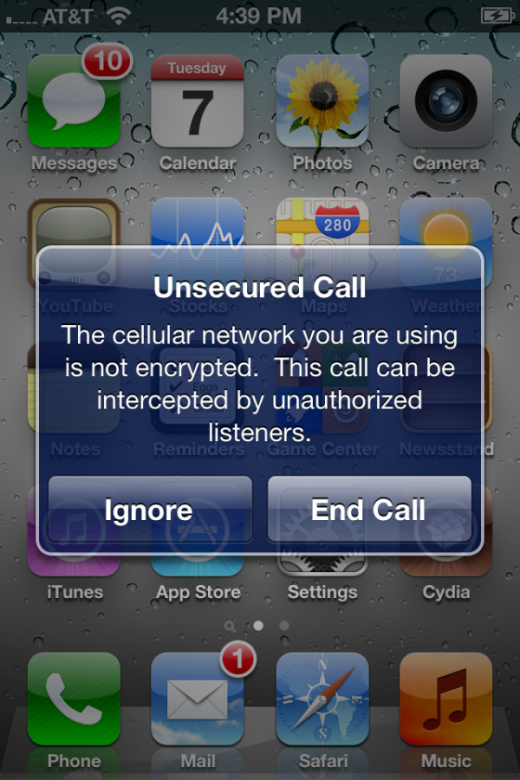
Did you know that while you're running iOS 4 on your iPhone, hackers can intercept your phone calls and listen in on your conversations like they do in the movies? Thankfully, however, a new feature in iOS 5 will warn you when you're at risk.

Under the first beta release of iOS 5, if you attempt to make a call that hackers can tap into, you will receive a warning to tell you that the network you're using is not encrypted...

New in iOS 5: Weather, Hour by Hour

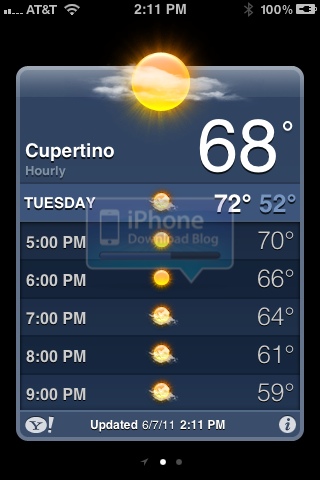
Yet another of the 200+ new features in iOS 5. This one is hardly noticeable and won't be life changing, but it's still interesting to see how Apple is continually improving every app.

This new feature can be spotted in Apple's stock weather application. When double tapping on the screen, it now brings a break down hour by hour of the weather and temperature in the selected city...

iCloud Does Not Play Nicely With Verizon CDMA iPhone 4

We've all gotten used to Verizon arriving late to the party, and despite finally handing over the iPhone in February, Apple is still finding ways in which it can keep Verizon's customers waiting. Next up is iCloud, which doesn't play nicely with the CDMA iPhone built for the Verizon network.

During his announcement at WWDC yesterday, Steve Jobs said that some iCloud features were now in beta, including the ability to sync content among your devices, and download previous purchases. However, in order to enjoy these features, you need iOS 4.3.3 – a release not currently available for the Verizon iPhone...

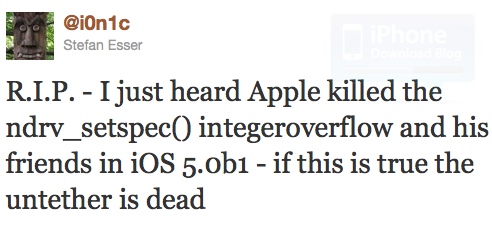
Jailbreak Killer: iOS 5 May Have Killed i0n1c’s Untether

Earlier today we shared the excellent news with you that the first beta version of iOS 5 had already been jailbroken by MuscleNerd. This tethered jailbreak uses the same LimeRa1n exploit that has been used from iOS 4 to 4.3.3.

However, because it is a tethered jailbreak, the community was hoping that i0n1c's untether might still work with iOS 5, but unfortunately, it doesn't look like it...

iOS 5 Firmware Hints at Future iPhone and iPad Models

Since Apple unveiled iOS 5 at the WWDC keynote yesterday, developers have been diving into the software to discover the hidden secrets within. The latest development actually points towards future models of the iPhone and iPad.

As would be expected, there are code placeholders for the next gen iPhone, and there are also references for two future iPad models. Ladies and gentleman, start your rumor mills...

How to Install iOS 5 Beta on the iPhone Without Apple Dev Account

Everyone's dying to get their hands on the first beta of iOS 5 and try out all of its terrific new features, but unless you're signed up to the $99 per year Apple developer program, you'll have to wait until later this year to get your hands on the public release. That is, until now!

A Gizmodo reader has discovered a "backdoor" that allows you to install iOS 5 on the iPhone and enjoy all of its features without having to register its UDID with Apple first...

New in iOS 5: Camera Icon on the Lockscreen

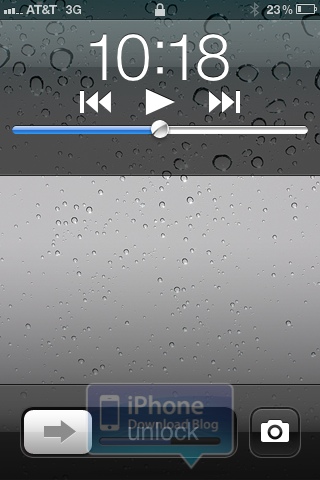
A new handy feature that made its way to iOS 5 is the ability to launch the camera directly from the lockscreen. Have you ever wanted to take a picture rapidly but missed the perfect shot because it took you too long to unlock your phone and launch the camera app? No more of that.

Now you can launch the camera app more quickly by simply hitting the home button twice while on the lockscreen. This will bring the camera icon. Hitting this icon will launch the camera app...

Mobile Safari Gets Private Browsing Mode in iOS 5

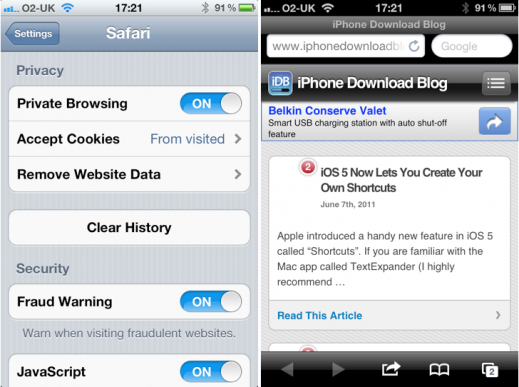
Since Apple dropped the first beta release of iOS 5 yesterday, those of us with access to the firmware have been keen to play around with it and discover those "200 new features" that weren't quite big enough to get a mention at the WWDC keynote yesterday.

In addition to customizable keyboard shortcuts, one feature you may not have noticed is the 'Private Browsing' mode within mobile Safari...

iOS 5 Will Work on the iPhone 3GS

Despite concerns, the iPhone 3GS will be supported in iOS 5. This means that 3GS owners will be able to download and install Apple's next version of iOS when it goes live for the public this fall.

Although most parts of iOS 5 will work on the 3GS, certain features will not. This includes parts of the new Camera app. Overall, the iPhone 3GS works pretty well with the iOS 5 developer beta that people have already been testing...

Customize Message Notifications iOS 5

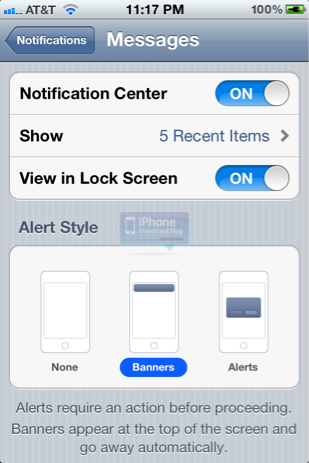
iOS 5 continues to amaze us. The amount of customization that now exists at the system level almost rivals what a jailbroken iPhone can do.

Thanks to the shiny new Notification Center, you can customize the way incoming push notifications look in iOS 5. You can customize how many notifications display on your lockscreen, and you can even toggle the lockscreen view on and off