iPhone

Stay up-to-date on the latest iPhone news and learn new tips and tricks with our comprehensive tutorials. From software updates to new features, we’ve got you covered.

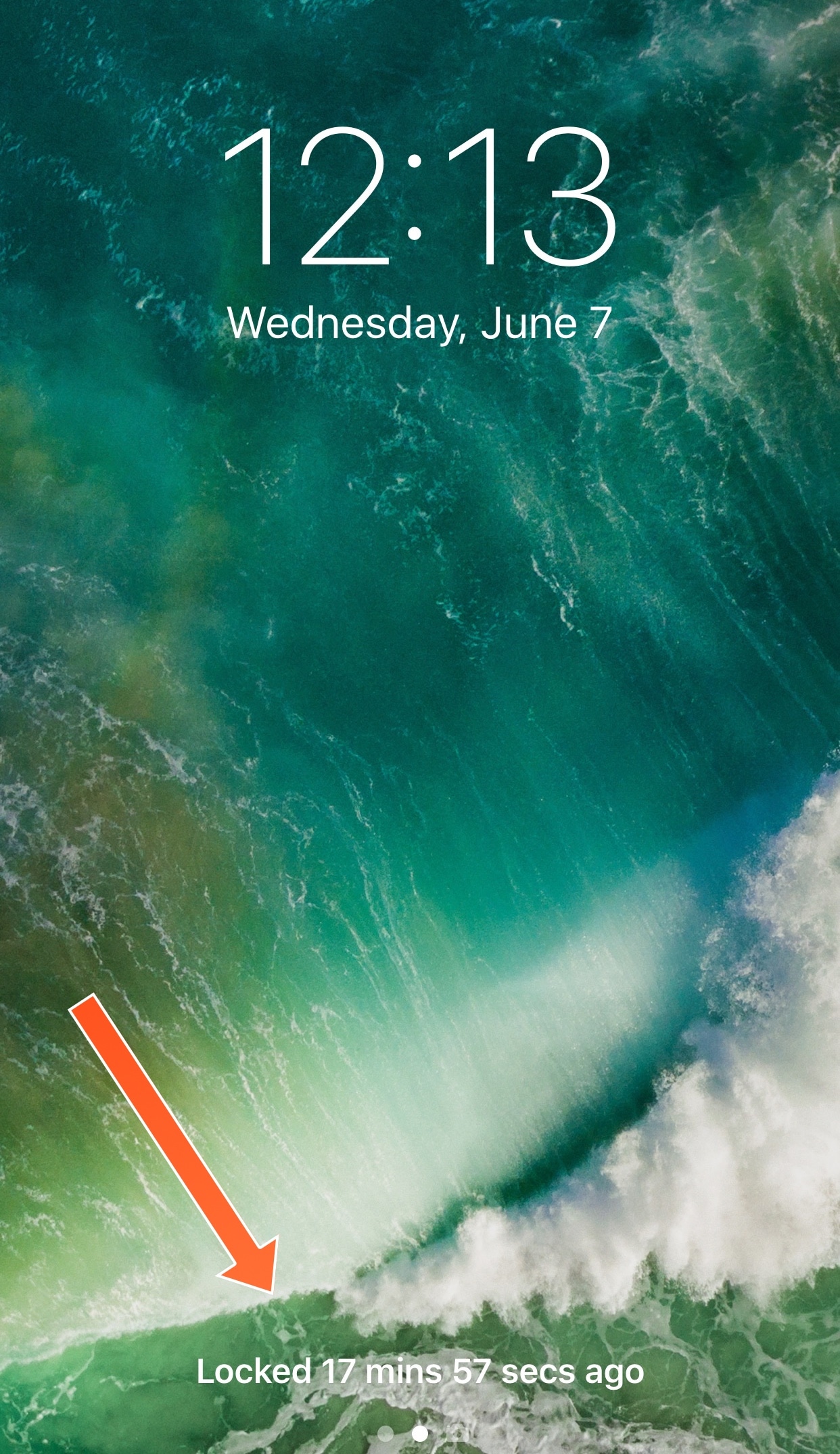
LastLocked puts the last time your device was locked on the Lock screen

In April, we showed you a tweak dubbed LastTimeUnlocked that replaced the ‘press home to unlock’ text on the Lock screen with an indicator of when your device was most recently unlocked, and now a new free jailbreak tweak called LastLocked by iOS developer NeinZedd9 is taking on the opposite end of the spectrum.

Rather than displaying when your device was last unlocked, LastLocked displays the last time your device was most-recently locked.

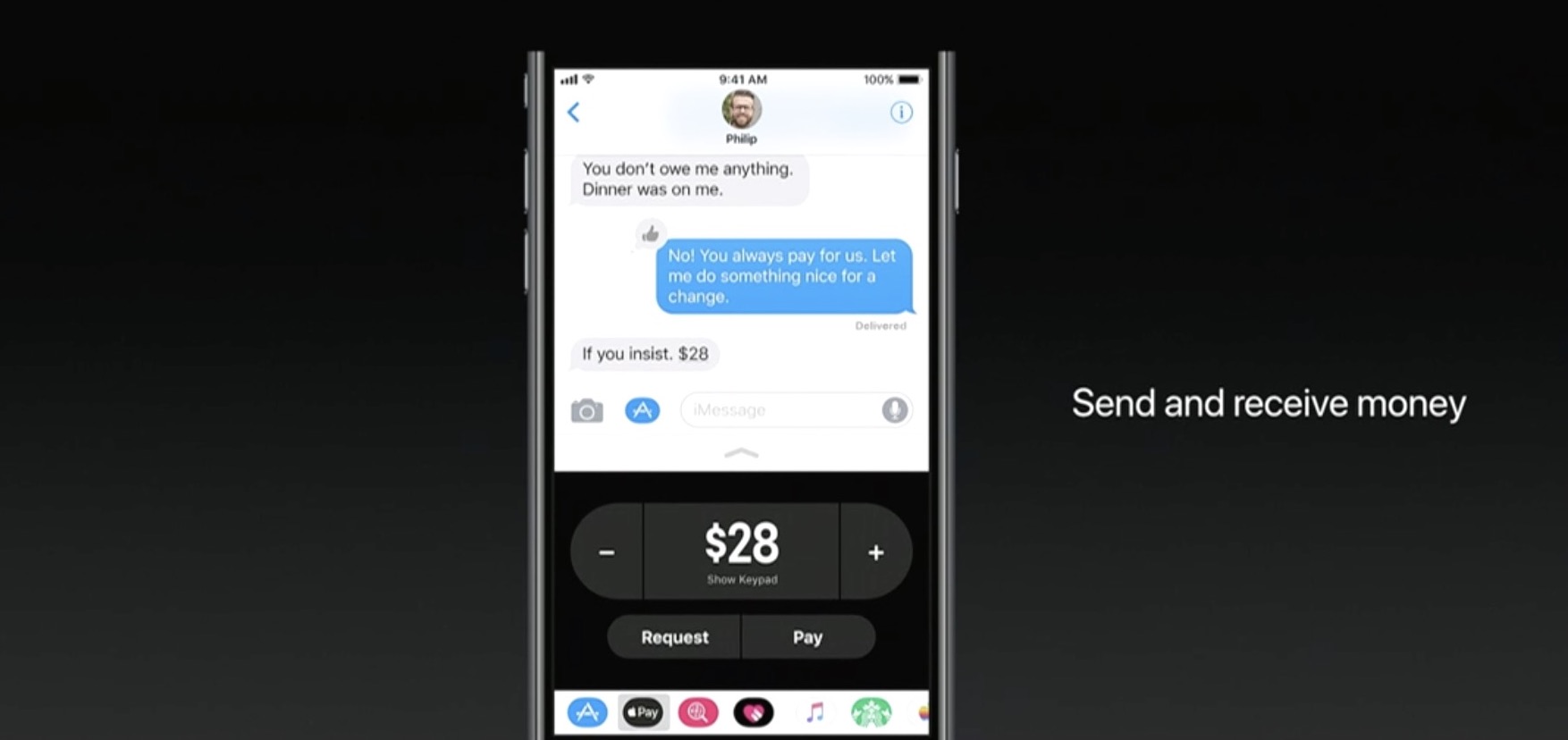
Apple Pay P2P transfers will incur standard 3% fee when funded by a credit card

If you try to use your credit card to fund an Apple Pay person-to-person payment over iMessage, Apple will tack on a 3% fee, reports Recode. The fee is standard among similar P2P services, and necessary to cover credit card transaction costs, but it's worth pointing out to potential users.

If you don't want to incur the 3% fee, simply use your debit card to fund the Apple Pay P2P payment, as this method is completely free.

Apple announced the new iMessage-based service during its WWDC keynote earlier this week. With it, you'll be able to use any card stored in Apple Pay to send money to other users. Once sent, the money loads onto a prepaid Apple Pay Cash card, where it can be spent or withdrawn.

Apple Pay Cash will go live after Apple publicly launches iOS 11 this fall.

Source: Recode

Video: watch iOS 11 Messages new “Echo” and “Spotlight” fullscreen effects in action

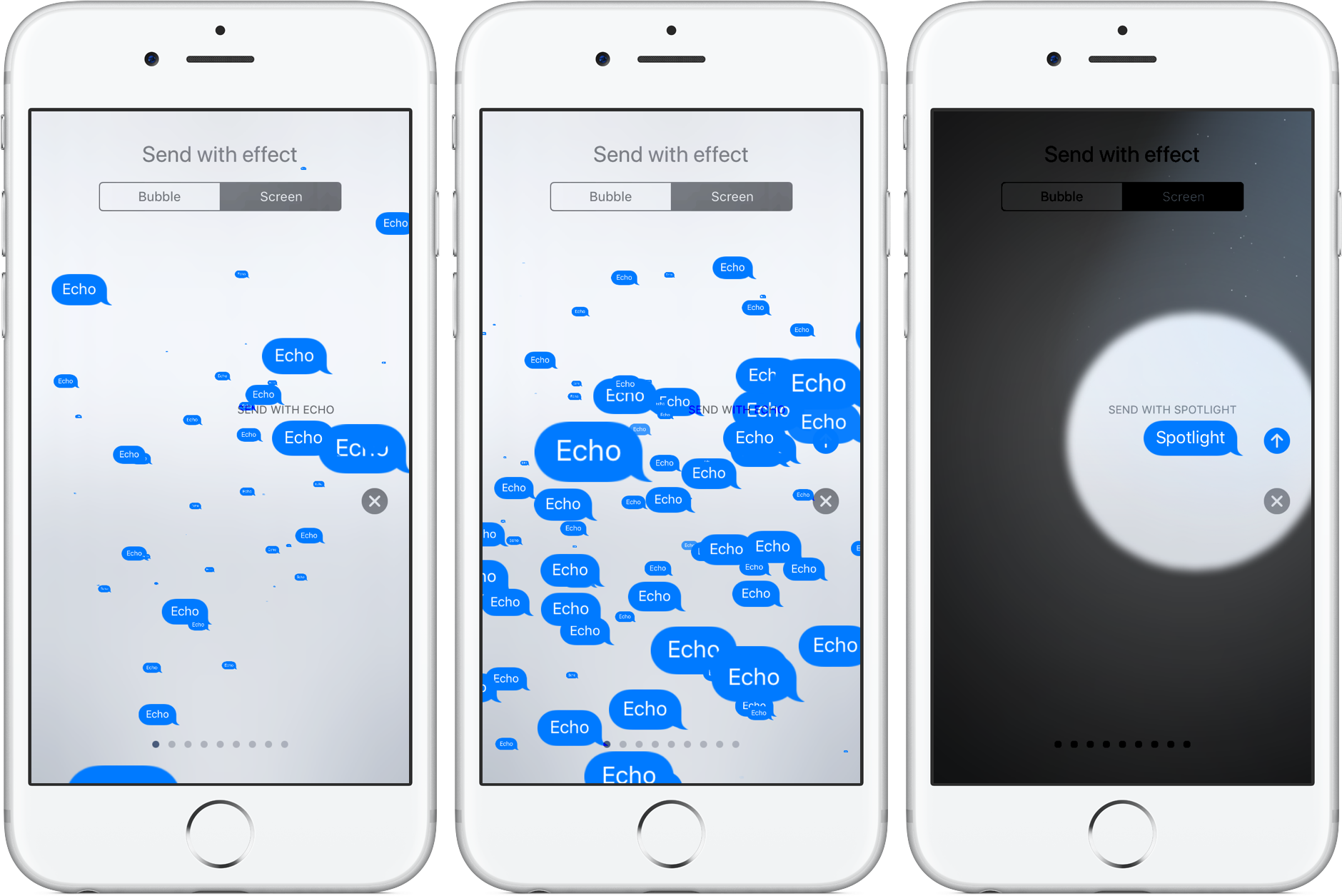
Apple's expressive Messages app gained some interesting fullscreen effects with last year's release of iOS 10. With iOS 11, Apple is bringing a pair of brand new effects to the built-in messaging app, called “Echo” and “Spotlight”.

The two new effects are in addition to the existing ones: Balloons, Celebration, Confetti, Love, Lasers, Fireworks and Shooting Star. To use these effects, press the Send button in Messages with 3D Touch, then tap the Screen tab at the top to swipe through real-time effect previews.

Echo, as the title suggests, multiplies your text all over the screen. Spotlight puts a large spotlight on your chat bubble to emphasize your text.

Watch the new Messages effect in action.

https://www.youtube.com/watch?v=Ur08nXULKvo

Subscribe to iDownloadBlog on YouTube.

As for the so-called bubble effects, no new ones have been added in iOS 11. iOS 10 currently includes five different bubble effects: Slam, Loud, Gentle and Invisible Ink.

How do you like the two fancy new effects in Messages for iOS 11?

Let us know by posting a comment below.

Apple’s latest ‘Shot on iPhone’ ad features powerful narration by famous cosmologist Carl Sagan

Apple on Thursday via its official YouTube channel shared a new commercial as part of its ongoing “Shot on iPhone” campaign. Titled “Earth”, the video is narrated by late Carl Sagan who reads a poignant excerpt from his 1994 book.

It's a beautiful tribute to Earth following the US exit from the Paris accord.

The ad aired in front of a big TV audience watching the NBA finals, said AdWeek. The chosen passages from Sagan's book are set to videos of natural landscapes, shot by everyday Apple users on their iPhones.

Here are Sagan’s words, culled from a longer passage in the book:

The Earth is a very small stage in a vast cosmic arena. In our obscurity, in all this vastness, there is no hint that help will come from elsewhere to save us from ourselves. The Earth is the only world known so far to harbor life. There is no where else, at least in the near future, to which our species could migrate.

Like it or not, for the moment the Earth is where we make our stand. It underscores our responsibility to deal more kindly with one another and to preserve and cherish the only home we've ever known.

And here is the spot.

https://www.youtube.com/watch?v=YpUa7YvhUJo

“Our only home. Shot on iPhone through the lens of everyday users,” says Apple.

The video's description is accompanied by the hashtags #OurOnlyHome and #ShotoniPhone.

As mentioned, the narration is from Carl Sagan and Ann Druyan's book, titled “Pale Blue Dot — A Vision of the Human Future in Space,” available on iBooks Store for $14.99.

How do you like Apple's subtle dig at climate change deniers?
Safari Plus brings powerful customization options to Safari

Safari is the stock web browser on the iOS platform, and love it or hate it, the jailbreak community has come up with countless ways to customize it for the better.

One of the latest releases to benefit the Safari web browser is a jailbreak tweak dubbed Safari Plus by iOS developer opa334. This tweak brings a host of new configuration options so you can customize Safari any way you see fit.

This tweak keeps you from accidentally marking your email inbox as unread

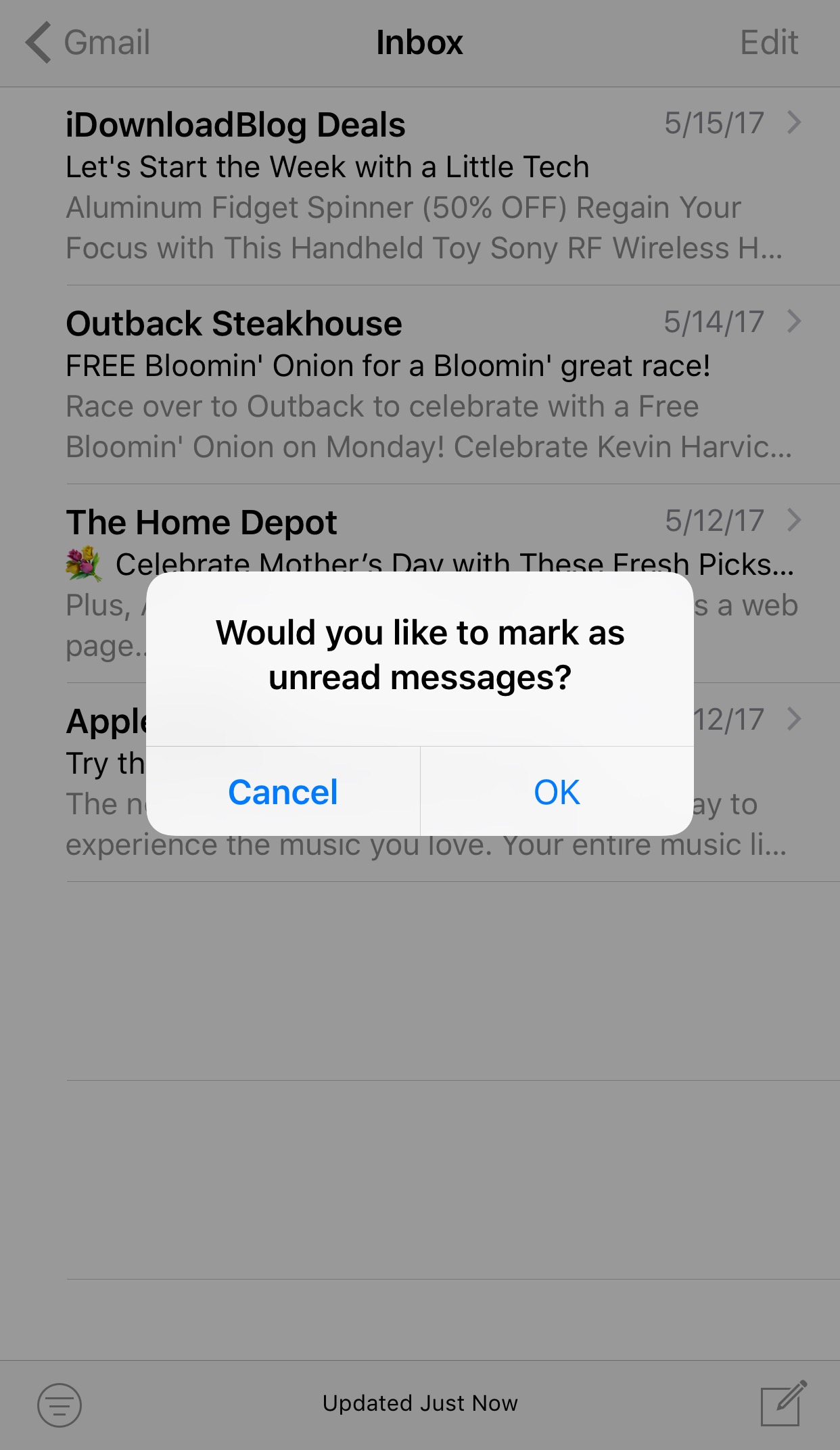
A lot of times we perform bulk actions in the Mail app with the intention of saving time, but sometimes we make mistakes, like marking all the emails in our inbox as unread by accident.

A new free jailbreak tweak dubbed Mark as Unread Alert by iOS developer i4M1k0SU helps mitigate the changes of this accident from happening by forcing you to confirm your action before it takes effect.

FunAppocalypse simulates the iPhone apocalypse in the skit from Apple’s WWDC keynote

When Apple kicked off the WWDC 2017 keynote this year, they presented a hilarious comedy skit that put into perspective just how important mobile apps are in our daily lives. As every iOS device went kaput, the world quickly delved into chaos.

iOS developer CPDigitalDarkroom decided it would be fun to recreate the apocalyptic scenario, and so he created a new free jailbreak tweak he calls FunAppocalypse that simulates the visual effects and sounds that were illustrated in the keynote skit.

The 13 features in iOS 11 borrowed from the jailbreak community

Apple releases a major new firmware upgrade for its mobile device lineup every year, and with the announcement of iOS 11 at the WWDC 2017 keynote on Monday, it’s somewhat ironic that Apple has once again borrowed many of its new feature ideas from the brilliant minds that make up the jailbreak community.

In this roundup, we’ll discuss 13 new features in iOS 11 that have previously existed in Cydia as jailbreak tweaks before the new firmware, which is set to release this Fall, was ever even announced.

Apple honors select app developers in its 2017 Design Awards

Unlike the name might imply, Apple’s Design Awards are not exclusively dedicated to chasing the pinnacle of visual design, but more comprehensively appraise other app elements such as user interface innovation, sound design and also gameplay for apps offering unique gaming experiences. The latter, games, have easily stolen the show this year with 5 out of the 12 winners coming from said category.

In a slightly embellished press release, Apple announced the names and links of all twelve winning applications, each coming with a punchy story to explain and celebrate the selection in addition to screenshots and pictures of each developer team.

iOS 11 makes it a cinch to share your Wi-Fi password with nearby devices

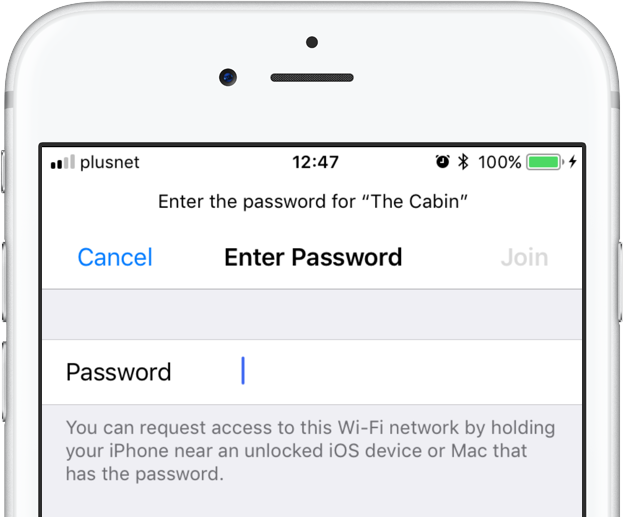
iOS 11 provides a nifty new feature for sharing your Wi-Fi hotspot password with nearby devices, without having to type the password on another device. When a nearby device running iOS 11 attempts to connect to your password-protected Wi-Fi network through Settings → Wi-Fi, a new message informs the owner they can now request access to the network.

To request Wi-Fi network access, they simply hold their device near an unlocked iPhone, iPad, iPod touch or Mac that's already connected to the network. A Wi-Fi sharing card pops up on the device already on the network, resembling the seamless AirPods pairing interface.

As first discovered by 9to5Mac, the device that has the network password automatically sends it to the nearby device over the air, allowing the receiving device to quickly and securely connect to your local wireless network.

This feature uses Wi-Fi and Bluetooth proximity information.

The beauty of this method, as I mentioned earlier, is that it just works—the device requesting access to your Wi-Fi network never sees the actual network password.

macOS High Sierra will support this time-saving feature as well.

Speaking of which, iOS 11 includes automated first-time setup and account login features.

For instance, a feature called Automatic Setup lets you securely import most of the settings and data to your new iPhone or iPad by holding it near an iOS device or Mac you already own, using a process that's very similar to that of pairing an Apple Watch to a nearby iPhone.

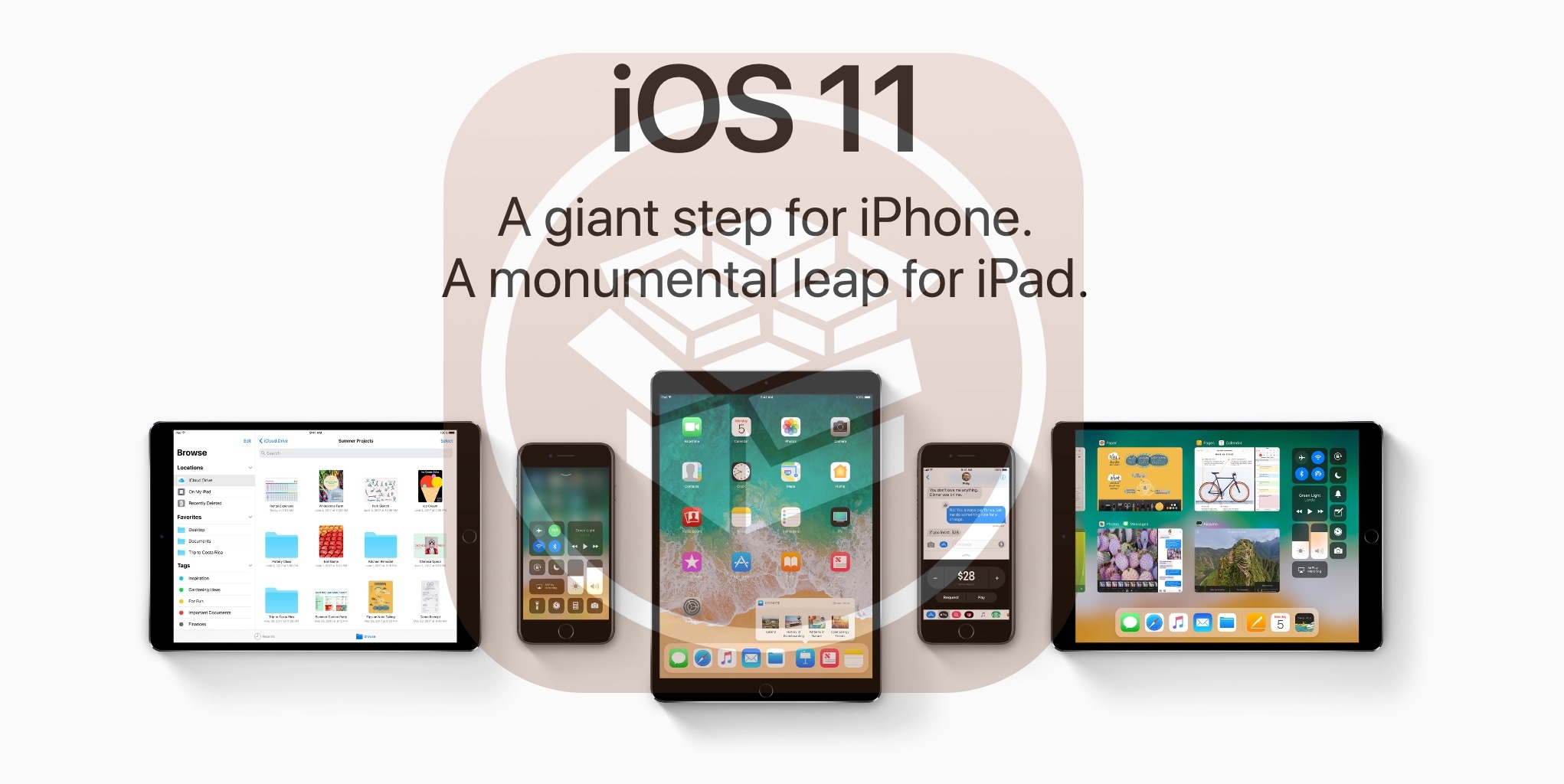
iOS 11 is compatible with all 64-bit iPhone, iPad and iPod touch devices. The software update will release as a free download to all customers this fall.

iOS 11’s volume slider no longer covers fullscreen videos

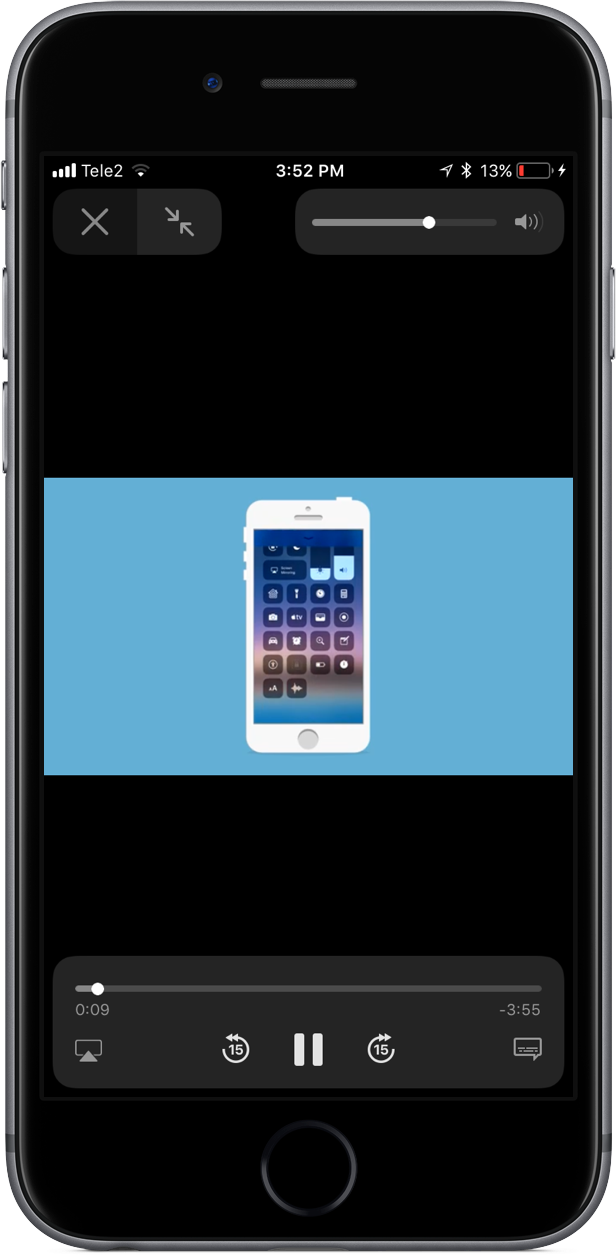
One of the most interesting changes in iOS 11 that hasn't been talked about at all during Monday's WWDC 2017 keynote is going to make a lot of you happy: the volume indicator on iOS 11 no longer obstructs the center of the screen obnoxiously.

As noted by users on Twitter, the redesigned slider only appears when playing video in fullscreen mode. In other words, the good ol' volume control centered on the screen isn't going anywhere, it's just that playing video in fullscreen mode replaces the standard volume control with an unobtrusive slider that sits in the top-right corner of the screen.

This is actually part of a bigger update for iOS 11's system video player.

The iOS 11 video player has controls for subtitles (including YouTube's auto-generated subtitles), AirPlay and more. Plus, it supports full keyboard control so you can control video playback with more than a dozen shortcuts via your physical wireless keyboard.

iOS 11's new minimalist volume slider does not appear in apps and on websites that implement their own custom video player. As an example, many video-streaming apps, including HBO NOW and Netflix, override the system video player and use a bespoke one.

Google's mobile YouTube app also recently updated its video player with a thin volume slider positioned unobtrusively at the very top of the currently playing video.

iOS 11 is compatible with all 64-bit iPhone, iPad and iPod touch devices. The software update will release as a free download to all customers this fall.