iPad

From the latest news to the most comprehensive tutorials, learn how to get the most out of your iPad with our step-by-step guides and expert tips.

Apple’s iPad strategy is finally stupendously watertight

Rome was famously not built in a day. And we know now that at Apple, the iPad line-up was not intuitively streamlined until WWDC 2017. Factoring out the formative years of iPad shortly after its birth in 2010, too many incremental releases (e.g. iPad 3 to iPad 4 in the same year of 2012, also iPad Mini) and too much tinkering with suffixes in the name (Air, Pro, Mini, blank) had diluted and complicated the iPad brand, so much so that large numbers of customers must have struggled to stay on top of what’s the latest tablet product on Apple’s shelves.

By the same token, even if some customers were in the know about what the factual successor to their beloved iPad Air 2 is, most would understandably be hard pressed to remember which of Apple’s iPads is the most or least powerful in the mix, or how they all compare to each other in terms of pricing. That is of course besides all the other important product specifications (camera, Apple Pencil compatibility, etc.) every informed customer should be able to easily grasp for each iPad available, before ultimately pouncing for the most suitable choice. And regrettably up until mid 2017, Apple has not made any of that easy for us.

I would in fact go further and lament that it's been a sticky mess, lacking direction and - more reprehensibly - common sense.

Inconsistencies left right and center

I’m not going to bore you for long with the most questionable decisions of the past, such as the counterintuitive marketing language used between the ‘new iPad’ (iPad 3), the 'iPad with Retina Display' (iPad 4) and the subsequent iPad Air, or instances where iPad Minis eclipsed their bigger brothers in specs or numbers.

However what these examples do underscore is that the most recent case of Apple not being able to draw clear, differentiating lines between their different iPad categories is on no account unprecedented. Just consider this: not long ago, in March to be exact, Apple released their ‘new’ 9.7-inch iPad (no suffix) to a market until then sporting the 9.7-inch iPad Air 2 and the 9.7” iPad Pro. With that, prospects were asked to make sense of three (to the naked eye) identically looking iPads, all of which had a unique marketing slant and story to tell.

Add the iPad Mini 4 and the super sized 12.9” iPad Pro to the equation and it’s easy to see how Apple could have really dropped the ball at WWDC ’17 by adding insult to injury and introducing yet another brand new iPad, the smashing 10.5” iPad Pro. Thankfully, they did just about the opposite.

When all of a sudden everything stacks up

Instead of presenting a historically inflated iPad line up, the 10.5-inch reveal was preceded by some serious purging actions behind the scenes. The result is beautiful, not just because the 9.7” ambiguity has been completely eliminated.

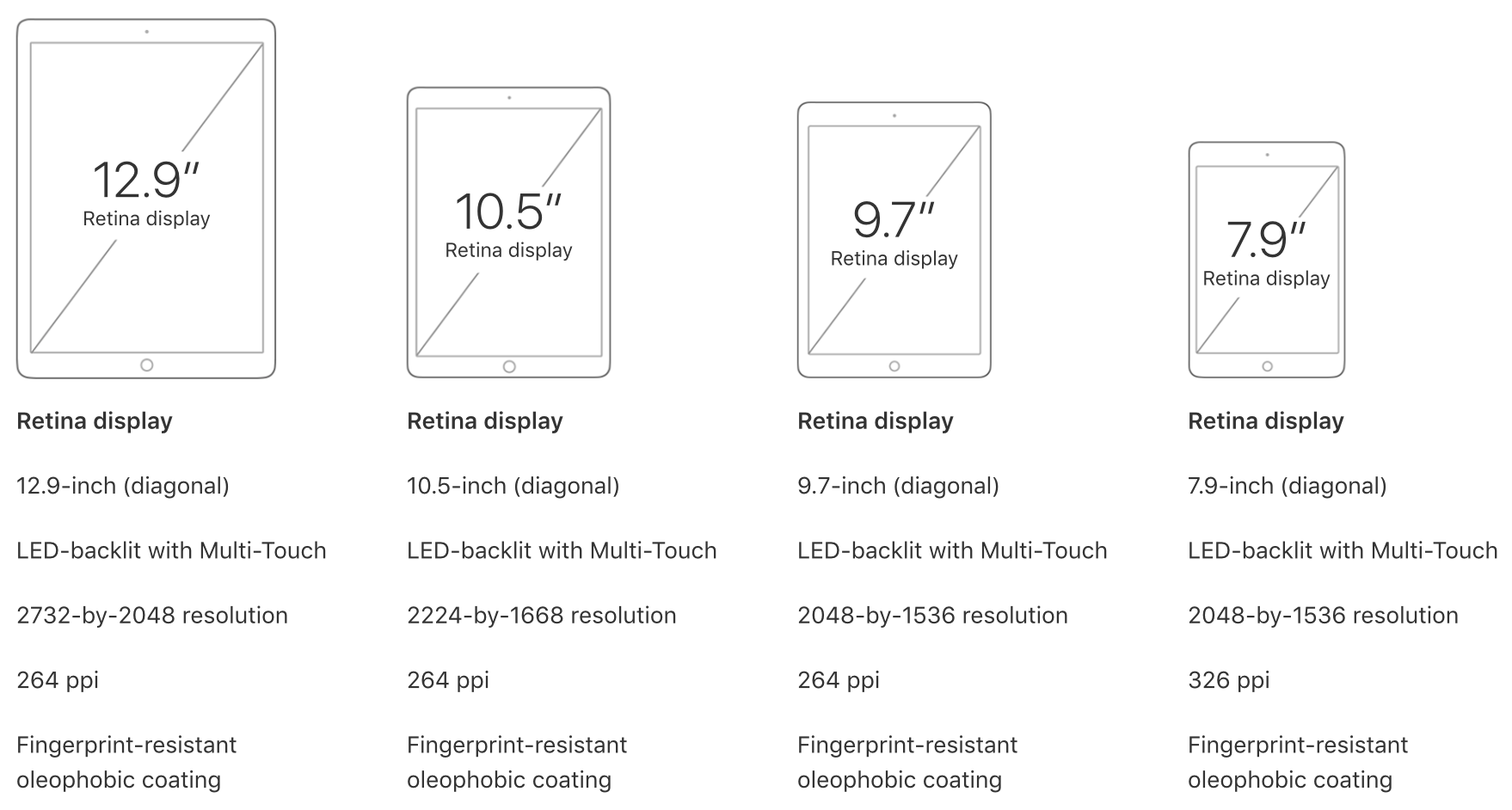
What’s more striking is that customers are now dealing with three iPad classes (Pro, Normal, Mini) and accordingly unique size offers for all three, unique prices for all three and even uniquely capable chips for all three. All criteria is arranged in an entirely intuitive order, namely descending from bigger to smaller, from more expensive to cheaper, from more powerful to more economic, in short: from Pro to Mini. It’s like Apple themselves got tired of the fuzzy product lines and decided to do a full one-eighty.

What you see is what you get now, meaning even the less techy customer is going to be able to remember that the big Pro iPads rock the most powerful chips (A10X) followed by the medium sized normal iPad (A9), which in turn has the lead over the physically smallest iPad Mini (A8). Gone are the days of an awkward A9X chip in the dead on arrival 9.7” iPad Pro, or other illogical decisions such as equipping one iPad Pro with a 12MP rear camera while the big brother has a sucky eight.

Today, the meaningful specs such as the chip or camera are aligned in descending order at 12 MP for all Pro iPads and 8 MP for the mid tier choice plus lower tier iPad Mini. It’s just disarmingly straightforward. Want the most storage? You’ll have to shoot for the physically biggest Pro category to get up to 512GB of storage. Want to try the least powerful iPad to test the water first? Grab the physically smallest iPad. Which iPads are Apple Pencil compatible? Only the ones bigger than the original iPad. Find the 9.7” size to be perfect? Good, you’re done, no need to choose between a 9.7-inch iPad Pro, iPad Air and iPad whatnot.

The logic behind this is painfully commonsensical, which begs the question why it took Apple so long to get there, but I am willing to forgive and forget. Water under the bridge, Apple, what matters is that we finally have clarity.

June 2017 has not only brought us spanking new iPads and a glimpse of an iPad-focussed iOS 11, but also finally clear product differentiation that will be easily replicable for experts and more importantly understandable to the average customer. In that vein, WWDC 17 could have been a watershed moment for the one product line Tim Cook has been so bullish about time and again. So please Apple, do not muck this up come November or at any other point in 2018, it took us long enough to get here.

Jailbreak tweaks of the week: BrowserChanger10, CCustomize, & more…

Things have been picking up in the jailbreak community lately, which is great for those who want to try new jailbreak tweaks to trick out their devices. While some tweaks exist to make iOS look better, and others make iOS function in new ways, all jailbreak tweaks serve some kind of purpose to the tune of making your device do more out of the box.

In this roundup, we'll talk about all of the jailbreak tweaks that were released this week, starting with all of our favorites and then moving on to the rest afterwards.

Improve your iPhone’s low light camera focusing with Torch on Focus

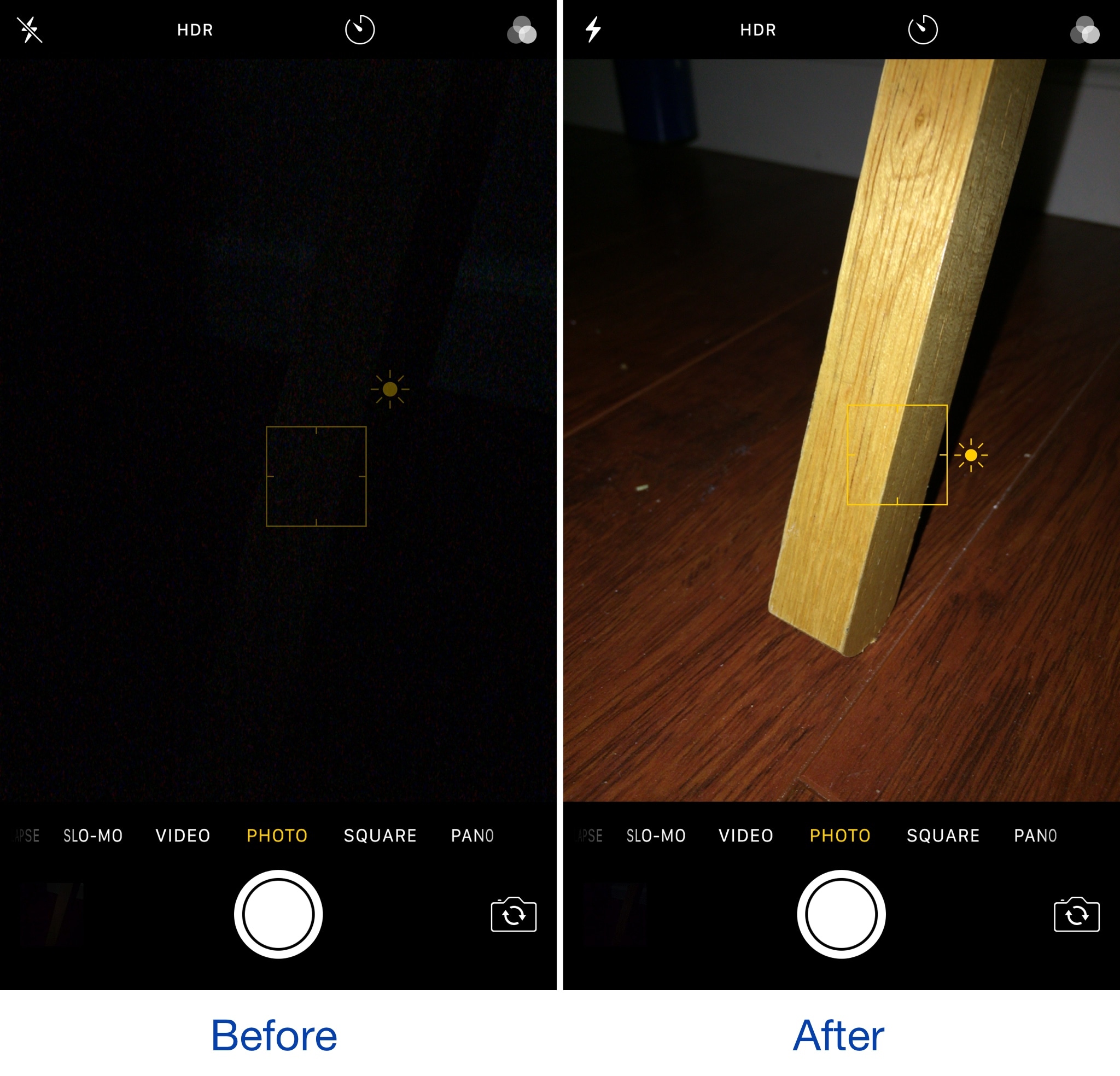
Torch on Focus is a new free jailbreak tweak by iOS developer Guy Kaplan that improves your iPhone photography in low-light conditions, which make it more difficult to focus on your subject.

The tweak manages this by turning on the LED flash on the back of your iPhone from the moment you begin to focus on an object with your camera, so your focusing never skips a beat.

This tweak disables the lockout when connecting your iPhone to a CarPlay unit

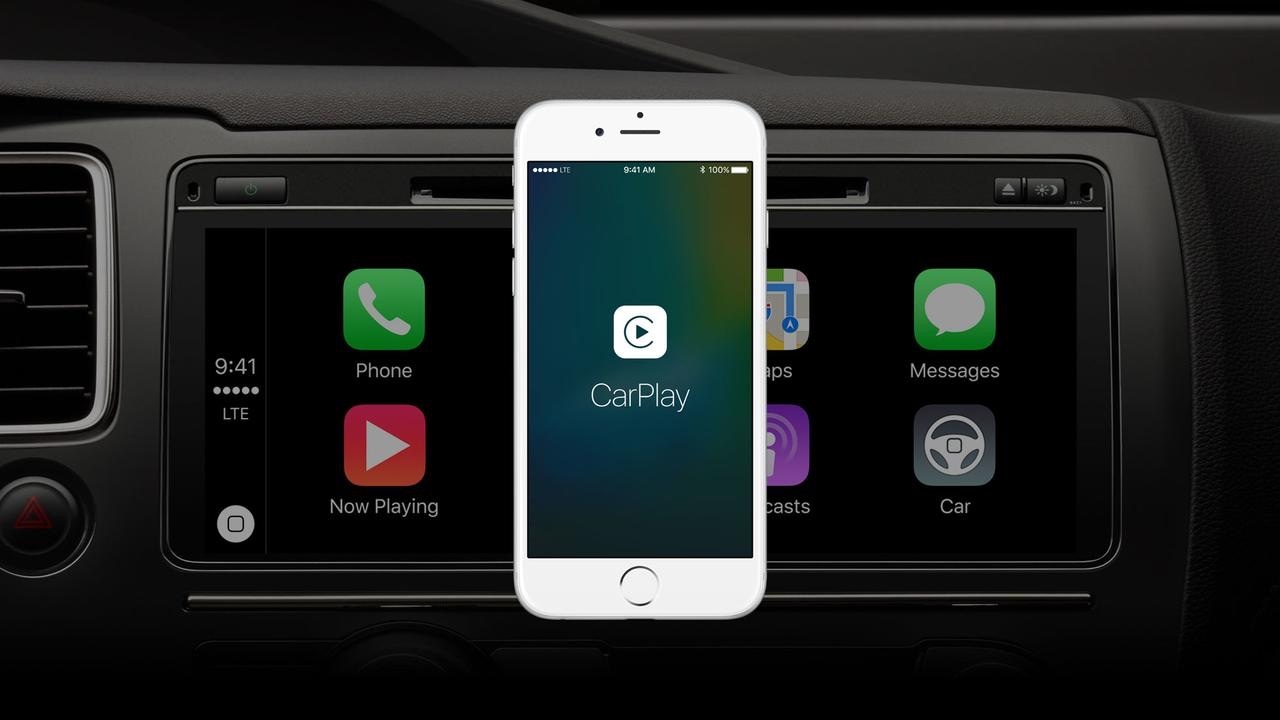
When using CarPlay, your iPhone naturally displays the screen you see above for several seconds before automatically falling asleep and kicking you out to the Lock screen.

A new free jailbreak tweak called CarPlay Lockout by iOS developer theo78825 prevents your device from locking you out and rather returns you to the Home screen after a brief display of the CarPlay screen.

FullSafari brings iPad-like tabbed browsing to iPhone

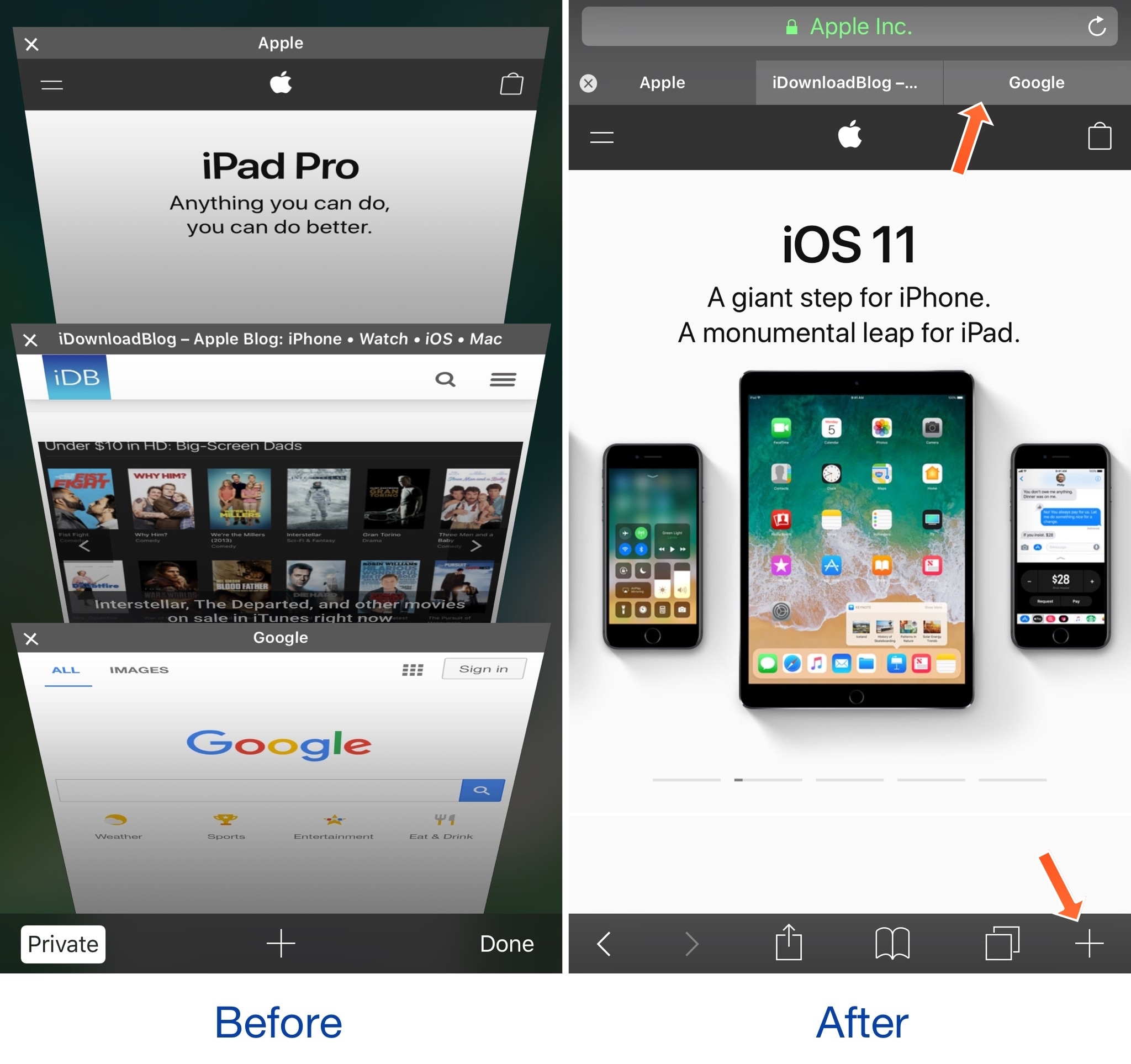
There's a significant difference in usability between the tabbed browsing experience in Safari on the iPad versus the paged browsing experience in Safari on the iPhone; with that in mind, some might prefer the former.

A new free jailbreak tweak dubbed FullSafari by iOS developer Bensge gives even iPhone and iPod touch users access to the iPad-like tabbed browsing experience in Safari, providing a more capable web browser in the palm of your hand.

Google prepping new app for backing up your Mac to Drive

Are you a fan of Drive, the search giant's cloud-storage service? If so, a new app from Google will soon let you back up any folder(s) on your computer to Drive and keep them in sync.

This is welcome news because Drive's current desktop client does not allow for selective sync of any folders that don't live inside of the Google Drive folder on your Mac or Windows PC.

The forthcoming Backup and Sync app is better integrated with your computer than the existing client and will replace it on Wednesday, June 28.

According to the search firm, Backup and Sync is intended to “help everyday users back up files and photos from their computers, so they’re safe and accessible from anywhere”.

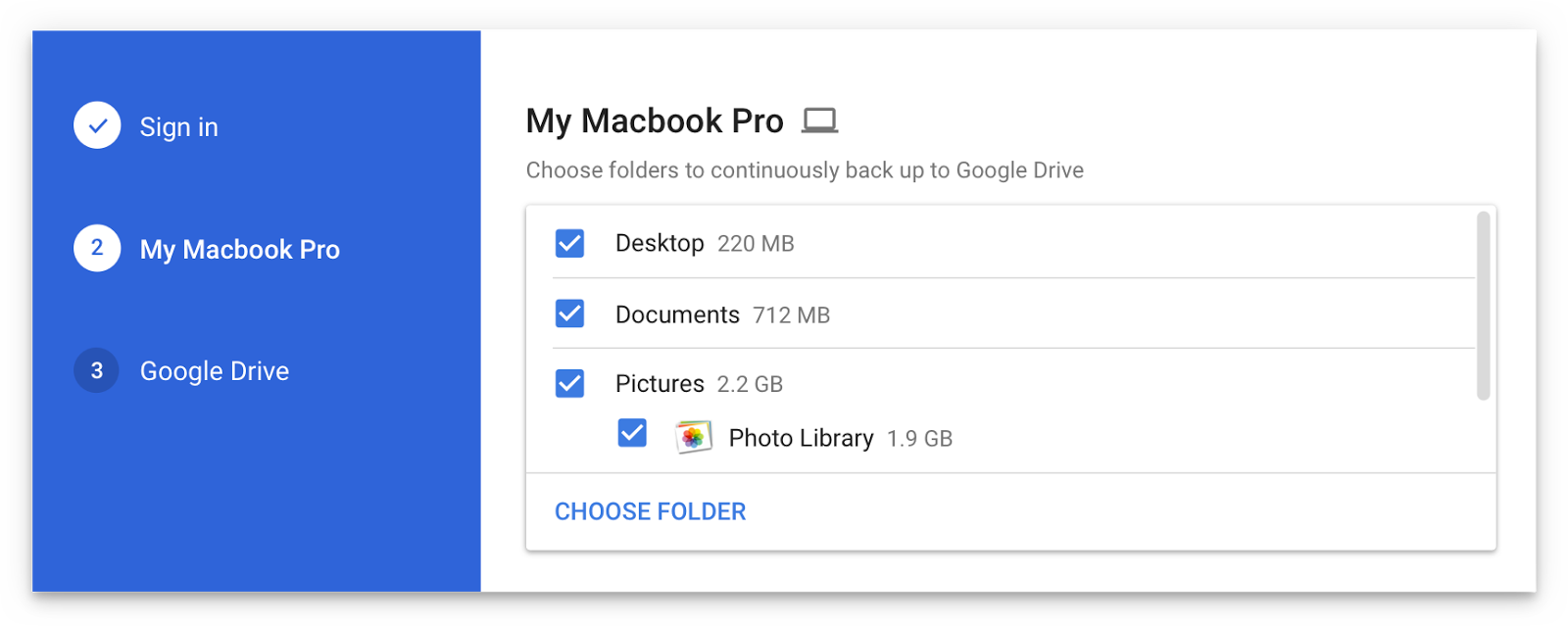
As mentioned, you'll be able to continually back up any items found in custom folders on your computer, like the Desktop, Photos, Documents and so forth.

Backup and Sync will replace Google's existing desktop uploader for Photos, too.

Basically, you could use the new app to back up and sync your entire Mac account's home folder to Drive and use Google's powerful search engine via Drive's web interface to quickly identify that needle in the haystack you were looking for.

However, you'll probably need to upgrade your cloud storage to keep your Mac safely backed up to Drive. Each Google account gets 15GB of free Drive storage versus Apple's 5GB free tier.

If you need more storage, you can upgrade to one of the paid Drive tiers:

100GB for $1.99 per month 1TB for $9.99 per month 10TB for $99.99 per month

And here are Apple's recently refreshed iCloud storage upgrades:

50GB for $0.99 per month 200GB for $2.99 per month 2TB for $9.99 per month

Google Drive for Mac and Windows is available via google.com/drive/download.

Google Drive for iPhone and iPad is a free download from App Store.

Do you use Google Drive? If so, are you looking forward to backing up your Mac to the Google cloud? If not, what's your preferred online service for storing files, documents and other data?

Tell us in comments!

IBM’s new Garage initiative aims to accelerate development of iOS enterprise apps

Building upon the Apple-IBM enterprise mobility partnership established three years ago, Big Blue (that's a nickname for IBM) today announced a new initiative to help accelerate the development of MobileFirst enterprise apps for iPhone and iPad.

Upcoming app development studios, called Garages, will soon go online in Shanghai, China and Bucharest, Romania, in addition to IBM's existing MobileFirst for iOS studio in Bangalore, India.

IBM's other app studios and Garages can be found in US cities Atlanta, Cupertino, Toronto and Chicago. Plus, the company has committed to establishing new app studios in Shanghai, China and Bucharest, Romania. Lastly, mobile enterprise apps designed by IBM can now be embedded with the cognitive capabilities of its Watson cognitive system.

Bridget van Kralingen, Senior Vice President, IBM Industry Platforms, said:

Four years ago, we made enterprise mobility a reality, and we’ve seen how transformative mobile can be. Today, companies are now reigning in mobile faster than ever, creating a critical need for powerful innovations that will reinvent how they do business. We’re combining the power of mobile with cognitive and analytics to continue to push the market forward.

IBM has officially named some of the clients adopting iOS enterprise apps for their own employees, such as Lufthansa Group, City Furniture, Singapore Airlines and Japan Airlines.

Since its introduction three years ago, the partnership between Apple and IBM has resulted in several billion dollars in signings with more than 3,800 client engagements supported by market-ready and custom iOS apps designed for professions across all industries, including store associates, flight attendants and field technicians.

Twitter revamped with dynamically updated Reply/Like/Retweet counts, Safari Reader support & more

Twitter today announced a major overhaul, making the app feel lighter, faster and easier to use with faster navigation via a new side menu, bolder headlines, revamped icons and more.

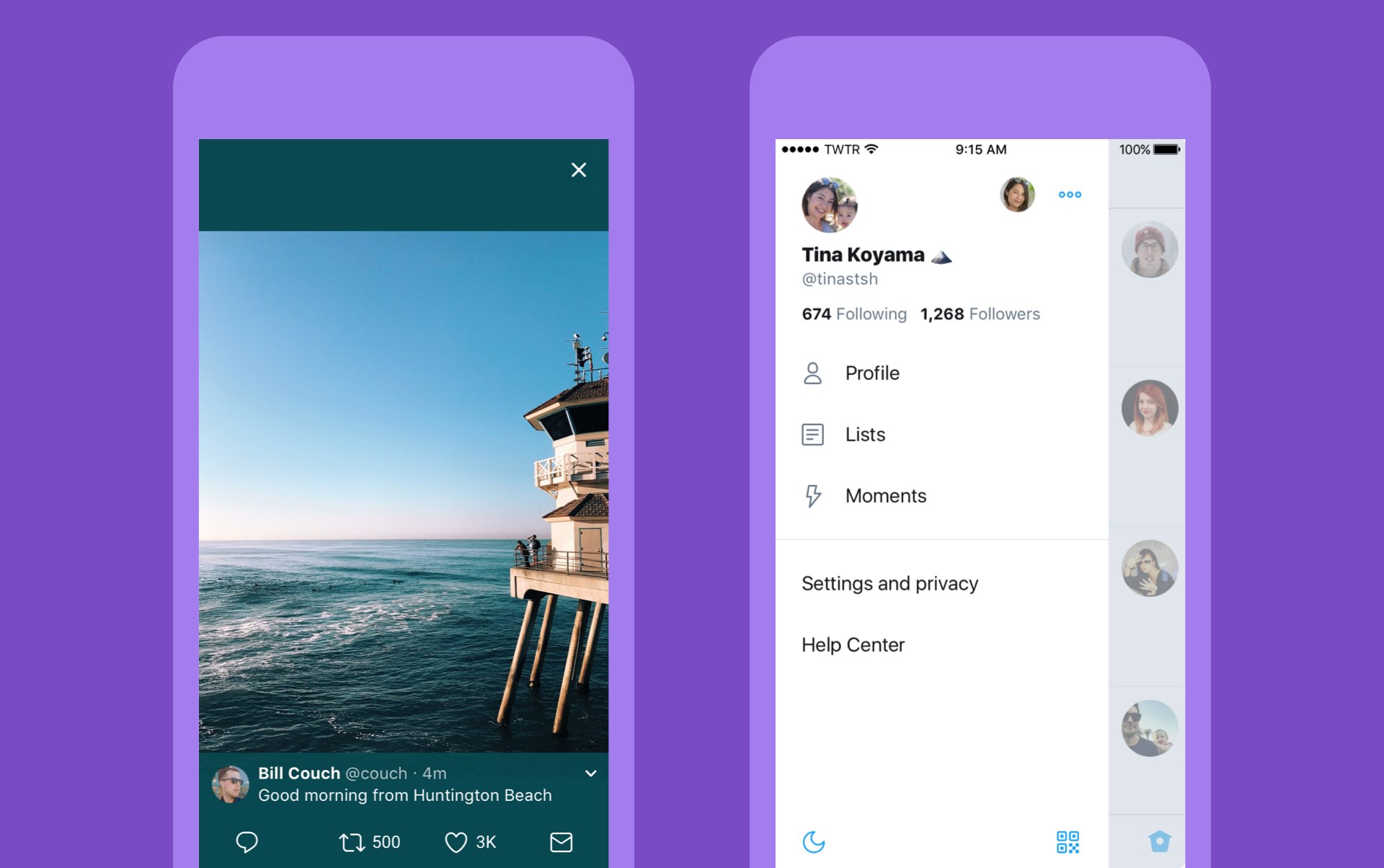
The new side navigation menu lets you quickly access your profile, accounts, settings and privacy. As a bonus, you can now add filters and stickers on your profile image, if you'd like.

Tweets now update dynamically with Reply, Retweet and Like counts so that you can easily see conversations as they’re happening, in real-time. The app now features support for opening links to articles and websites in Safari’s in-app viewer.

This lets you log in to websites using your saved Safari passwords and enjoy articles in the browser's Reader mode, all within the Twitter app.

New switches in Twitter's settings interface let you turn on increased color contrast, decided whether or not you'd like links to open in Safari's Reader View and more.

Accessibility settings are now in a more prominent location.

So fresh. So clean. So live.

Check out our new look.https://t.co/ClWbwi8CEH pic.twitter.com/nR27POQkEi

— Twitter (@Twitter) June 15, 2017

Here's an overview of the new features and design:

Profile, additional accounts, settings and privacy—all in one place. A new side navigation menu and fewer tabs at the bottom of our app=less clutter and easier browsing. You told us you loved this change on Android last year and we’re excited to now bring it to iOS. Links to articles and websites now open in Safari’s viewer in the Twitter app so you can easily access accounts on websites you’re already signed into (iOS only). We’ve refined our typography to make it more consistent and added bolder headlines to make it easier to focus on what’s happening. Also, rounded profile photos make it clearer to see what’s being said and who’s saying it. More intuitive icons make it easier to engage with Tweets—especially if you’re coming to Twitter for the first time. For example, people thought the Reply icon, an arrow, meant delete or go back to a previous page. We switched to a speech bubble, a symbol most know and love. We also made the icons lighter for more seamless interaction Tweets now update instantly with Reply, Retweet and Like counts so you can see conversations as they’re happening, live (not available on twitter.com and Twitter Lite).

The aforementioned changes are rolling out across twitter.com, Twitter for iOS, Twitter for Android, TweetDeck, and Twitter Lite over the coming days and weeks.

Twitter for iOS is a free download from App Store.

Facebook for iOS now lets everyone use animated GIFs in comments

Facebook today announced that users of its mainland mobile app can now use animated GIFs in comments. This sought-after feature has been enabled for all people on Facebook globally.

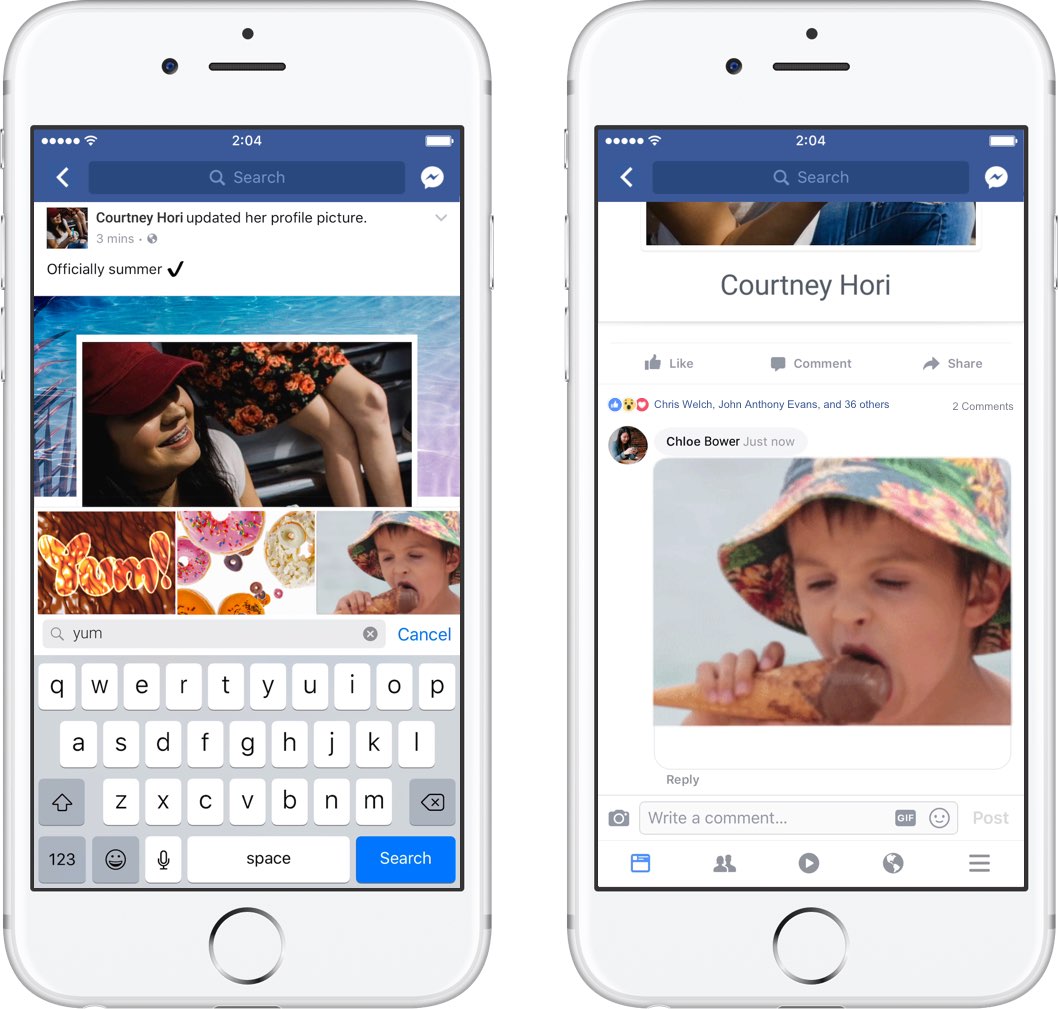
“We know people love communicating with GIFs on Messenger and we’re also making it easier to use GIFs on Facebook,” said the social network. When making a comment in Facebook for iPhone, iPad or iPod touch, tap the new GIF button to spice up your message with animations.

Additionally, Facebook rolled out some new and exclusive GIFs they’ve created featuring some of the Internet’s biggest stars, including DNCE, Logan Paul, Amanda Cerny, DREEZY, Patrick Starr, Violet Benson, Wuz Good, Brandi Marie and Landon Moss.

To use them, search #GIFparty when sharing a GIF on Facebook or Messenger or visit GIPHY.com/Facebook.

Since rolling out support for animated GIFs on Messenger back in 2015, users have sent nearly thirteen billion GIFs in the last year alone via the messaging app, or nearly 25,000 GIFs every minute. GIF sends on Messenger have tripled in the past year and New Year’s Day 2017 was the most popular day ever for GIF sends on Messenger, with more than 400 million GIF sends.

Facebook for iOS is available at no charge in App Store.

Eleven: an upcoming collection of iOS 11-like jailbreak tweaks

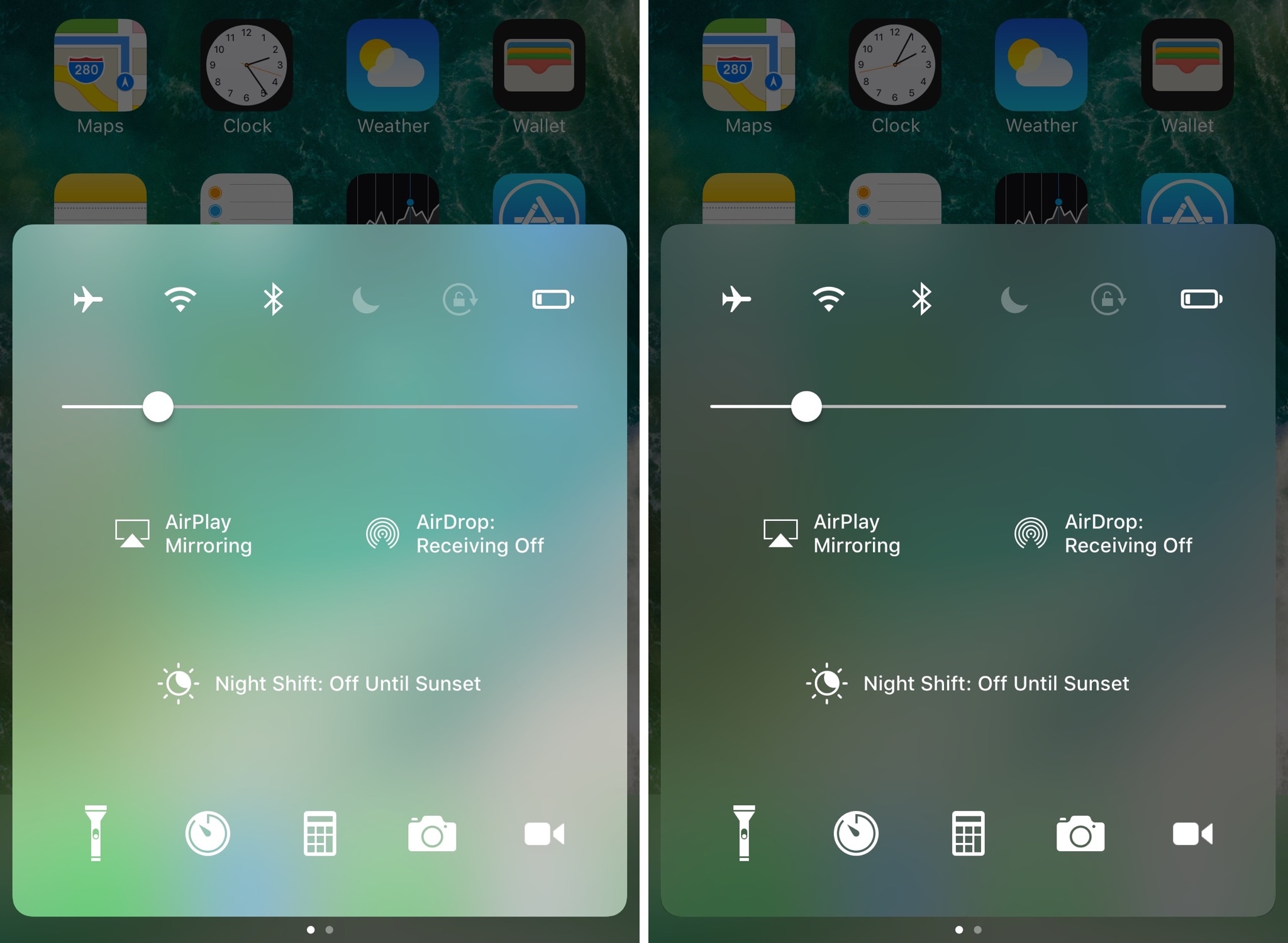
If you’re jailbroken on iOS 10 and yearn to make your device look like it's running iOS 11, then you’re in luck because prominent developers are taking on a full-scale project to bring several iOS 11 features to the jailbreak community before the operating system update is released this Fall.

The project is being undertaken by iOS developers LaughingQuoll and Antique_Dev, and will be called Eleven. It will be a collection of multiple different jailbreak tweaks that each focus on specialized features of iOS.

How to disable ‘Behind the Lyrics’ pop-ups in Spotify

Spotify is perhaps one of the largest names in the music-streaming industry, and while Apple Music is indeed catching up, a large number of iPhone users are still using the third-party alternative.

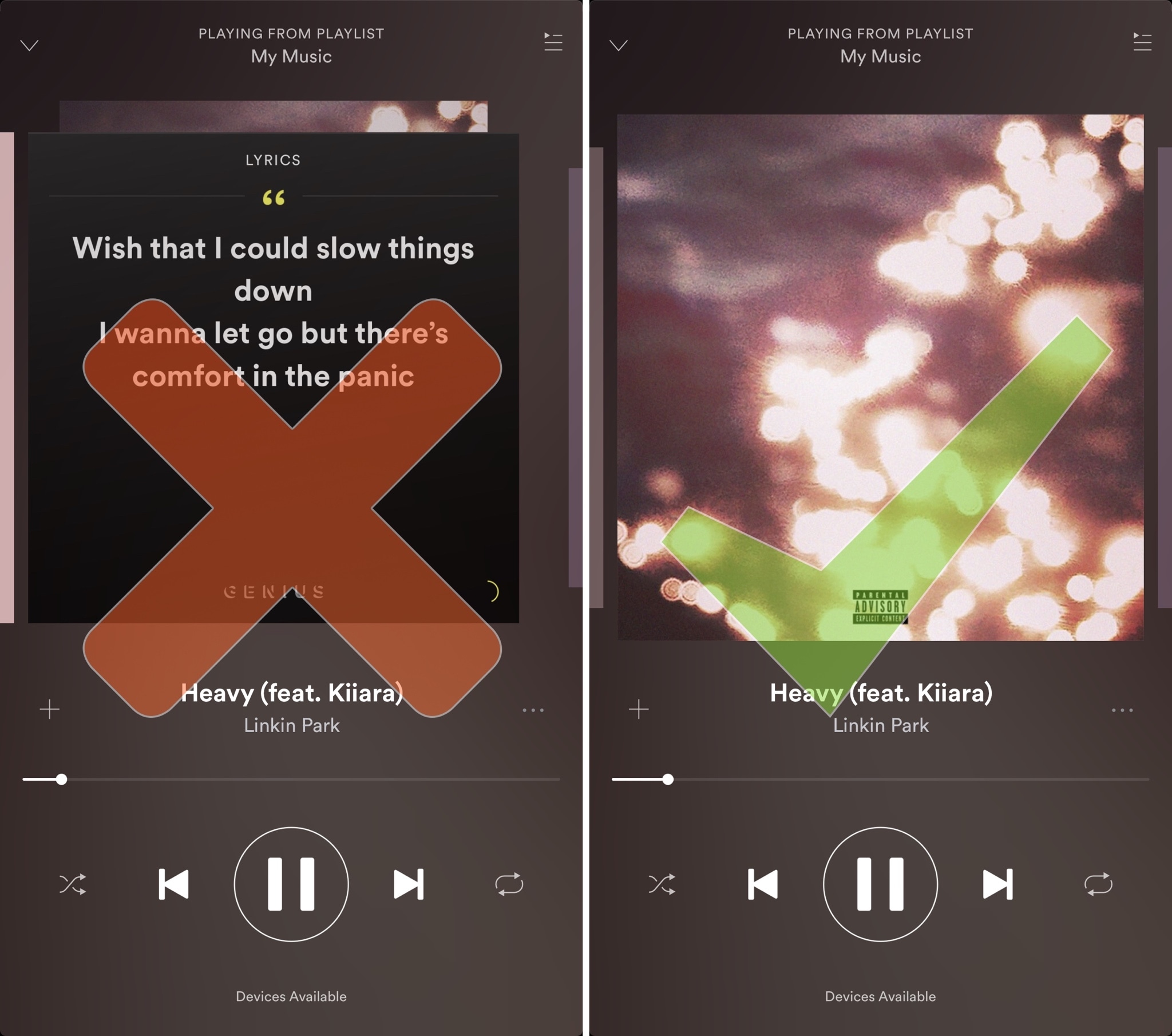
Despite its popularity, many Spotify users aren’t fond of the persistent Behind the Lyrics feature that interrupts your view of the album artwork whenever music is playing.