iPad

From the latest news to the most comprehensive tutorials, learn how to get the most out of your iPad with our step-by-step guides and expert tips.

Hands-on with 10.5″ and 12.9″ iPad Pro: unboxing and first impressions

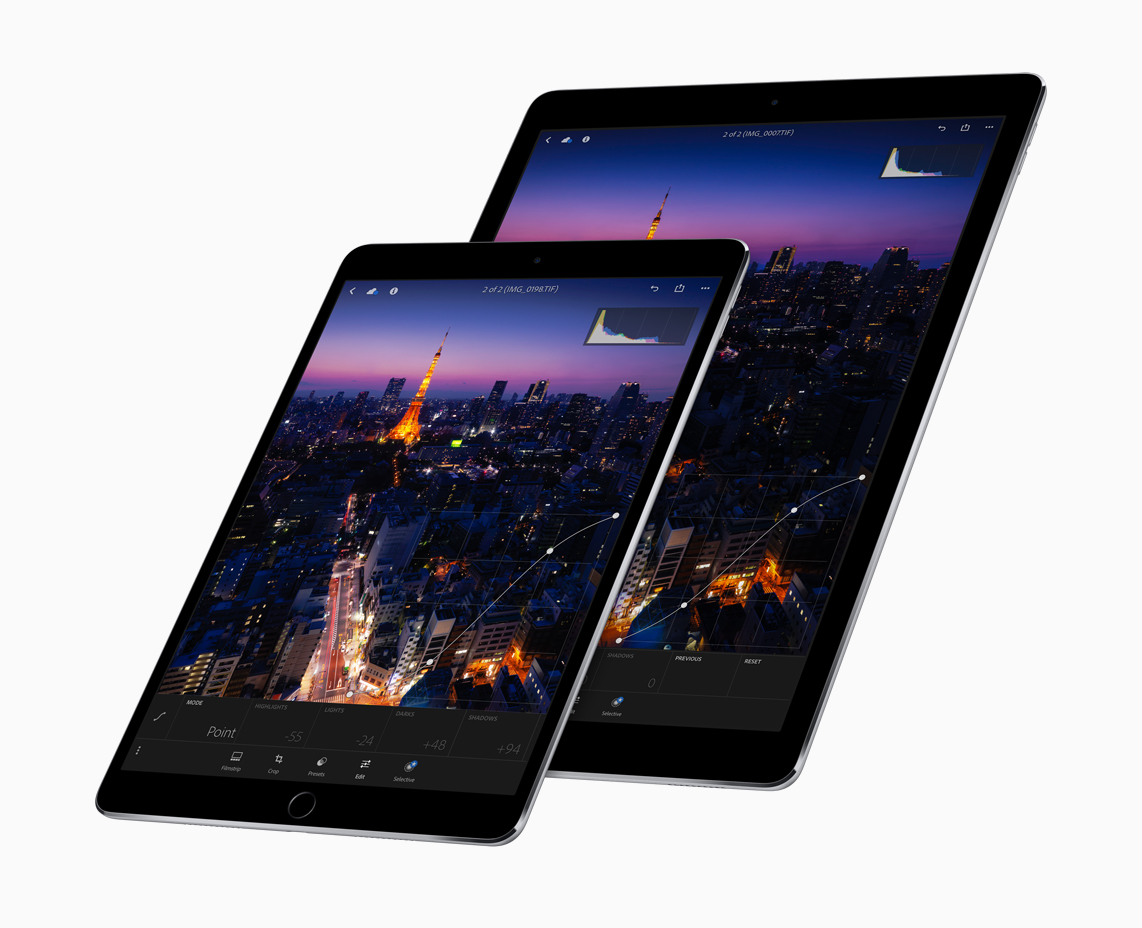
Introduced at Apple's Worldwide Developers Conference last week, Apple's new 10.5-inch iPad Pro model and a second-generation 12.9-inch iPad Pro are now both available for purchase via company-owned retail stores around the world.

Our video reviewer Andrew O'Hara has managed to get his hands on these pro tablets. His hands-on video takes you through  some of the headlining new features like the super bright, less reflective display with ProMotion technology at an insane 120Hz refresh rate and more.

Watch Andrew's video embedded below.

https://www.youtube.com/watch?v=5mj2Oy-seGI

Subscribe to iDownloadBlog on YouTube

If you're wondering about the brand of knife Andrew is using to cut through the cellophane, it's the Kershaw Reverb lightweight pocket knife (it's pretty cheap on Amazon).

According to iFixit's teardown analysis, the new 10.5-inch iPad Pro model has four gigabytes of RAM, just like the original 12.9-inch iPad Pro model, which enables smoother multitasking.

The cameras on both new iPads are the same as those found on the iPhone 7 series (sans dual lenses and Portrait depth-of-field mode), meaning you're getting photography features like 12 megapixel photos, 4K video capture and more.

Other capabilities of these new tablets that are worth mentioning include a faster Touch ID authentication, Apple's A10X Fusion chip with 30 percent faster CPU and 40 percent faster GPU performance than the previous generation, plus much more.

The real story, of course, is iOS 11 which turns these new iPads into productivity powerhouses with such features as a dynamic Dock, a new app switcher, drag and drop, improved multitasking and more. Unfortunately, iOS 11 is currently being beta-tested and it won't release for public consumption before the fall.

Are you liking these new iPads?

Let us know in the comment section below.

10.5″ iPad Pro teardown finds 4GB of RAM, Toshiba flash storage & more

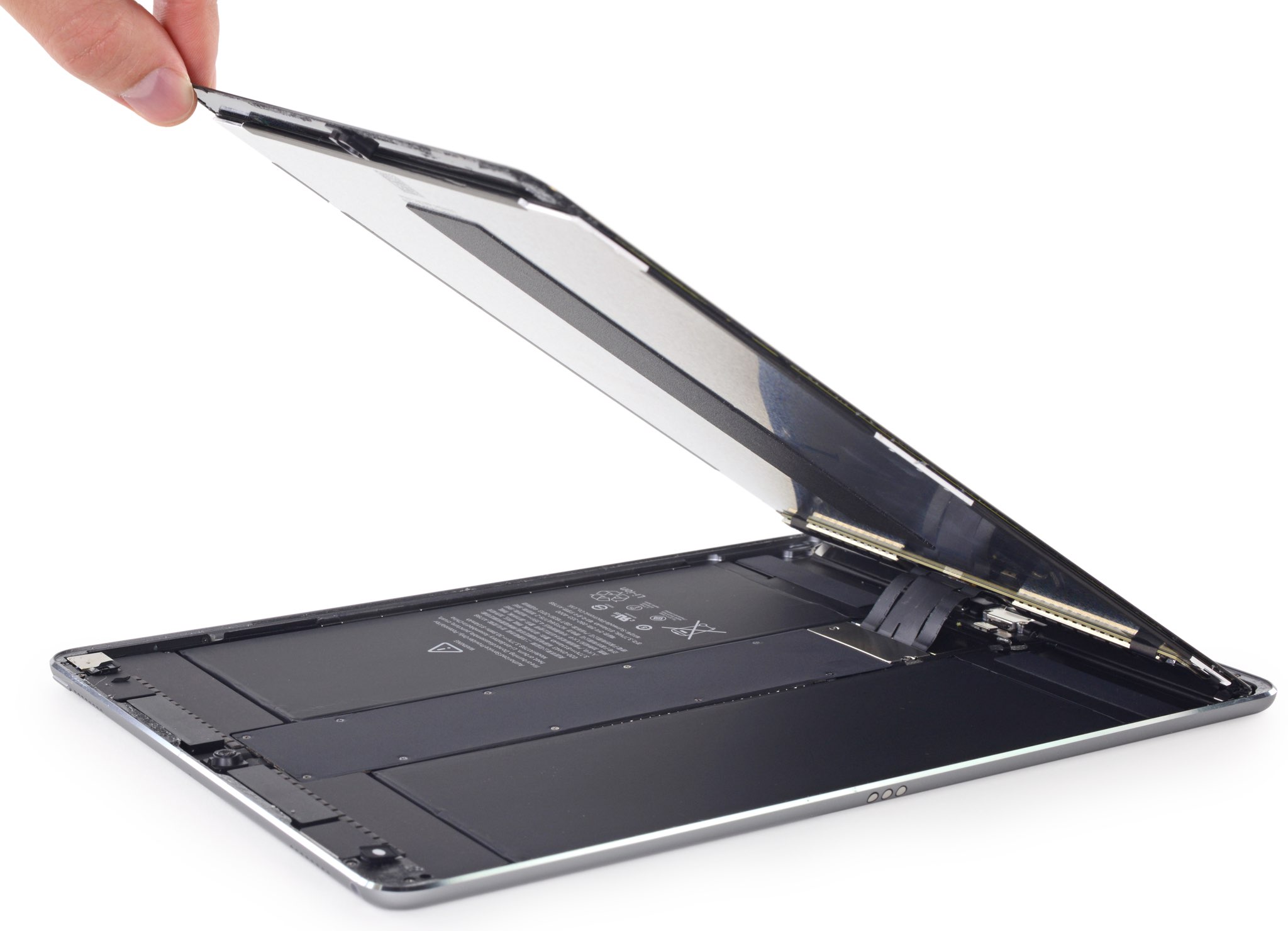
A teardown analysis of Apple's new 10.5-inch iPad Pro was shared earlier today by repair experts at iFixit. According to the analysis, the new iPad Pro is essentially a scaled-down, streamlined version of its 12.9-inch predecessor when it comes to the internal layout.

Considering the 12.9-inch iPad Pro had a completely new internal layout relative to the 9.7-inch iPad Pro, the new 10.5-inch iPad Pro is not just a scaled up version of the 9.7-incher.

“One move we’re particularly happy with is the retention of the 12.9-inch iPad Pro’s danger-free display cable placement,” notes the analysis.

Here's an excerpt from the teardown analysis:

Apple put the display cables right down the center, out of harm’s way. We’ve seen this arrangement in an iPad only once before, in the 12.9-inch iPad Pro model, and it appears Apple finally managed to unify the Pro line around this somewhat more symmetrical design.

As for the device's ProMotion display with 120Hz refresh rate, double the other iPads, it requires double the number of connecting cables on the display.

120 Hz is a blisteringly fast refresh rate for this many pixels, which is probably why it needs four (!) connecting cables. (Its ginormous older brother got by with just two.)

They found a 30.8-watt-hour battery inside, a slight downsize from the 38.8-watt-hour battery powering the 12.9-inch iPad Pro, but an upgrade from the 27.91-watt-hour battery in the 9.7-inch iPad Pro. The battery package is pinned under the logic board and firmly adhered in place, lacking the 12.9-inch iPad Pro’s removal tabs.

The iFixit team was able to identify 4GB of 1600MHz LPDDR4 RAM from Micron Technology, Toshiba-manufactured flash storage and more. The only other iOS device with 4GB of RAM is the 12.9-inch iPad Pro. The 9.7-inch iPad Pro still has 2GB of RAM.

The display cable bracket is secured using Phillips screws rather than the three-point screws used in iPhone 7. iFixit also noted that their Wi-Fi-only model had plastic blocks where the antennae might be found in an LTE model.

“We're speculating that they add support to the display assembly, as opposed to the usual empty space seen in earlier iPads,” noted iFixit.

Because of Apple's use of strong adhesives for the display, logic board, speakers, ribbon cables and other components, the 10.5-inch iPad Pro earned a repairability score of a rather low 2 out of 10 on iFixit's scale.

iWork apps gain editing improvements, 500 shapes & more in latest update

Apple's iWork productivity suite was updated today on Mac App Store and App Store with several new editing features and other improvements available across iPhone, iPad, iPod touch and Mac devices.

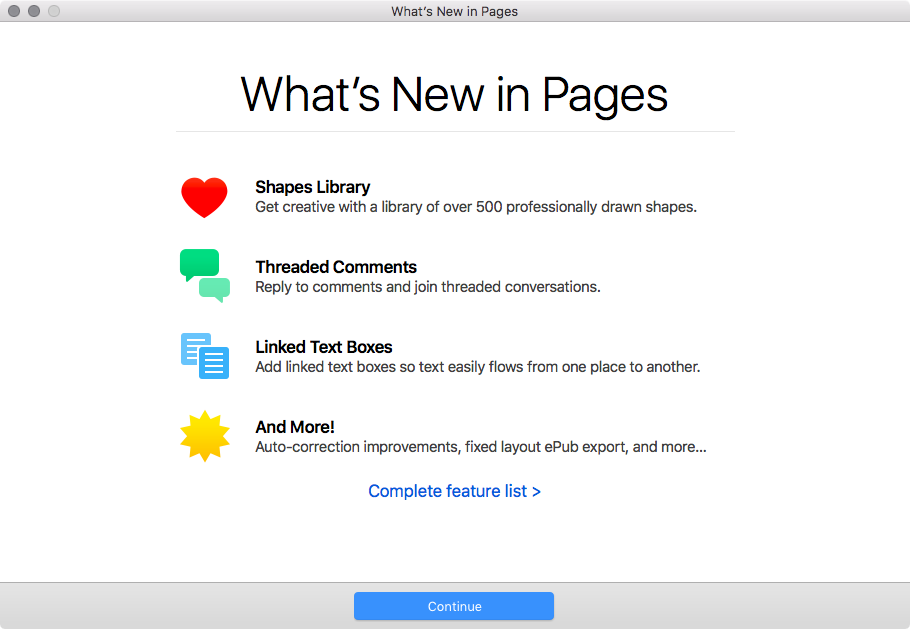
For starters, Pages, Numbers and Keynote for Mac, along with their iOS counterparts, now come with a brand new library of over 500 professionally drawn shapes that you can readily use in your documents, spreadsheets and presentations.

Across all the iWork apps, users can now reply to comments and join threaded conversations, making collaborative editing even easier than before, while new auto-correction and text replacement options save time while typing.

In Numbers, the new Insert Stock Quote feature and the Stock and Currency functions let you get data from the previous market day’s close. Keynote now lets you scroll like a pro on your Mac's trackpad with new pan and zoom options and your presenter notes can be edited while displaying slides in Light Table view.

Here's the full list of new features, fixes and enhancements in Pages 6.2, Numbers 4.2 and Keynote 7.2 for Mac, iPhone and iPad listed in release notes accompanying these downloads:

What's new in Pages 6.2 for Mac Enhance your documents using a library of over 500 professionally drawn shapes Reply to comments and join threaded conversations Add linked text boxes so text easily flows from one place to another New auto-correction and text replacement options save time while typing Export documents as fixed layout ePub books Change margins, headers, footers and paper size while collaborating Improved support for Hebrew and Arabic languages

Learn more about the new Pages for Mac features on Apple's website.

What's new in Numbers 4.2 for Mac Enhance your spreadsheets using a library of over 500 professionally drawn shapes Reply to comments and join threaded conversations Support for print preview in collaborative spreadsheets New auto-correction and text replacement options save time while typing The Insert Stock Quote feature and the Stock and Currency functions now return data from the previous market day’s close

Learn more about the new Numbers for Mac features on Apple's website.

What's new in Keynote 7.2 for Mac Enhance your presentations using a library of over 500 professionally drawn shapes Reply to comments and join threaded conversations New auto-correction and text replacement options save time while typing Scroll anywhere with new pan and zoom options Edit presenter notes while displaying slides in Light Table view Improved support for Hebrew and Arabic languages The Stock and Currency functions now return data from the previous market day’s close

Learn more about the new Keynote for Mac features on Apple's website.

What's new in Pages 3.2 for iOS Enhance your documents using a library of over 500 professionally drawn shapes Reply to comments and join threaded conversations Add linked text boxes so text easily flows from one place to another New auto-correction and text replacement options save time while typing New page thumbnail view allows you to easily navigate your document Export documents as fixed layout ePub books Change margins, headers, footers and paper size while collaborating

Learn more about the new Pages for iOS features on Apple's website.

What's new in Numbers 3.2 for iOS Enhance your spreadsheets using a library of over 500 professionally drawn shapes Reply to comments and join threaded conversations Support for print preview in collaborative spreadsheets New auto-correction and text replacement options save time while typing The Insert Stock Quote feature and the Stock and Currency functions now return data from the previous market day’s close

Learn more about the new Numbers for iOS features on Apple's website.

What's new in Keynote 3.2 for iOS Enhance your presentations using a library of over 500 professionally drawn shapes Easily rearrange your slides with the new Light Table view Edit presenter notes while viewing slides Reply to comments and join threaded conversations New auto-correction and text replacement options save time while typing Improved support for Hebrew and Arabic languages

Learn more about the new Keynote for iOS features on Apple's website.

These apps used to be paid downloads, but Apple recently made them free for all users.

Grab Pages, Numbers and Keynote for free from Mac App Store.

Pages, Numbers and Keynote for iPhone and iPad are available free on App Store.

New iPads hit Apple retail stores around the world

If you're in the market for a shiny new tablet with an Apple logo on it, the new 10.5-inch iPad Pro model and a second-generation 12.9-inch iPad Pro are now available for purchase at company-owned retails stores around the world.

The tablets were announced at last week's Worldwide Developers Conference in San Jose and feature Apple's in-house designed A10X Fusion chip, Apple's brightest display ever with True Tone technology, a whopping 120Hz refresh rate they're calling ProMotion and other features.

Along with the new tablets, Apple is also offering a leather case for Apple Pencil which prevents rolling and broken tips.

You can buy your iPad either at a nearby Apple Store or purchase it online, via the “Buy iPad Pro” webpage, and have it optionally delivered to a nearby Apple Store for pickup.

https://www.youtube.com/watch?v=tOtaLAFngmg

Subscribe to iDownloadBlog on YouTube

The new 10.5-incher is available from $649 and its bigger brother starts at $799.

Add an extra $130 if you'd like an LTE-enabled model. The devices come in 64/256/512GB capacities and in Gold, Silver and Space Gray color finishes. The new 10.5-inch iPad Pro also comes in Rose Gold, unlike the 12.9-incher.

It's worth keeping in mind that these new tablets ship with iOS 10.3. iOS 11, which really unlocks the full iPad potential, will release as a free update for everyone this fall.

Are you planning on upgrading your tablet computing to one of the latest iPads?

Let us know in the comments section below.

Choose your default web browser in iOS with BrowserChanger10

Everyone has a favorite web browser they prefer to use on their computer, but when it comes to the iPhone or iPad, Apple forces all URL links to open in Safari by default.

You can change this with a new free jailbreak tweak called BrowserChanger10 by iOS developer HiDaN, which lets you choose a new default web browser for opening URL links.

This tweak makes Spotify album artwork display in full screen mode

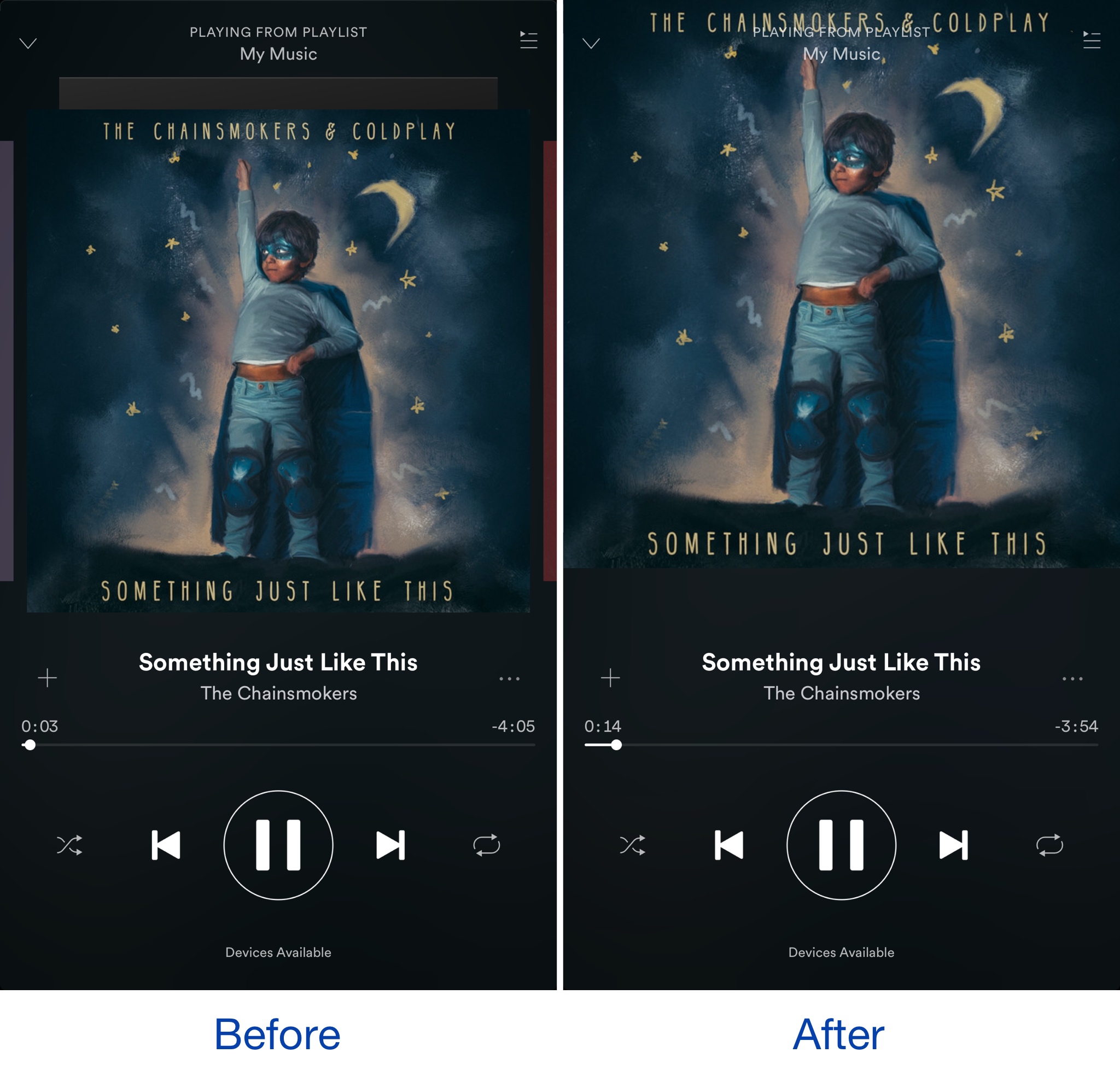
When listening to your songs in the Spotify Music app, the album artwork is typically scaled down slightly so that there’s a bit of empty space in between it and the edge of the display.

A new free jailbreak tweak dubbed SpotifyFullScreenArtworkUI by iOS developer theo78825 scales up the album artwork a little bit more so it fills the whole top half of the screen.

Make unlocking non-Touch ID devices quicker with Accelerated Unlock

Devices that don’t support Touch ID or just aren’t utilizing the feature typically resort to passcodes as the next best form of security. On the other hand, there tends to be a rather annoying delay after pressing the Home button before the passcode interface finally appears.

A new free jailbreak tweak dubbed Accelerated Unlock by iOS developer Youssef Mikhail does away with this unwanted delay and makes unlocking your device seem faster.

Facebook could let you subscribe to news publications directly from the app

Facebook is working on a new feature to permit users to subscribe to news publications directly from its mainland mobile app. According to a report this morning from The Wall Street Journal, many details remain up in the air as discussions are currently underway.

The company is allegedly leaning toward a model that would let you read certain articles for free every month, before being prompted to pay. There's a catch: Facebook is said to limit this to the stories published natively through its Instant Articles service.

With that in mind, it may be no coincidence at all that Facebook recently launched new tools to help publishers make their Instant Articles compatible with the Apple News format as well as with Google's Accelerated Mobile Pages system.

This new functionality could roll out by the end of 2017, sources said. People familiar with the matter pointed out that the upcoming feature has long been requested by publishers.

While users currently can follow different news organizations, the rumored feature would permit them to use their credit card information on file with Facebook to directly subscribe to a news publication and have any subscriber-only content delivered to them through the app.

The development, if true, should pose some additional challenges to Google News platform as more and more people turn to Facebook for their daily news.

Image: Facebook's recent redesign of Trending pages.

iOS 11 and macOS High Sierra automatically update your Apple ID to use Two-Factor Authentication

If you haven't upgraded your Apple ID from Apple's older Two-Step Verification system to the more secure Two-Factor Authentication, iOS 11 and macOS High Sierra will do that for your when you install either operating system on your devices.

Apple communicated the change in an email to customers with Two-Step Verification enabled for their Apple ID. Here's the full text of the email communique, as obtained by MacRumors:

If you install the iOS 11 or macOS High Sierra public betas this summer and meet the basic requirements, your Apple ID will be automatically updated to use two-factor authentication. This is our most advanced, easy-to-use account security, and it's required to use some of the latest features of iOS, macOS, and iCloud.

Once updated, you'll get the same extra layer of security you enjoy with two-step verification today, but with an even better user experience. Verification codes will be displayed on your trusted devices automatically whenever you sign in, and you will no longer need to keep a printed recovery key to make sure you can reset a forgotten password.

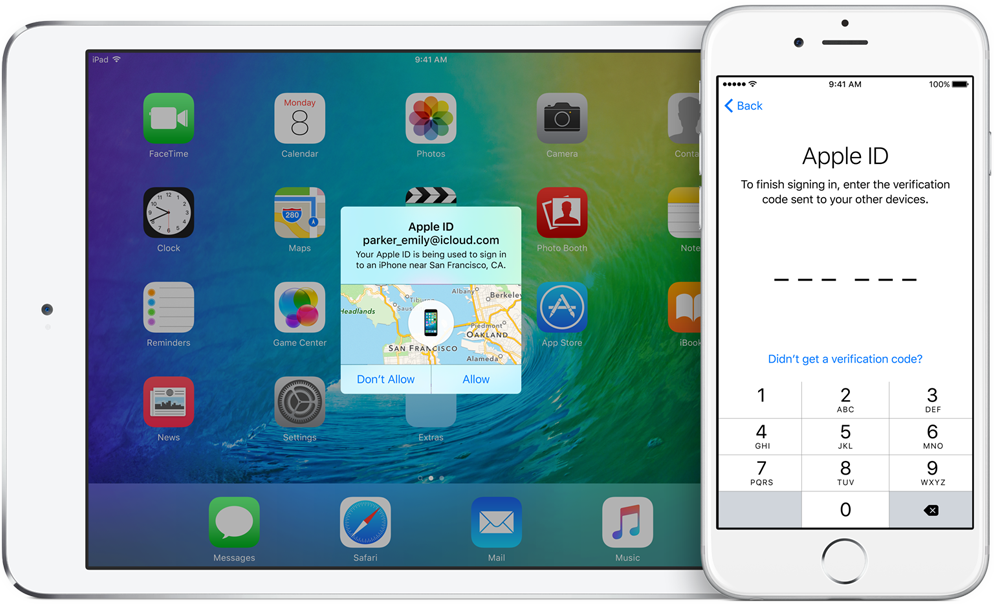
Significantly improving the security of your Apple ID, Two-Factor Authentication requires both your Apple ID password and a one-time code when you sign in to a new device or browser with your Apple ID.

TUTORIAL: How to protect your Apple ID with Two-Factor Authentication

Unlike Two-Step Verification, which sends a six-digit verification code via SMS, Two-Factor Authentication is deeply integrated in iOS 9, OS X El Capitan, watchOS 2 and tvOS or later and features a mechanism that automatically delivers verification codes via push notifications to all trusted devices registered to a given Apple ID.

If you're not using either system to protect your Apple ID, you're wholeheartedly recommended to enroll your devices in Two-Factor Authentication. If your account isn't eligible for two-factor authentication, you can still use two-step verification to protect your Apple ID information.

One way or another, anyone installing Apple's latest OS updates this fall shall be asked to upgrade their Apple ID to the more modern Two-Factor Authentication system. Two-Factor Authentication is available in more than a hundred countries, listed in Apple's support document.

Minecraft to gain cross-platform multiplayer this summer, 4K HDR support coming in fall

An upcoming summer update to Minecraft: Pocket Edition for iPhone and iPad will include full support for cross-platform multiplayer, the game's developer Mojang announced today in a blog post ahead of the Electronics Entertainment Expo show, which runs from June 13-15, 2017 at the Los Angeles Convention Center.

“We’re releasing a new update for consoles, which brings players together across mobile, console and Windows 10,” developers wrote. They'll be adding in-game multiplayer server, too.

A server browser in the Minecraft start menu will let you search a list of servers which you can join right away. They'll be launching with four servers—Lifeboat, Mineplex, InPVP and CubeCraft—with more to follow at a later stage.

And as a cool bonus, any downloadable content you purchase will be accessible amongst the various devices at no extra charge!

Mojang highlighted the upcoming features in a promo video, embedded below.

https://www.youtube.com/watch?v=vyr3XZrZssk

The free update will permit fans of Minecraft on iOS to play the game with players on other devices, including Android, Xbox One, Nintendo Switch, Windows 10 PC and VR. Currently, Minecraft: Pocket Edition for iOS lets you play with friends on Xbox One consoles or PCs.

Mojan will be rebranding the game on Xbox One, Nintendo Switch, mobile and VR as just “Minecraft”. Support for Minecraft: Java Edition, which is the original PC game, will continue. “This means when you buy 'Minecraft', you're buying a game that can you can play with friends across devices,” said developers.

Plus, this fall, players will be able to explore endless worlds, rendered in 4K HDR resolution, via another upcoming update. Support for 4K resolution across platform will be free.

However, advanced effects will require a new “Super Duper Graphics Pack”, which will bring out features like dynamic shadows, lighting that streams through fog, movement in leaves and grass, new textures for mobs and villagers, directional lighting, edge highlighting and more.

They'll have additional information about the release date of the free 4K update and “Super Duper Graphics Pack” DLC closer to release. As always, we'll keep you in the loop.

Minecraft: Pocket Edition for iPhone, iPad and iPod touch is $6.99 on App Store.

Minecraft: Apple TV Edition is $19.99 on tvOS App Store.

Basic analytics coming to iOS 11’s Podcasts app

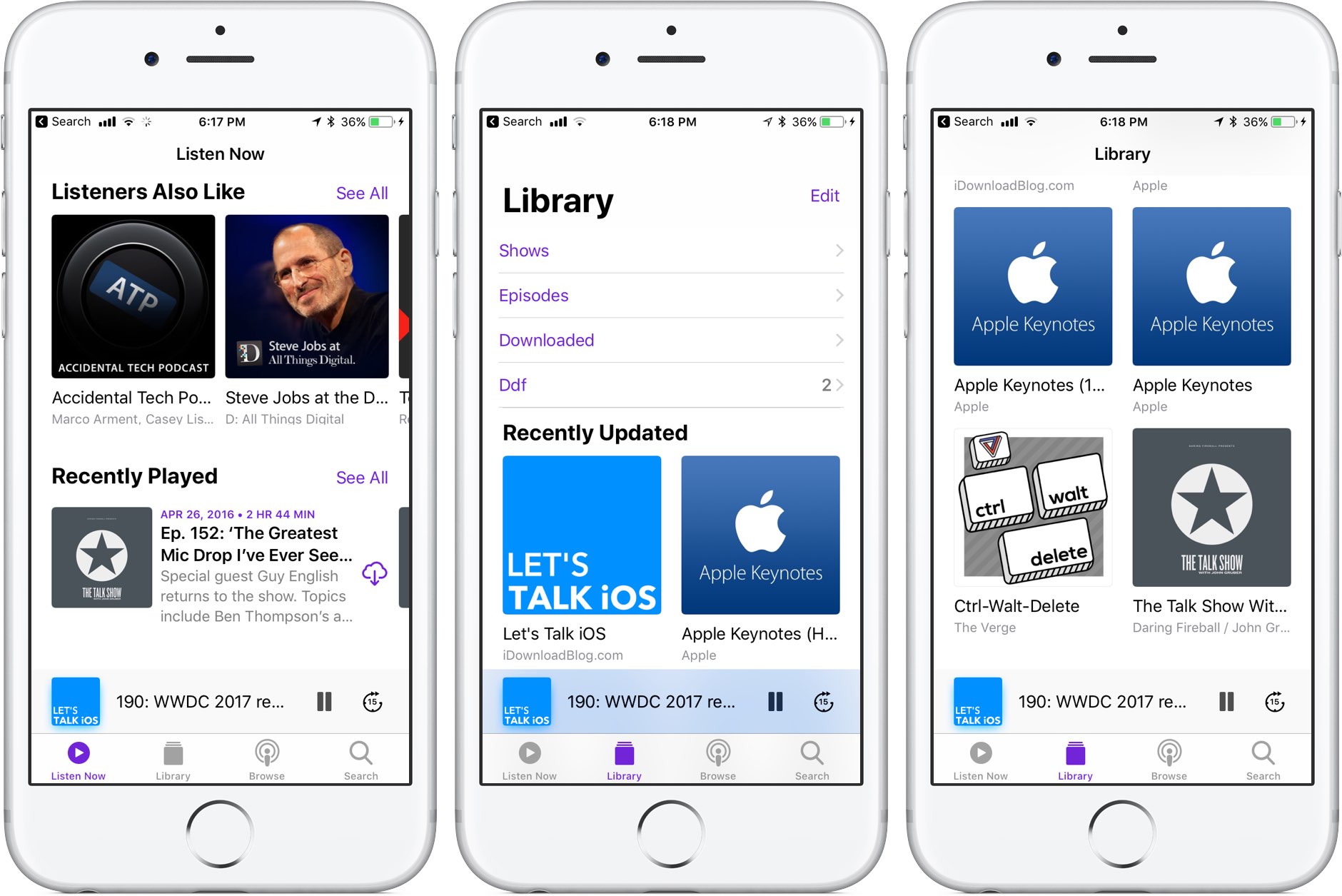
Like many stock apps in iOS 11, Apple's Podcasts app has been redesigned around an Apple Music-style appearance with consolidated tabs, bigger thumbnails and more.

As reported by Recode's Peter Kafka and Six Colors' Jason Snell, Apple is also making some notable changes to the way podcast feed works so that both podcast creators and advertisers can see what listeners actually like.

As for users, they'll be able to download full seasons of their favorite podcast shows and the Podcasts app will determine if a podcast should be played in chronological order.

There are other updates focused on making podcast creators' lives easier as well. According to Apple's own spec sheet regarding the Podcasts app updates in iOS 11, the updated Apple Podcasts specification now provides the following features:

Podcast creators can now provide clear, concise titles. Improvements to how episodes are ordered and recommended within a season. The ability for new subscribers to receive the full current season in their Library. Quick play lets users pick up listening where they left off.

Podcasts will be able to define individual seasons and explain whether an episode is a teaser, a full episode or bonus content. Snell explains that these extensions will be read by the Podcasts app and used to present a podcast in a richer way than the current linear approach in iOS 10.

https://www.youtube.com/watch?v=LFsAlcnlmSo

Subscribe to iDownloadBlog on YouTube

As explained, Apple is going to share more data with podcast creators and advertisers.

With basic analytics, podcast creators will have the ability to see when listeners play individual episodes, what part of individual episodes they listen to, which parts they skip over and when they stop listening. To protect your privacy and prevent targeted advertising, Apple will provide aggregated, anonymized performance data that cannot be tracked to individual users.

Currently, podcast creators can see when someone has downloaded an individual episode, but that's about it when it comes to analytics.

How do you like these changes coming to the Podcasts app?

Share your opinion in the comments section below.

Jailbreak tweaks of the week: Apace, SocialDownloader, TimeMover, & more…

It has been a busy week amid preparations for WWDC 2017, but that hasn't stopped the jailbreak community from hammering out jailbreak tweaks to improve the aesthetic and function of jailbroken iPhones and iPads.

In this piece, we'll talk about all of the jailbreak tweaks that were released throughout the past work week. We'll start first by going in detail with our favorite released, then we'll outline all of the rest afterwards.