Fix

Experiencing Wi-Fi problems in iOS 6? We’ve got a fix

Like other sites, we've been getting a lot of tips this evening that Wi-Fi in iOS 6 is acting up. Several of our readers have informed us that their Wi-Fi quit working after attempting to connect to a faulty Apple page shortly after updating to the latest version of iOS.

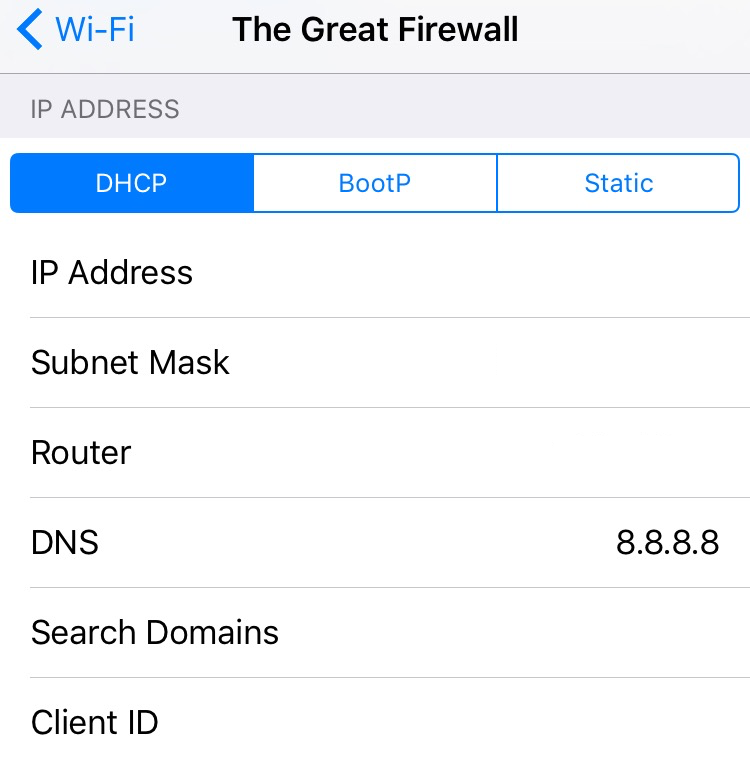
Don't worry, the problem has been pinpointed. As explained by developer Steve Streza, iOS devices are programmed to ping a test URL upon connecting to a Wi-Fi network to see if it's protected by a "captive portal." And that test page has been down all afternoon...
How to bypass iPad jailbreak detection on Amazon’s new video streaming app

Yesterday Amazon launched Amazon Instant Video, its new video streaming app for the iPad. The app lets you either stream or mark for download and later offline viewing any previously purchased video from Amazon. It also allows Amazon Prime users to stream over 120,000 videos for free.

Jailbreak users were quick to note that Amazon put a block in place to prevent them from using the app. As we reported this morning, Amazon even confirmed the problem, basically saying that if you are using a jailbroken iPad, there is nothing they can do for you.

But don't worry, as usual, the jailbreak community has your back...

Apple says in-app purchasing exploit will be fixed in iOS 6

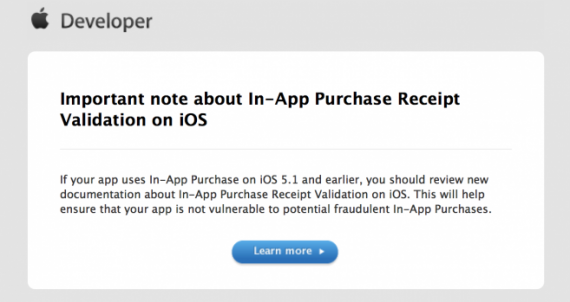
Apple has started emailing developers today, with more information regarding the recently-discovered in-app purchasing exploit. Earlier this month, news broke of a hack that allowed users to acquire paid in-app content, for free.

The email contains a link to a new support page, posted on Apple's developer website, that provides devs with information on the issue, and offers up a temporary fix. It also states that a permanent patch is coming in iOS 6...

Apple patches App Store bug that leaked unreleased app updates

Early this morning, we all got a preview of what's in store for the next Twitter for iPhone update. In fact, we know pretty much everything about version 4.3, despite the fact that it hasn't been released yet.

The info came from a leaked change log, found in the 'History' section of the iOS 6 App Store. Apparently a glitch in the Store was allowing users to view release notes from upcoming app updates...

Apple rectifies App Store updating glitch

Over the last 48 hours, the App Store has been suffering from a glitch that has been causing some newly-updated apps to crash upon opening. The bug has been a nightmare for developers, who have been taking a lot of heat over the issue.

Yesterday, Apple acknowledged the problem, and confirmed that it had a dedicated team working to resolve it. And it didn't take long, last night the company started sending out official statements that the updating glitch has been repaired...

Apple working to resolve App Store updating bug

As we mentioned earlier today, the App Store was recently struck with a programming glitch, causing a number of Mac and iOS apps to crash upon update.

The issue has been causing a lot of problems for app developers, who have been receiving 1 star reviews and non-stop support requests over the last 24 hours.

This afternoon, Apple officially acknowledged the bug...

Can’t watch YouTube videos in Mobile Safari on your jailbroken iPhone? We have a fix for that

Every once in a while we get an email or a tweet from a reader who claims not being able to play YouTube videos in Mobile Safari, and asking for a fix. The answer I give is always the same: you probably installed a jailbreak tweak (likely ProTube) that conflicts with Safari and prevents you from watching YouTube videos in the browser.

Today, thanks to iDB reader J. Louis, we get to the bottom of this problem and find the real cause and the easy solution to fix it...

How to fix Absinthe Lockdown Error

Even though Absinthe appears to be a very simple and stable jailbreak tool, a few people are still getting some errors despite the 2.0.1 update.

The main errors that pop up seem to be "Error detecting device (lockdown error -5)" and "Could not connect to lockdown"...

iOS 5.1.1 includes fix for dangerous Safari URL spoofing vulnerability

Earlier today, Apple released a new version of its mobile software: iOS 5.1.1. The update includes a number of bug fixes, and also apparently contains a patch for the dangerous URL spoofing vulnerability in mobile Safari.

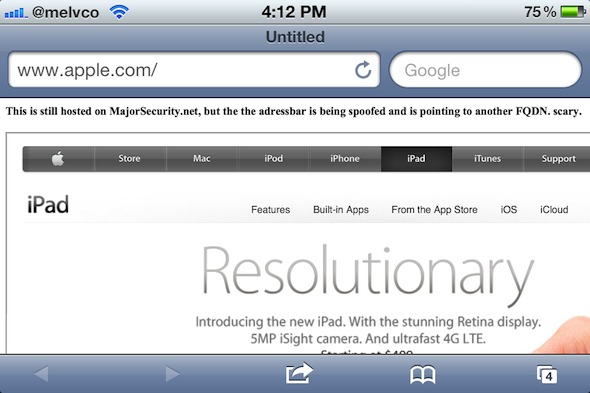
We told you about the exploit, discovered by the folks at Major Security, back in March of this year. It allows web pages to spoof URLs in Safari's address bar, leading users to believe they're on a different website...

Noticed missing Twitter mentions on your iPhone? You’re not alone

Twitter integration with iOS has led to huge sign-up numbers for the social network. Add those new users to the throngs of iPhone owners that were already big Twitter users, and it's safe to say that there are plenty of Twitter accounts plugged into iPhones.

We're also willing to bet that a fair chunk of those are using the official Twitter app, and it appears that some of those may be experiencing an odd bug, and one that is rather annoying – users are reporting that they are unable to see their own @replies in the Connect tab of the iOS Twitter app. We've seen this first hand, and it is indeed rather odd.

No amount of refreshing, rebooting or force-closing fixes it. Thankfully though, there is one fix that works, and it's really rather simple...

Can’t update your iPhone or iPad over the air or using iTunes? We have a fix

I've been trying to update my iPad over the air to iOS 5.1 ever since it was released this last Wednesday. Unfortunately, it kept throwing an error saying "Unable to Check for Update. An error occurred while checking for a software update."

At first, I assumed that Apple's servers were being slammed, but it's now been two days and I still couldn't update, constantly getting this "unable to check for update" error.

So I decided to plug my iPad in to update it the good old way, you know, using iTunes. But iTunes was not very cooperating either as it kept throwing this error: "There was a problem downloading the software for the iPad. The network connection could not be established."

After a bit of googling, I found the solution to my problem:

How to fix white app icons with Springtomize 2

Last month we showed you a way to fix your iDevice's white app icons after jailbreaking, but did you know that you can perform a similar fix with Springtomize 2?

Since most jailbreakers probably already have Springtomize 2 running on their device's, this is a very convenient method for cleaning up those annoying white app icons that rear their ugly heads post jailbreak.

Check inside for the full how-to...