Email

Public Beta of IntelliScreenX Released

Want some hands-on time with IntelliScreenX before it is officially released tomorrow?

If you watched our video walkthrough of IntelliScreenX, then no doubt, the answer to that question is an emphatic yes.

If you have a jailbroken iPhone or iPod touch running iOS 5, then check inside for the details you need to try out IntelliScreenX right now...

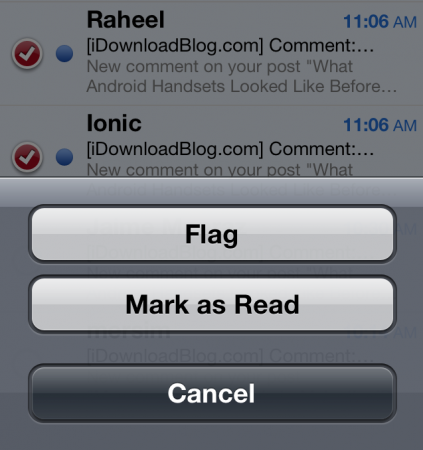
How to Mark Multiple Emails as Read in iOS 5

For the past few weeks, we've been showing you how to access some handy features in iOS 5. We've shown you how to create text shortcuts, and how to look up word definitions using iOS' system-wide dictionary.

Now we're going to show you how to mark multiple emails as read in iOS 5. This wasn't something you could do before in iOS 4 without a jailbreak tweak, but it's easy to do in the latest version of Apple's mobile OS...

SmartFolders Lets you Create Folders and Rules for Mail App

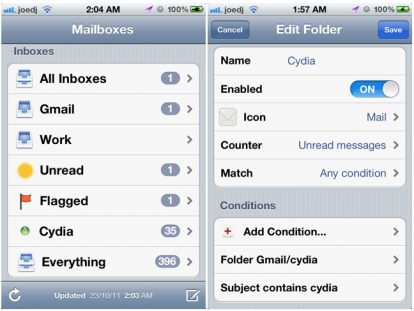
Even with all the improvements Apple has made to the iPhone's Mail app in iOS 5, there are still some glaring omissions, especially if you're the kind of person who likes to create folders and have them populated based on a selection of rules.

Smart folders are something that Apple has embraced on the desktop, with Mail on OS X featuring them heavily, which makes it all the more surprising that they haven't brought them to its mobile platforms.

As always, the jailbreak community has some to the rescue, and SmartFolders is just what the doctor ordered...

IntelliScreenX: The Way Notification Center Should Be

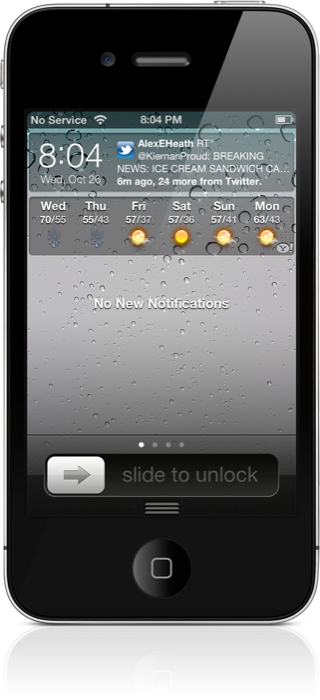
Today we finally got to go hands-on with a near final beta version of IntelliScreenX — the highly anticipated jailbreak app for iOS 5's Notification Center — and let's just cut to the chase, it lives up to the hype, and then some.

Ladies and gentlemen, this is how Notification Center is done. IntelliScreenX makes iOS 5's new pull down menu, a literal center of notifications.

There's Twitter, Facebook, RSS, and email, and it's done in such a way that you can communicate without ever leaving Notification Center; you can even do so from the Lock screen.

Check inside for a full video preview of IntelliScreenX, and you'll see why this upcoming app is reason enough alone to jailbreak your iPhone...

‘FavoriteContacts’ Adds Your Favorites to Notification Center

The Notification Center jailbreak widgets are really starting to pick up steam as of late, and that means that there's a ton of new and innovative tweaks for us to cover.

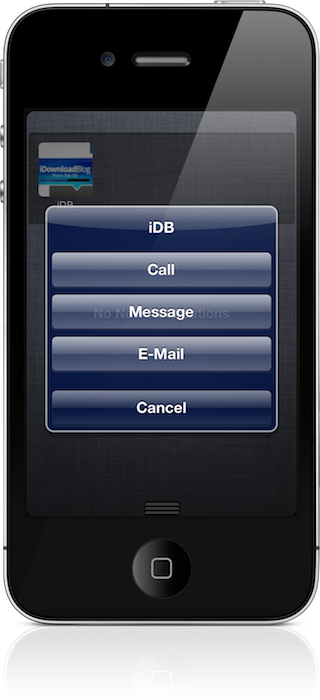
The latest tweak, is called FavoriteContacts, and as one might imagine, it pulls in all of your favorites from your Phone app. Doing so, allows you to initiate a call, text, or email right from the convenience of iOS 5's Notification Center.

We've gone hands-on with FavoriteContacts, and we're happy to report that it rocks. Check inside for the video walkthrough, and for a chance to win one of five (5) free copies...

AllMail Brings Better Mail Management to iOS 5

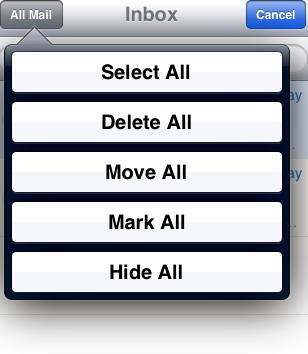
If you purchased Delete Mail or Mark Read for your iDevice, you may have noticed that neither extension is compatible yet with the new Mail app in iOS 5. The iOS 5 update brings new mail management features to your device, but “Select All” is nowhere to be found.

Many of us with large email inboxes are very wary of manually selection multiple emails to apply Mail actions. Simply put, it is very disappointing that neither Mark Read or DeleteMail have received iOS 5 updates yet.

Thankfully, a new jailbreak tweak has been released to solve your massive message management woes. Most of Cydia's recent activity has been centered on compatibility updates, but some game-changing newcomers have been appearing in the updates. Enter AllMail...

Message Icons: Compose New Mail And SMS Directly From Your Home Screen

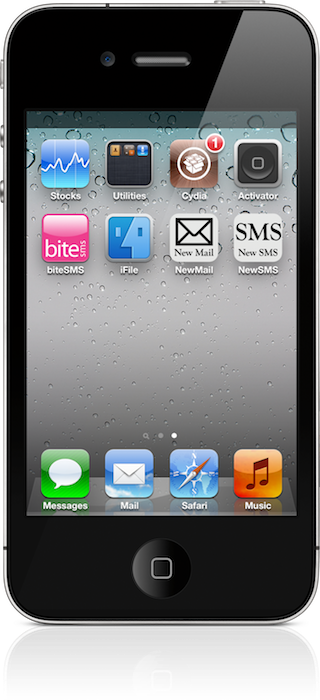
Wouldn't it be nice if you could compose a new mail or SMS message with the touch of a button? Well now you can.

Introducing: Message Icons, a jailbreak tweak that recently graced Cydia. It allows you to bypass all of the fluff, and get right to writing an email or SMS message.

It's not the prettiest tweak in the world, but it's most certainly functional. Take a gander inside for a visual rundown...

AnyAttach: Attach Any Type of File to Your iPhone’s Email

The concept of attaching a file to a file to an email is practically as old as email itself. With the iPhone, you can attach photos and videos to your email, but that's pretty much where the fun ends.

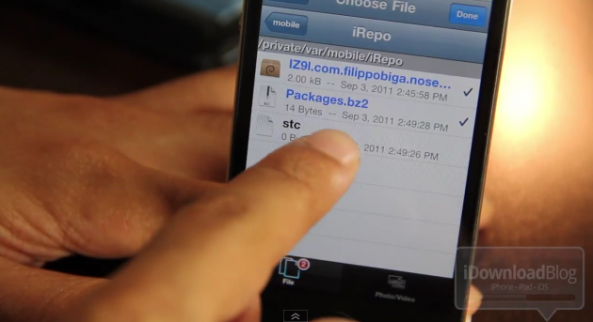
This works fine for stock iOS installations where access to the native file system is restricted. For jailbroken iPhones, however, it's a definite limitation; hence the need for a jailbreak tweak like AnyAttach.

AnyAttach is a tweak that allows you to attach any file present on iOS's file system, directly to your outgoing email...

Emails to Steve Jobs Were Analyzed by Apple Employees, Tim Cook Could Be Next

You didn't think Steve Jobs was the only one at Apple keeping an eye on his publicly available email address, did you?

Now that Apple's long-time chief has resigned, many are wondering if new CEO Tim Cook would carry on the tradition of answering emails from the public. An interesting story from MacRumors suggests that Cook is indeed answering emails from his tcook@apple.com address citing the story we posted a couple days back. There have also apparently been a number of other responses received from Cook in the days following his promotion...

New Apple CEO Tim Cook Responds to Emails Like Steve Jobs

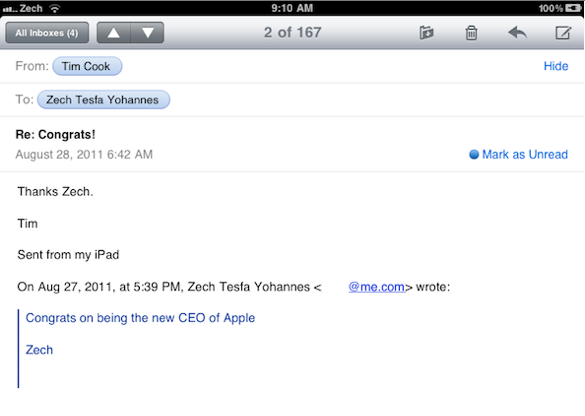
Tim Cook, Apple's new CEO, has been the center of attention recently. Tim has reportedly began replying to user emails. I emailed Tim myself, and I got a response within three days.

Steve Jobs is known for occasionally responding to emails, and Tim has started doing the same. I emailed Tim congratulating him on his recent position of CEO at Apple...

Sparrow Mail Client Coming to the iPhone, Pending Apple’s Approval

If you are a Mac user, chances are you've at least heard of the Sparrow email client. The app is minimal compared to the bulky default Mail software, and features a simple user interface and quick load times.

Word on the street has been that the Sparrow team might be looking to bring Sparrow to the iPhone. Business Insider recently spoke with Dominique Leca, the co-founder of the popular email client, about the gossip...

Double At: Insert Your Email Adress by Double Tapping the “@” Key

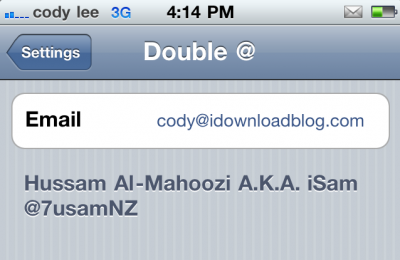
And the onslaught of jailbreak utilities continues, with this new release from iSam. The package will allow you to automatically insert your email address into a text field upon double tapping the "@" key.

While you could accomplish this with an app like Xpandr, Double At is much more simple. This utility is for power users who are constantly sending out their email address from their iDevice...