Email

Inbox Count keeps count of your emails in the Mail app

Prior to iOS 7, the Mail app would show you how many emails were in your inbox, which was a handy feature that would help you keep track of things. It's something that apparently didn't make the cut in iOS 7. One could speculate on the reasons behind this decision, but it wouldn't help much.

Enters Inbox Count, a new jailbreak tweak that brings back the old feature and helps you keep count of how many emails are in your inbox...
iOS bug leaves email attachments unencrypted, Apple working on a fix

Do you access sensitive document attachments on your iPhone, iPod touch or iPad, stuff like contracts, invoices, bank statements and what not?

If so, your security and privacy could be compromised because iOS is storing email attachments in the clear - that is, in the unencrypted form - thus making stored attachments easily readable by using a piece of software to browse a person's on-device email folder for an IMAP account.

A researcher who claims to have discovered this security flaw has found that iOS 7.0.4 and later - including the latest iOS 7.1.1 - do not encrypt email attachments...

Acompli is a one-stop shop for all your productivity needs

When it comes to email apps, we love the ones that are simple, efficient, and fast. Getting to the elusive “inbox zero” is not an easy task. Especially when, for many of us, email is tied to a myriad of other productivity activities, like scheduling meetings and sharing files.

Acompli is a new productivity app that incorporates email, contacts, file sharing, and calendar events into one. The best part is that the app supports Microsoft Exchange. You’ll never have to switch apps to take care of business again…

Mailbox 2.0 is out with Dropbox syncing for preferences and Auto-swipe

Mailbox users will be happy to hear that the iOS email client received an update today. The release, which brings the app to version 2.0, brings about 'lots of bug fixes and improvements' as well as 2 new features: Dropbox syncing for preferences and Auto-swipe.

While Dropbox syncing for preferences is fairly self-explanatory, Auto-swipe takes some explaining. The feature was first announced by the Mailbox team earlier this month, and its purpose is to learn your in-app behavior in an effort to automate processes...

The best email apps for iPhone

It wasn’t that long ago that email was an untapped resource. Within the past decade or so, technology and the Internet have advanced so far that it is incredibly easy to stay in touch with people all over the world at any hour of the day. Emailing has become a behemoth that has gotten out of control.

If you are unsatisfied with the native Mail app and are looking for something to help you get to Inbox Zero, we’ve got a list of what we believe are some of the best email apps for iPhone, and our favorite apps for organizing and reducing the daily routine of checking email.

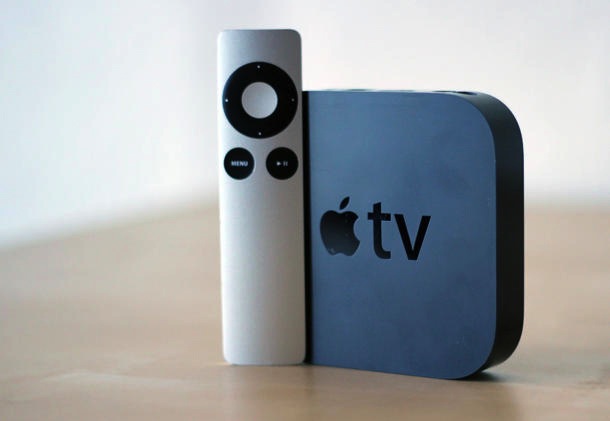
Steve Jobs email reveals past Apple TV ideas: apps, ‘magic wand’ remote and more

We're only a few days in, but we've already learned a lot from the Apple-Samsung patent trial. With it being a legal proceeding, the public is given access to information it wasn't previously privi'ed to by way of executive testimonies, corporate emails and other evidence.

In fact, earlier today a particularly interesting email surfaced from former Apple CEO Steve Jobs. The document, which was submitted as evidence in the case, features a list of things Jobs wanted to discuss at the company's 2010 'top 100' meeting, including the Apple TV...

iOS 7: the ultimate Mail app guide

The stock Mail app is the best way to send, receive, and manage email on iOS 7. There are, of course, alternatives to the stock Mail app such as the official Gmail app and Yahoo Mail app, but no third-party app can match the feature-set and integration of the stock Mail application.

One of the primary advantages of the stock Mail app is that it can handle multiple mail accounts from a large variety of providers. There's support for Gmail, Yahoo mail, Outlook.com, Exchange, Aol Mail, and iCloud mail. You can even configure an email account from your own server if you wish to do so.

The Mail app is an extremely versatile app with an insane amount of options, features, and idiosyncrasies. Have a look at our ultimate guide to the stock Mail app for more info on what makes it tick

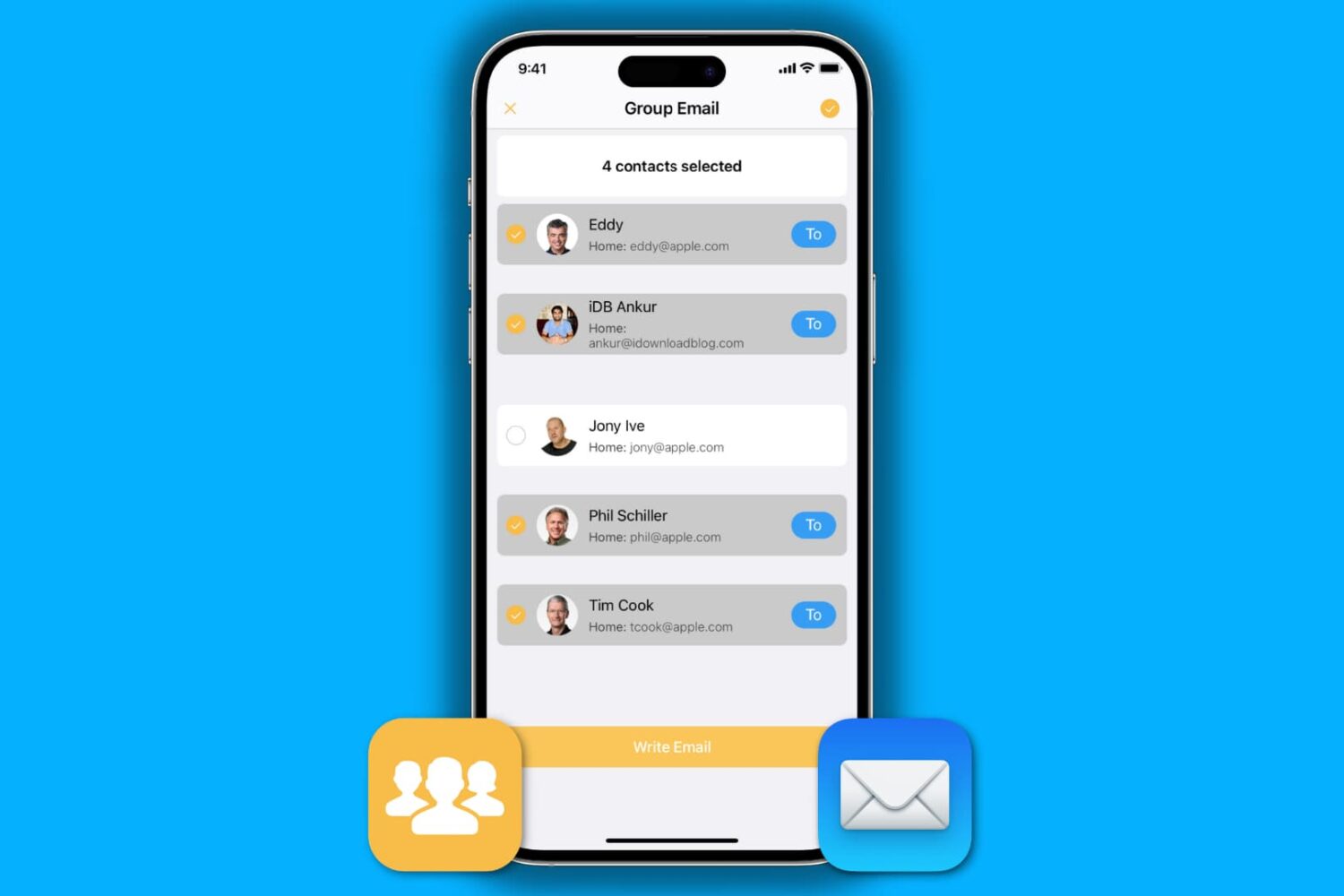
How to send a group email on iPhone

Send group email from iPhone

We recently published a post about how to send a group email from your Mac, so we figured we would have a similar one about sending group emails on iPhone as well. Of course, some of you may think it's easy to send a group email on your iPhone. Just fire up the Mail app, and add every contact you want to send the email to.

That sure works, but it's not very practical, especially if you want to send a group email on a regular basis to 20 contacts, for example. We do have a better solution to offer, and in this post, we will show you how to send a group email from iPhone.

Yahoo Mail now lets you block images, web UI gains improved Folders, compose and more

Yahoo keeps on meticulously improving both its Mail service on the web and companion mobile apps. Today, the firm has bumped Yahoo Mail for iPhone to version 2.0.6 which comes with your usual dose of bug fixes and performance improvements, in addition to one new feature: the ability to block images.

Now available in the App Store, a new setting lets you tell the app to skip loading images in HTML-styled email.

Security-minded users will love this feature given that spammers and attackers typically use embedded images to tell whether you have opened the message, sometimes even using images to leverage security exploits.

Yahoo's web interface has also received its fair share of enhancements, including improved handling of folders, new shortcuts, an improved multitasking chat and more...

How to send group emails on Mac

Creating a group email can be a real time saver as you don't have to manually enter each recipient's email address. Instead, you can quickly type in the name of a group of contacts that you want to send an email to and have the "to:" field of your email client populated for you automatically.

In this post, we will show you how to send group emails from your Mac. As you will soon be able to verify, sending messages to a group from your Mac is a fairly simple and quick process.

Gmail updated with iOS 7 Background App Refresh, streamlined sign in experience

Google's free Gmail app for the iPhone and iPad is being continuously improved and that's a good thing.

Now, I myself am a Mailbox convert so the only reason for keeping Gmail on my device is to occasionally check out new features. If anything, today's Gmail update gives me two new reasons to reconsider handling my email in Gmail more frequently. Now available, Gmail 3.0 brings out two major improvements.

Firstly, the app now uses Background App Refresh, a new iOS 7 technology which lets apps ask the operating system to retrieve new content even if they're not running. As a result, switching from one app back to Gmail immediately serves up-to-date inbox, negating the need to manually refresh content.

And secondly, it improves the experience by signing you in automatically using the same Google Account defined in Google's other iOS apps, such as Maps and Google+...