Email

MailDeck review: manage your emails in a whole new style

Since there was a rush of new email clients in the app store over the past year, it has been difficult to find new ones that offer something special. I’ve settled into my favorites, but I’m always looking for interesting ways to read the dozens of messages I receive every day.

MailDeck is a third-party email client for iPhone and iPad that brings a new visual aesthetic to the genre. It includes many of the features we’ve grown accustomed to, but has a unique look that will turn your head. We’ve got an app review of MailDeck for you today.
Mailbox for iPhone and iPad gains Drafts

Less than 24 hours after releasing the first public beta of Mailbox for Mac bringing new snooze options and support for the Drafts folder, the Dropbox-owned startup has updated its Mailbox mobile client with the same capability.

Sitting at version 2.2, Mailbox now predictably allows you to access your work-in-progress messages stored in Drafts across desktop and mobile apps for Mac, iOS and Android...

Hands-on with Mailbox for Mac: a fast, powerful, gestural mail client

We first heard rumors of a Mac version of the popular Mailbox app last year, and it was since confirmed as being in development, with a public beta sign up for those interested in early access. Although it's been a while, users who signed up for the beta are finally getting their invites.

I've had the privilege of getting a pre-public beta copy of Mailbox for Mac, and I've been putting it through its paces ever since. Here are some thoughts on the OS X edition of this incredible mail client.

Mailbox updated with new spam options, Passbook support and more

Mailbox has updated its popular iOS email client this afternoon, bringing the app to version 2.1. The update is fairly significant, as it adds new spam options, Passbook support, and support for several new languages.

With 2.1, it's now possible to print your emails, mark them as spam or unread, and favorite them by clicking on the three little dots at the top of a thread view. You can also now add items directly to the Passbook app...

iOS email client Dispatch gains 10 new actions, adds new features

Dispatch, the popular TextExpander-enabled, action-based email client for the iPhone and iPod touch, has received a major update adding nearly a dozen new features and ten new actions for your emails while fixing a ton of bugs.

Dispatch 2.1, available free in the App Store to existing owners, is one of the most efficient iPhone email clients.

For those unfamiliar with Dispatch, the app makes it ridiculously easy to triage your emails and get rid of ones you don't need by swiping, respond faster with snippets and much more...

Cannonball email app now available on iPhone

Last week, we gave you a list of our favorite email apps for iPad. Most of the apps on the list are universally available for all iOS devices. However, there is one on the list that, until now was only available on the iPad.

Cannonball received a big update this week that makes the third-party email app available on both the iPad and the iPhone. Now, you can keep your email activities the same across all devices…

The best email apps for iPad

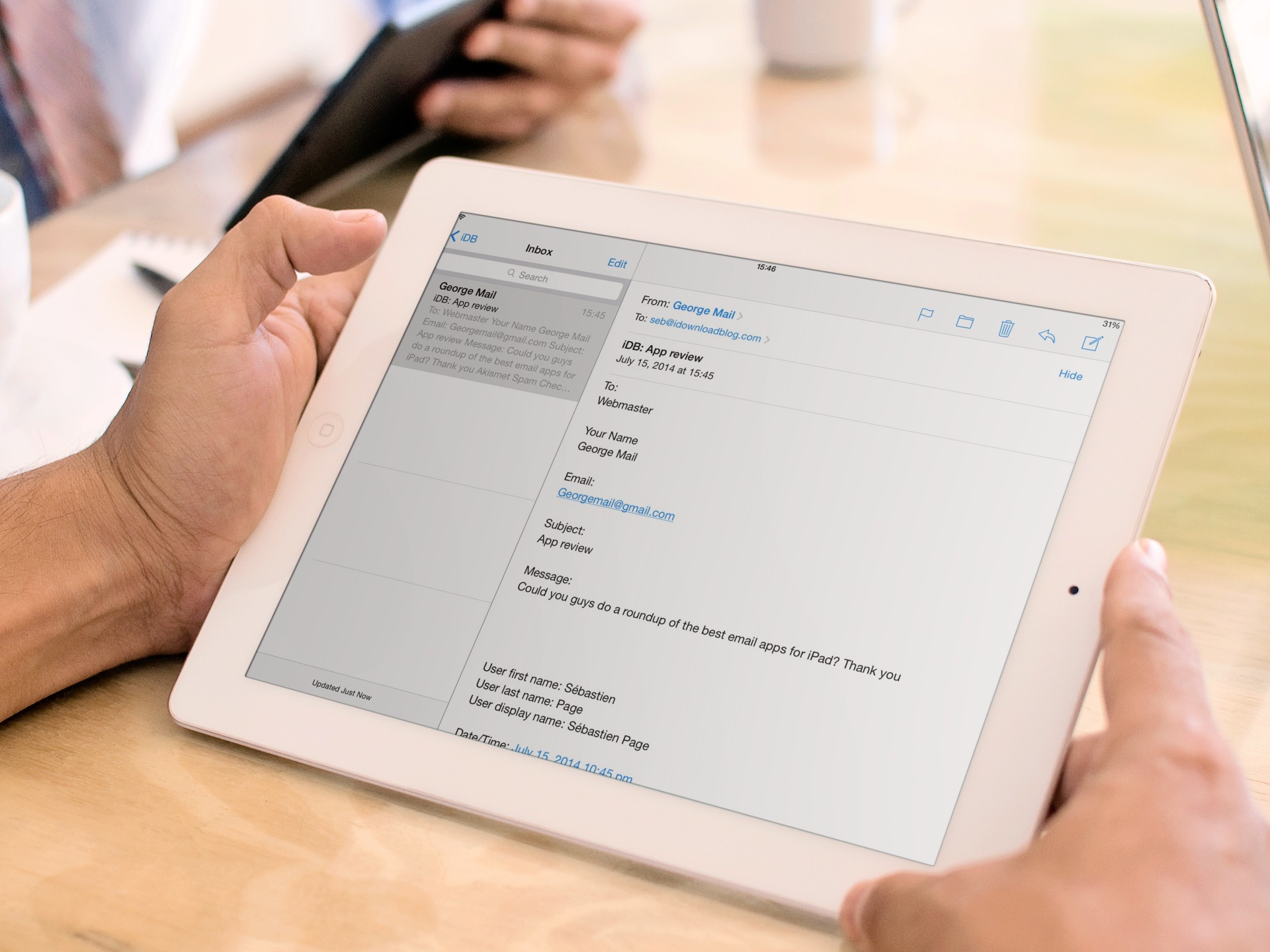
Just like when we gave you a list of our favorite calendar apps for both iPhone and iPad separately, we decided to add a list of our favorite email apps for iPad. Sure, some of the same apps below are also on the iPhone list, but there are other apps that work better on one device than the other and we’ve separated them for your convenience.

If you have an iPhone and an iPad, you have probably already discovered that the screen’s size makes a big difference with different app features. Check out our list below of what we think are the best email apps for the iPad…

‘TapTheAt’ adds a quick keyboard shortcut for email addresses

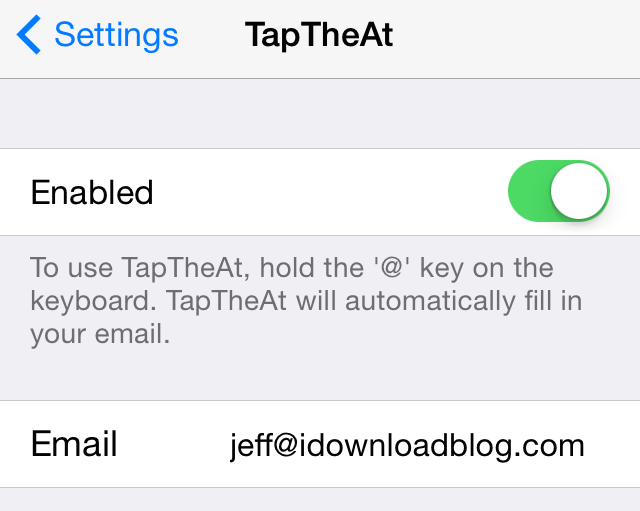
If you have a long email address like yours truly—because let's face it jeff@idownloadblog.com is pretty long—then this new jailbreak tweak is something you may take a liking to. It's called TapTheAt, and it makes it super-easy to quickly populate your email address by using a simple keyboard shortcut.

TapTheAt allows you to insert your email address by simply tapping and holding the '@' key on the iPhone's keyboard. Once you do, the email address will be auto-pasted, which eliminates the need to type out the full email address manually.

Check out our full video demonstration showcasing how TapTheAt works.

Mailbox updated with Auto-swipe improvements

Dropbox-owned Mailbox has introduced Auto-swipe two and a half months ago with much fanfare. The feature has been designed to learn from your usage patterns, so that the app could help you save time by automating email management to a certain degree.

You Auto-swipe settings are kept in sync across devices thanks to Dropbox integration and now the team is building on top of that with additional improvements.

Now bumped to version 2.0.3, Mailbox includes several enhancements to the Auto-swipe feature, including a quicker way of creating Auto-swipe patterns, Auto-swipe suggestions in email view and more...

New in iOS 8: reply notifications for Mail threads

Apple really seems laser-focused on further removing communication hurdles and friction in iOS 8 by advancing Mail and Messages stock apps in ways more than one.

For the most part, the changes in these two apps are for the better: Apple hasn't cluttered their interfaces nor has it changed the familiar design.

Apple's thinking and consideration for the end user is especially evident in how iOS 8 handles group chats in Messages and email threads in Mail.

While you can now finally leave a group chat in Messages, Mail in iOS 8 sports a really useful feature where you tell it to issue a push notification each time someone has replied to a designated email thread...

iPhone email client Dispatch picks up folders, new triage features, phishing detection and more

There's certainly no shortage of email clients on iOS. Which reminds me, there used to be a time not that long ago when Apple wouldn't allow third-party email clients on iOS. Silly rules, eh? Dispatch, one of the most efficient iOS email apps, strives to make you more productive by making it easy to get rid of emails by swiping, respond faster with snippets, process emails with other task-based apps and more - all in the name of achieving the inbox zero nirvana.

Our own Lory Gil who reviewed Dispatch last August came away impressed with a robust set of email management capabilities and an accessible, easy-to-grasp interface. Today, Dispatch developers have brought the app to version 2.0. It's a pretty substantial update offering not only a brand new icon and a refreshed look, but a whole host of useful features which strive to boost your productivity even more...