Email

New snoozing and attachment options go live in Readdle’s Spark email app

Just a few days after adding support for Microsoft Exchange accounts for work-related emails, Readdle's popular Spark email app for the iPhone received another major update in the App Store last evening.

Bumped to version 1.4, Spark now includes several new snoozing options and new ways to attach images and files. With customizable snooze times and related notifications, staying on top of your emails is now easier than before.

You also get a dedicated button for attaching images to an email message, the ability to chose image size to keep attachment size under control and switch between attaching actual files or sending links to files on your Dropbox, Google Drive and OneDrive.

Spark for iPhone adds Exchange support, iPad and Mac version in the works

Readdle's incredibly efficient (and free) email client, Spark for iPhone, has just gotten a whole lot more useful with full support for Microsoft Exchange accounts in the latest update in the App Store.

This was the main feature request from thousands of people who wanted to use Spark with Exchange in the workplace, developers tell me.

Even more exciting than that, the team has confirmed that they're hard at work putting finishing touches on Spark for iPad, which should be released “soon”. In addition, a spokesperson for the company tells me via email that their next step will be “creating the best email client for Mac.”

Google rolling out Smart Replies to Gmail’s Inbox app later this week

The Gmail team's Inbox mobile email client, which was born out of Google's 2012 acquisition of the popular iPhone email app Sparrow, is about to get a whole lot smarter with a new feature called Smart Reply, the company announced on the Gmail blog Tuesday.

The feature analyzes your emails and uses machine learning to recognize emails that need responses and then generates the natural language responses on the fly.

Microsoft folds Sunrise functionality into much-improved Outlook for iOS app

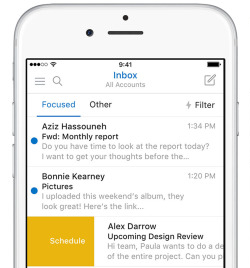
Developers of Microsoft-owned calendar app, called Sunrise, announced in a blog post that the app won't be receiving updates going forward as the team has worked hard on integrating Sunrise functionality into the Windows maker's much-improved mobile Outlook client for iPhone and iPad.

Sunrise Calendar was last updated in the App Store more than four months ago, adding integration with Office 365 events. Just yesterday, Outlook for iOS received a fresh new look alongside a brand native Apple Watch app built on watchOS 2.

At the same time, Microsoft announced that the mobile Outlook app has gone from a couple hundred downloads to more than thirty million installs on smartphones and tablets.

Yahoo Mail 4.0 is out: revamped UI, smarter search, multiple mailboxes, rich compose & more

Yahoo today launched a thoroughly redesigned Mail app for the iPhone and iPad which brings out a number of interesting feature additions and enhancements.

The new, much-improved Yahoo Mail 4.0 features password-free sign-in, way smarter search, contacts management, rich compose, the ability to use multiple mailboxes from services such as Outlook.com, Hotmail and AOL Mail, to name just a few.

Spark email app gains iOS 9 support, default From: account, customizable quick replies and more

Spark, Readdle's excellent iPhone app for Gmail, Outlook, Yahoo, iCloud and other email services, is now compatible with iOS 9 features, including 3D Touch on new iPhones.

Spark 1.2 for iPhone also includes the ability to select any email account or alias as default FROM: address for new emails. The app now lets you customize canned replies to your liking and includes a host of other improvements.

Review: Mia for Gmail is the perfect replacement for Google Notifier

If you need a fast and lightweight email client for Gmail without the bells and whistles (and bloat) of Apple Mail, you should give Mia for Gmail a whirl. Mia is a minimalist desktop email client for OS X by Stéphane Quéraud.

As opposed to copious minimalist Gmail clients that however wrap the web interface inside native OS X code, Mia provides the full native experience and sits right in your Mac's menu bar rather than run in Safari or Google Chrome.

In addition to showing you most recent emails, Mia allows you to compose new messages and jump through all your inboxes with unbelievable quickness. All in all, it's the perfect replacement for Google's defunct Gmail Notifier app.

Stay away from new Mailbox for Mac update: it’s full of bugs and breaks support for Mavericks

It's been more than two years since cloud-storage startup Dropbox acquired the popular iOS email client Mailbox, and a full twelve months have passed since a public beta of Dropbox for Mac launched, and the software still hasn't dropped the beta flag.

As a matter of fact, those among you who use Mailbox as your daily driver should hold on upgrading to the most recent release as it breaks compatibility with Macs running OS X Mavericks while introducing a host of new problems, as first reported by The Next Web.

Spark email client gains HTML signatures, new swipe actions, aliases and other new features

Spark, my new favorite email app by Readdle (good-bye Mailbox!), launched in the App Store nearly 3 months ago.

In my initial review of Spark, I praised its gorgeous user interface, powerful productivity features and integration with popular services but cautioned mobile pros to wait until a future update brings a few commonly used features that didn't make it into the initial release.

Spark 1.1 is here and with it come some much-needed missing features that make the app more powerful and productivity-focused. These include brand new swipe options, support for HTML signatures, email aliases and more.

Outlook’s Apple Watch app updated with replying from your wrist, all-new glance and more

Outlook's Apple Watch has been updated Thursday with the ability to reply to emails directly from your wrist using Siri dictation, emoji or canned responses, among other new features and enhancements.

The new features make the wearable app much more functional than before. Before today, Outlook for Apple Watch only allowed you to see your emails but not reply to or interact with them.

Other changes in Outlook 1.3.5 for iOS include a glance with upcoming appointments and incoming emails, rich notifications that can be interacted with and other tidbits.

Microsoft launches Send for iPhone, a hybrid app for quick IM-style emails

Microsoft's hybrid email/IM app which leaked back in May is now official. Today, the Windows giant said a new app called Send is launching exclusively on the iPhone. Designed for “in-and-out email,” Send for iPhone lets you engage in brief and snappy communications with co-workers using quick text message-like conversations without a subject line or formal email constructs. All of your communications gets automatically saved in Outlook for reference later.