Cydia

Cydia news and information: read the latest development about Cydia, including jailbreak tweaks.

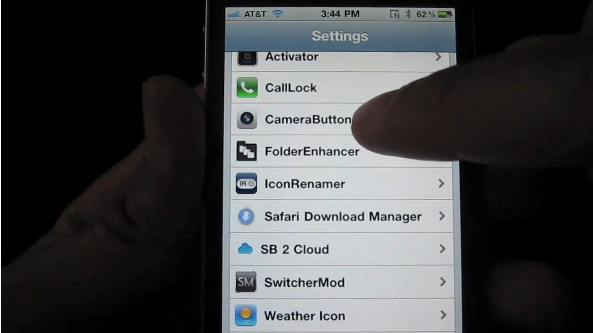
Boost the Functionality of Your iPhone Camera With ‘CameraButtons’

There are many jailbreak tweaks that allow you to map the iPhone's volume buttons to the camera shutter. As far as I'm concerned, though, none of them have as much potential as CameraButtons.

CameraButtons takes the essential functionality of past tweaks, and ramps it up a few notches. Not only can you control your shutter with the iPhone's physical buttons, but you can also map a plethora of other camera-based functions to them as well.

If you're an avid user of the iPhone's stock camera, then you're going to want to check out this video of CameraButtons in action...
‘PageLock’ Puts Your iPhone on Lock Down

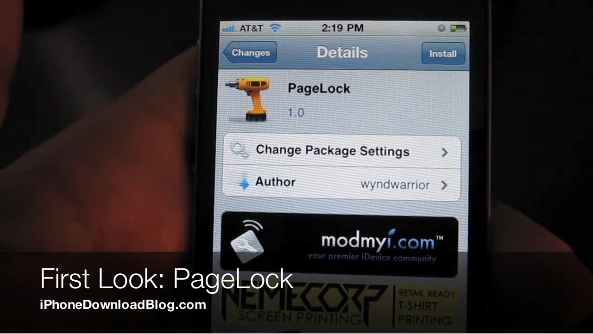
Lately, a slew of jailbreak tweaks have hit the Cydia store, and PageLock is one the more interesting ones in that bunch. PageLock is just that, interesting, but not necessarily useful, or even desirable for that matter.

The basic premise of PageLock is to lock your iPhone's Home screen to just one page. In essence, that means no swiping from page to page, whatsoever.

That can be kind of cool, especially mixed with other jailbreak tweaks like SpringJumps, but it certainly takes some of the "iPhone" out of the iPhone, if you know what I mean.

Page swiping is one of the iPhone's most essential features; it's on an iconic level. Getting rid of such a feature takes some of the fun out of using the iPhone, as you'll notice in this First Look video...

Get Your James Bond on With ‘Stealth Cam’ For the iPhone

Have you ever wanted to shoot video or take pictures with your iPhone, while the screen appeared to be off? Me neither, but if you have, then Stealth Cam is the jailbreak tweak for you.

This almost reminds me of those little "spy" toys they used to sell back in the day; you know, things like periscopes, binoculars, etc. But, an iPhone equipped with Stealth Cam is on a whole 'nother level.

Not convinced? Check inside for the video that breaks down Stealth Cam in action...

‘VideoLock’ Keeps Streaming Video While Your iPhone is Locked

If an Apple TV happens to be among your possessions, then chances are you're a big proponent of AirPlay -- Apple's highly pushed streaming technology.

AirPlay allows you to stream audio or video from your iPhone directly to your Apple TV device. For example, if you're watching a movie on your iPhone and you get tired of the eyestrain from staring at the 3.5 inch screen, you can instantly stream that video directly to your TV if it's hooked up to an Apple TV.

A big problem with AirPlay in its current form is that the streaming is halted when you lock your iPhone. VideoLock is a jailbreak tweak that sets out to eliminate this pesky problem...

Where is Wi-Fi Sync 2.0 for iPhone?

Back in the fall of 2010, we were promised a beta of the new version of Wi-Fi Sync by December. Here we are in 2011, and still the awesome wireless iTunes syncing app is nowhere to be seen.

In a few recent tweets, the developer has announced that the app is still in development and should be available in two to three weeks. He also mentioned what some of these awesome features are, and from what I can tell, it will definitely be worth the wait...

Tutorial: How To Save Your iOS Game Progress Before A Restore [Jailbreak Only]

There are a ton of great games to play on the iPhone. Most of them have multiple levels and achievements to unlock. You wouldn't want to lose your game progress and achievements in the event that you have to restore your iPhone.

For jailbreakers, backing up data is essential. To upgrade to a new version of iOS, a jailbroken iPhone is completely wiped and updated to the default setup of the next iOS release. A new jailbreak has to then be applied, and all personal data (media, contacts, jailbreak apps, etc) has to be synced back onto the iPhone.

Through the magic of SSH, you can save your iOS game data on your computer in the event that you have to restore. Here's how to do it...

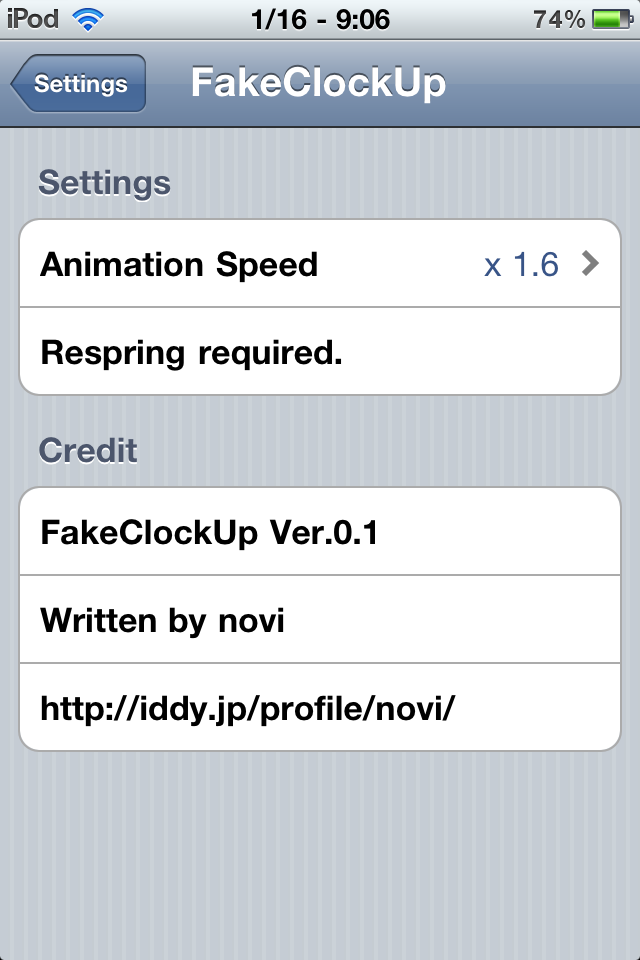
FakeClockUp Makes Your iPhone Seem Faster

If you're looking for a way to make your iOS experience seem snappier without any damaging overclocking hacks, then look no further. There's a new package for the jailbroken iPhone called FakeClockUp that does just that.

The tweak will not change any hardware settings, but rather alters the UI animation speeds so that transitions and other animations will occur shorter or longer, whichever you prefer...

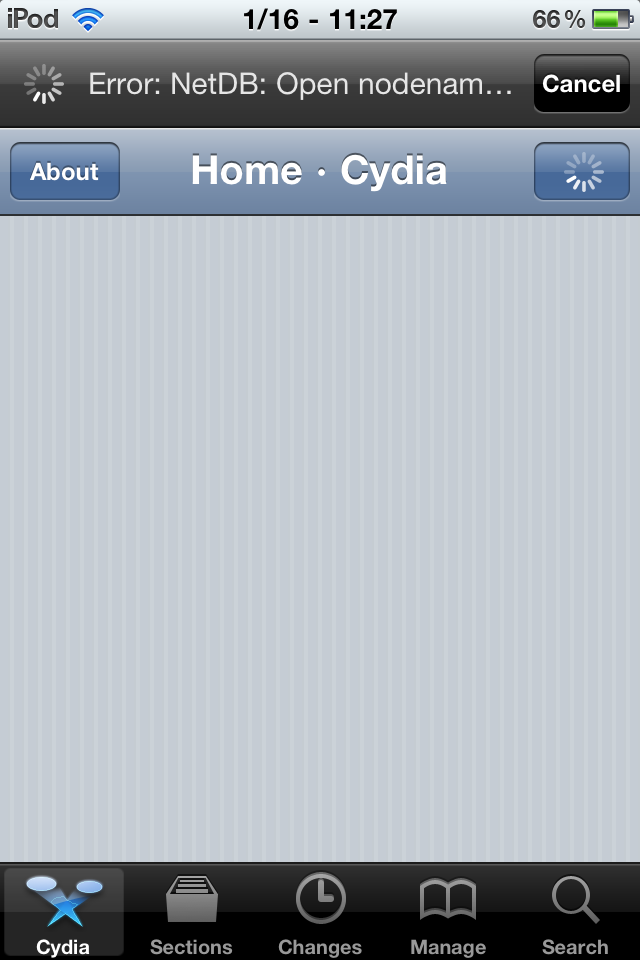
Troubleshooting a Painfully Slow Cydia Update

Cydia NetDB Error

Sometimes it seems that Cydia updates can take forever. For slower devices, it may be normal. But if you see errors while downloading or if the update takes more than five minutes, there may be a solution.

Before you start this method, you will need to have APT Strict installed. If you have CyDelete installed, then you already have this. Otherwise, make sure Cydia is set to Developer mode, search for it and install...

How to Fix WinterBoard’s Text Shadow Issues

I admit, I'm not a big fan of custom themes and all that jazz. In my opinion most of the themes that come out look a little on the generic side, but I can understand why some users would be fond of the custom element that it adds to the iPhone.

WinterBoard is the de-facto standard when it comes to adding custom themes to your iPhone, and it's a prerequisite for quite a few of the tweaks that are available on Cydia as well.

One of my main gripes with WinterBoard is the fact that it can interfere with the text on your Home screen. The text for the app names turns into a grey, shadowless, illegible mess as seen in the screenshot above.

To try to remedy this issue, WinterBoard comes with a "White Text Labels" option in its 'Select Themes' section. This helps alleviate the issues surrounding the color of the text, but unfortunately still lacks the shadows that the stock look is known for...

How to Add New Sources to Cydia

Cydia, the jailbreak equivalent of Apple's App Store, indexes all jailbreak apps/tweaks/mods so that users can easily find them on the iPhone. To have Cydia on your iPhone, you must first jailbreak. This process frees you from having to only download apps from Apple's App Store. Once you jailbreak, you can install all kinds of cool apps, mods and tweaks on your iPhone through Cydia.

Instead of Apple's curated content, Cydia must rely on "repositories" from jailbreak developers to index jailbreak apps. These "repositories" (or "repos") are basically just storage houses for jailbreak content that developers want to distribute through Cydia. Repositories are sources that Cydia searches for jailbreak apps.

By default, Cydia already pre-installs some popular repositories that host most jailbreak content. However, there is a way in Cydia to add more sources. Not all jailbreak content can be accessed through the default sources that Cydia pre-installs. In this tutorial, I'll show you how to add a new source to expand your jailbreak catalog in Cydia...

Cydia Offline Message Promises Really Awesome Changes

I fired up Cydia early this morning, and I was greeted with a bright yellow box that contained this message: "Cydia is temporarily offline while I do some kind of really important update."

According to the message, the update will be completed in a few hours, bringing about some "really awesome changes later/soon."

So, basically, we probably won't be noticing any changes at this time, but these updates are laying the groundwork for what will be some significant changes in the near future...

‘Instant Mirror’ Turns Your iPhone 4 Into a Self Reflective Viewing Device

If it seems like you can never find a mirror when you need one, Instant Mirror solves that predicament by turning your iPhone 4 into, well, an instant mirror. This is a jailbreak tweak that is exclusive to the iPhone 4 and the new iPod Touch 4G, due to the fact that it relies on the hardware's front facing camera.

Obviously, if you have one of these devices, you already have a "mirror", just open up the camera, enable front facing mode, and there you go. The problem with that method, is that it's not exactly instant, while Instant Mirror is a bit more expeditious in its actions...