Accessories

Affordable $99 Mira Prism headset brings augmented reality to iPhone

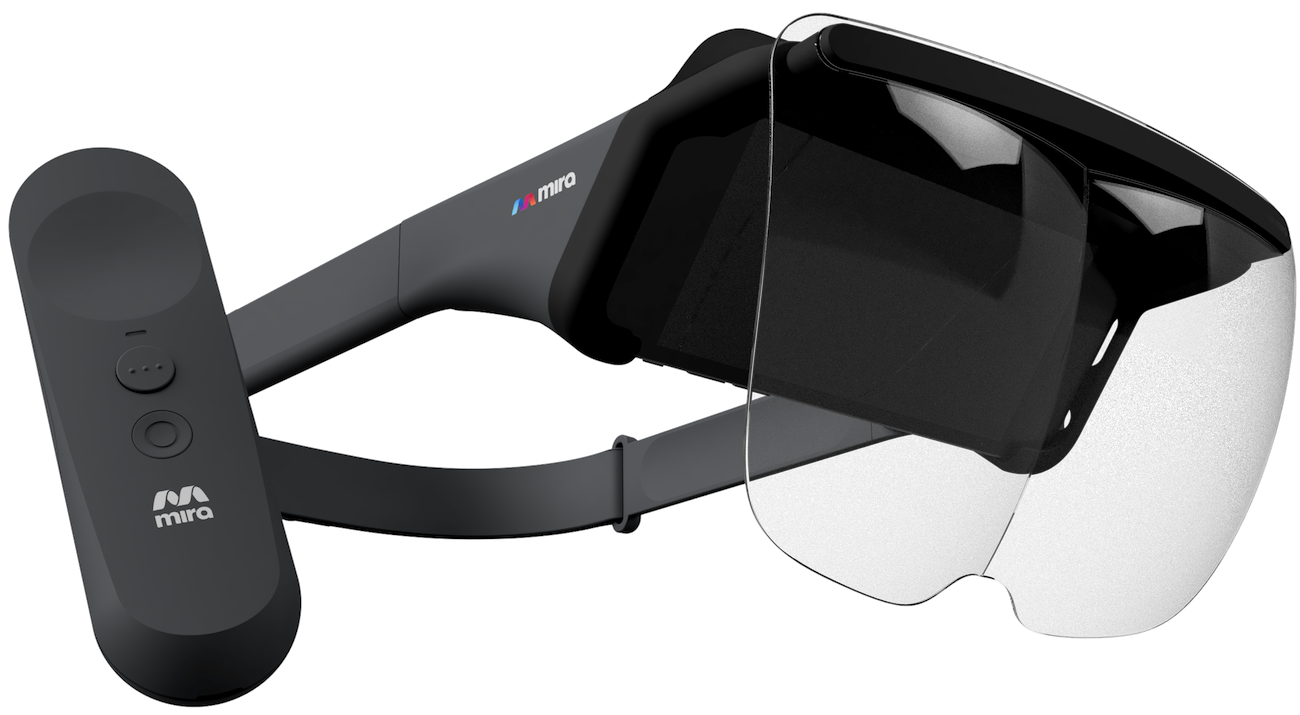
Why wait until 2018 or beyond for a rumored Apple headset when you can immerse yourself in augmented reality right now, and without breaking the bank? Meet Mira Prism, a new iPhone-connected headset that provides augmented reality experiences for just $99.

The product is standalone and requires no plugs, computers or wires.

You just side your iPhone into the headset to begin exploring the wonders of interactive holographic content. It should be mentioned that Mira Prism does not put your iPhone's screen right in front of your eyes, like Google's Cardboard does.

Instead, your iPhone faces the inside of the headset and the front glass lenses facing you basically reflect computer imagery projected onto their surface by a pair of mirrors. The accessory has a 60-degree field of view and supports a resolution of 1,334-by-750 pixels.

https://www.youtube.com/watch?v=w76ESU3XHOg

While the headset only supports a small number of launch titles created specifically for it, they'll be releasing an SDK to let anyone create compatible augmented reality apps and games.

An accompanying app features spectator mode so those without a headset can see what others are seeing in augmented reality through the headset on their own iPhone or iPad.

Engadget took the gadget for a spin and came away impressed:

I played a holographic game that involved maneuvering a character through a maze, which relied on the controller’s motion controls.

Another game had me spinning around in my chair to destroy asteroids hovering all around me. I was particularly surprised how well Prism tracked virtual objects in augmented reality, even though it doesn’t have any spatial mapping technology like HoloLens and Meta.

Mira Prism ships with a remote control for motion-based games, a carrying case and a lens cover, and is compatible with any iPhone from iPhone 6s onward. The biggest drawback of Prism is the fact it won't work with any ARKit-optimized app, just stuff made specifically for it.

If you're interested in this product, pre-order it today for $99 from mirareality.com because it will retail for $150 once officially released in time for 2017 holiday.

AirBar accessory that brings touch to your MacBook Air is now available

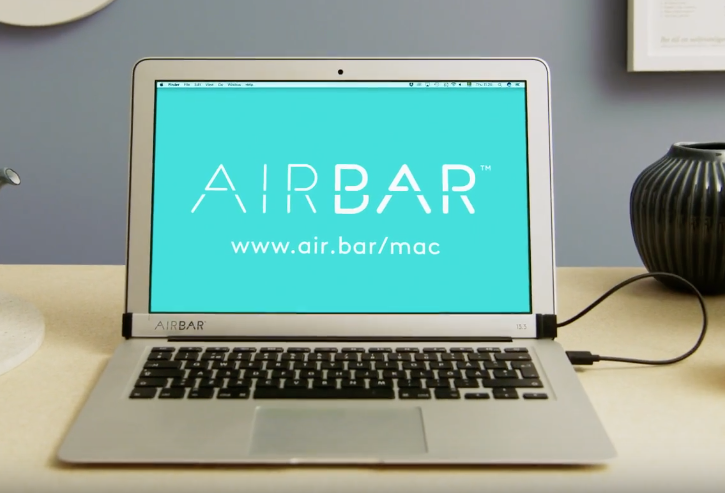
AirBar, a cool Mac touchscreen accessory that was announced at the Consumer Electronics Show in Las Vegas in January 2017, is now available to purchase for $99 at Fry's Electronics, Evine.com and other retailers in the United States, its maker Neonode announced Tuesday.

The product will also launch through Amazon, Best Buy, Staples and other online outlets.

AirBar is basically a touchscreen sensor in the form of a USB laptop dongle that brings familiar touch gestures to your thirteen-inch MacBook Air. It uses an invisible light field projected on the surface of the MacBook Air's display to detect objects like a finger or stylus.

When an object breaks the light, the accessory is able to detect its precise position and distinguish between gestures like tapping, swiping, scrolling and pinch-zooming.

https://www.youtube.com/watch?v=d-4fFaWLnlQ

Remo Behdasht, Senior Vice President of AirBar Devices at Neonode, said:

We’ve seen an overwhelmingly positive response from the Apple community since our big debut of AirBar for MacBook Air at CES this year. Other Apple devices, such as the iPhone and iPad, have helped consumers become accustomed to a range of touchscreen products for several years now.

It’s a natural progression for MacBook Air to have touchscreen capabilities, and we are thrilled to provide Apple enthusiasts with this completely new way to interact with their MacBook Air notebook.

Neonode’s patented zForce AIR technology lets you use anything from a gloved finger to a paintbrush to interact with the MacBook Air's screen, ideal for scrolling through emails, reading e-books, zooming in on images and more.

The product is plug-and-play though support for additional gestures requires the installation of the AirBar multitouch software. AirBar does not support other Mac notebook models because it needs 17mm of free space below the display.

For more information, visit www.air.bar.

Pioneer’s Rayz Plus Lightning earphones now support “Hey Siri” function

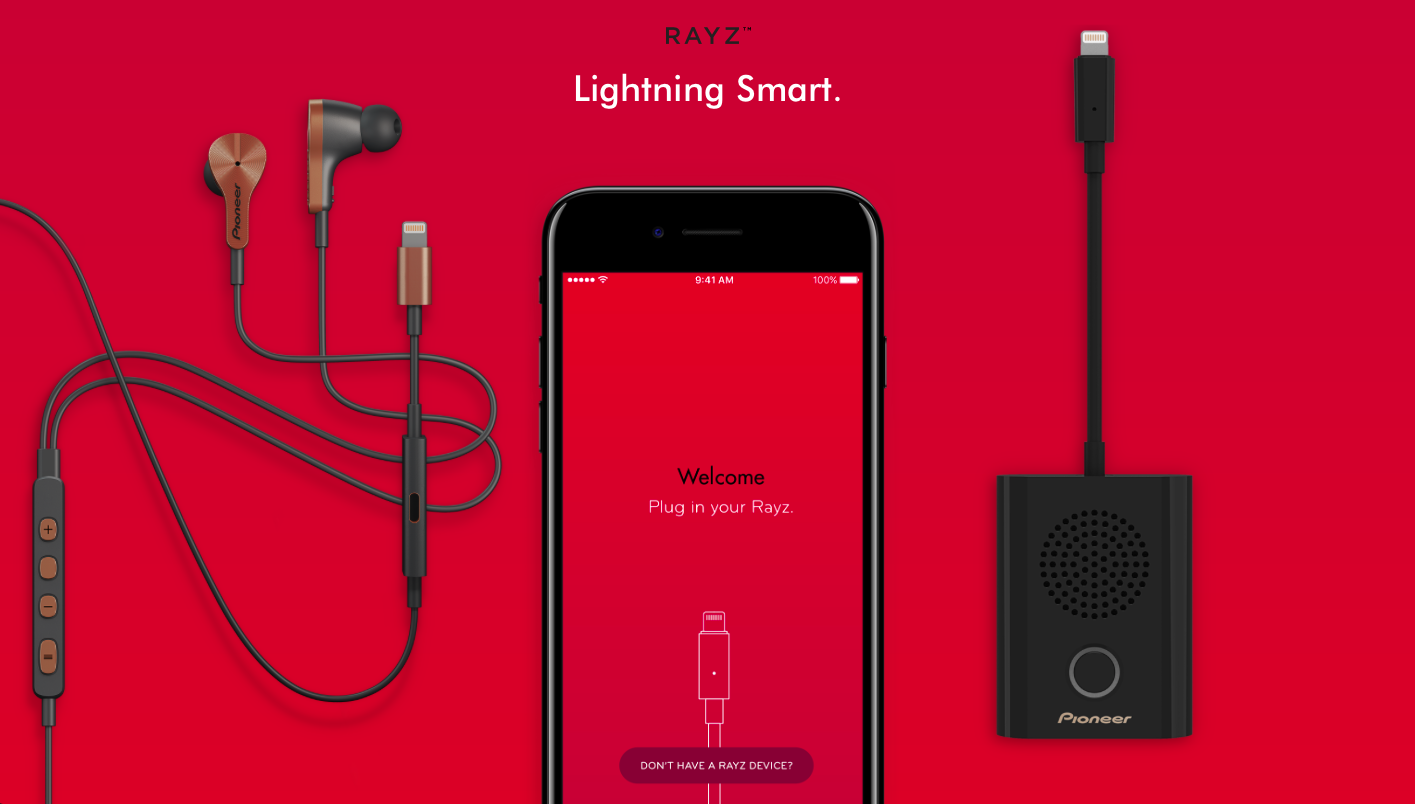
First announced in February, Pioneer's Lightning-equipped Rayz Plus earphones have gained “Hey Siri” support, Munenori Otsuki, CEO of Pioneer & Onkyo U.S.A. Corporation, said today.

With support for this feature, the earphones automatically recognize “Hey Siri” commands and allow customers to accomplish various tasks just by using their voice.

“Today we are pleased to announce that customers can say 'Hey Siri' while using Rayz earphones to easily make a call, send a message, listen to music and much more, even when iPhone is in their pocket or purse,” Otsuki said.

The firmware update also enables other capabilities, like language support for Chinese, French, German, Italian, Portuguese, and Spanish, audible alerts when the Smart Mute feature is active, AutoPause improvements and more.

Here's our video hands-on with the Rays Plus earphones.

https://www.youtube.com/watch?v=axvB9azU0QI

Subscribe to iDownloadBlog on YouTube

The noise-cancelling earphones use a wired Lightning connection which lets you listen or talk on your iPhone at the same time you're charging it.

A Smart Button on the earphones can be customized in the free Rayz app to bring up your favorite app, mute or unmute a call, or launch the Rayz app at a single touch.

For instance, you can create and save custom equalization profiles, enable HearThru mode to allow ambient sound, or activate AutoPause to pause music when you remove the earphones.

As of last month, the $149.94 earphones are available in two new colors—Black and Rose Gold—from Apple.com and Apple retail stores worldwide.
My favorite iPad stand is getting an upgrade

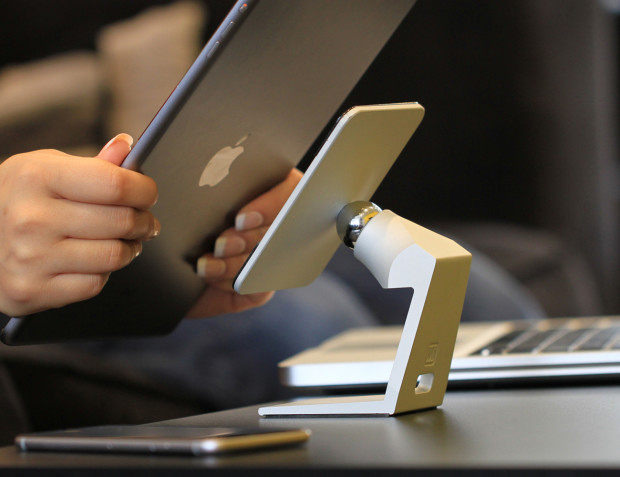
On November 27, 2013, I gave a gushing review of the MiStand, where I claimed the stand was "my new go-to dock, with a small simple and highly functional design." Today, I am still confident in that claim, as the MiStand has not left my kitchen counter since that initial review almost four full years ago. I use it regularly to hold my iPad, while working in the kitchen, watching videos or FaceTiming family. Consequently, I was very excited to learn about MiStand+, which is currently raising funds via Indiegogo for an upgraded version. 

My favorite accessories to use with the 2016-2019 MacBook Pro

Last year, I shared a roundup of my favorite accessories for my 2015 15-inch MacBook Pro. Times have since changed, and I was recently convinced to pick up a new 2017 15-inch MacBook Pro.

In this piece, I’ll pick up where I left off in my previous post by going over additional accessories that I consider essentials for my 2017 MacBook Pro. Worthy of note, these should all work with the 2016 MacBook Pro too.