Accessibility

Tim Cook talks assistive technologies with Accessibility evangelists

Apple CEO Tim Cook sat down with three YouTubers who are Accessibility evangelists to discuss the importance of the assistive technologies built into the company's iOS, macOS, tvOS and watchOS platforms.

James Rath, a legally blind filmmaker; Tatiana Lee, a model, actress and lifestyle blogger; and Rikki Poynter, a North Carolina-based writer and deaf awareness activist, all published their video interviews with Apple's chief on their respective YouTube channels on Wednesday.

James Rath interview

https://www.youtube.com/watch?v=kXy8KcONTSs

Rikki Poynter interview

https://www.youtube.com/watch?v=t6_iOVSavdE

Cook explained to Poyter what Apple is all about when it comes to Accessibility:

Apple is founded on giving people power to create things, to do things that they couldn't do without those tools. And we've always viewed accessibility as a human right. And so just like human rights are for everyone, we want our products to be accessible for everyone.

He added that accessibility should be a basic human right:

It's a basic core value of Apple. We don't make products for a particular group of people. We make products for everybody.

We feel very strongly that everyone deserves an equal opportunity and equal access. So we don't look at this thing from a return on investment point of view—I've been asked that before. The answer is no, I've never looked at that. We don't care about that.

A lot of these Accessibility features, everyone can use. With HomeKit, I use HomeKit every day and control my house with my voice.

“It’s a basic core value of Apple,” said Cook.

Tatiana Lee interview

https://www.youtube.com/watch?v=58ZZFUDIM0g

Lee's whole video was shot with her iPhone 7 and edited using Apple's new app Clips.

Cook did the interviews to honor Global Accessibility Awareness Day, an initiative that promotes inclusion when it comes to creating products, content and experiences for everyone.

The company is currently highlighting apps on App Store that implement Accessibility features.

Lastly, Apple posted seven inspiring videos showcasing how people with disabilities are using assistive technologies built into iPhone, iPad and Mac. For the full overview of the extensive assistive features built into Apple products, check out its dedicated Accessibility webpage.

Watch inspiring Apple videos showcasing people with disabilities using iOS/macOS assistive features

Happy Global Accessibility Awareness Day, everyone!

To mark the occasion Apple is showcasing a series of more than half a dozen inspiring videos of some of its users with different disabilities, who can be seen leveraging the powerful assistive technologies built into macOS and iOS to make their lives easier.

The clips, first spotted by Jim Dalrymple of The Loop, demonstrate real-world usage of iOS and macOS accessibility features by the people who can’t move, talk, see or hear. The company is also hosting a bunch of accessibility-related sessions in its stores around the world.

Carlos Vasquez

Carlos is the lead singer, drummer and PR manager for his metal band Distartica. Using VoiceOver, with Screen Curtain on iPhone, he can hail a ride, take a photo and get the word out about his band’s album release while keeping his screen entirely black.

https://www.youtube.com/watch?v=EHAO_kj0qcA

Ian Mackay

Ian is an outdoor and birding enthusiast. With Siri on iPhone, he can play a bird call or chat with a friend via FaceTime, and with Switch Control he is able to capture the perfect waterfall photo.

https://www.youtube.com/watch?v=PWNKM8V98cg

Meera Phillips

Meera is a teenager who loves soccer and jokes. She uses TouchChat on iPad to talk with her friends and family, and deliver the occasional one-liner.

https://www.youtube.com/watch?v=3d6zKINudi0

Andrea Dalzell

Andrea is a nursing student and advocate for the disabled community. She uses Apple Watch to record wheelchair-specific workouts and share her victories with friends.

https://www.youtube.com/watch?v=SoEUsUWihsM

Patrick Lafayette

Patrick is a DJ and producer with a passion for music and excellent food. With VoiceOver, he has the freedom to express himself in his home studio with Logic Pro X and in the kitchen with TapTapSee.

https://www.youtube.com/watch?v=whioDJ8doYA

Shane Rakowski

Shane is a middle school band and choir director who uses Made for iPhone hearing aids in her classroom so she can hear every note.

https://www.youtube.com/watch?v=mswxzXlhivQ

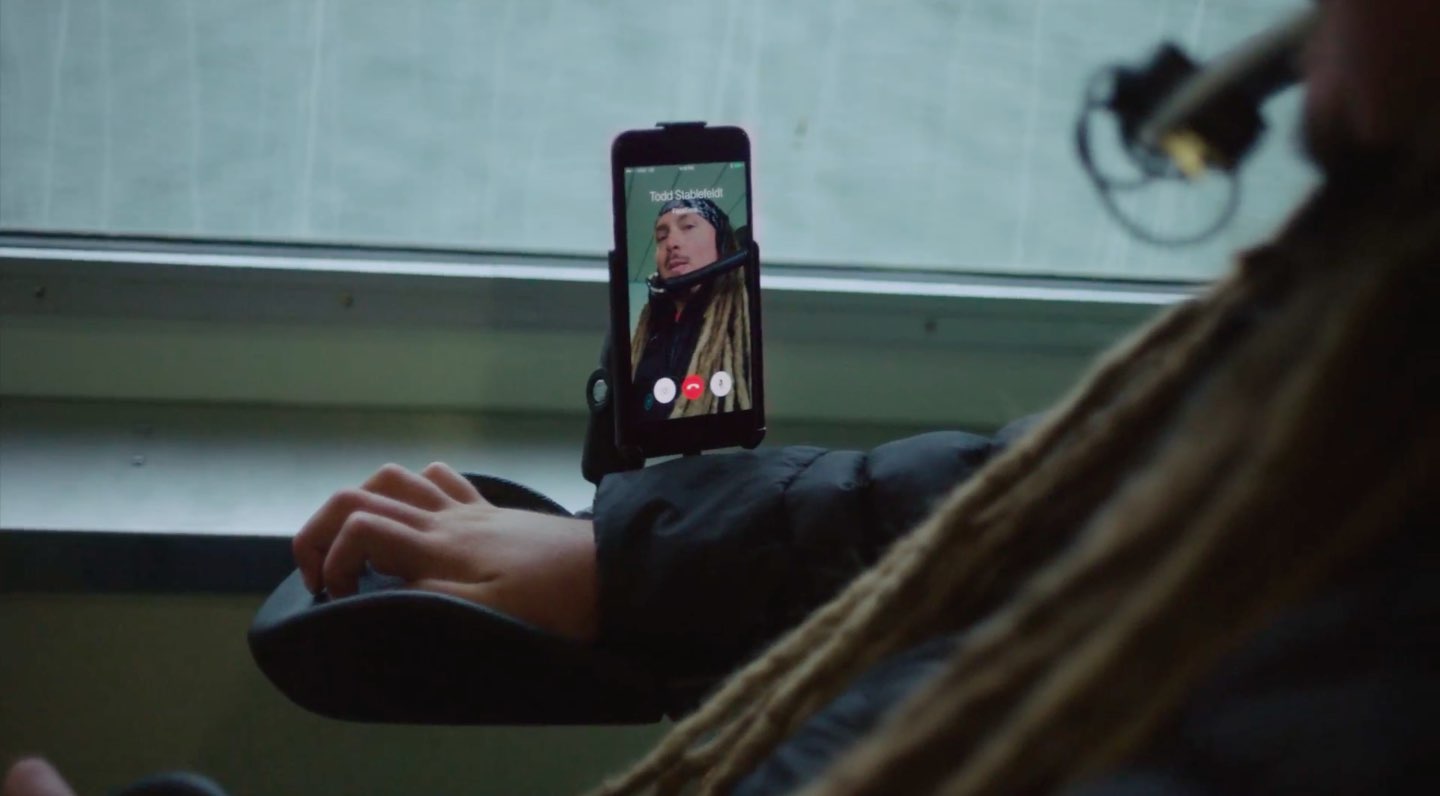
Todd Stabelfeldt

Todd is the CEO of a technology consulting company and a prominent member of the quadriplegic community. With Siri, Switch Control, and the Home app, he can open his front door, adjust the lights in his house, and queue up a party playlist.

https://www.youtube.com/watch?v=4PoE9tHg_P0

Apple provided these links for the technologies and apps featured in the videos:

Accessibility on Apple Watch VoiceOver on macOS Switch Control “Made for iPhone” hearing aids HomeKit-enabled products Schlage Sense Smart Deadbolt TapTapSee for iPhone TouchChat for iPhone iBird for iPhone Logic Pro X for Mac Essential Elements for Pad

Today, May 18, marks the sixth Global Accessibility Awareness Day.

According to the official Global Accessibility Awareness Day website, the purpose of the initiative is to get everyone talking, thinking and learning about digital access and inclusion of people with different disabilities.

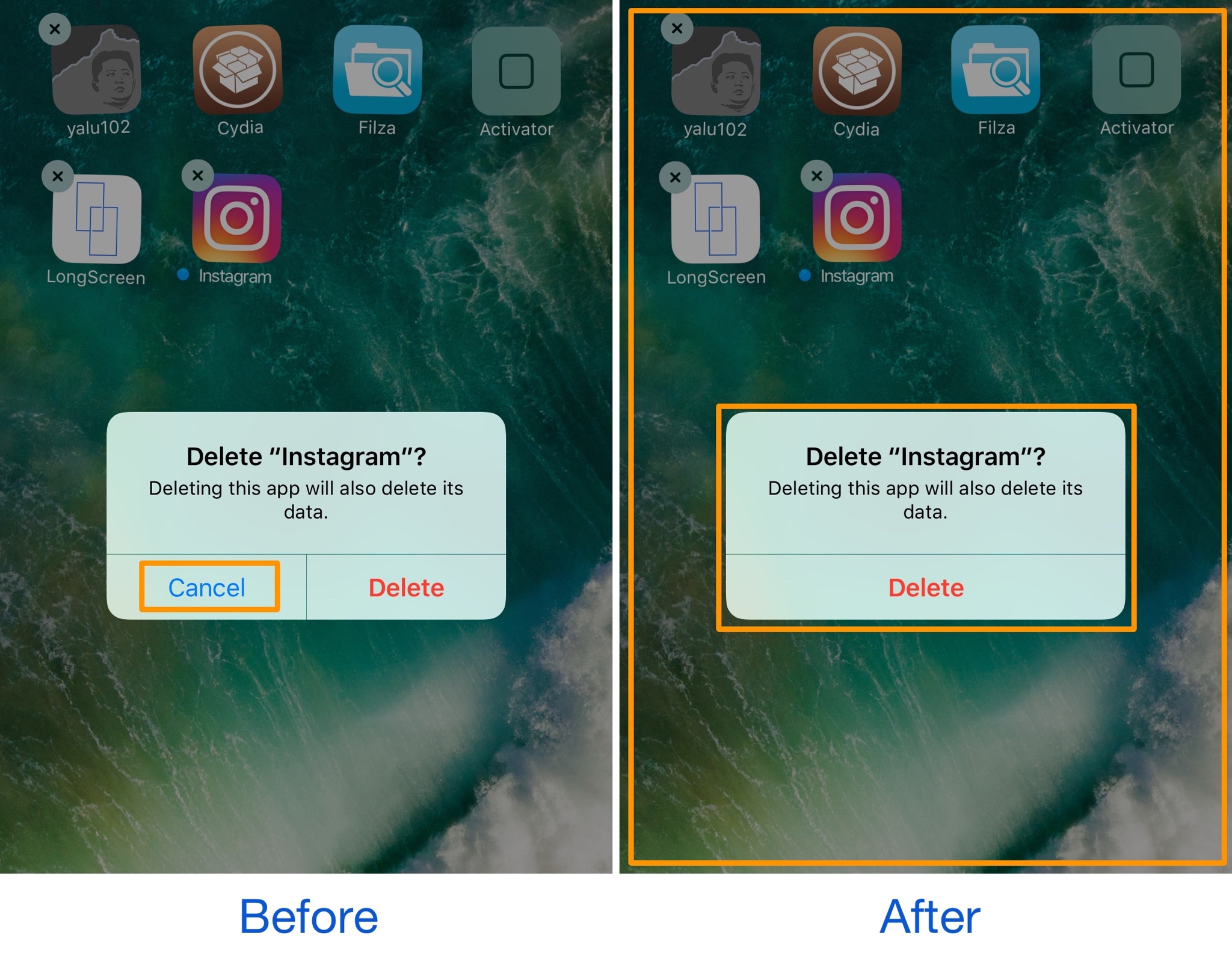
DismissAnywhere lets you tap anywhere outside of an alert to dismiss it

Different kinds of alert messages pop up in the middle of your screen throughout iOS. They can appear for a variety of reasons, including after an attempt to buy an in-app purchase or while you try to delete apps from your Home screen.

These alert pop-ups normally have both an actionable button and a cancel button, but a new free jailbreak tweak called DismissAnywhere by Demy Kromhof puts a new spin on things by eliminating the cancel button and letting you tap anywhere outside of the alert to dismiss it.

This tweak disables unwanted features in the Settings app

There are a number of extraneous things in your iPhone’s Settings app that you might never use, but the problem is amplified even more for jailbreakers because some of the features can’t be used without losing the jailbreak entirely.

A new free jailbreak tweak called SettingsPatch removes unwanted clutter and disables dangerous preference panes on jailbroken devices.

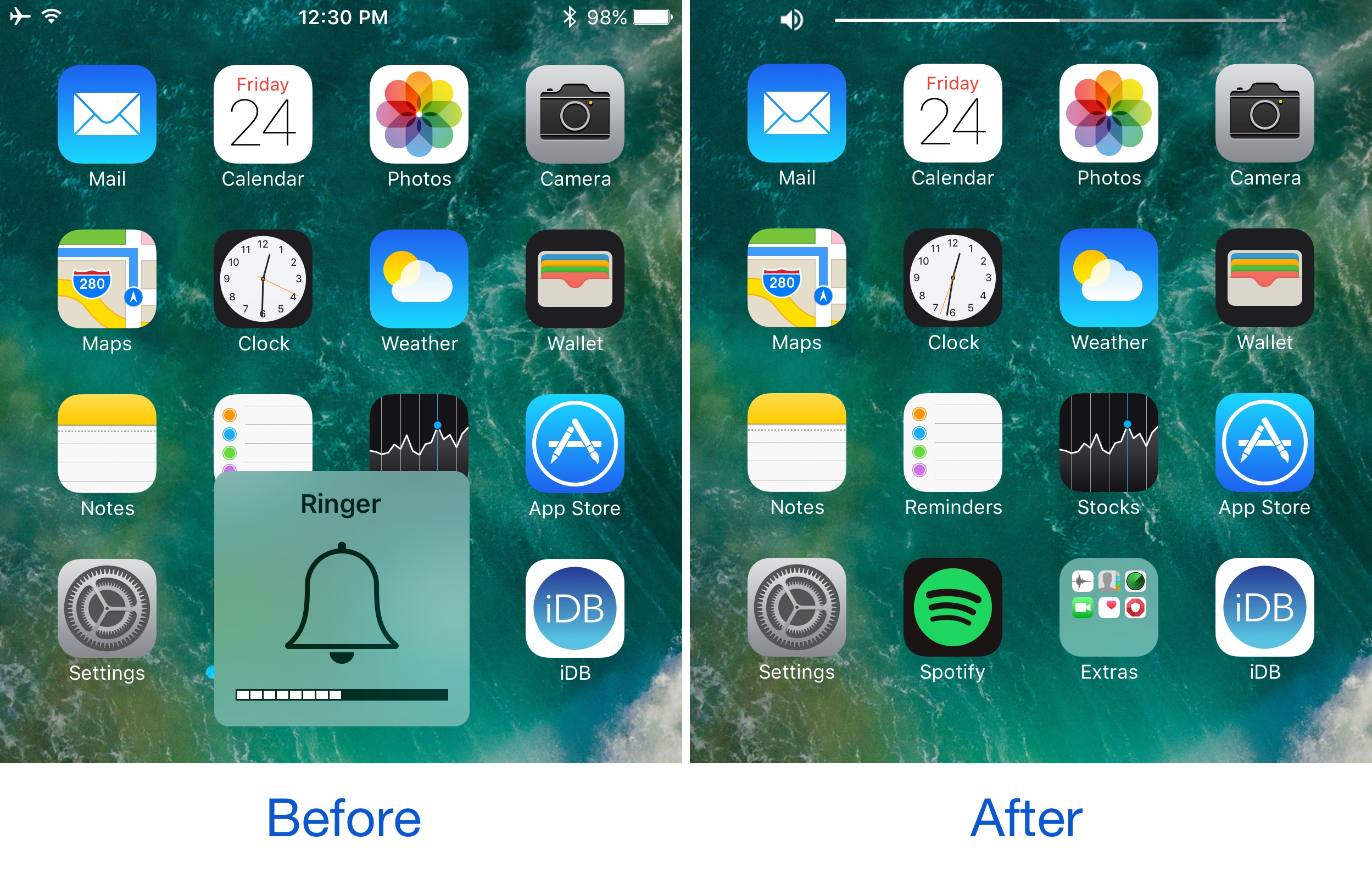
This tweak brings a YouTube-inspired volume HUD to your iPhone

If you’ve ever used the YouTube app on your iPhone before, then you know Google has good taste in what a volume HUD should look like. Obviously, the monstrosity of a volume HUD that Apple continues to impose on iOS users is not something said users like to see, as it gets in the way of everything.

Because Google has the right idea, iOS developer midkin decided to create a YouTube-inspired volume HUD system that’s made to work across your whole iOS system. As a result, the new free jailbreak tweak YouTubeVolume was born.

Apple wants to zero in on ‘Pro’ segment, but what about the large majority?

In a statement warmly welcomed by us internet folk, Tim Cook recently proclaimed "you will see us do more in the pro area." In our circles, this is unquestionably good news, as we all foster an insatiable appetite for new innovations, be that on a hardware or software level. More pro is great, however I invariably had to spare a thought for the average, not-so techy Apple customer.

I’m talking about the type of customer that after owning their iPhone 6S for more than a year, still has little concept of what 3D Touch does. Or how about the one that loves their new MacBook, but will gaze at you with a stunned expression when you introduce them to Force Touch on their trackpad. This is by no means meant to sound snarky or patronizing, because as a matter of fact, I don’t blame them for not knowing - I blame Apple for failing to take everyone along for the ride due to poor communication.

Shifting up the ‘Pro’ a notch in the future sounds great, that said how do you straddle the line between pleasing us tech-warriors and not entirely overwhelming a large majority of users, a majority already only privity to roughly half of the juicy features on their devices? Apple needs to find some cogent answers to this issue, and rather than creating a two-tier system in their hardware sold (labelling only some products 'Pro'), I contend that software could be the key.

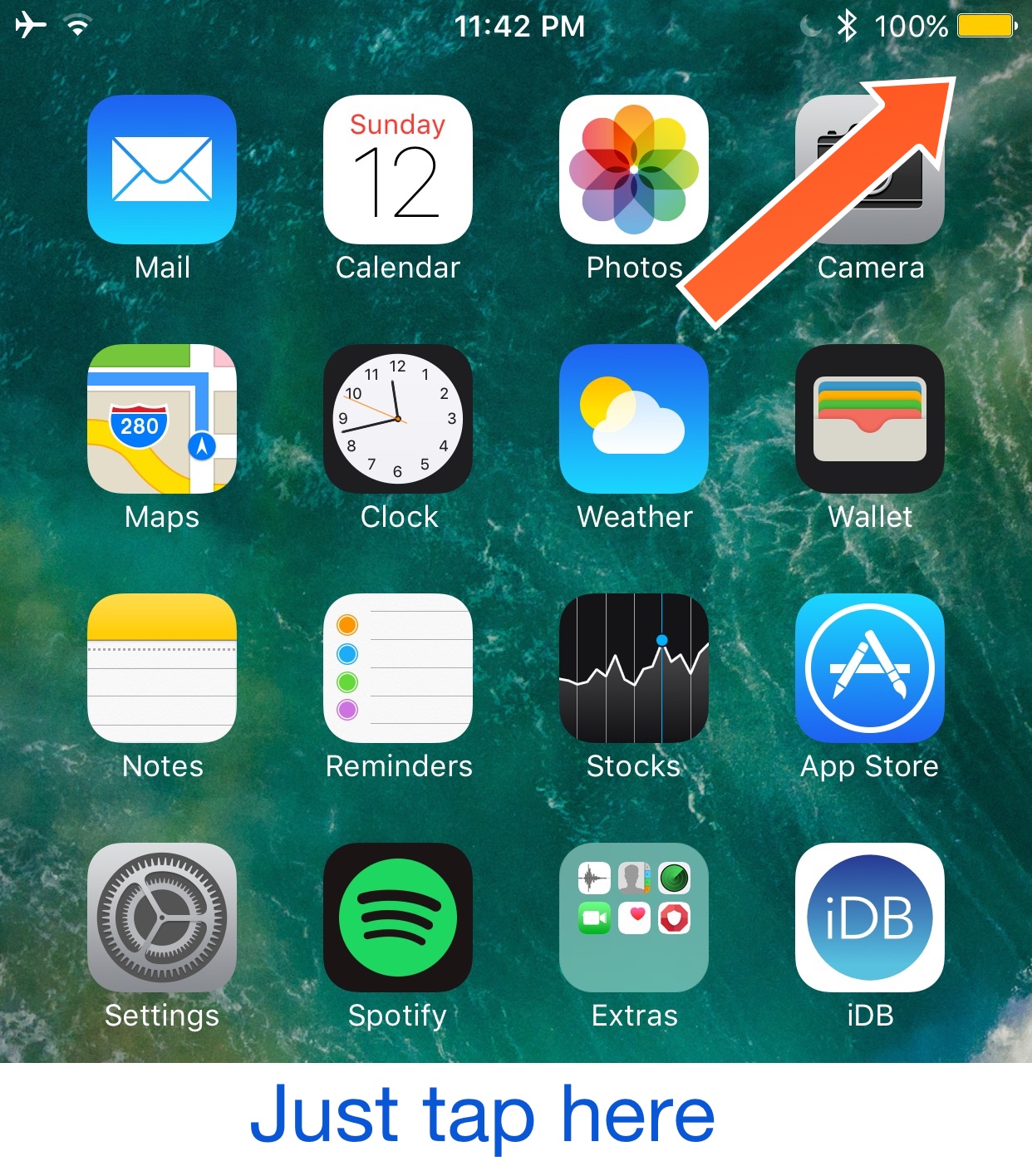
QuickPowerMode toggles Low Power Mode when you tap on the Status Bar battery icon

If you use Low Power Mode to save power when your battery percentage gets too low for comfort, but hate how cumbersome it is to turn the feature on, then a new free jailbreak tweak called QuickPowerMode by Olxios&Nico should be the next thing you install on your jailbroken iPhone.

This tweak makes it easier to toggle Low Power Mode. With it, all you have to do is tap on the battery icon in your Status Bar, and this turns the feature on or off.

Acapella III lets you control your music with gestures instead of buttons

Music lovers can make great use of Acapella III, the third iteration of the popular jailbreak tweak series by Pat Sluth that gives power users a way to do more from the Now Playing interfaces in iOS by way of gestures.

You can use these gestures throughout iOS, whether you’re in Control Center, on the Lock screen, or viewing the Now Playing interface or the mini player in the Music app, and as a result of the new gesture-driven music controls, most of the button-based controls are removed from the iOS interfaces.

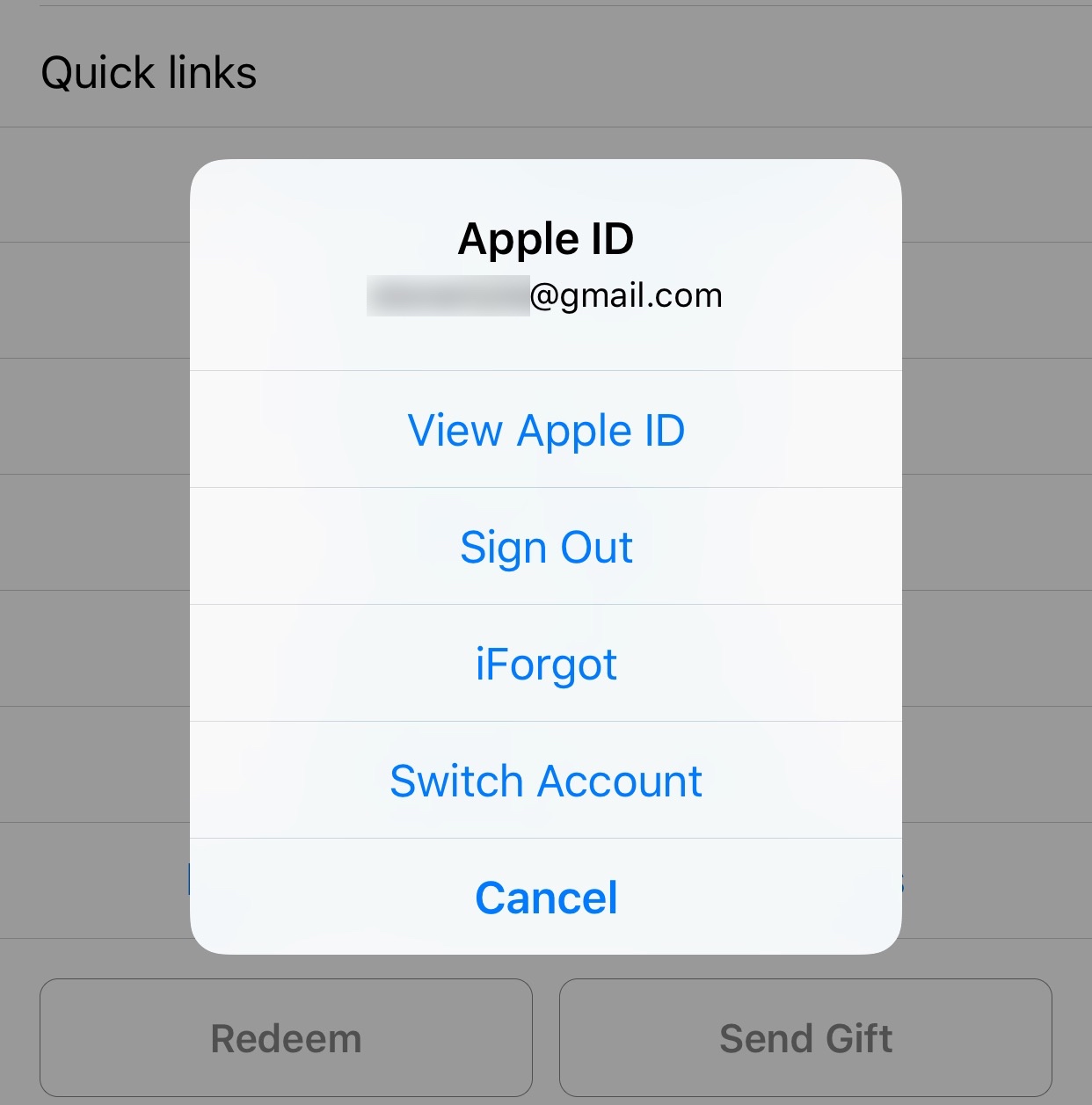
StoreSwitcher lets you easily switch between App Store accounts

If you have more than one Apple ID associated with your iPhone for downloading apps from the App Store, then having a way to switch between your accounts more easily might be at the top of your wish list.

A new jailbreak tweak called StoreSwitcher by iOS developer Ori Kadosh is a new release that was designed with these kinds of people in mind.

BlurTouchClean removes the blur from your Home screen’s 3D Touch menu backgrounds

Anyone with a 3D Touch-enabled device is likely familiar with the bevy of menu options that can be revealed by imposing a simple 3D Touch gesture on apps from the Home screen.

Whenever one of these 3D Touch menus is revealed, iOS blurs the background to draw your focus to the menu, but a new free jailbreak tweak called BlurTouchClean by CydiaGeek can remove the blur effect so you can continue to see everything residing behind the menu.

Falcon supercharges your Lock screen and Notification Center

The creativity surrounding a number of the jailbreak tweak releases for iOS 10 so far has been quite impressive, but perhaps one of my favorites yet is one called Falcon by iOS developer Logan O’Connell.

With Falcon, you will be supercharging your Lock screen and Notification Center interfaces with a ton of new features; among those are a web browser, a note taker, and a toggle page.