Accessibility

Make your Status Bar’s Breadcrumb links look better with Croutons

One of the more useful features Apple integrated into iOS is the Breadcrumb link function, which is accessible from the Status Bar. With it, you can go back to previously-used apps more quickly after you’re redirected to another on your device.

Despite how handy it is, people aren't so fond of their Status Bar getting cluttered up with extra text. Fortunately, iOS developer Sticktron found an aesthetically-pleasing way to improve your Breadcrumb link trail in his new free jailbreak tweak dubbed Croutons (iOS 9/10).

Get Me Home lets you summon a Lyft or Uber right from Spotlight

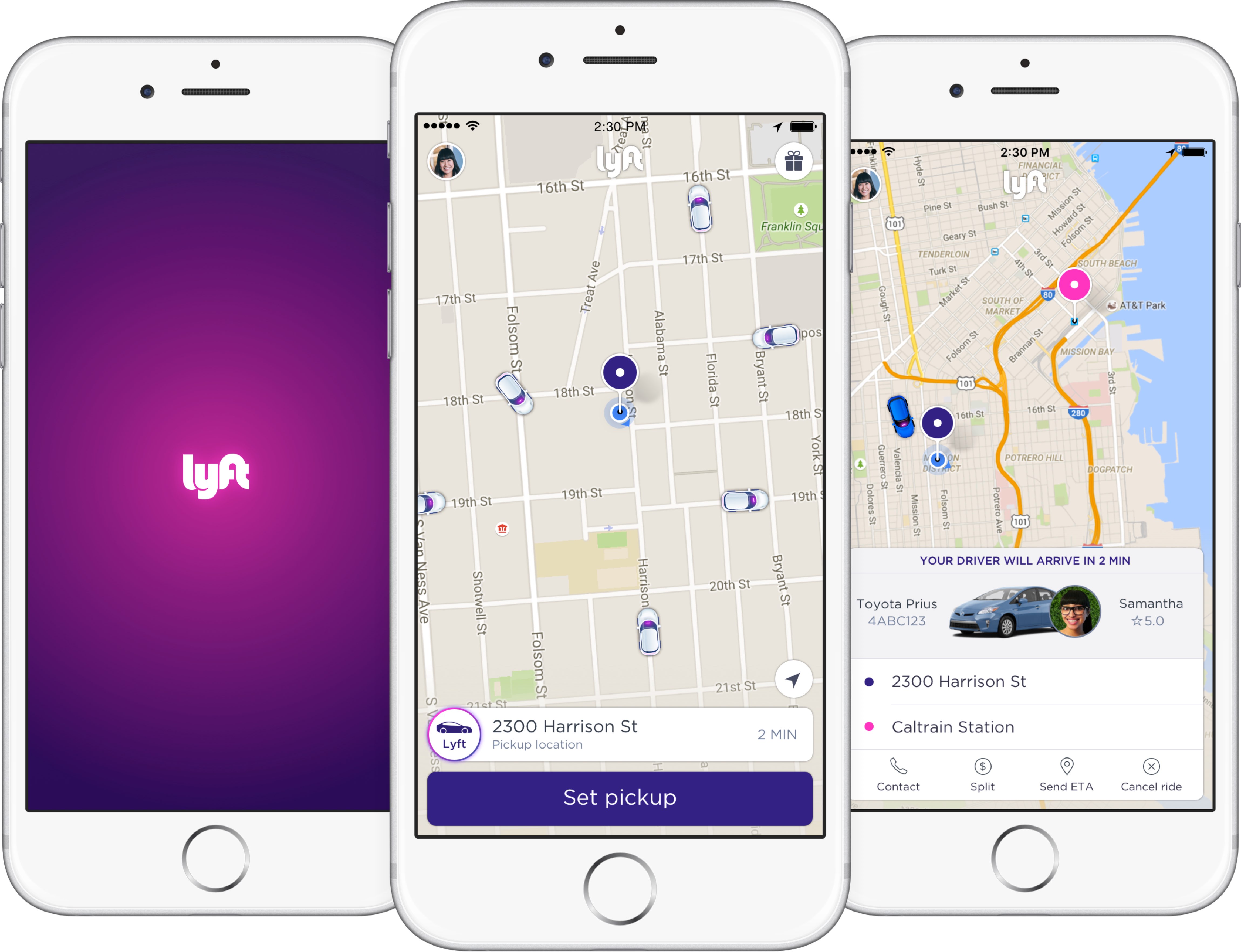
Sometimes you need to get home, and whether you’re too intoxicated because you had one too many drink or you’re just too tired to drive, both Lyft and Uber offer convenient transportation services to get you from point A to point B safely.

Both services have apps to make summoning transportation easy for you, but if you want to make things even easier, then you might like a new jailbreak tweak called Get Me Home by iOS developer Tom Effects.

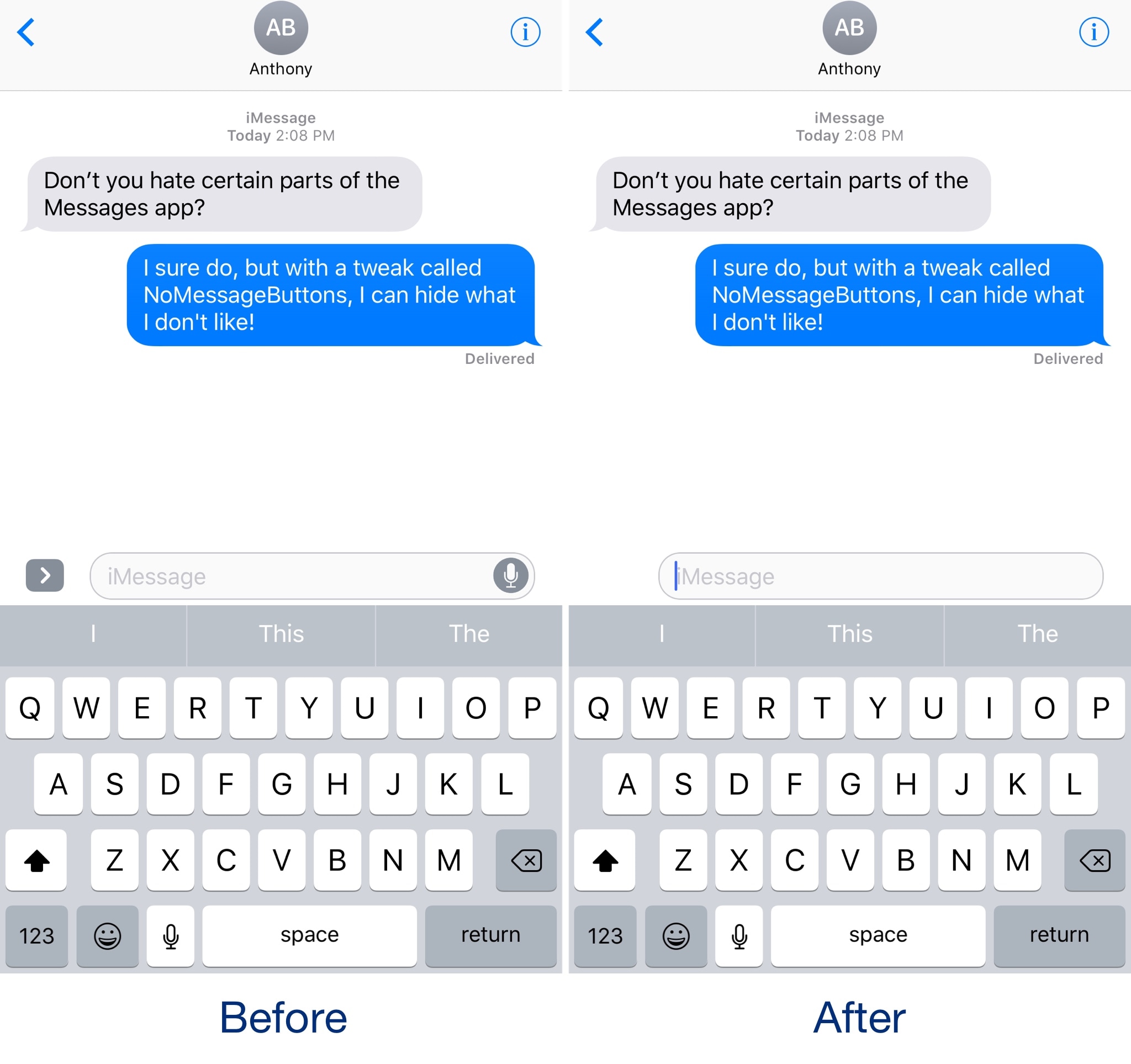
Hide unwanted features from the Messages app with NoMessageButtons

The Messages app gets more new features with each iteration of iOS, but whether you use all those features continues to be a pressing question that needs to be explored.

If you feel like you don’t use all the modern features in the Messages app, you can use a new free jailbreak tweak called NoMessageButtons by iOS developer NeinZedd9 to remove extraneous buttons from the interface and achieve a minimalist look and feel.

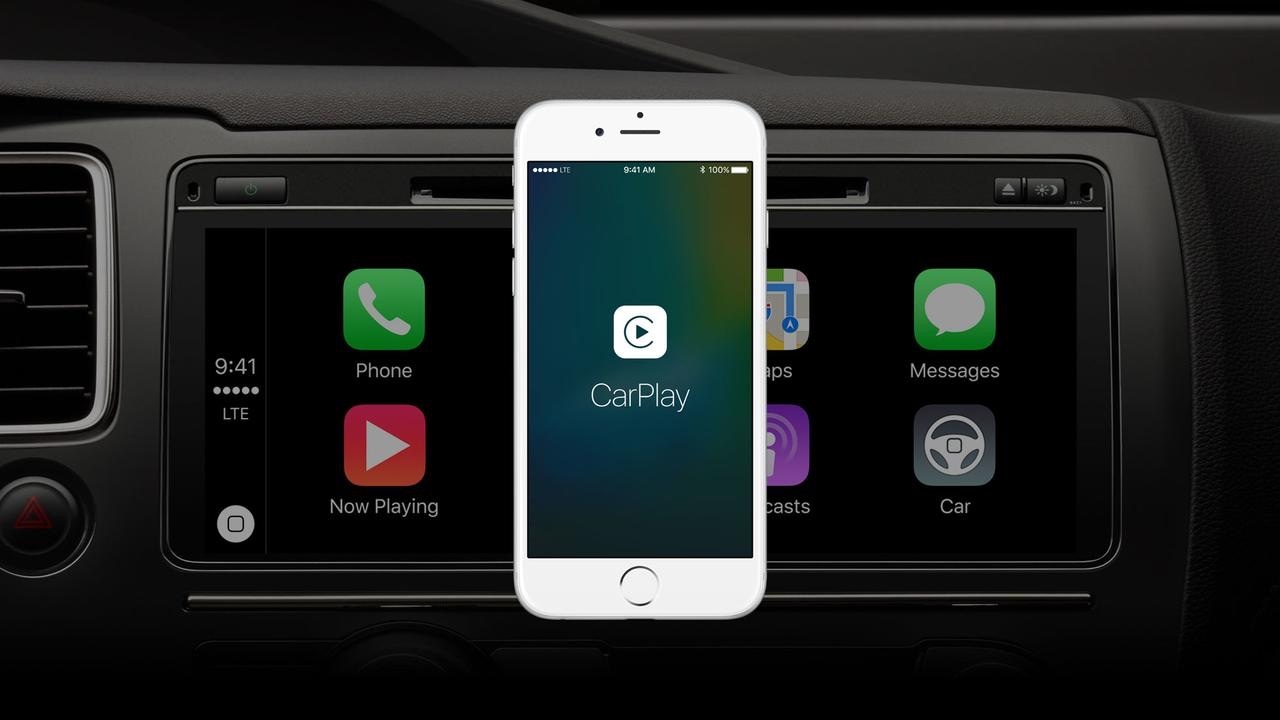
This tweak disables the lockout when connecting your iPhone to a CarPlay unit

When using CarPlay, your iPhone naturally displays the screen you see above for several seconds before automatically falling asleep and kicking you out to the Lock screen.

A new free jailbreak tweak called CarPlay Lockout by iOS developer theo78825 prevents your device from locking you out and rather returns you to the Home screen after a brief display of the CarPlay screen.

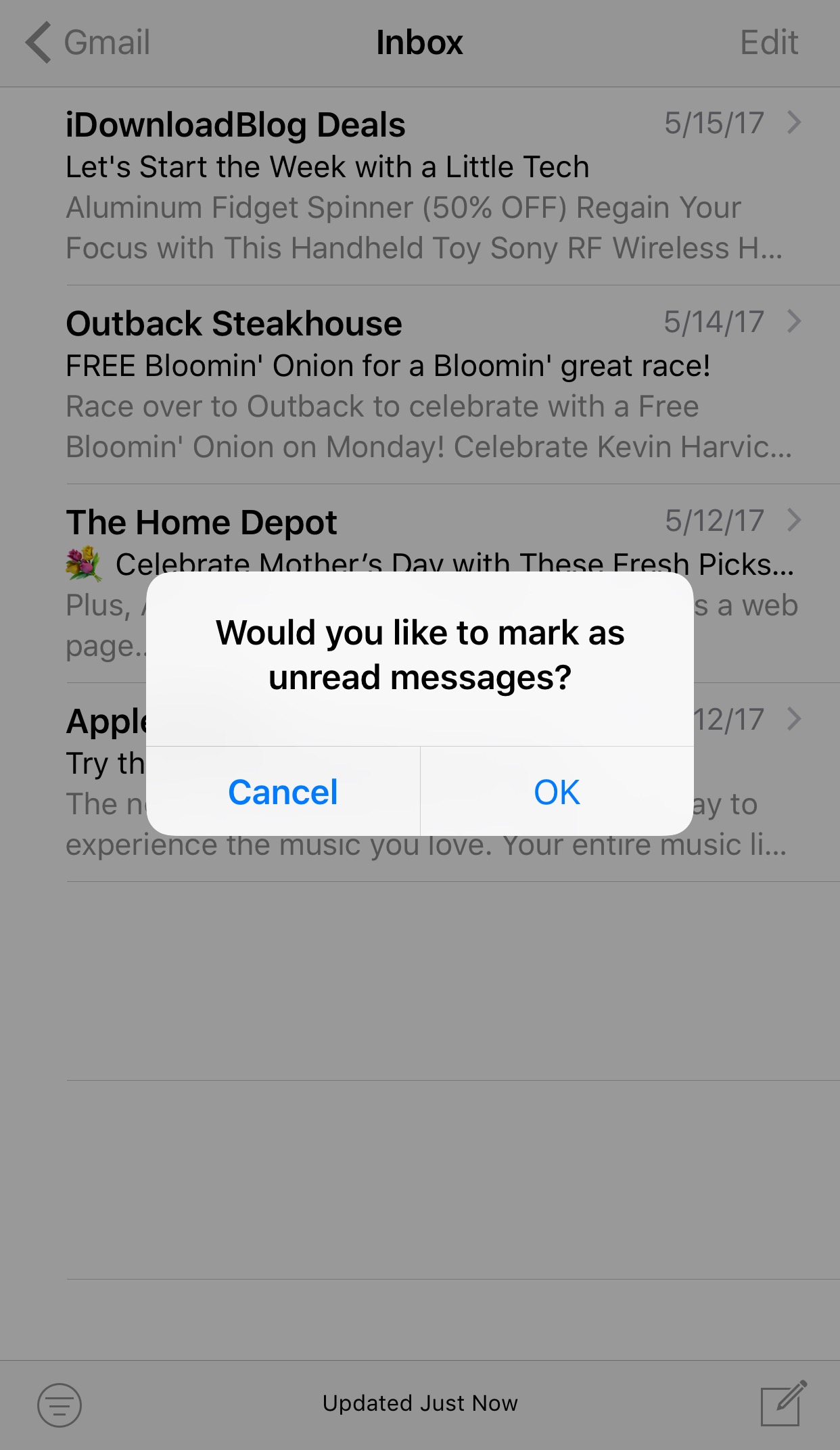
This tweak keeps you from accidentally marking your email inbox as unread

A lot of times we perform bulk actions in the Mail app with the intention of saving time, but sometimes we make mistakes, like marking all the emails in our inbox as unread by accident.

A new free jailbreak tweak dubbed Mark as Unread Alert by iOS developer i4M1k0SU helps mitigate the changes of this accident from happening by forcing you to confirm your action before it takes effect.

New jailbreak tweak brings a MacBook Pro-style Touch Bar to your iPhone

The Touch Bar is perhaps one of the most innovative new features of the latest model of MacBook Pro, but a new jailbreak tweak dubbed TouchBar by iOS developer LaughingQuoll aspires to bring a similar feature to jailbroken iOS devices.

After installation, the tweak essentially hides out at the bottom of your device’s display in all interfaces. This makes it easy to get to, enabling you to access its shortcuts with ease, no matter what you might be doing.

Stevie Wonder performed at Apple’s headquarters to celebrate Global Accessibility Awareness Day

Marking one of Apple's traditional “Beer Bash” celebrations, multi-platinum Grammy-winning artist Stevie Wonder performed this week at Apple's Cupertino headquarters at One Infinite Loop.

The corporate event for company employees was organized in recognition of Global Accessibility Awareness Day, a global initiative focused on digital access and inclusion of people with different disabilities.

Apple CEO Tim Cook tweeted out an image of himself and Wonder hugging onstage as a thank you to the artist. “Thank you to the incomparable Stevie Wonder for lifting hearts and celebrating accessibility with us,” reads the tweet.

Prior “Beer Bash” celebrations at Apple's headquarters included performances by Maroon 5, One Republic, Darius Rucker and other music artists.

https://twitter.com/cookiecrook/status/865371872723992576

“There's nothing on iPhone or iPad that you can do that I can't do,“ Wonder, an Apple fan, said in 2011 commenting on the assistive technologies built into iOS and macOS.

The artist sang in Apple's “Someday at Christmas” 2015 holiday commercial.

Wonder is blind so having him perform on Global Accessibility Awareness Day is fitting.

Apple celebrated Global Accessibility Awareness Day with a series of inspiring videos highlighting assistive technologies built into its platforms, the accessibility-focused “Today at Apple” sessions at Apple Stores, an App Store section highlighting some of the best apps for people with disabilities and three Tim Cook interviews with accessibility activists.

Microsoft refreshes OneNote apps with new design and accessibility features

Software maker Microsoft on Friday rolled out new versions of its note-taking apps for iPhone, iPad, Apple Watch, Mac, Android, Windows 10 and the web. OneNote's interface has been tidied up and navigation improved in the latest release.

The app now includes new assistive features to help users with disabilities.


OneNote's revamped interface makes organizing your notes easier than before with an improved layout. You'll notice that the reworked interface puts your content front and center, with all of the notebooks, sections and pages moved to columns on the left side of the app.

This allows for efficient organization of your notebooks.

The company celebrated the redesigned OneNote launch with the following video.

https://www.youtube.com/watch?v=fmGVp76WyIU

The newly implemented accessibility features, available across iOS and macOS, let people with various disabilities efficiently navigate the app with screen readers, improved keyboard shortcuts and other assistive technologies.

And with the left-hand navigation controls, screen readers can easily navigate through the app.

OneNote is now available with a consistent experience across devices: with this update, says Microsoft, your experience will be the same regardless of what device you happen to be using.

The new redesign for OneNote is rolling out for Windows 10, Mac, iOS, Android and on the web over the coming weeks so check back later if it's not live yet.

OneNote for iPhone, iPad and Apple Watch is available free on App Store.

OneNote for Mac is available free on Mac App Store.