Learn how to set up Typing Feedback on iPhone or iPad so the characters and words you type are spoken aloud, which is ideal for people with visual impairments.
How to receive vocal typing feedback on iPhone and iPad

Learn how to set up Typing Feedback on iPhone or iPad so the characters and words you type are spoken aloud, which is ideal for people with visual impairments.
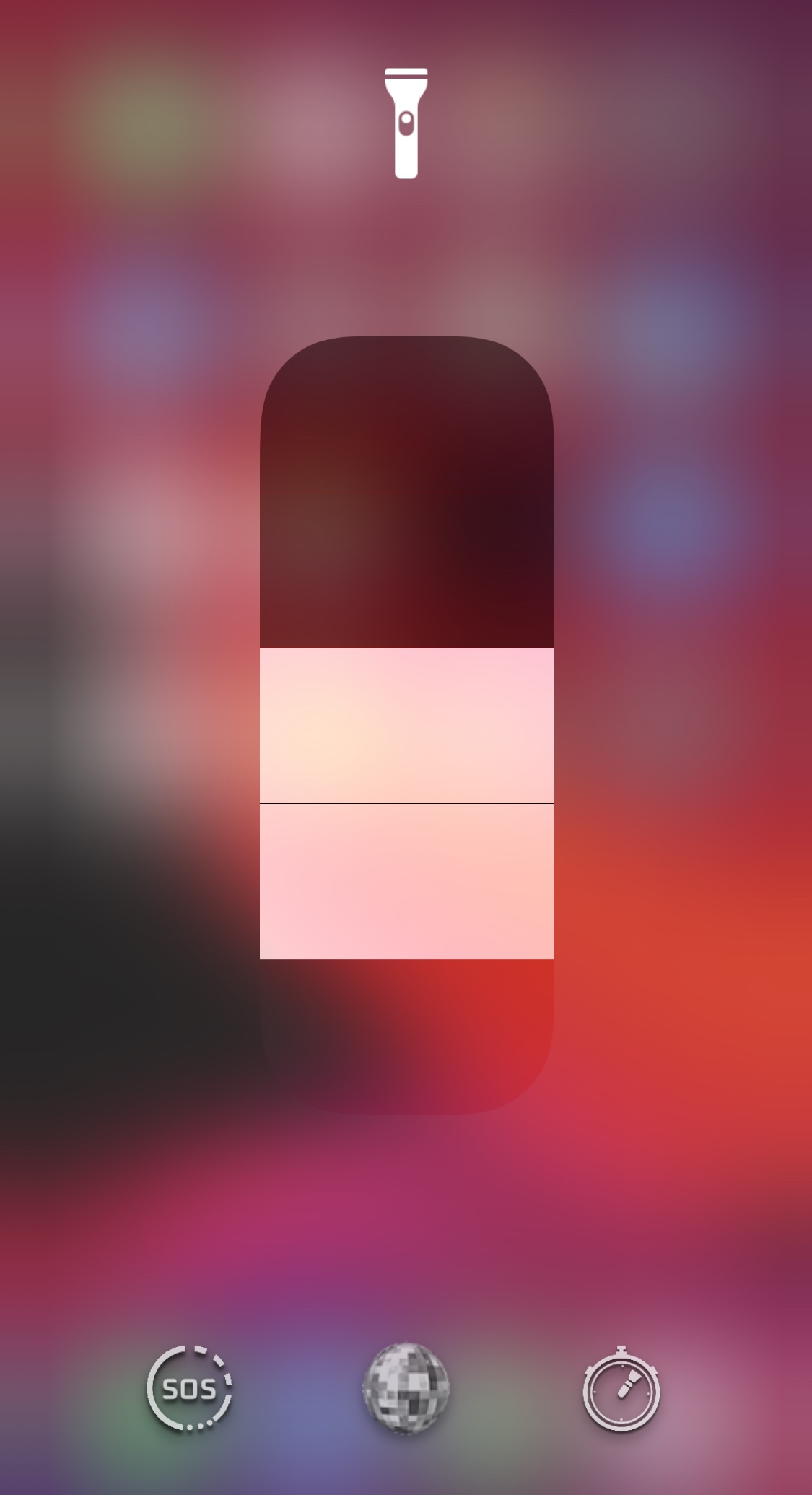
In addition to being a phone and an internet communications device, the iPhone could be described as a digital multitool. A great example is the handset’s rear-facing LED flash, which doubles as a flashlight when we find ourselves stranded in the dark.
Out of the box, a stock iPhone supports use of the aforementioned LED flash as a flashlight via the Lock Screen Quick Action button or the dedicated Control Center module. Users may also adjust the LED brightness in steps if they wish. Unlike a lot of flashlights on the market today, however, the iPhone’s LED flash seems lackluster in the feature department. That’s where a new jailbreak tweak dubbed Tenmetsu by iOS developer Plat-Ykor comes into play.
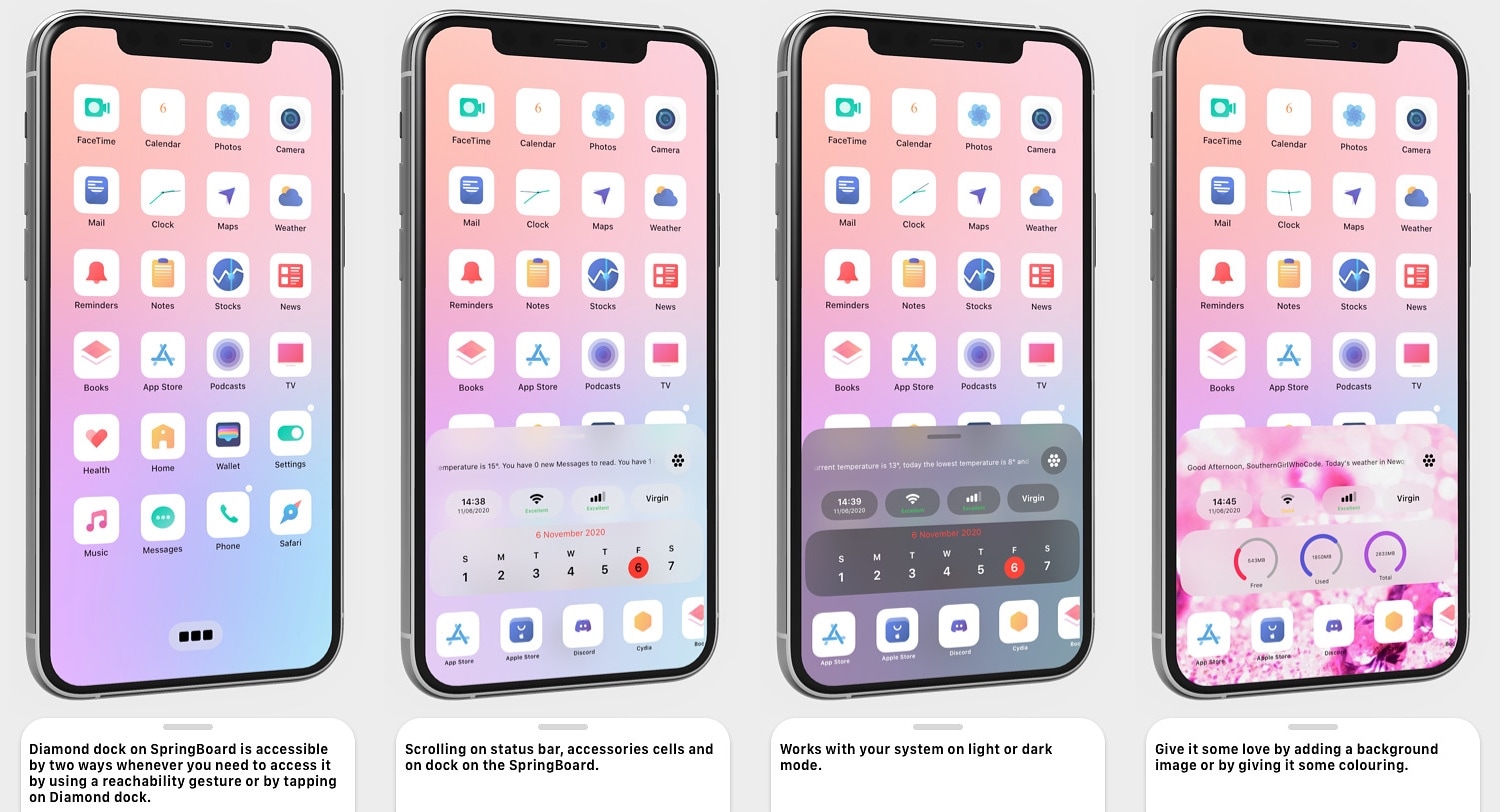
Two things that remain mostly the same since the very first iPhone launched in 2007 are the Status Bar and the Dock. Despite a few minor tweaks and adjustments by Apple over the years, they haven’t changed much, and it’s apparent that many users demand more from these essential interface elements.
Diamond is a newly released jailbreak tweak by iOS developer SouthernGirlWhoCode that re-imagines these interfaces on the iOS platform, and it does so by combining some of the most important features of the Dock and Status Bar into a single, aesthetically pleasing interface that can be customized in a bevy of different ways.

In this tutorial, we will show you how to manage app windows with VoiceOver on Mac. You can use these tips to enter full screen, switch between apps and windows, and resize or move a window.
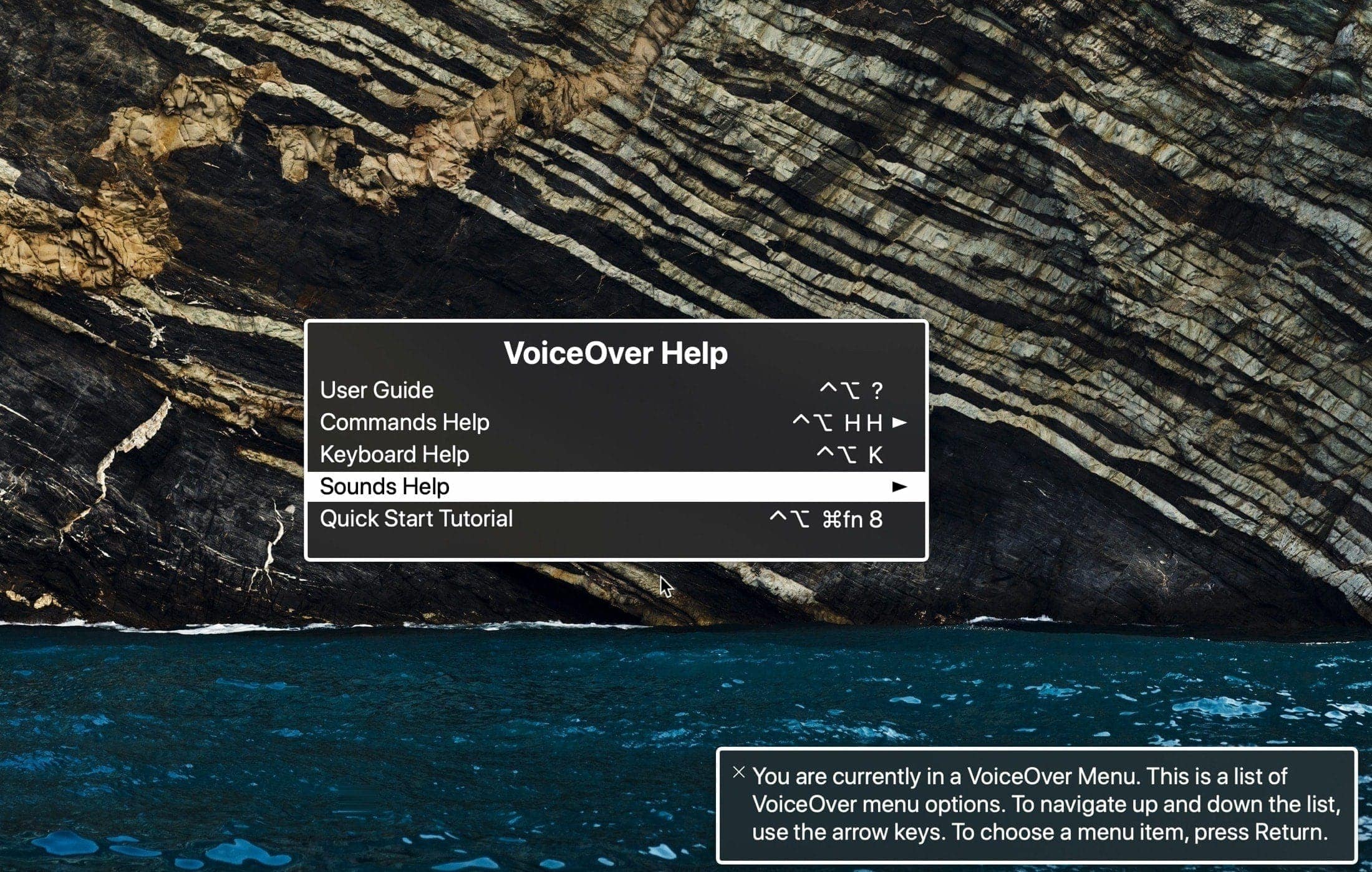
Learn how to open and use the VoiceOver Help and Commands menus on your Mac. These tools can assist you while getting used to the VoiceOver accessibility feature.

As you use the native Photos app on your iPhone or iPad to browse all the pictures you’ve taken yourself or saved from the internet, you’ll notice that iOS imposes limits on just how far that you can zoom in to your images. This has long left me scratching my head, as there are often times when I want to zoom far into a photography to see a small detail more clearly, and many others appear to be in the same boat.
If you agree, then there’s absolutely no doubt that you’re going to love a newly released and free jailbreak tweak called Max Photo Zoom by iOS developer Brandon Robinson. With it, you can bust through Apple’s natively-imposed zooming limits in the Photos app, enabling you to get closer to your photos than you ever have before.
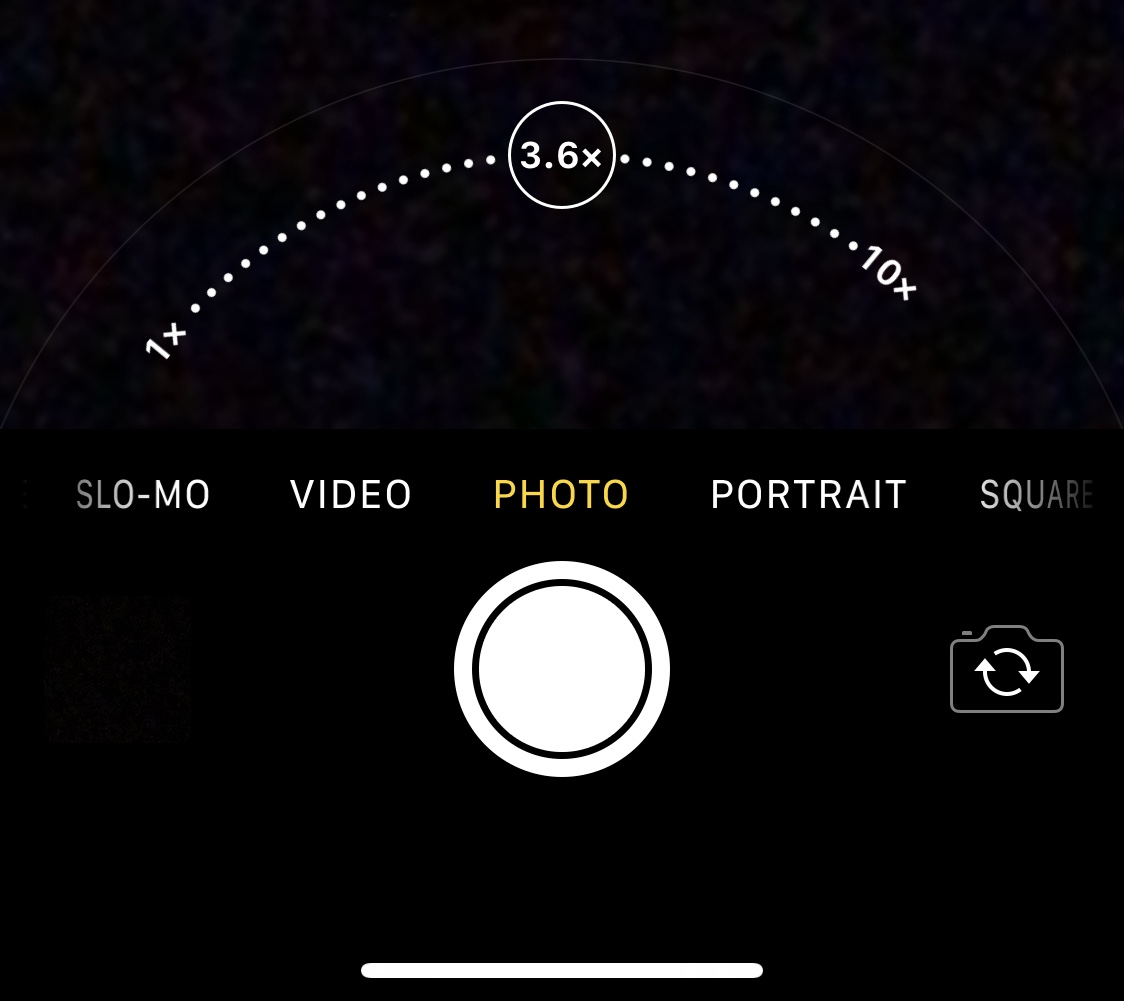
There’s absolutely no question that Apple goes all-in on making the rear-facing camera on its iPhones as powerful as possible through the combination of great hardware and user-friendly software. Unfortunately, it’s blatantly obvious that Apple doesn’t even come close to investing in their handsets’ front-facing cameras, as many seem to lack obvious features such as the ability to zoom while snapping selfies.
Fortunately for jailbreakers, iOS developer Brandon Robinson has released a solution in the form of a new and free jailbreak tweak called Front Zoom Dial. Just as the name implies, Front Zoom Dial adds the familiar zoom capability that we all take for granted from the rear-facing camera to the front-facing camera as well.
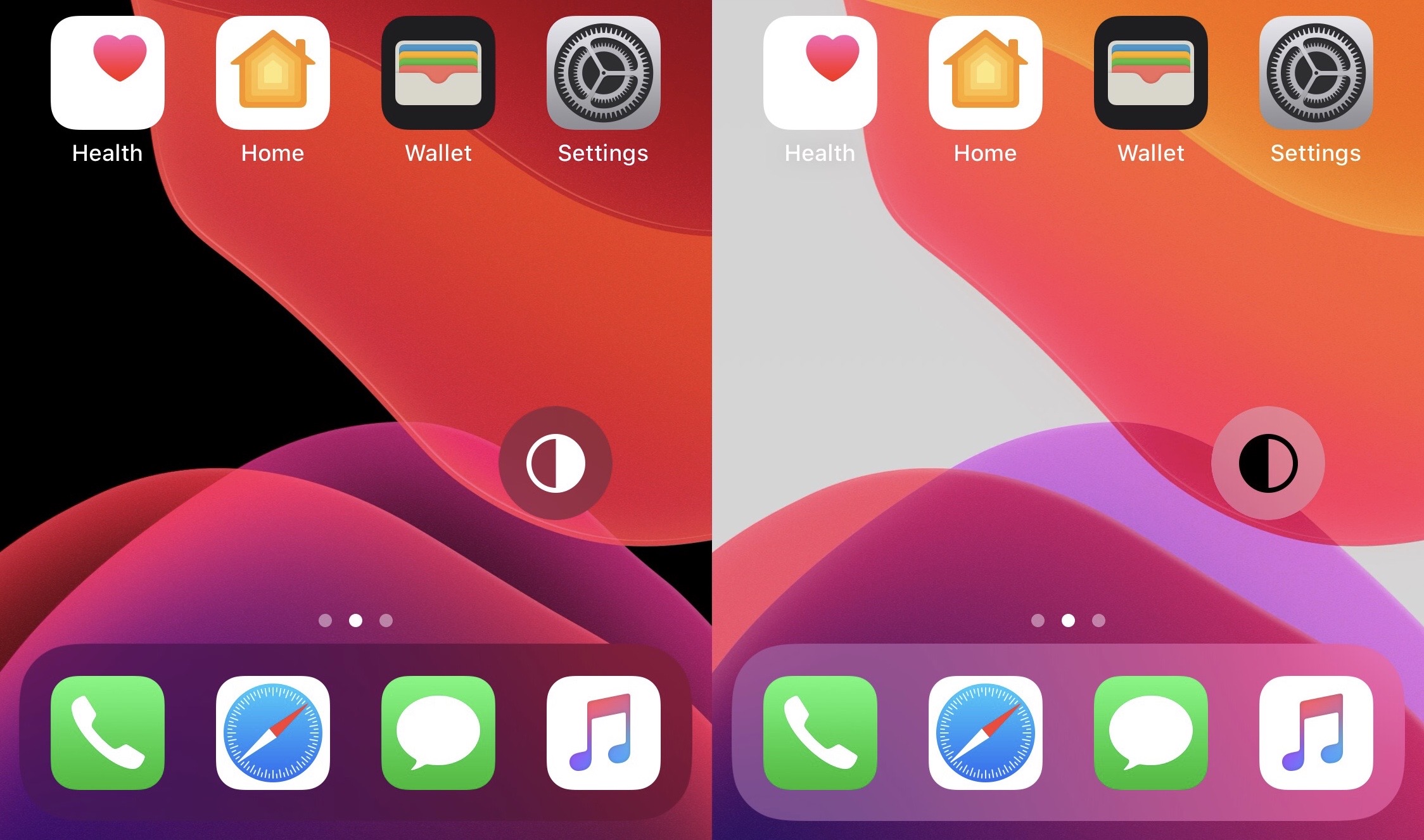
The addition of dark mode support was perhaps one of the biggest new features of last year’s iOS 13 release, and it’d be an understatement to say that Apple delivered a wonderful dark mode-centric user experience. On a stock device, dark mode can be toggled on or off from the Settings app, or via Control Center if the user has added the dark mode toggle module.
But for those who are too lazy to deal with either of the above options, a newly released and free jailbreak tweak called FloatingDarkMode by iOS developer Ethan Whited brings an always-accessible dark mode toggle button to jailbroken handsets that floats over any user interface.

In this tutorial, we’ll show you how to use, change, and lock VoiceOver modifier keys on your Mac to enter VoiceOver commands and make the most use of this accessibility feature.

Are you ready to start using your built-in Mac screen reader? In this quick tutorial, we’ll share how to turn VoiceOver on and off on your Apple computer.
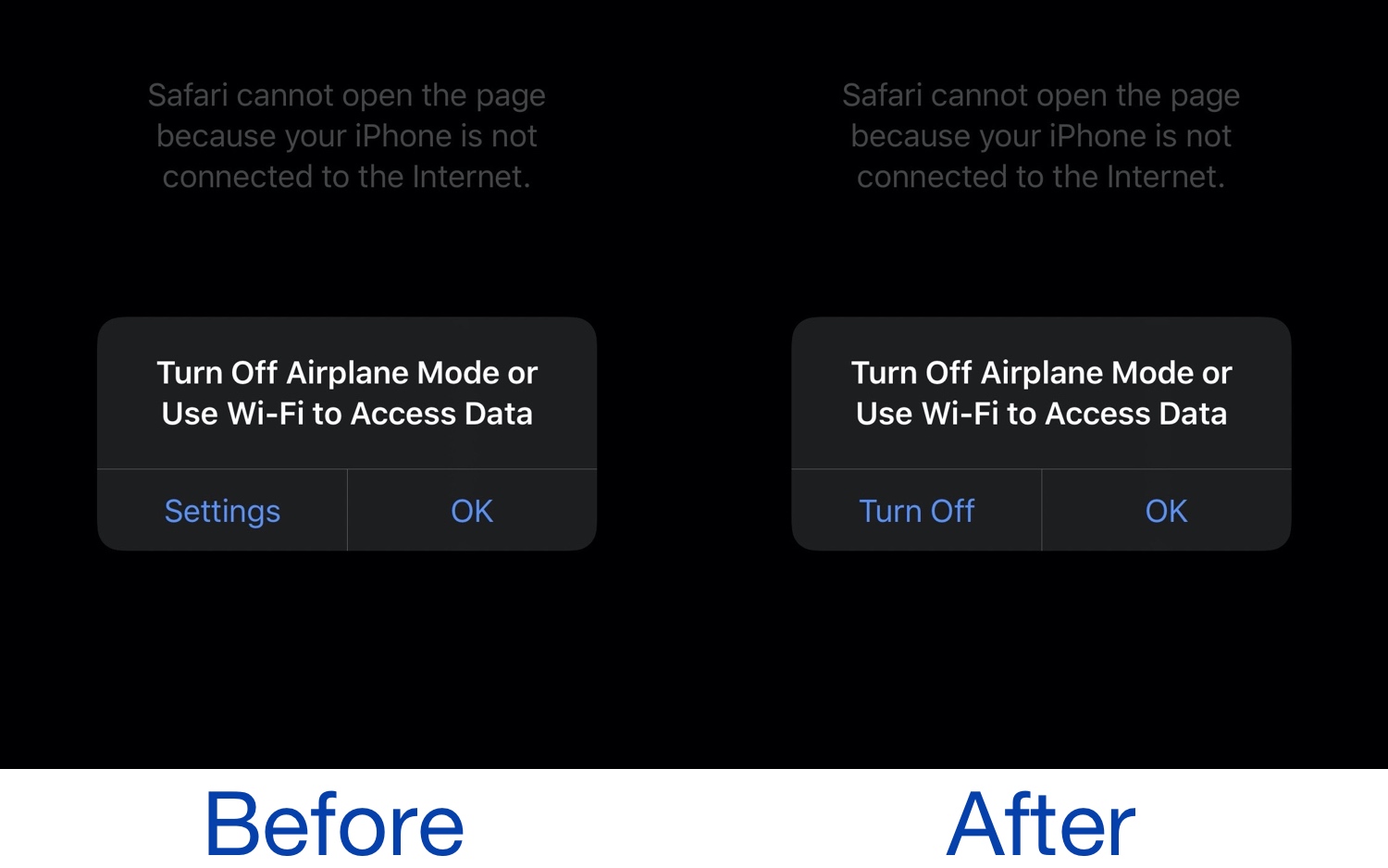
As a frequent user of Airplane Mode on my iPhone, I can truthfully say that Apple’s prompt reminding me to disable Airplane Mode before I can access data is a blatant disappointment. With nothing more than a button shortcut to the Settings app and a cancel button to exit the prompt, it makes the process of disabling Airplane Mode rather cumbersome.
Because of this, a newly released and free jailbreak tweak called EasyAirplaneDisabler by iOS developer AnthoPak seems like it would be a no-brainer for any Airplane Mode user. As depicted in the screenshot examples above, EasyAirplaneDisabler replaces the Settings app shortcut button on the left side of the native prompt with a literal Turn Off button.