Learn about the must-have list of commands you need to navigate the menu bar and the menus within it using VoiceOver on your Mac.
How to navigate Mac menu bar and menus with VoiceOver
Learn about the must-have list of commands you need to navigate the menu bar and the menus within it using VoiceOver on your Mac.
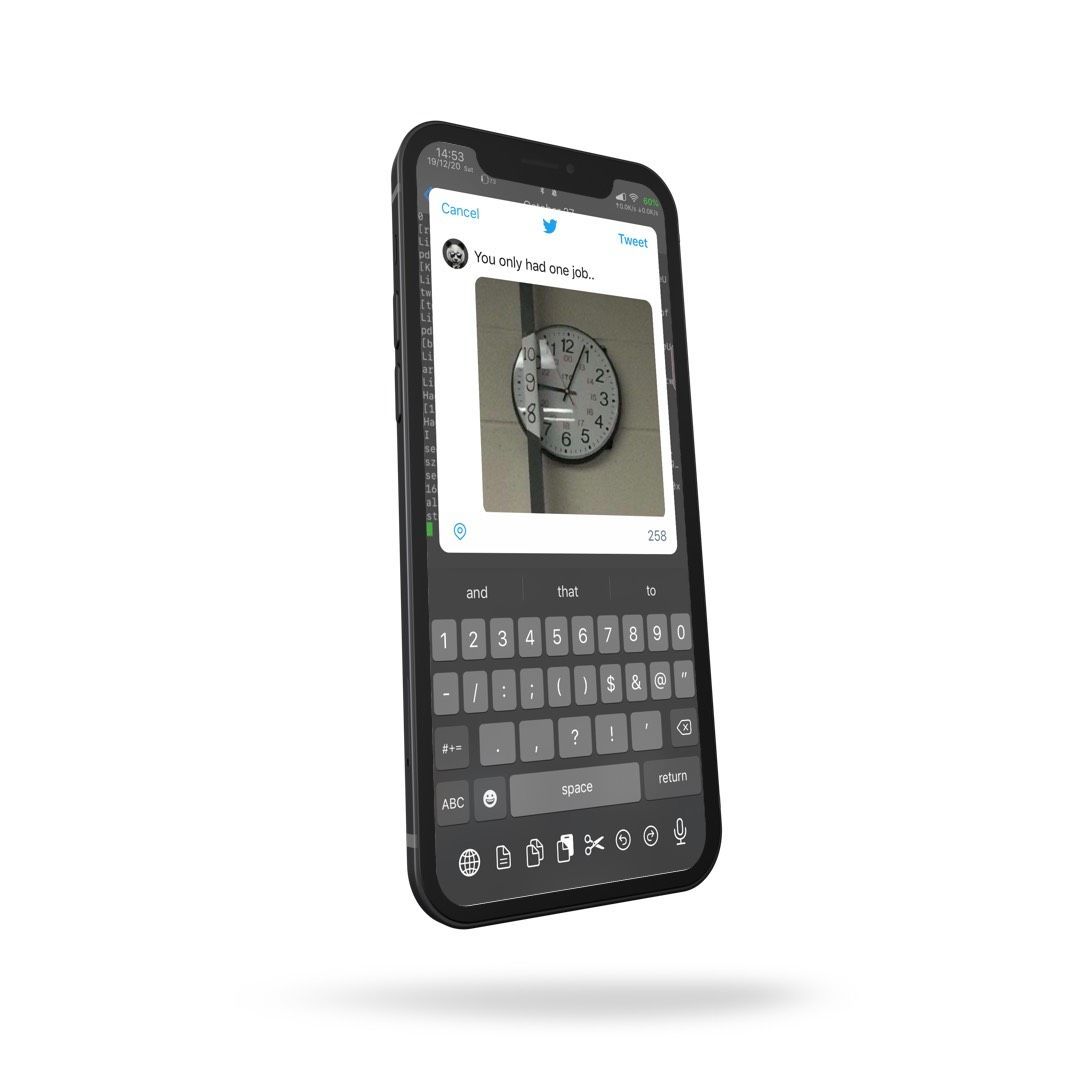
Social media has become such an integral part of peoples’ day to day lives that you’d be hard-pressed to find anyone without an app from this category on their smartphone or tablet. Be it Facebook, Instagram, Snapchat, Twitter, or something else not listed here, the simple fact is many make use of these online tools in an effort to keep in touch with one another when they’re otherwise out of touch.
The Photos app is the best way to peruse the library of photographs you’ve taken, images you’ve saved, and videos you’ve captured via your iPhone or iPad, but that doesn’t mean the app isn’t without its flaws. In fact, there are many ways Apple could make the app better.
iOS developer ahmedmakls realizes the aforementioned fact, and that’s one reason why he just released a new and free jailbreak tweak called PhotosPro. In a nutshell, the tweak offers an allotment of useful features for the native Photos app, allowing you to enjoy more of the app than Apple would typically allow you to.
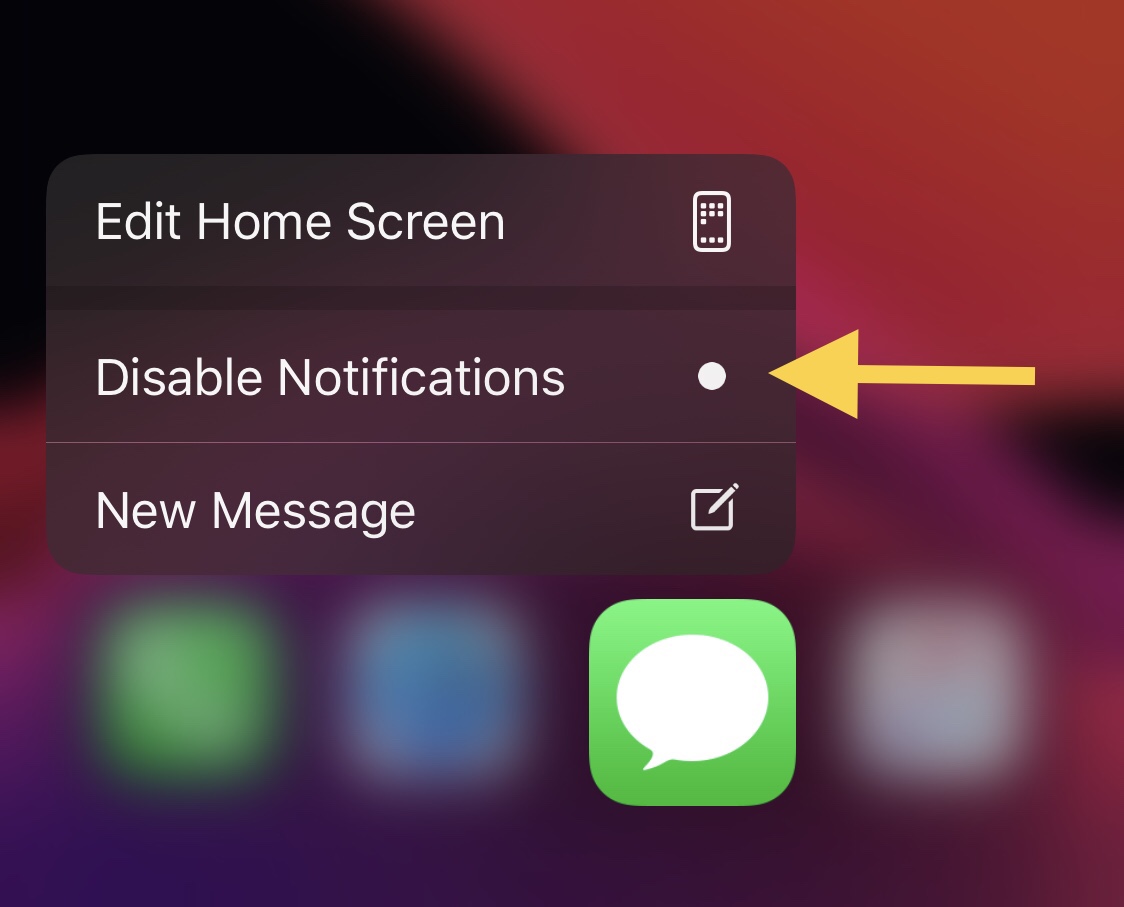
One of the things you can do with a 3D Touch or Haptic Touch-compatible iPhone or iPad is assert a light press or tap-and-hold on individual app icons from the Home Screen to reveal a hidden menu with app-centric options in it. This feature is useful not only because it provides faster access to the most popular features of the app in question, but it can also be a fun way to access them.
While most of these menus sport standard options such as sharing the app, removing the app, or editing the Home Screen, users may also find app-specific options when performing these gestures on apps in which the developer has devoted time or effort into implementing specialized options. Interestingly enough, a newly released and free jailbreak tweak dubbed Quiet by iOS developer Greg0109 can add another handy feature to these menus: the ability to mute notifications for that specific app.
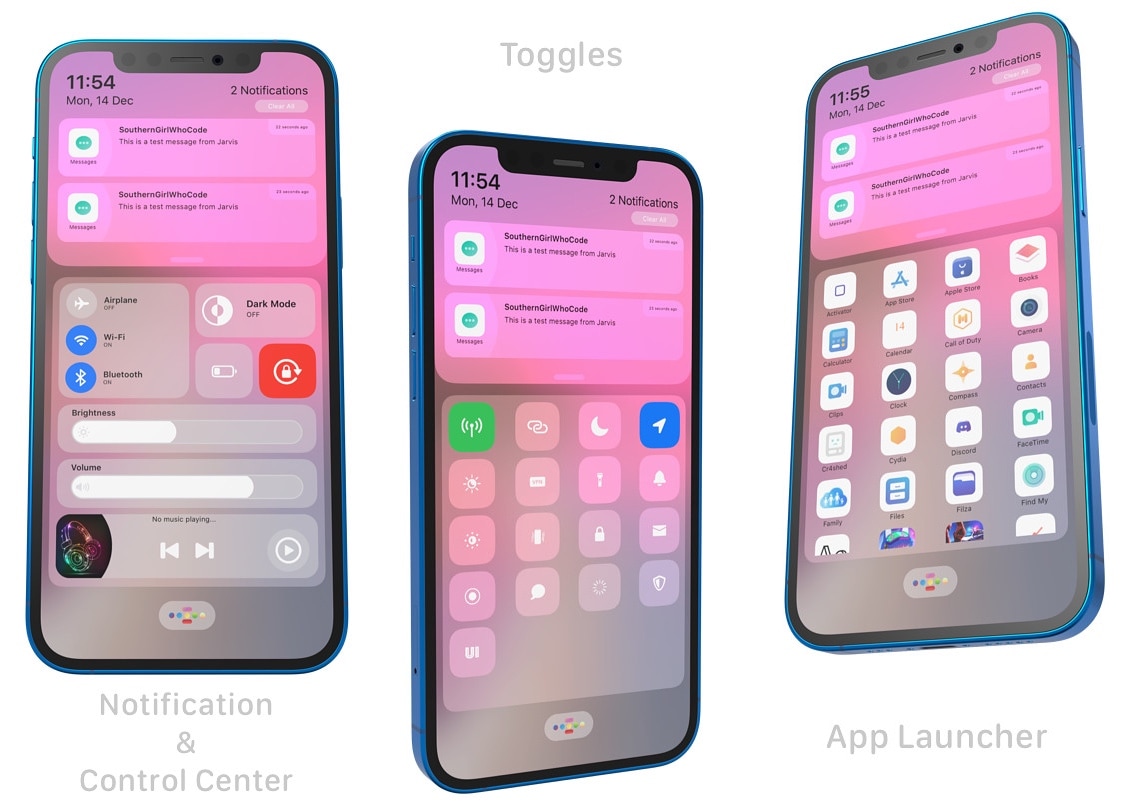
The jailbreak community exists because users demand more from their handsets’ user experiences than the manufacturer might be willing to provide out of the box. The iPhone is no different, and Apple knows that.
The latest jailbreak tweak release to elevate the iOS user experience beyond that of what Apple offers on a stock handset is one called Jarvis by iOS developers SouthernGirlWhoCode and MeBlackHat. Jarvis provides the end user more convenient access to a slew of useful features in such a way that the tweak could only be described as an all-in-one command center.

In this tutorial, we will show you how to customize the settings for VoiceOver announcements and hints on your Mac to fine-tune your experience.
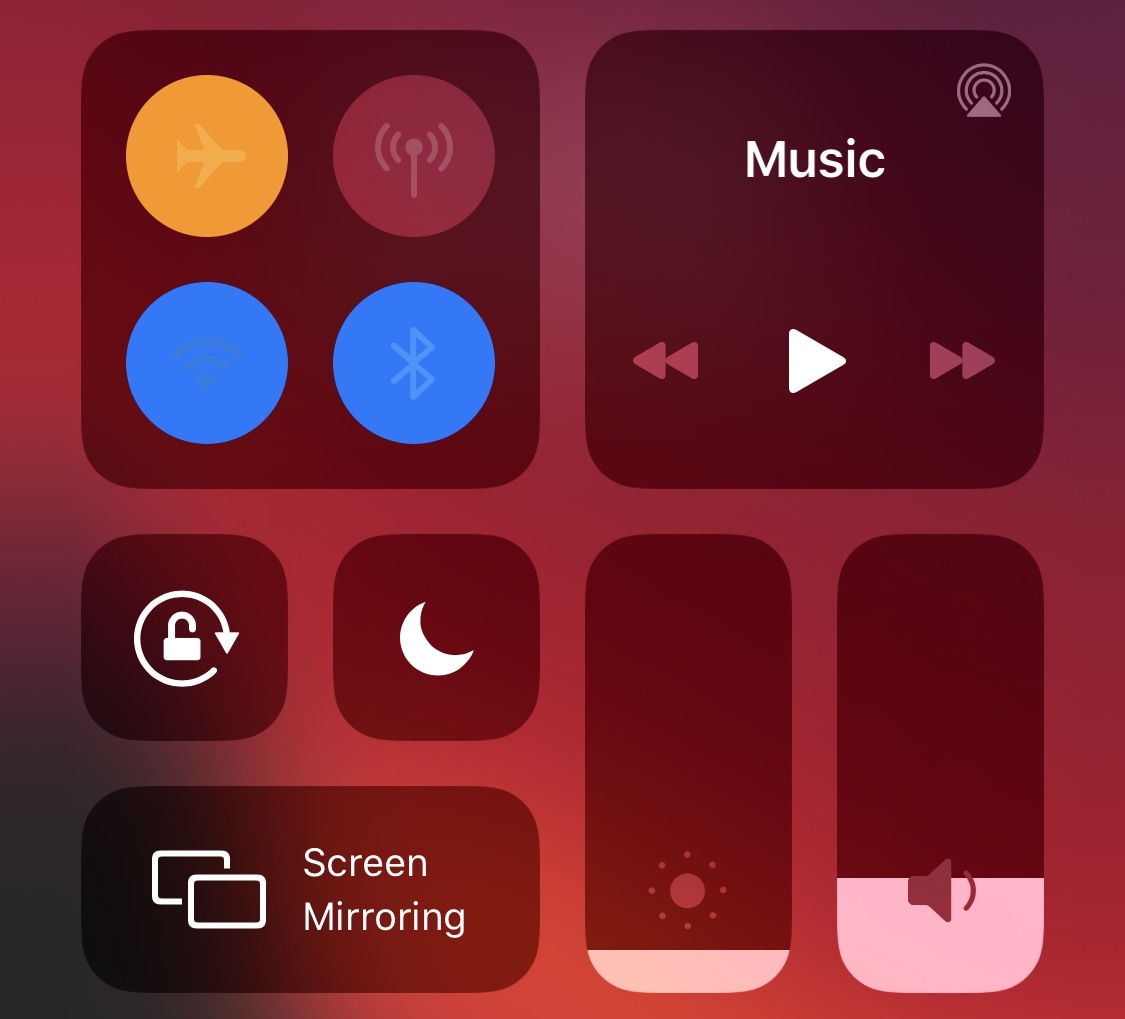
I love how convenient Control Center makes it to toggle my iPhone or iPad’s controls on or off in a pinch, but I’m almost certain that anyone who’d grab my iPhone when I’m not looking might feel exactly the same way. In fact, Control Center makes it far too easy for a thief or mischief-maker to toggle Airplane Mode as a hindrance to handset recovery, and that’s enough to make anyone second-guess the added convenience…
Grounded is a brand new and free jailbreak tweak by iOS developer biD3V that’s designed to prevent such issues from living rent-free in your head. The tweak works by allowing users to make certain Control Center toggles unusable as long as your iPhone or iPad is locked, but they become usable the moment you authenticate yourself.
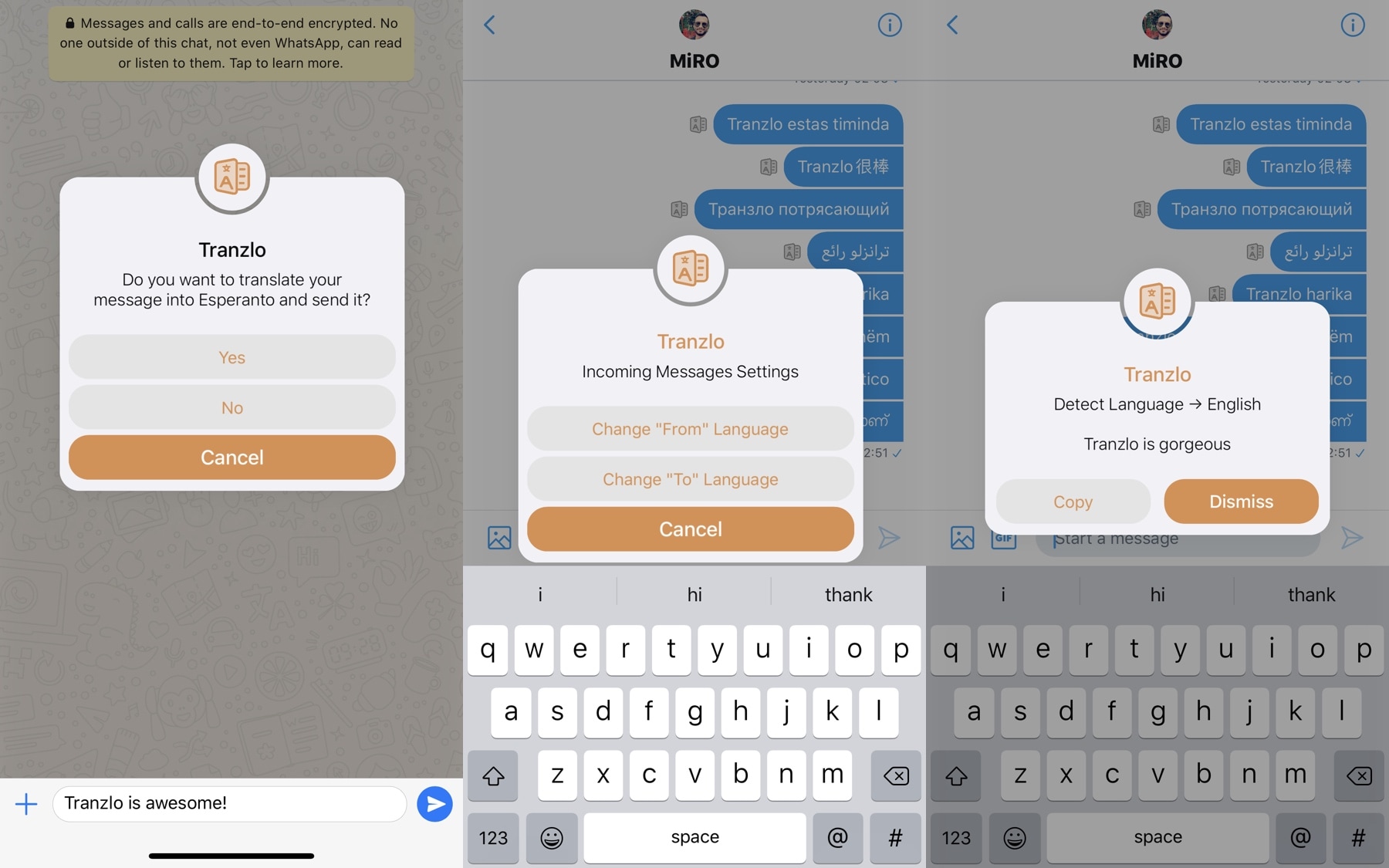
Being bilingual has its perks, but since not everyone has the luxury of knowing more than one language by heart, translation services often lend assistance to those wanting to know how to say something in another language. There’s just one problem: accessing said translation services can be cumbersome, often requiring the user to visit a website or switch to another app.
Here to help with the aforementioned dilemma is Tranzlo, a newly released and free jailbreak tweak by iOS developer MiRO92 that aspires to make language translation much less of a chore on iPhones and iPads.
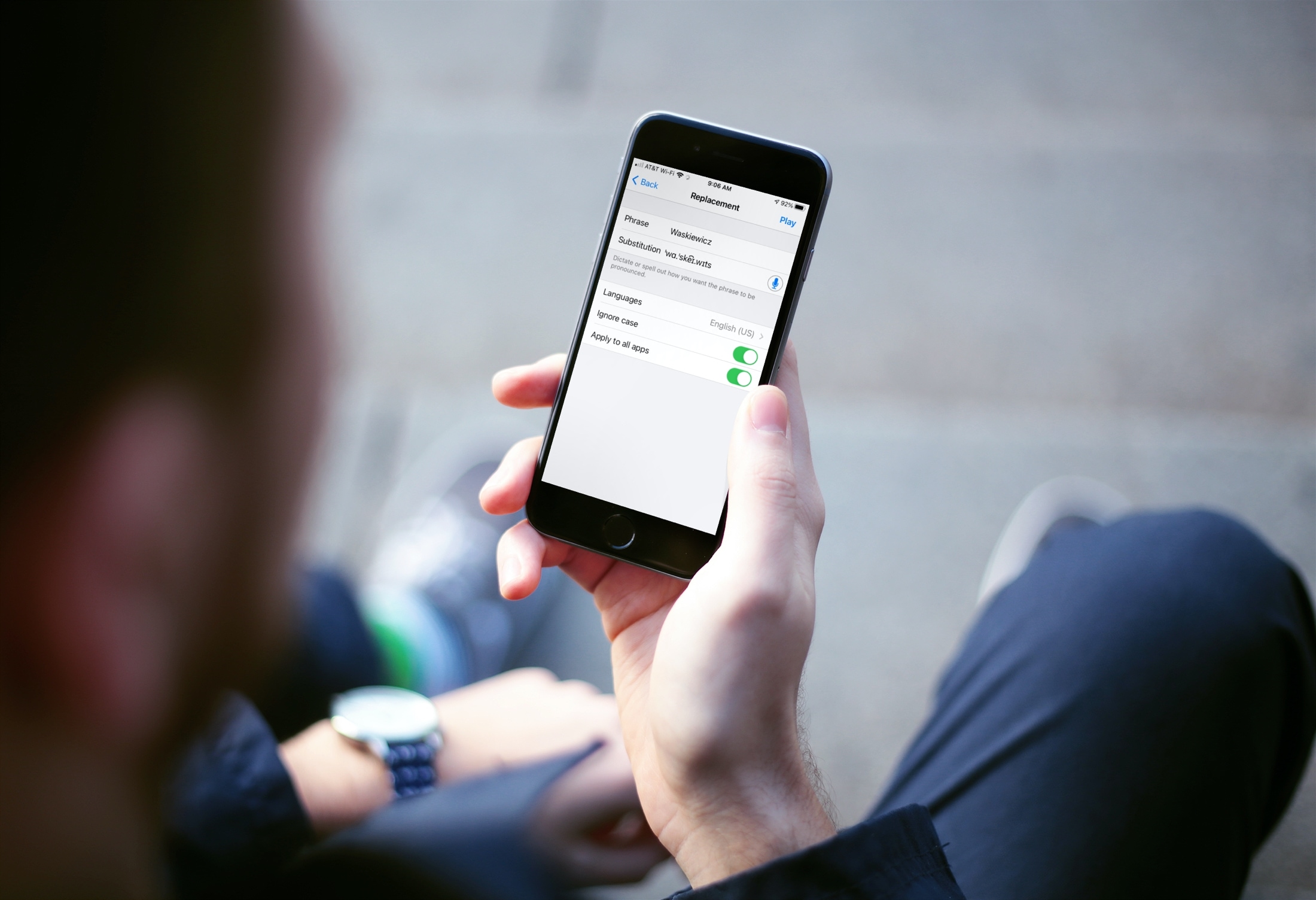
Learn how to add your own pronunciations on iPhone and iPad for words or phrases you want spoken a certain way.
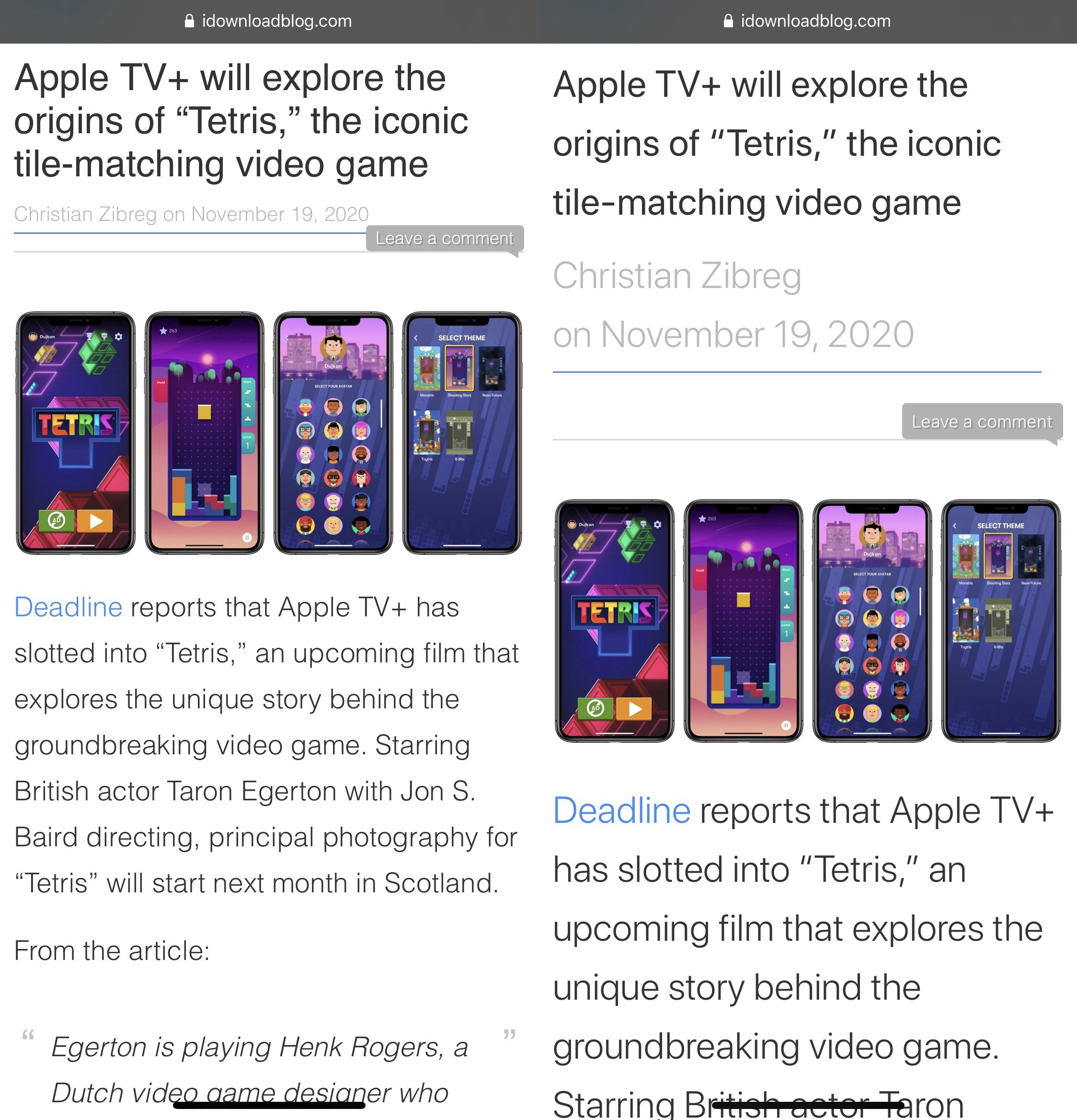
Those suffering from impaired vision may find it more challenging to read web pages in the Safari web browser on the iPhone and iPad. While pinch to zoom offers a viable short-term solution, it doesn’t necessarily make reading websites with tiny text any less cumbersome because users would still need to pan and scroll around on the website to keep zoomed text in sight while reading.
SafariReader is a newly released and free jailbreak tweak by iOS developer ljinc that sets out to offer a more ideal solution to the aforementioned qualm. It does so by empowering the user to adjust the website’s text zoom level with nothing more than a double-tap.

If you're using an MFi (Made for iOS)-certified hearing device with an iPhone, you'll be delighted to learn that Apple is aware of the sound quality issue and will fix it in a future software update.
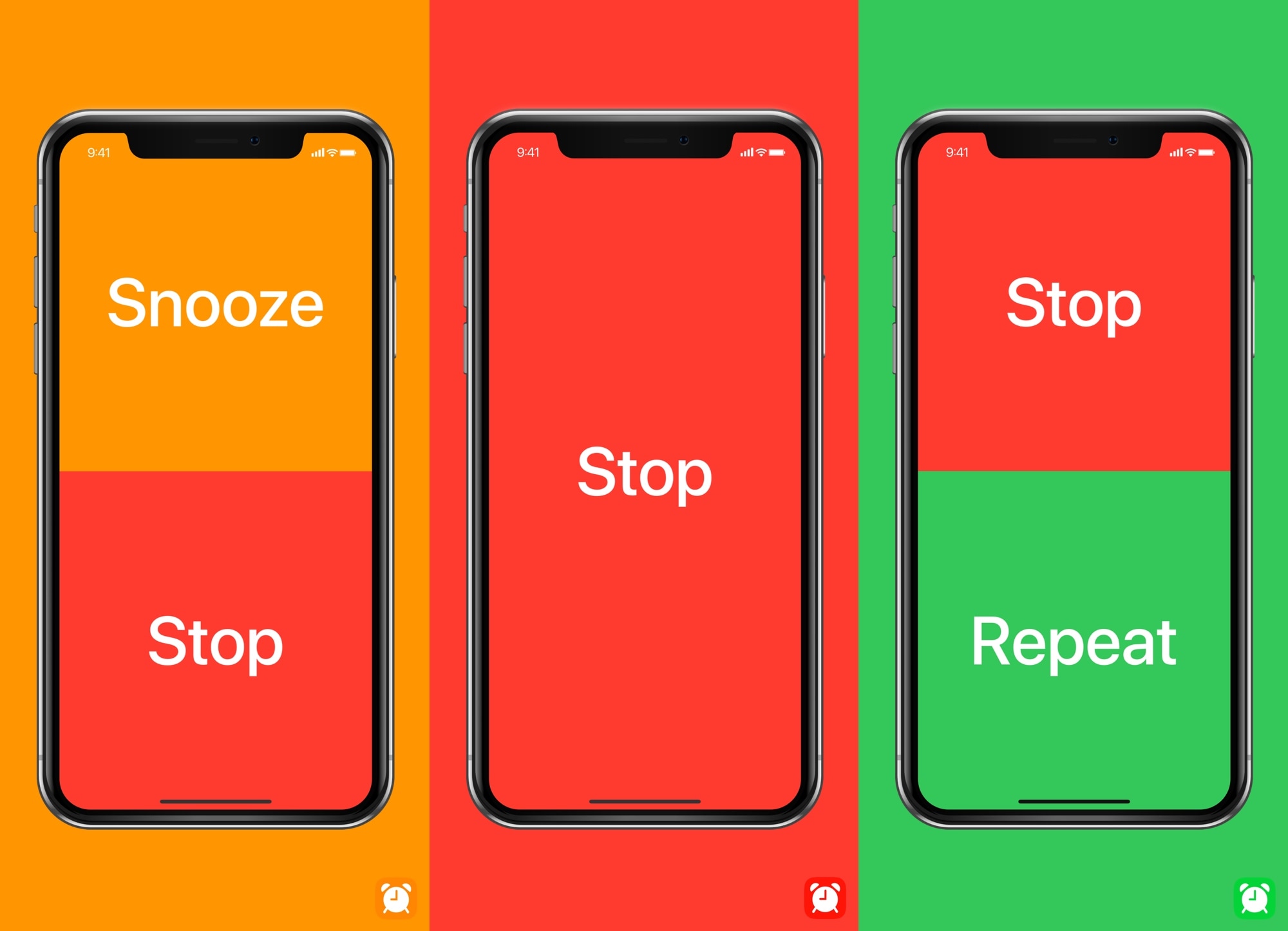
Anyone who uses their iPhone’s native alarm feature to wake up each morning probably understands the struggle of trying to turn the obnoxious noise off when it begins firing. On the other hand, you might only be half-awake when you attempt to do so, resulting in repeated blind taps on your nightstand only to find that you continuously miss the correct button to stop the alarm.
BigSnooze is a new jailbreak tweak developed by Cole Cabral that tries to remedy this problem by making the snooze and stop buttons easier to tap when you’re on the cusp of awake and incoherent while the alarm fires at the crack of dawn. The result? No more tapping around and missing the desired button with your finger when you’re groggy.