Mac

Stay up-to-date on the latest Mac news, and tutorials. Get expert tips and tricks to optimize your Mac’s performance and learn about the latest Apple products and software updates. Discover the best Mac apps and accessories to enhance your user experience.

Calcbot by Tweetbot creators leaps onto the Mac

Developer Tapbots has made a name for itself with an excellent Twitter client for the Mac and iOS, Tweetbot. They have other apps in their portfolio, too, and on Thursday released a nicely done Mac edition of Calcbot, an intelligent calculator and unit converter that made its iOS debut in July of 2010.

Despite a somewhat steep asking price, keep in mind that Calcbot combines a compelling calculator and a powerful unit converter into a single, beautifully designed experience.

Calcbot is a $4.99 download from the Mac App Store.

Pixelmator 3.3: Repair Tool extension, Handoff and iCloud Drive support, revamped UI and more

Pixelmator, the popular Photoshop alternative for the Mac and iPad, on Thursday refreshed its desktop application with several improvements and enhancements.

Now available in the Mac App Store as a free update to existing users, the new Pixelmator 3.3 'Limestone' offers a redesigned user interface and a new Repair Tool extension allowing you to quickly fix images in other Mac apps like Mail or TextEdit, without even having to open Pixelmator.

You can now store and access  your images on all devices via iCloud Drive and pick up in Pixelmator for iPad right where you left on the Mac with Handoff. The app also features a redesigned user interface, full OS X Yosemite and Pixelmator for iPad support and more.

Pixelmator for OS X is $29.99 in the Mac App Store.

Pangu team: Mac version of the iOS 8 jailbreak due in a couple of days

Good news for Mac users who have been unable to jailbreak due to the lack of a native Mac jailbreak tool for iOS 8.x: The Pangu team has heard your cries, and is gearing up for an OS X release.

In a Twitter post just a few minutes ago, the PanguTeam Twitter account acknowledged the release of Cydia 1.1.16, and followed that acknowledgement up with some insight on the status of the Mac jailbreak. Have a look at the details inside...

New malware ‘WireLurker’ found infecting Macs and iOS devices in China

Security researchers at Palo Alto Networks say they've uncovered a new malware campaign targeting Macs and iOS that is the "biggest in scale" it has ever seen. Dubbed WireLurker, the malware has infected more than 400 apps in the Maiyadi App Store, a third-party Mac app store in China.

In the last six months, researchers say 467 infected applications have been downloaded 356,104 times, and “may have impacted hundreds of thousands of users.” The scary part is, the malware can be transmitted to a connected iOS device via USB, regardless of whether or not it's jailbroken.

This Chrome extensions lets you open Google Drive files in compatible Mac apps

Google on Wednesday announced a new extension for the Chrome browser which makes it easy to open files stored in your Google Drive in compatible applications on your Mac or Windows PC.

“This includes apps like advanced image and video editing software, accounting and tax programs, or 3D animation and design tools,” wrote the search firm in a blog post.

Simply right-click on the file from Google Drive and select “Open with” to see a list of applications on your computer that can open it. The extension is called “Application Launcher for Drive” and you can download it for free in the Chrome Web Store.

Apple seeds first OS X 10.10.1 Yosemite beta to developers

Apple has seeded the first beta of OS X 10.10.1 Yosemite this evening. The update, labeled build 14B17, is available through the Update tab in the Mac App Store and the Mac Dev Center for all registered developers.

Today's release comes nearly three weeks after Apple officially launched OS X Yosemite to the public, which brought about a number of improvements, including a redesigned UI, text message forwarding and more.

New Microsoft ad pits Lenovo’s Yoga 3 Pro convertible to MacBook Air

Microsoft's Windows channel on YouTube yesterday released a new commercial painting Lenovo's Yoga Pro 3 convertible laptop as a better portable computer overall than Apple's ultra-thin MacBook Air.

Titled 'Let's Dance', the 30-second commercial is critical of the Apple machine's lack of a touchscreen while praising multi-mode flexibility of the Lenovo Yoga 3 Pro, concluding that once you add the touchscreen to the mix, “it’s game over” because the Yoga 3 Pro proves there’s “more than one way to do what you want”.

OS X Yosemite Interactive Starter Guide

Looking for a a quick way to get up to speed on all of OS X Yosemite's most outstanding features? Our OS X Yosemite Interactive Starter Guide is a visual tool to help you become quickly acclimated with some of Yosemite’s most notable new additions, improvements, and changes.

Each item showcased includes a hand-crafted video walkthrough with guided voice over. More importantly, it’s designed to be easily digestible.

You may have noticed that over the past few weeks, we've posted excerpts from the guide right here on iDB. In fact, you can read all of its excerpts by visiting the guide's tag page. Of course, you also have the option to buy the OS X Yosemite Interactive Starter Guide directly from the iBooks store for only $0.99. Not only do you get a guide that you can take with you and reference while offline, but you also get to support iDB in the process. It's a win-win scenario. Check inside for more details.

Using the new Today View in OS X Yosemite’s Notification Center

The Notification Center in iOS 8 received a significant revamp, and the same can be said about the Notification Center in Yosemite. New in this year’s OS X revamp is the appearance of the Today View.

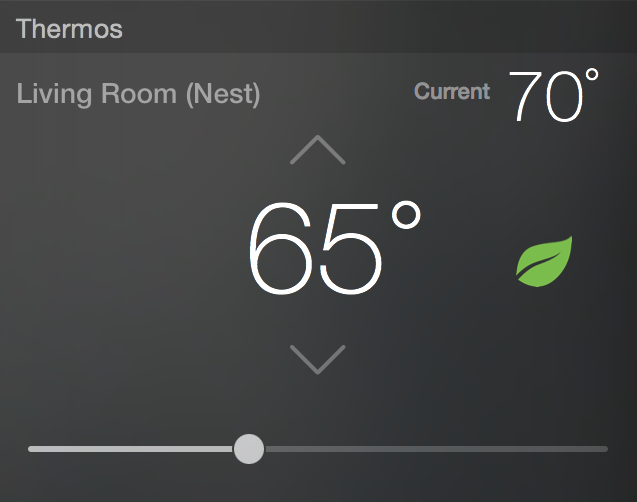
The Today View contains pertinent information about your day from your Calendar, Stocks, Weather and more. It even has the ability to host widgets—both stock and third-party—directly within Notification Center. Watch our walkthrough video inside to see what I mean.

How to annotate mail attachments in OS X Yosemite

It is now possible to annotate image attachments in the Mail app on the fly. In previous versions of OS X, you had to go through the time-consuming exercise of opening the image in some sort of editor, perhaps Preview, annotating the image, attaching it to your email, then sending.

With OS X Yosemite, you can annotate the image while the image is attached to the email. This is done via Markup—a new default extension available within Mail. Look inside to see our video walkthrough, which showcases this awesome new OS X Yosemite feature.

Using OS X Yosemite’s revamped Spotlight Search

Spotlight has been improved through and through to be more useful in OS X Yosemite. It has adopted an Alfred-inspired interface that makes working with Spotlight easier and more powerful.

Want to see some of the main differences in action? Have a look at our video walkthrough as we showcase some of the new things that Spotlight has to offer.

Using Extensions in OS X Yosemite

Like iOS 8, OS X Yosemite introduces third-party extensions. Extensions allow you to easily share with social services and perform other functions.

Apple has included a new Extensions manager, accessible via System Preferences → Extensions. From there, you can manage built-in extensions, third-party extensions, and Notification Center Today View widgets from one convenient location.