Jailbreak

Check out the most comprehensive jailbreaking coverage on the internet, including the latest news, apps, tweaks, and detailed tutorials about everything jailbreak.

This tweak lets you configure iOS’ Auto Lock on a per-app basis

All iPhones come with a feature out of the box called Auto Lock that can extend the handset’s battery life by automatically putting it to sleep after extended periods of inactivity. Auto Lock can be useful, but usage varies from one person to the next based on the apps they use and how they use them. Fortunately, you can configure certain parameters of Auto Lock such as the timeout period or disabling it in its entirety.

As nice as the aforementioned configurations can be, one thing that appears to be missing is a way to configure iOS’ Auto Lock on a per-app basis. It’s a simple concept that I think would solve one of the most substantial deal-breakers for a bevy of iPhone users, and that’s one reason why I like the concept behind a free jailbreak tweak called DoNotAutoLock13 by iOS developer moyashi.
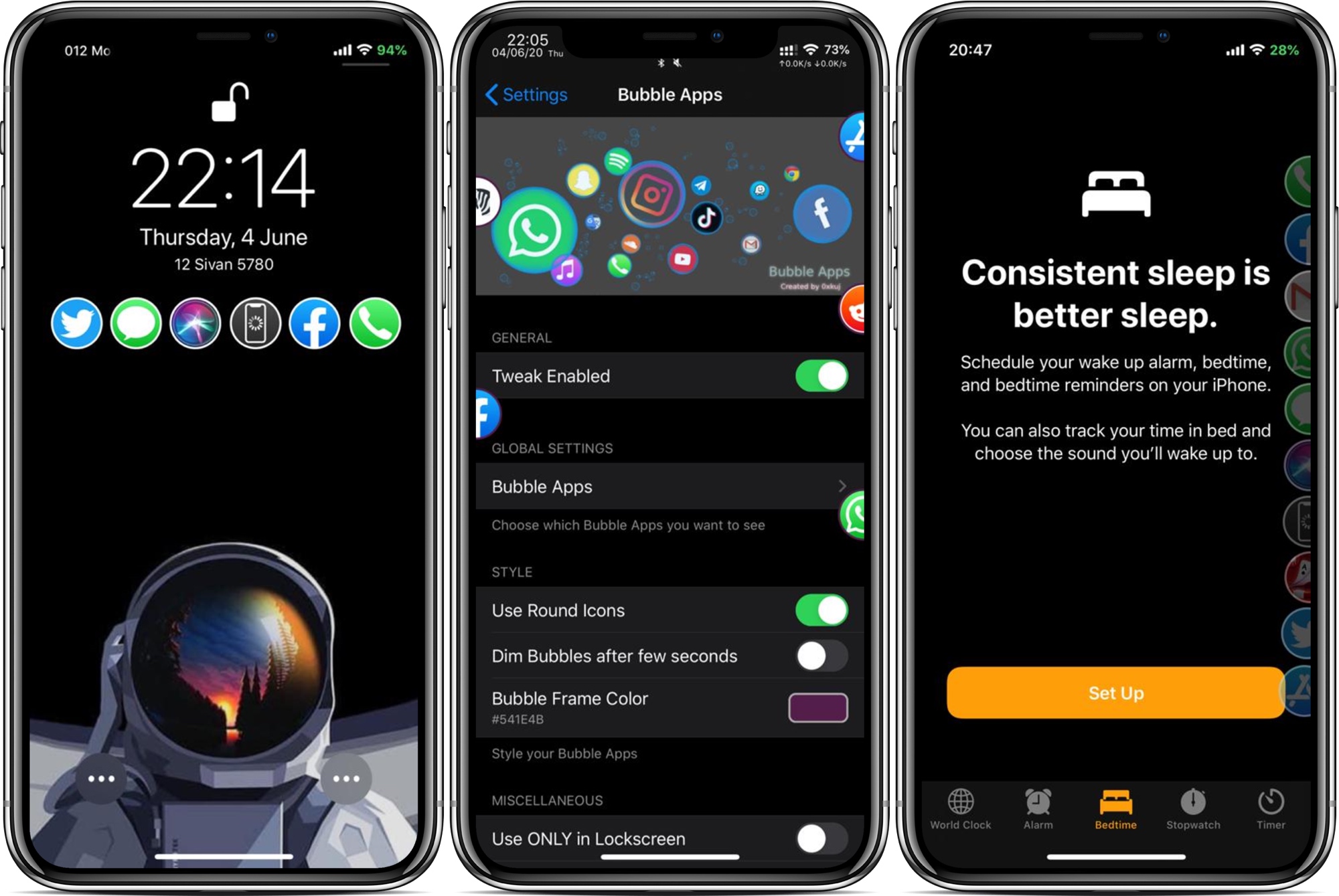
Bubble Apps is a highly configurable app launcher for jailbroken iPhones

App launchers are popular among jailbreakers, mostly because they can make accessing your favorite apps from anywhere easy when you’re just out of reach of your Home screen. But what makes an app launcher perfect? The answer varies from one person to the next based on personal needs, which is one reason why we enjoy seeing different developers’ takes on the idea.

Enter Bubble Apps, the latest of such jailbreak tweaks created by iOS developer 0xkuj that provides users with a highly configurable app launcher interface that can be accessed from virtually any interface in iOS.

Last chance to downgrade to iOS 13.5 and jailbreak with unc0ver

Apple on Monday released iOS and iPadOS 13.5.1 to the general public for the sole purpose of patching the new exploit in the unc0ver v5.0.0+ jailbreak tool, and as you might come to expect, Apple will soon unsign the jailbreakable iOS 13.5 firmware.

It usually takes the Cupertino-based company a week or two after a new firmware release before it stops signing an older version of iOS or iPadOS, but in recent memory, just one week has been a lot more common. By doing this, Apple can leave its user base with no option of downgrading or upgrading back to iOS or iPadOS 13.5, effectively preventing users from jailbreaking.

Ares is the Siri interface you’ve always wanted on iPhone

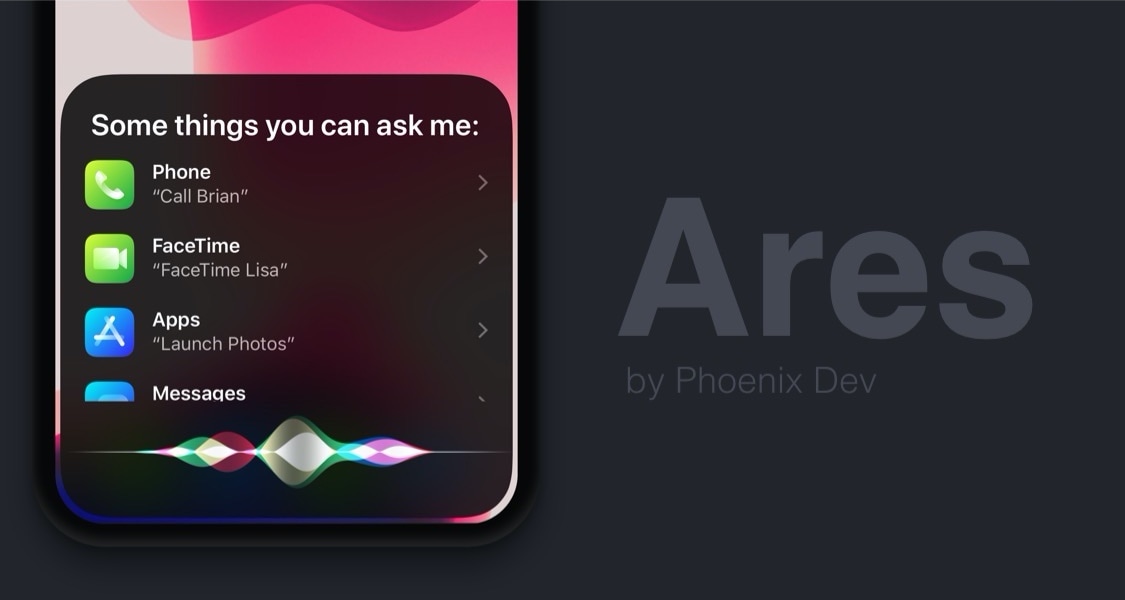
Siri can be a useful way of accessing information both on-device and via the internet, but one thing that Apple could have made better is the virtual assistant’s user interface, which at the time of this writing, takes up the entire real estate of your iPhone’s display.

A newly released jailbreak tweak dubbed Ares by iOS developer Phoenix Dev aims to make the Siri interface substantially more compact by compressing its contents into a floating view tantamount to the size of the AirPods pairing interface.

Evil Scheme unlocks default app management on jailbroken devices

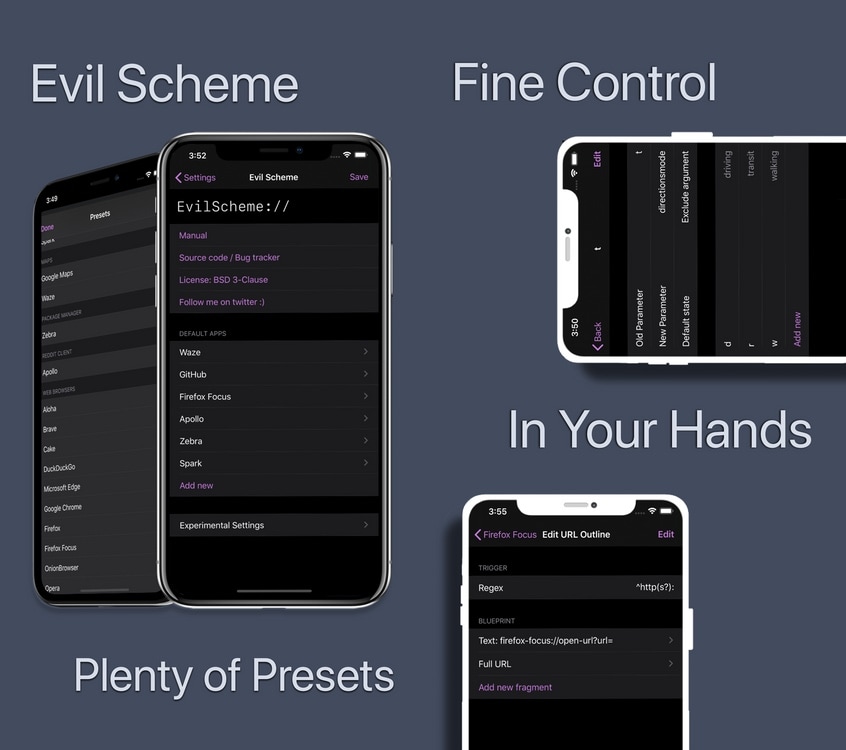
If there’s one thing most iPhone and iPad owners can relate to, it’s the dissatisfying inability to set default applications outside of Apple’s own. Sure, you can delete some of Apple’s native apps, but what good is that if iOS doesn’t link to third-party apps afterward?

Enter Evil Scheme, a newly released and free jailbreak tweak by iOS developer Lorenzo that aims to be your convenient one-stop shop for configuring default apps of your choosing on your pwned iPhone or iPad.

ExactTimeMail upgrades the timestamps in iOS’ Mail app

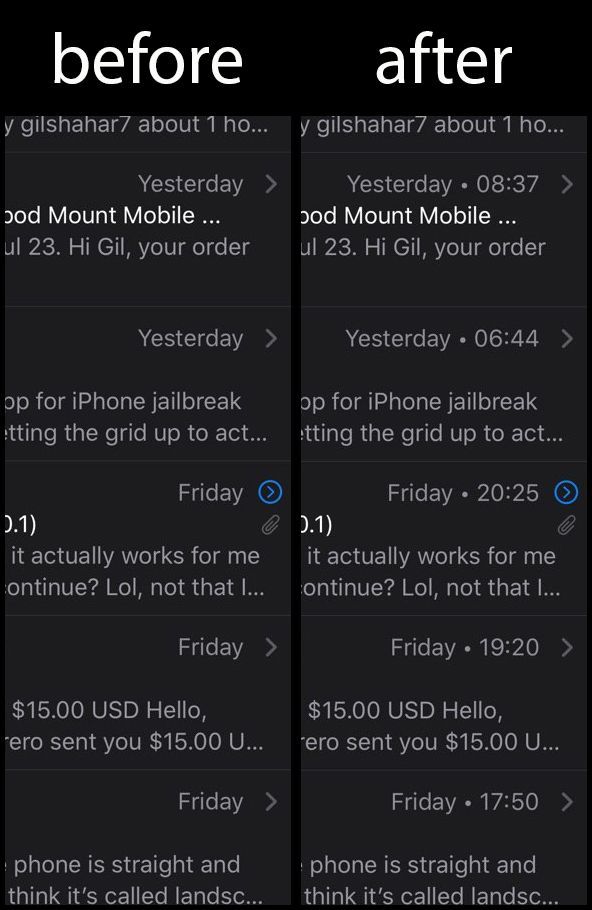
Just yesterday, we showed you a well-received jailbreak tweak named NotesCrationDate13 by iOS developer gilshahar7 that displayed more detailed timestamps in iOS’ stock Notes app, but wouldn’t it be nice if we could have improved timestamps elsewhere throughout Apple’s mobile operating system?

Gilshahar7 appears to share this popular opinion, as a newly released jailbreak tweak called ExactTimeMail seems to do this exact thing in the native Mail app. ExactTimeMail is part of a family of tweaks intended to make timestamps more intuitive in iOS, and we’d say it succeeds on every level, with other members of that family being ExactTime (for notification banners) and ExactTimeMessages (for the Messages app).

WatchBuddy is a persistent Apple Watch battery widget for your iPhone’s Lock screen

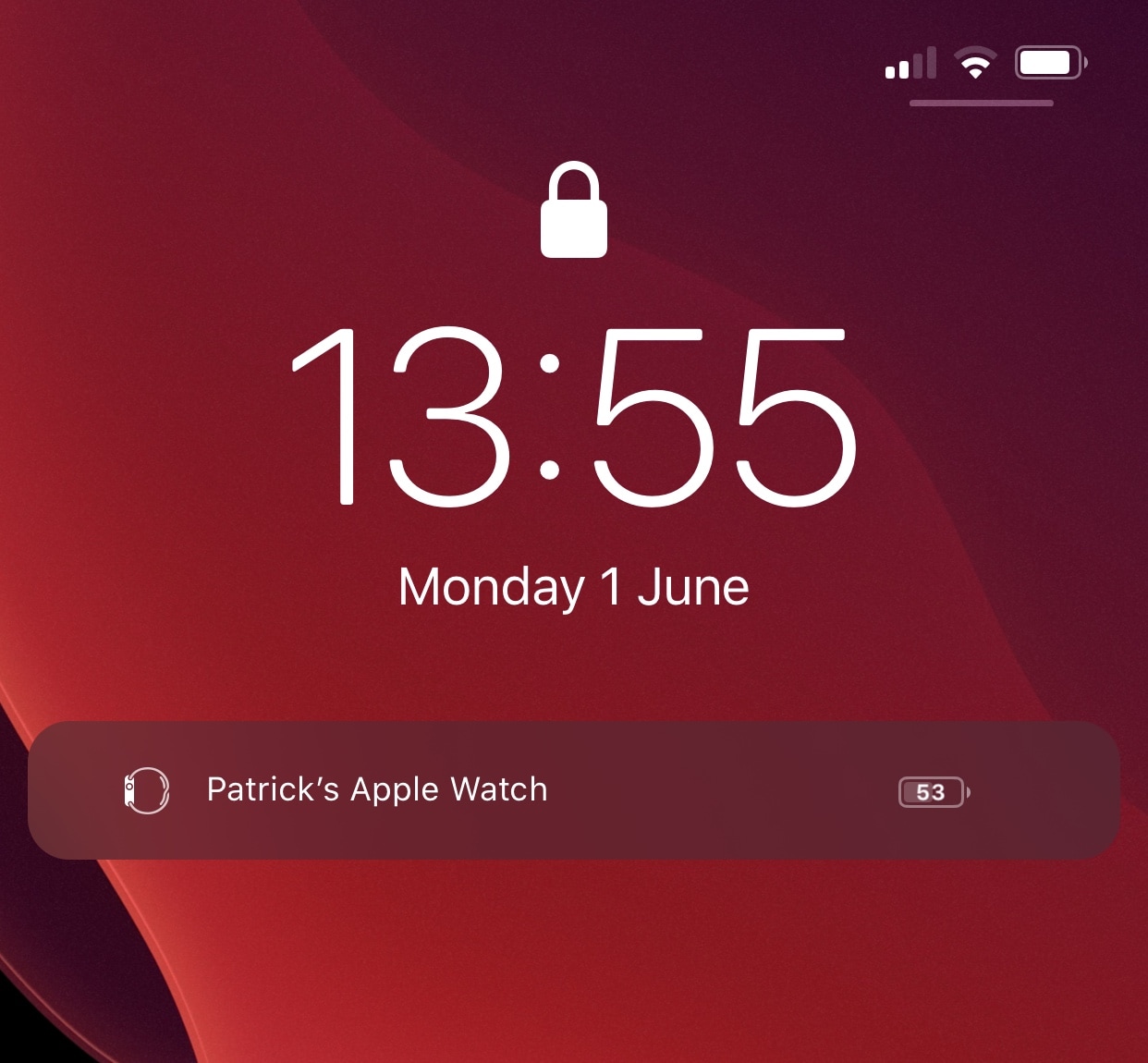
Jailbreakers that also don an Apple Watch may take an interest in a newly released and free jailbreak tweak dubbed WatchBuddy by iOS developer paddycodes, as it can help users keep better track of their wearable’s battery level throughout the day.

As depicted in the screenshot example above, WatchBuddy puts a persistent Apple Watch battery widget on your iPhone’s Lock screen in a way that’s always visible, ensuring that you never neglect your Apple Watch’s battery again.

Pwn20wnd offers workaround for software update bug in unc0ver v5.0.0-5.0.1

Apple today released iOS & iPadOS 13.5.1 specifically to patch the new kernel exploit that Pwn20wnd incorporated into the unc0ver v5.0.0+ jailbreak tool to support iOS & iPadOS 13.5, making it now more important than ever to avoid updating your device to the latest available firmware if you care whatsoever about being able to customize your handset in an bevy of different ways that otherwise wouldn’t be possible out of the box.

As pointed out this evening by unc0ver lead developer Pwn20wnd, however, it seems that unc0ver versions 5.0.0 and 5.0.1 exhibit a bug in which the option in the unc0ver app for disabling automatic software updates will behave opposite to how users have it configured:

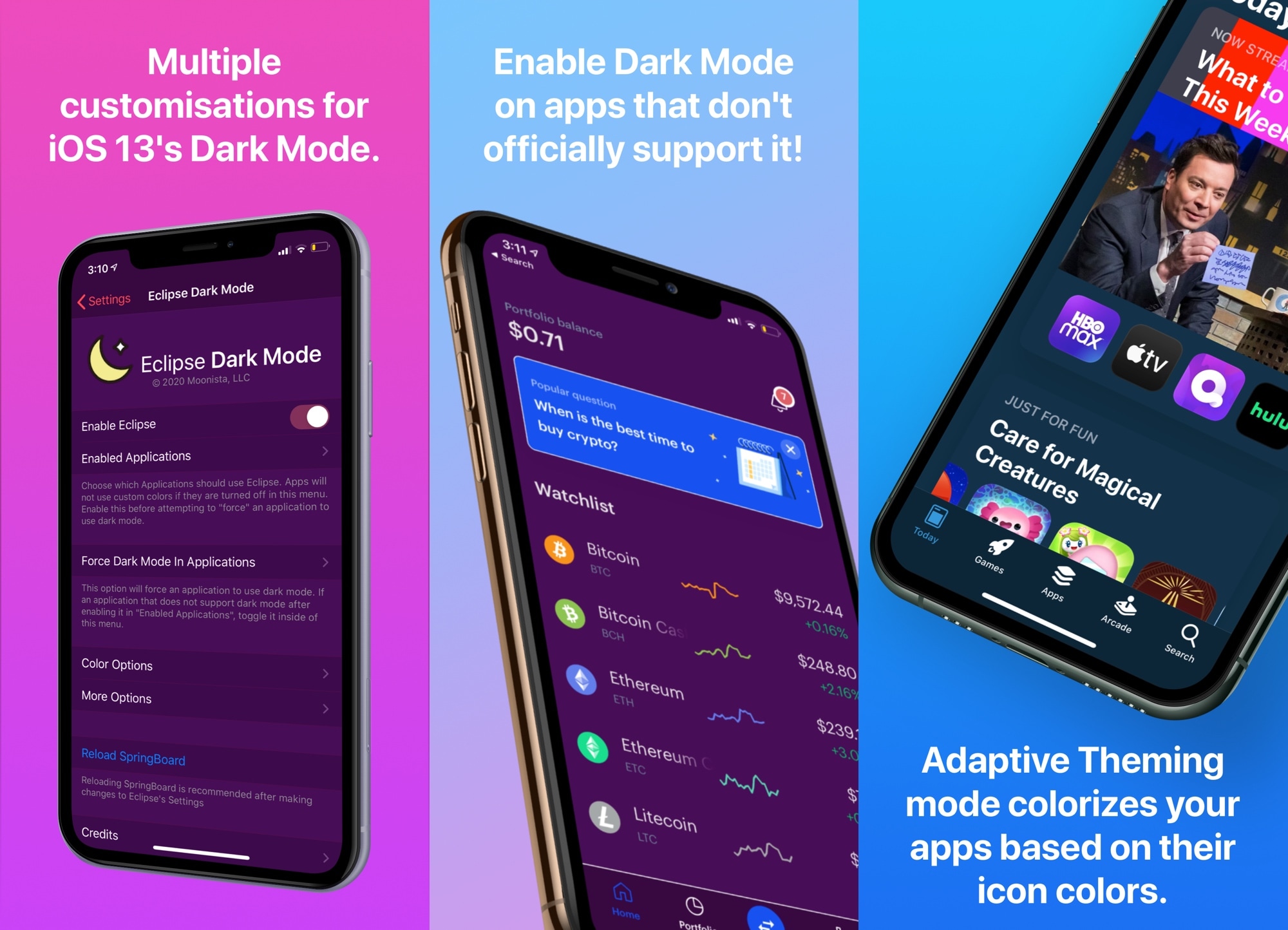
Eclipse Dark Mode Colors brings advanced personalizations to Dark Mode on iOS & iPadOS

Apple listened to our cries of desperation and finally integrated a native dark mode into iOS 13. Albeit limited in at least some capacity by way of color options and app support, it was a mild starting point that helped a lot of people realize the full potential and beauty of their iPhones’ OLED displays.

So if you’re on iOS 13 or later and you’re looking to get more out of dark mode, what should you do now? Allow us to point you to Eclipse Dark Mode Colors (iOS 13+), the latest iteration of iOS developer Guillermo Morán’s popular dark mode tweak that brings custom color schemes and a slew of other options to iOS’ native dark mode implementation.