Bluetooth

Apple’s most underrated WWDC announcement

Looking back at it, there was no shortage of announcements during Apple's WWDC keynote on Monday. An all-new MacBook model, major updates to its desktop and mobile operating systems, and a new Maps app — not bad for an afternoon.

But amongst all of the oohs and ahhs of the new products and updates, there was one particular announcement that sort of flew under the radar. According to Apple, it now has more than 400 million active credit card-linked iTunes accounts...

New in iOS 6: relocated Bluetooth Toggle

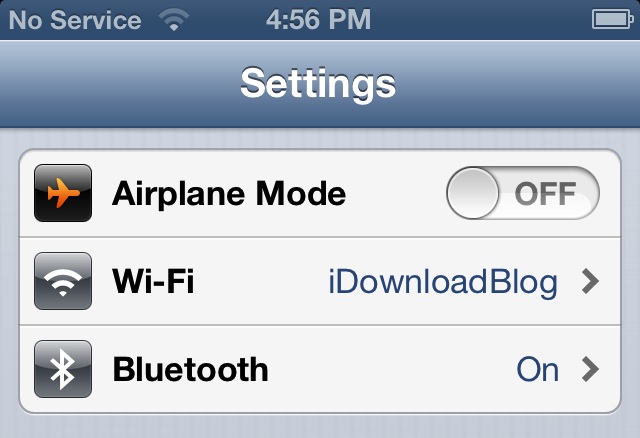
Ok, so it isn't the NCSettings or SBSettings-like feature we were hoping for. But Apple did make the Bluetooth toggle more accessible in iOS 6.

As you can see in the screenshot above, the Bluetooth option has been relocated in the Settings app. Now it takes a few less taps to access...

New App Store app lets you toggle bluetooth on/off with a single tap (UPDATE: pulled)

As noted by MacRumors, a new app went live in the App Store yesterday called Bluetooth OnOff. As the name suggests, the software enables you to toggle your iOS device's bluetooth settings on or off with a single tap.

This is a big deal for a couple of reasons. For one, Apple has a history of denying or removing apps from the App Store that access iOS settings. And two, it makes toggling bluetooth much easier for non-jailbreakers...

The best iPad remote desktop solution

I've always been a relatively big fan of Screens — the beautifully designed iOS remote desktop app by Edovia.

Screens has always, and continues to be the most impressive looking remote desktop solution for the iPad; in fact, i'd say nothing comes close when it boils down to pure presentation. For that reason, I've always been very hesitant when it comes to trying anything else. I know, I tend to be a tad superficial when it comes to my apps.

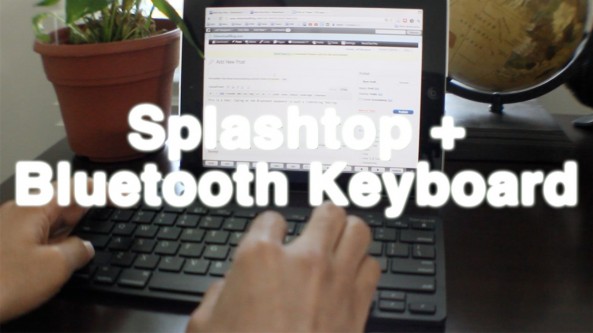
Thankfully I didn't let Screens' beauty stop me from trying another highly touted remote desktop solution called Splashtop. Many of our readers and YouTube viewers have been on me about trying Splashtop for some time now, and I just recently took the plunge. I'm so glad I did...

AirBlue Sharing: a new jailbreak app that lets you share files over Bluetooth

The ability to transfer files from iOS to other devices via Bluetooth is a glaring omission from Apple's mobile products. The jailbreak community has made up for that a bit, with utilities like Celeste. But options are still limited.

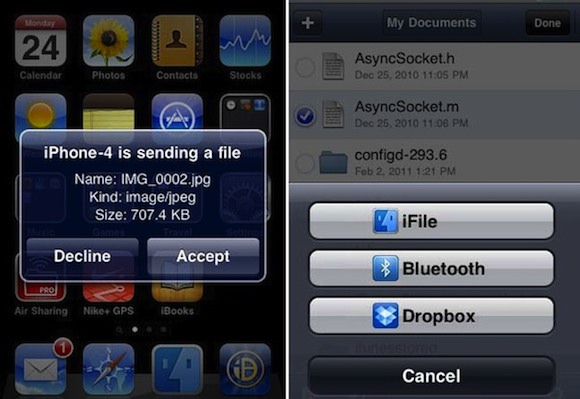
That's why we were excited to see AirBlue Sharing pop up in Cydia over the weekend. The full-featured app allows you to share files from your iOS 5 device, with almost any other Bluetooth-enabled device, with just a few taps...

Blutrol Jailbreak Tweak Makes iCade Infinitely More Useful

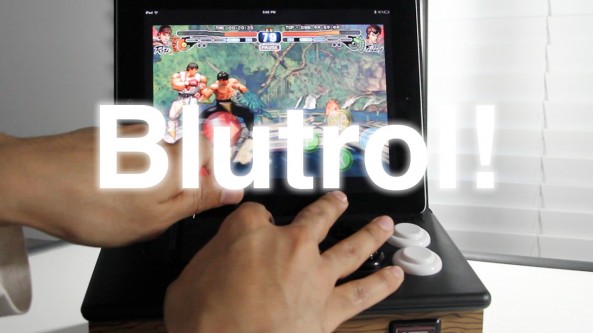
Blutrol is a recently released jailbreak app that allows you to map your iCade control cabinent to pretty much any game that features on screen controls. That means that the iCade is no longer limited to a handful of so-so games, which makes the device a lot more useful and appealing to gamers.

Basically, Blutrol transforms your iCade from a mere conversation piece, into a legitimate gaming machine. All you need is a jailbroken iPad, and you're good to go...

Apple is Dreaming Up Wearable Computers That Talk to the iPhone and Use Siri

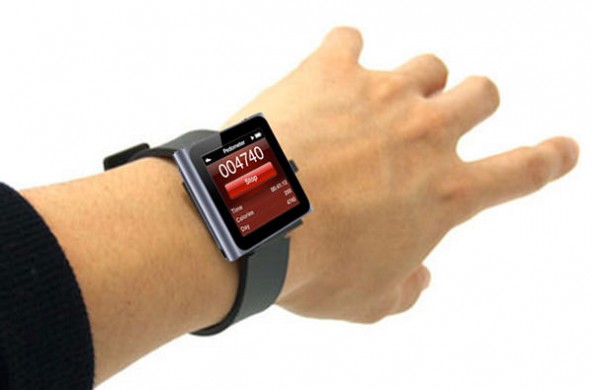
In a world where we all stare at our iPhone screens while walking around in public, Apple is working on the next-generation of mobile computing: wearable technology. The latest iPod nano can be worn as a watch, but that's only the beginning of what Apple has in development.

The New York Times has revealed some of Apple's internal plans for wearable computing. The company is working on a Siri-controlled experience that interfaces with the iPhone. Apple employees have reportedly already started testing such devices.

iLaunch Thunder: Launch Nerf Darts Via Your iPhone’s Bluetooth Connection [Updated]

In need of a great conversation piece for your desk? Look no further than the iLaunch Thunder from Dream Cheeky.

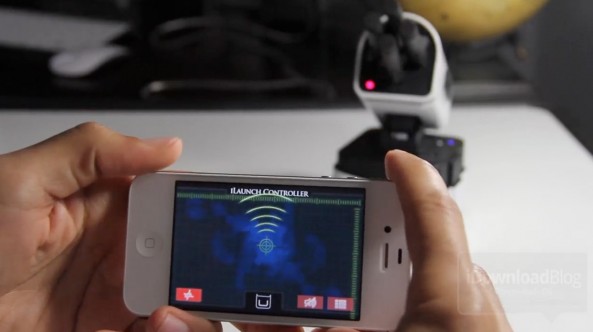
The iLaunch Thunder allows you to launch Nerf-styled darts via a rotatable base using nothing more than your iDevice, its Bluetooth connection, and the free iLaunch Controller app downloadable from the App Store.

In our tests, the iLaunch Thunder worked just as advertised, though it is pretty pricey at around $100. But that's okay, we're giving this one away...

Microsoft Joins the iPad Accessory Game With a $50 Keyboard

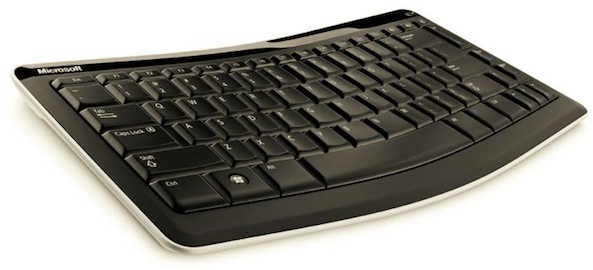
Microsoft is on something of an Apple jaunt at the moment. The Windows and Office king has already been releasing iOS apps quicker than anyone else over the last few days, and it has now decided to join the lucrative iOS device accessory market with the Mobile Keyboard 5000.

Despite pushing its upcoming Windows 8 as the true tablet operating system, Microsoft has announced a new Bluetooth mobile keyboard for use with the iPad. It will also in theory worth with Android tablets and presumably future Windows 8 devices (it will not work with the Kindle Fire, by the way).

As far as hardware keyboards go, this offering from Microsoft doesn't look bad at all, assuming you can overlook those Windows keys.

Diary of an iPhone Blogger: Celeste

It was one of the most hyped jailbreak tweaks of all time. It promised to do wonders for the way we share files between our iPhone's and other devices. In the end, it's almost completely forgotten, and hasn't even been updated to support iOS 5.

I'm of course talking about Celeste: the Bluetooth file sharing tweak that amassed amazing levels of hype and fanfare before arriving with the impact of a pin-drop in the middle of a grassy football field.

Check inside for my experience with one of the most overhyped jailbreak releases of all time...

Apple Looking to Expand Bluetooth Support in iOS

Other than a handful of stereo receivers and standalone speakers, there aren't many AirPlay-compatible accessories on the market. Manufacturers haven't really adopted Apple's wireless technology like the company had hoped it would.

So it's no surprise that Macotakara, a Japanese blog known for leaking Apple information, is reporting that the company is looking to rethink wireless connectivity in iOS. The company is now apparently showing a deep interest in Bluetooth.

Type2Phone: Use Your Mac as a Bluetooth Keyboard for Your iPhone

Have you ever been using your Mac, received a text message on your iPhone, and thought, "I wish I could just use my Mac's keyboard to respond to the text?" What about emails or iMessages? Now you can, thanks to the new Type2Phone app.

The software, released earlier this month, allows Mac users to connect to their iPhone or iPad via Bluetooth. The Mac can then be used to type text on the iOS device. Users can even use the app to paste text from their Mac's clipboard to a text field in iOS...