Battery

Kai adds persistent battery indicators to the Lock screen for connected devices

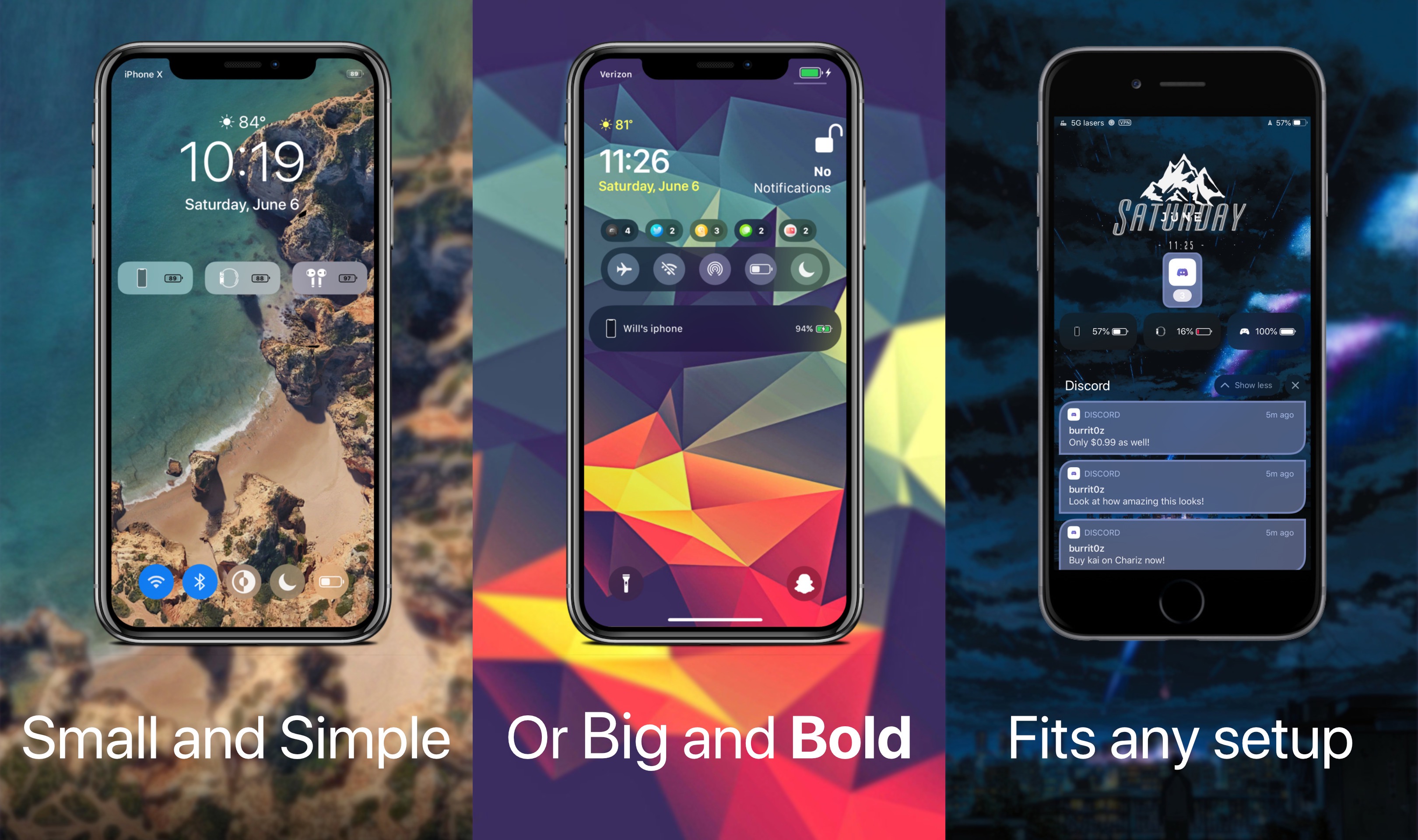
Just last week, we showed you a free jailbreak tweak dubbed WatchBuddy that would persistently display your Apple Watch’s battery level on your iPhone’s Lock screen. Albeit simple and effective, some users demanded more, and so a new release called Kai by iOS developer Burrit0z was conceived.

As shown in the screenshot examples above, Kai expands upon the WatchBuddy concept by persistently displaying your connected devices’ battery levels on the Lock screen. You’ll also notice that the indicators include, but aren’t limited to the iPhone itself, connected Apple Watches, and connected AirPods where applicable. Furthermore, the indicators are customizable whether you prefer smaller subtle solutions, or bigger and bolder ones.
WatchBuddy is a persistent Apple Watch battery widget for your iPhone’s Lock screen

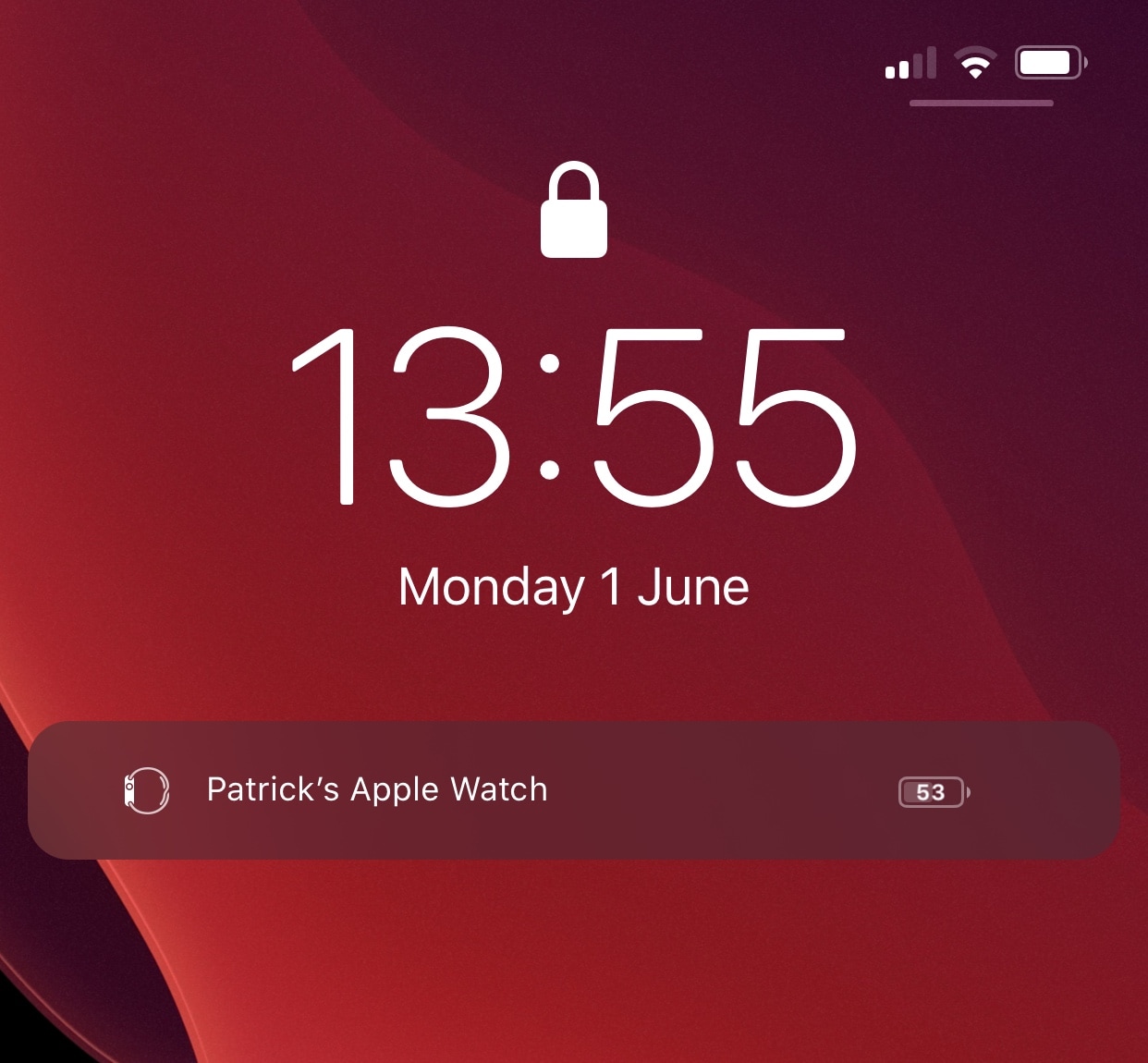
Jailbreakers that also don an Apple Watch may take an interest in a newly released and free jailbreak tweak dubbed WatchBuddy by iOS developer paddycodes, as it can help users keep better track of their wearable’s battery level throughout the day.

As depicted in the screenshot example above, WatchBuddy puts a persistent Apple Watch battery widget on your iPhone’s Lock screen in a way that’s always visible, ensuring that you never neglect your Apple Watch’s battery again.

Ryan Petrich’s new Powercuff tweak can extend your iPhone’s battery life

Low Power Mode.

Most people are supremely familiar with the iPhone’s native Low Power Mode setting, which can be toggled from Control Center or Settings to reduce the handset’s power draw and extend its battery life in specific situations. But what if you could do more to extend your battery life further?

Famed iOS developer Ryan Petrich was doing a bit of digging into iOS 13 when he happened upon some peculiar settings buried deep within the mobile operating system’s resources. According to Petrich, these settings can benefit the end user by reducing power draw on the handset’s battery, and so he released a new and free jailbreak tweak called Powercuff to bring these options into the light for anyone with a pwned handset:

BatteryRamp can help jailbroken iPhones charge more quickly

We all appreciate Low Power Mode for what it can do when our iPhone’s battery level gets a bit too low. With the flip of a switch, this feature lets users squeeze just a bit more time out of their near-drained battery, and it’s a godsend that Apple offers this feature on its iPhone platform.

Some even believe that using Low Power Mode while charging can increase the rate at which an iPhone charges by reducing simultaneous power drain. Building upon the likes of this curious idea is a newly released jailbreak tweak called BatteryRamp by iOS developer MegaDev.

This tweak displays a notification when your AirPods case gets low on battery

AirPods

Your AirPods are a piece of peripheral hardware with no useful battery indicator on them apart from a few limited features that are built into iOS. For example, you can open your AirPods case to view the battery percentage in the pairing interface, or you can look at the Today widget to see the remaining battery life for any paired AirPods.

These limitations mean that it’s easy to wear your AirPods’ battery down to near-zero, and this includes the charging case you use to keep them kicking all day long. At some point, they’ll just run out of battery, but with a newly released and free jailbreak tweak called AirPods Case Low Battery by iOS developer Jackson Sykes, you can at least receive a low battery notification banner when the charging case’s charge gets too low for comfort.

This tweak adds useful widgets to your Settings app in iOS 13

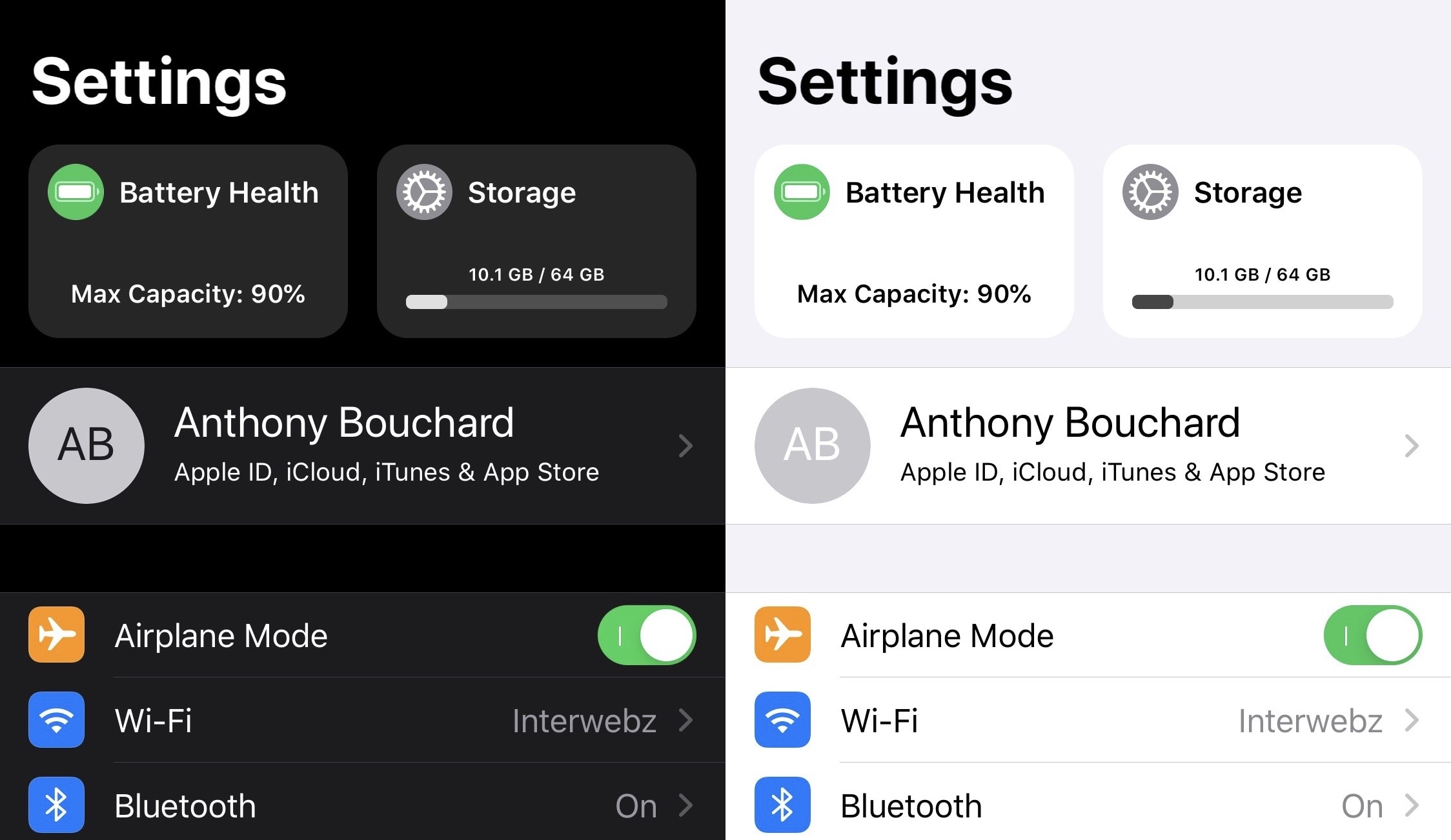
Looking for a quick and exciting way to spice up your iPhone’s boring Settings app? If you like where this is going so far, then you’re probably going to enjoy a newly released and free jailbreak tweak dubbed SettingsWidgets by iOS developer shepgoba.

Just as the tweak’s name implies, SettingsWidgets brings a few useful widgets to the Settings app’s user interface, giving you a quick glance at some of your handset’s pertinent information, such as battery information, storage space usage, and Wi-Fi statistics, among other things.

This tweak lets you set a custom auto lock timer when Low Power Mode is on

Low Power Mode.

I use Low Power Mode so often that I sometimes feel like something’s wrong when I don’t see the little yellow battery icon in my Status Bar. The point is, I like saving battery whenever I can – even when my handset isn’t low on juice. On the other hand, using Low Power Mode isn’t without its downsides.

For example, you can’t change the amount of time it takes before your handset falls asleep automatically from inactivity. But that’s where a newly released and free jailbreak tweak called LPMAutoLockTime by iOS developer smokin1337 comes into play.