Apps

How to use the For You tab and other new features in Photos

Photos App iPhone Search

Have you been looking for easier ways to search your photos? Would you like a better way to view your memorable moments? The improvements to the Photos app in iOS 12 make these things possible along with additional updates you’re sure to appreciate.

This tutorial goes over the new Photos app features including how to use the For You tab and other enhancements.

How to quickly save webpages as Trello cards

Trello Save Webpages as Cards Featured

Trello is a great tool for managing projects of all sizes. For business or pleasure, you can keep everything you need in one spot.

You might be researching a term paper for school, webpages for work, or sites to add to your personal boards. When you come across a website that you want to save as a card in Trello, it’s super easy. Plus, you have a few different ways to do it and here’s how.

How to customize the Quick Access Toolbar in Word and Excel on Mac

Quick Access Toolbar Word

One nice thing about working with Microsoft applications like Word and Excel is that you can customize your tools. From the status bar at the bottom to the ribbon at the top, you can remove and add exactly what you need.

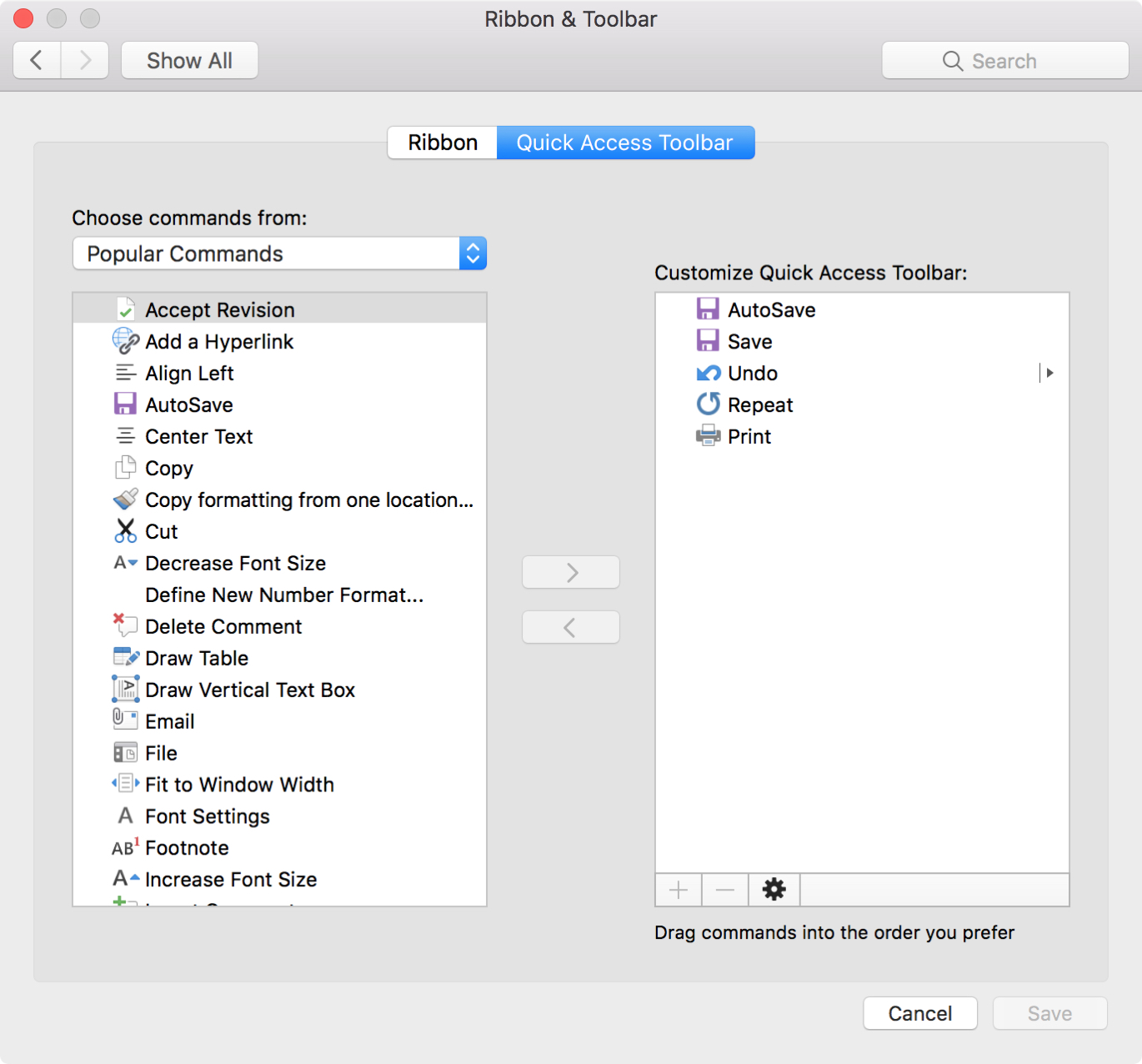
Another area you can customize is the Quick Access Toolbar. This is the small toolbar above your ribbon on the top left of the window. The point of this toolbar, as its name implies, is for quick access to tools you use most.

To help you make the most out of this area, this tutorial explains how to customize the Quick Access Toolbar to suit your specific needs.