Apple partner claims iPhone 6 heading for Russia in September

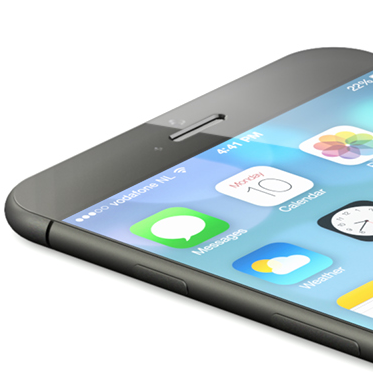
Apple's business partner in Russia has just blurbed out that the next-generation iPhone - the iPhone 6, if you will - is scheduled to become available in the 144 million people market this September.

Proceed with caution: we're having a hard time believing a third-party retailer would be privy to such a crucial piece of information.

For all we know, this guy could be looking for free press or could be taking us for a ride. On the other hand, we've heard about a September launch before.

For instance, Japan's Nikkei agency last week said that a 4.7 and 5.5-inch iPhone are due as early as September of this year, a notion echoed previously by the credulous Wall Street Journal, a few analysts and other sources.

Also, the September timeframe does coincide nicely with Apple's Fall release schedule for iPhones established since the iPhone 4s's release back in 2011...

Ultrakam lets you shoot film-like 2K video on iPhone 5s

As you know, the iPhone 5s's iSight camera can shoot full HD 1080p video (1,920-by-1,080 pixels) at 30 frames per second, as well as slow-motion clips at 120 frames per second at a reduced resolution of 1,280-by-720 pixels (720p). The back shooter can also take eight-megapixel stills at the image capture size of 3,264-by-2,448 pixels.

But what if the handset could take a series of stills in a rapid succession and stitch them together to form an ultra-resolution footage?

That's what Ultrakam, a novel iPhone application by Hassan Uriostegui, does for you. Available in the App Store for $6.99 for a limited time, the software brings 2K film resolution to your iPhone 5s at 30 and 20 frames per second.

It also includes a handy film-like 24 frames per second preset and can automatically smooth rack-focus during recording. Read on for the full reveal...

Cylinder: the Barrel-inspired jailbreak tweak now available on Cydia

Cylinder—the jailbreak tweak inspired by Barrel—has been updated and listed on Cydia's BigBoss repo. The tweak, which we previewed back in February, allows you to add various animation effects to the icons on your iPhone's Home screen.

The awesome thing about Cylinder is that it allows users to create their own animations via special Lua scripts, and combine multiple animations by layering them on top of one another. Cylinder is a tweak that's much deeper than it might seem on the surface. Check out our updated video walkthrough inside to learn more.

How to remove the slide to unlock arrow on the Lock screen

Have you ever wanted to remove the little arrow icon that resides to the left of the text on the Lock screen? Well, you can now do so by means a new jailbreak tweak entitled NoSTUArrow. As you may have already put together, the "STU" stands for slide to unlock.

Admittedly, this is one of the simplest jailbreak tweaks that you'll find on the Cydia store, but that's what's wonderful about jailbreaking; there's truly something there for everyone. Interested to see how NoSTUArrow works? Have a look at our video walkthrough inside.

Recent ‘ProWidgets’ update adds a simple Grey theme

A few weeks ago, we reviewed ProWidgets—a tweak that I believe is amongst the best of jailbreak releases. The tweak by itself is very well done, but my sentiments were also based on ProWidgets' potential with regard to expandability.

The version of ProWidgets that I reviewed didn't include the simple grey theme that's now available with the latest ProWidgets update. Although it's not technically a third-party theme, this is one of the first big changes that we've seen to ProWidgets since our initial review. Have a look inside as we showcase the tweak's simple grey theme on video.

How to add a respring widget to ProWidgets

EasySpring for ProWidgets is one of the first, if not the first, add-ons for the ProWidgets jailbreak tweak. As you might have heard, I'm a pretty big fan of ProWidgets, not only due to its great design and functionality, but also due to the potential it has for third-party developers.

Although this initial add-on isn't very exciting, it does show off how easy it is for developers to create good looking widgets. Have a glance past the break as we showcase to you EasySpring—the add-on that allows you to have your own custom respring widget.

How to disable “Cover Flow” in the iOS 7 Music app

The traditional Cover Flow feature that's been a staple of the Music app for many years was finally retired in iOS 7. It was replaced with a cool new album art view that appears when placing your device into landscape orientation.

While the new-fangled Cover Flow view (I'll just call it Cover Flow for lack of an official name) is pleasing to the eyes, some may find it to be an annoyance at best and a hinderance at worst. Needless to say, its usability is questionable, and it arguably places style over substance and convenience.

With that being said, there is a way outright prevent the Cover Flow view from being displayed when placing your device in landscape mode. The solution to the problem is a new jailbreak tweak entitled NoCoverFlow7.

PowerDown Pro: add more options to the iPhone’s power down interface

PowerDown Pro is a jailbreak tweak that adds extra options to the power down screen that appears on your iPhone after holding the sleep button. Normally, this menu contains a single option—slide to power off—but with PowerDown Pro, three additional options are put into play.

Each of the available options—reboot, respring, safe mode, and shut down—can be accessed using swipe gestures on the red rectangle box found on the power down screen. Have a look at our video walkthrough after the jump to see how it works in action.

Auxo 2 jailbreak tweak coming to Cydia April 2nd

Good news jailbreakers. The dev group A3 tweaks announced earlier today that Auxo 2, the highly anticipated sequel to their original jailbreak tweak, is nearing completion and should be ready for release sometime this week.

We first saw evidence of Auxo 2 at the beginning of the month, when the group's UI designer Sentry posted a pair of 6-second video clips teasing some of the tweak's features. And today, a much longer trailer has been posted...

Apple’s ‘transparent texting’ tech aims to make it safer to walk and text

Last week, the United States Patent and Trademark Office published a patent application entitled 'Transparent Texting' that Apple filed in late 2012. In it, the company proposes to replace the background image of messaging applications with a live video feed from the device's camera.

This effect would create the illusion that the device has a transparent display, allowing users to see what lies in front of them while they are texting. The goal of the invention is to make it safer for iPhone (and other mobile device) users to text and perform other functions while walking...

Mountains to the sea wallpapers

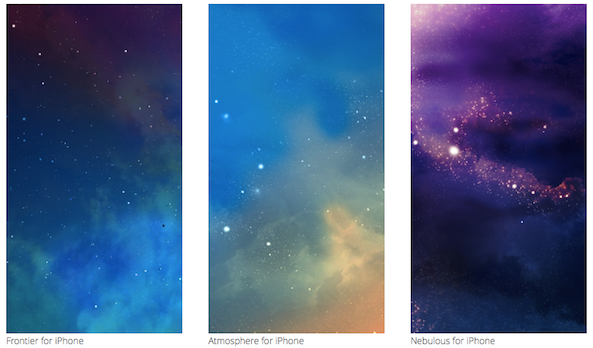
Another round of wallpapers awaits everyone in this installment of Wallpapers of the Week. As previously mentioned, we really appreciate everyone commenting and sharing their images in the wallpaper post comments section. Some threads have become quite the gallery of user images and expectations.

Per usual, we take all of these items into consideration when compiling the next set of wallpapers for the section. Returning weekly, will ensure you do not miss any of the great designs, photos, or abstracts...

The best calendar apps for iPhone

Calendar apps are like blue jeans. Everyone has a different idea of what makes them good, and oftentimes, they get more comfortable the more you use them. Especially when you haven’t washed them for a week. Different types of people have different needs from their calendar. Some want a simple design with very little clutter. Others want a productivity workhorse that will offer a wide variety of features.

Whether you know what kind of calendar app you prefer or not, we've done some research to track down the best in this category. We came up with a list of what we believe are the best calendar apps for iPhone. No matter what you're looking for in a calendar app, we think these are just the right fit for the wide variety of readers we have at iDB…