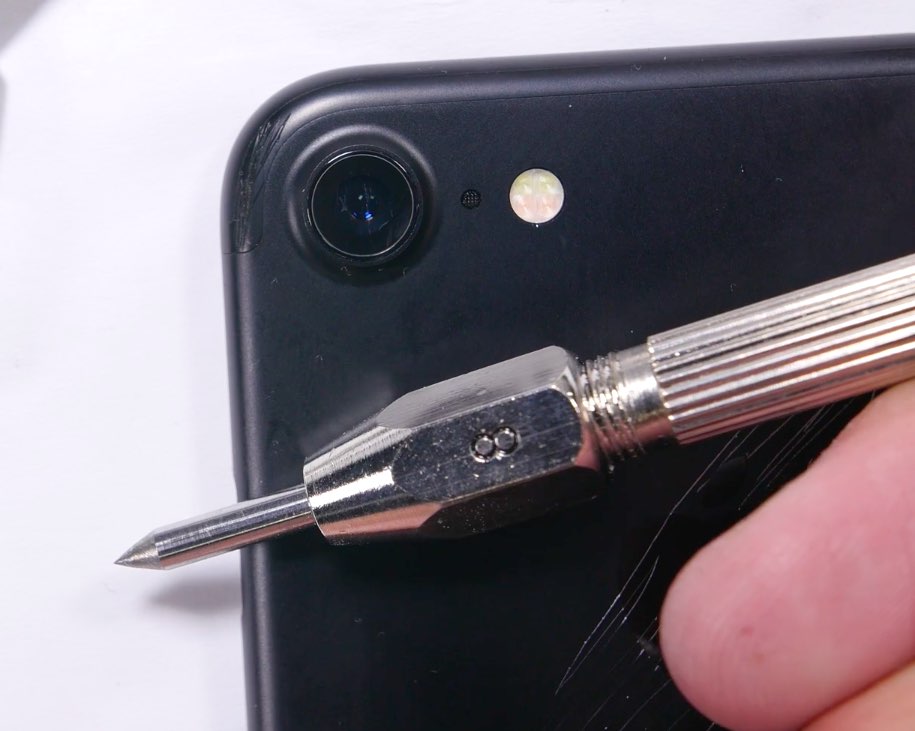
Coverage of YouTuber JerryRigEverything's scratch test of the iPhone 7's iSight camera lens wasn't lost on Apple. In the video, the device's camera lens is shown attracting scratch marks at a level six on the Mohs scale of hardness. That's quite surprising given both the official iPhone stats webpage and Apple's marketing boss Phil Schiller insist all current iPhones use sapphire for camera lens protection.
Now, pure sapphire crystal should sustain scratches up to a level nine, so it's odd that the iPhone 7's camera lens would scratch more easily than it should. As it turns out, the sapphire “issue” was serious enough to warrant an official statement from Apple.