Apple publishes 4 new “How to shoot on iPhone 7” video tutorials

Apple on Friday added four new video tutorials to the “How to shoot on iPhone 7” series on its YouTube channel. The four new videos were designed to teach customers how to shoot with zoom on their iPhone 7 Plus, convert their photographs to black & white, as well as take a one-handed selfie and edit it on the phone.

How to shoot with zoom on iPhone 7 Plus

“Get closer with 2x optical zoom. Or use digital zoom to get up to 10x closer,” says Apple.

https://www.youtube.com/watch?v=wsaA1s7oCKA

If you tend to use the zoom feature while shooting video on your iPhone 7 Plus, it may be a good idea to disable the automatic lens switching feature in camera settings to avoid any glitches that may occur when zooming in and out during video capture.

How to convert to black & white on iPhone 7

https://www.youtube.com/watch?v=RQoEsUJpy_Q “The right filter and a bit of experimenting with light levels give you a dramatic black-and-white image,” says Apple.

How to shoot a one-handed selfie on iPhone 7

https://www.youtube.com/watch?v=4miX5CNATEI

“The quick-draw selfie in three easy steps.”

How to edit a selfie on iPhone 7

https://www.youtube.com/watch?v=UUxahFzjGS4

“Use cropping and auto-enhance to create an even better selfie for sharing,” says Apple.

If you'd like, feel free to explore additional photography tips and techniques at Apple's website.

The clips join Apple's seven video tutorials on using iPhone 7's camera, published last week.

Our own iPhone Photography series is a valuable resource of free tips, tricks and advanced photography techniques, whether you are an experienced photographer or a beginner.

iOS 11 concept imagines new productivity features for iPad

Apple is going to preview iOS 11 along with other OS updates at its annual developers conference next month and we fully expect the mobile operating system to include advances that should make the Apple tablet a better laptop replacement than it currently is.

In the meantime, Federico Viticci and Sam Beckett of MacStories have put together an incredibly detailed concept of iPad-specific features that could be part of iOS 11, including the Finder, a new Shelf feature, drag-and-drop available system-wide and other perks.

With the Shelf feature, you would be able to clip pretty much anything with a simple drag-and-drop gesture. Sitting above apps both in full-screen or Split View mode, it would reveal itself automatically when you're dragging an item towards the top of the screen.

The Shelf would display your previously saved items as thumbnail previews and you'd be able to drop an item on top of another item to create a folder in the Shelf.

“The idea behind the Shelf is to make it as effortless as possible to hold something for later without the cognitive load of deciding which app or extension should receive it right away.”

The Shelf would be paginated and local to each iPad.

You'd be permitted to drop almost anything in it: from text selections and images to phone numbers and even songs. Tapping an item in the Shelf would pull up a custom Quick Look preview with additional information and actions relevant to the selected item.

And here's the concept video.

https://www.youtube.com/watch?v=UyFUDQ5LLZw

Next up: file management.

As you know, Apple currently offers the iCloud Drive app for browsing your iCloud files.

MacStories has envisioned a Finder for iOS because the argument that iPad doesn't need to expose its filesystem to the user “lost its validity when Apple introduced document providers in iOS 8 and the iCloud Drive app in iOS 9.”

Unlike Finder for macOS, its iOS counterpart would not expose system information beyond the actual files. You'd be able to browse your files in column and grid views, shared items via iCloud with full permission controls, apply tags, use the Versions feature and even take advantage of Siri integration to search across your files.

“All the pieces of the current system—iCloud Drive, the document picker and document providers—should be unified into a single Finder app and system-wide layer available everywhere,” said MacStories.

Instead of having files stored within app-specific folders on iCloud Drive, users would be able to create files in a top-level iCloud Drive view.

As a bonus, rather than list a bunch of installed document provider extensions in a popup, you'd get a full-blown Finder dialog to open files from any folder or app.

MacStories notes:

With a new set of APIs and user permissions, iOS 11 could allow apps to more easily open each other's documents in complex (but intuitive) workflows that aren't possible today.

And, obviously, automation could play a role in this down the road, opening the door to ideas such as folder-monitoring utilities and file automation either via Workflow or Hazel-like apps.

Finder for iOS would integrate with other features that MacStories has envisioned, such as the Shelf and system-wide drag-and-drop, but without the complexity of macOS.

But wouldn't drag-and-drop clash with iOS's standard gestures?

In a word, no. As MacStories explains:

Because drag-and-drop would be fully multitouch-enabled, it wouldn't block the iOS interface: another finger could be used to navigate in a different "drop area" of an app, or a user could keep dragging until the Split View app picker is shown and drop an item onto an app's icon, opening a contextual action menu.

App Store could be redesigned around Apple Music-inspired redesign, as show below.

Apple could even bring aspects of the watchOS interface to iOS and move beyond the static, inexpressive nature of its interface. “Touch-down states for icons and buttons would add useful context to iOS toolbar icons and menus as well,” reads the article.

A better Split View implementation is one of my favorite concepts proposed by MacStories for iOS 11. In addition to supporting drag-and-drop between the apps in Split View mode, you'd gain the ability to quickly select an app for Split View by choosing it from a Home screen like view complete with Spotlight integration for surfacing Split View-enabled apps.

Be sure to visit the MacStories concept for additional high-resolution mockups and detailed descriptions of other proposed enhancements, such as improvements to Notes and Control Center, better extension support in Safari and more.

Feel free to let us know your thoughts on this concept by posting a comment below.

iPhone hacked by jailbreak developer to interact with NFC devices

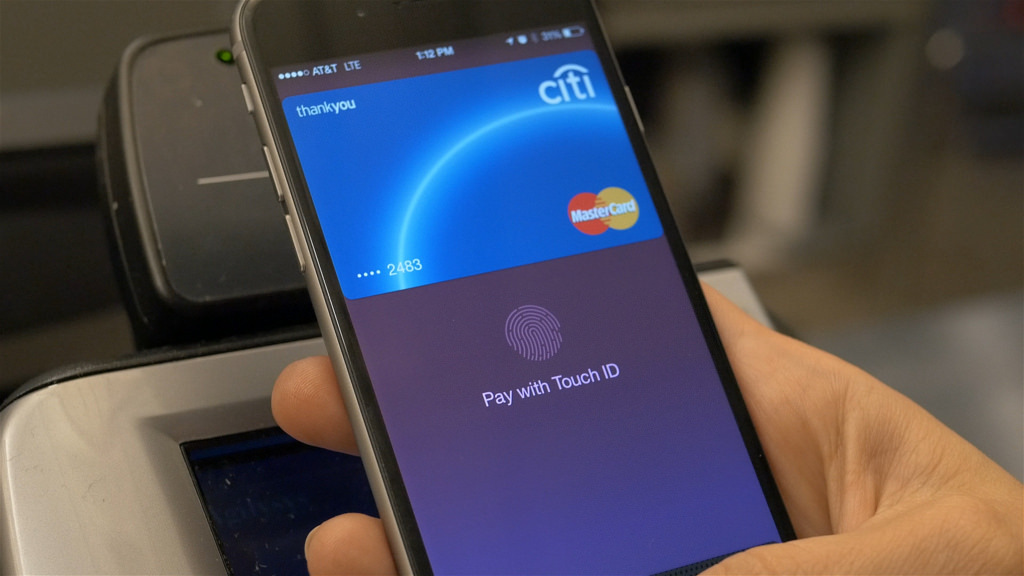
iPhones have come equipped with Near Field Communication (NFC) technology since the iPhone 6 launched in 2014. NFC's primary use in the iPhone is for Apple Pay and allows contactless payments via supported merchants at the point of sale.

On the other hand, well-known jailbreak developer Elias Limneos was tinkering with iPhone NFC on his spare time and managed to hack it to work in ways that are typically locked off by Apple out of the box.

Stevie Wonder performed at Apple’s headquarters to celebrate Global Accessibility Awareness Day

Marking one of Apple's traditional “Beer Bash” celebrations, multi-platinum Grammy-winning artist Stevie Wonder performed this week at Apple's Cupertino headquarters at One Infinite Loop.

The corporate event for company employees was organized in recognition of Global Accessibility Awareness Day, a global initiative focused on digital access and inclusion of people with different disabilities.

Apple CEO Tim Cook tweeted out an image of himself and Wonder hugging onstage as a thank you to the artist. “Thank you to the incomparable Stevie Wonder for lifting hearts and celebrating accessibility with us,” reads the tweet.

Prior “Beer Bash” celebrations at Apple's headquarters included performances by Maroon 5, One Republic, Darius Rucker and other music artists.

https://twitter.com/cookiecrook/status/865371872723992576

“There's nothing on iPhone or iPad that you can do that I can't do,“ Wonder, an Apple fan, said in 2011 commenting on the assistive technologies built into iOS and macOS.

The artist sang in Apple's “Someday at Christmas” 2015 holiday commercial.

Wonder is blind so having him perform on Global Accessibility Awareness Day is fitting.

Apple celebrated Global Accessibility Awareness Day with a series of inspiring videos highlighting assistive technologies built into its platforms, the accessibility-focused “Today at Apple” sessions at Apple Stores, an App Store section highlighting some of the best apps for people with disabilities and three Tim Cook interviews with accessibility activists.

Microsoft refreshes OneNote apps with new design and accessibility features

Software maker Microsoft on Friday rolled out new versions of its note-taking apps for iPhone, iPad, Apple Watch, Mac, Android, Windows 10 and the web. OneNote's interface has been tidied up and navigation improved in the latest release.

The app now includes new assistive features to help users with disabilities.


OneNote's revamped interface makes organizing your notes easier than before with an improved layout. You'll notice that the reworked interface puts your content front and center, with all of the notebooks, sections and pages moved to columns on the left side of the app.

This allows for efficient organization of your notebooks.

The company celebrated the redesigned OneNote launch with the following video.

https://www.youtube.com/watch?v=fmGVp76WyIU

The newly implemented accessibility features, available across iOS and macOS, let people with various disabilities efficiently navigate the app with screen readers, improved keyboard shortcuts and other assistive technologies.

And with the left-hand navigation controls, screen readers can easily navigate through the app.

OneNote is now available with a consistent experience across devices: with this update, says Microsoft, your experience will be the same regardless of what device you happen to be using.

The new redesign for OneNote is rolling out for Windows 10, Mac, iOS, Android and on the web over the coming weeks so check back later if it's not live yet.

OneNote for iPhone, iPad and Apple Watch is available free on App Store.

OneNote for Mac is available free on Mac App Store.

Surface Pro 5 images leak ahead of Microsoft’s May 23 event in Shanghai

Yesterday, prolific leakster Evan Blass posted a bunch of purported press shots of Microsoft's unreleased Surface Pro 5 tablet/notebook hybrid. The company's upcoming Windows 10 device should be re-christened as “Surface Pro”.

The software giant is expected to unveil it on Tuesday, according to Blass.

Microsoft said earlier that it would “show the world what’s next” at its event on Tuesday, May 23, in Shanghai. A successor to the company's Surface Book notebook is not expected to debut at the press event, according to a source familiar with Microsoft’s plans.

The Redmond company hasn't updated its flagship Surface Pro 4 for a year and a half.

If the leaked press photographs are anything to go by, the next Surface Pro will feature some new pen and keyboard colors. Presumably, it would run faster chips and feature other refreshed internals. It's interesting that the device shown on the leaked shots does not appear to have a USB-C port.

The recently unveiled Surface Laptop also has no USB-C port.

https://www.youtube.com/watch?v=xdg7P_kTb-c

The current-generation Surface Pro 4 released as a modest update to its predecessor.

Surface Pro 4 includes a stylus and a detachable keyboard. The device is powered by an Intel chip, allowing it to transform from a tablet to a full-on computer capable of running Windows, Office and other real desktop applications.

Microsoft has seen modest success with the Surface lineup.

Across nearly five years, Microsoft has sold only about 14-17 million Surface hybrids in total.

However, Surface revenue has shrunk by $52 million since its quarterly launch peak in 2015. Since its debut, Surface revenues have barely hovered around $1 billion quarterly.

Facebook signs video deals with Electronic Sports League and Major League Baseball

Facebook has signed major deals with Electronic Sports League (ESL) and Major League Baseball (MLB), bringing fans of eSports and baseball both live and on-demand content in its ongoing streaming video push.

The Wall Street Journal reported Friday that the social network is paying professional video game teams and others in the eSports industry to broadcast on its service.

Earlier this year, Facebook signed contracts with five teams to publish live and on-demand video of players practicing or competing in such games as StarCraft II, Counter-Strike, League of Legends and Overwatch.

ESL said in a blog post announcing the deal that its official Facebook page will soon stream all IEM and ESL One events in up to six different languages along with select national championship and online leagues. Viewers will be able to post comments, highlight up and coming players and more via an exclusive new weekly show on Facebook.

In addition to the 30 hours of weekly Rank S streaming, there'll be a weekly 30-minute hosted by Mark “Boq” Wilson, focused on Rank S and the current happenings in ESEA and CS:GO.

These broadcasts will start next month with Rank S matches.

Down the line, they'll host video interviews with the famous players, competition commentary and more. ESL broadcasts competitions on Twitch and YouTube, too.

You can find the ESEA announcement on their website.

As mentioned earlier, Facebook also cut a major deal with MLB that will result in 20 live-streamed Friday night MLB games via MLB's Facebook page during the 2017 season. US-based Facebook users will be able to stream the games for free. The first game is scheduled to broadcast tonight, Friday, May 19, with the Colorado Rockies and Cincinnati Reds facing off.

Apple boosts production of 10.5″ iPad Pro ahead of rumored WWDC reveal

Apple has boosted production of a rumored 10.5-inch iPad Pro model ahead of the tablet's supposed reveal at the company's annual pilgrimage for developers next month, Taiwanese trade publication DigiTimes said Friday.

The device's monthly shipment volume is now expected to grow to 600,000 units in July, up from around 500,000 units currently. The Cupertino company is hoping to achieve annual shipments of the new tablet in excess of five million units in 2017.

The 10.5-inch iPad Pro model reportedly entered mass production in March-April.

Watchers expect demand for the recently launched $329 iPad model “to pick up strongly” starting at the end of the quarter, reaching its peak in the next quarter when the device's monthly shipments could pass four million units in June and July, the market watchers noted.

As for the 12.9-inch iPad Pro model, Apple is expected to update its highest-resolution iOS device at some point this year, with some supply chain sources saying a second-generation 12.9-inch iPad Pro model could enter mass production in June.

“Sources from the upstream supply chain noted that Apple's inexpensive 9.7-inch iPad is expected to accelerate Apple's pace on phasing out the iPad mini 4 from the market,” as was rumored earlier this week.

https://www.youtube.com/watch?v=knJNtkRyO9E

Subscribe to iDownloadBlog on YouTube

Analyst Ming-Chi Kuo gave the 10.5-inch iPad Pro model 70-30 odds of being announced at Apple’s annual Worldwide Developers Conference next month.

In a recent note to clients, Kuo wrote that Apple’s engineers were able to squeeze a 10.5-inch display into a form factor similar to the existing 9.7-inch iPad models due to the narrower side bezels on the upcoming tablet.

“The newly designed 10.5-inch iPad Pro will have a similar form factor to the 9.7-inch model, but will feature a larger display thanks to narrow bezels,” said the analyst.

Kuo believes that the overhauled design of the device should help improve the user experience and boost traction in the corporate and commercial sectors.

Apple has reportedly commissioned Foxconn to assemble the 10.5-inch iPad Pro model.

General Interface Solution will be the sole supplier of touch panels for the device.

The same supplier provides 3D Touch components for existing iPhones and is said to have landed orders for the three times pricier 3D Touch parts for the OLED-based iPhone 8 model.

KGI forecast 10.5-inch iPad Pro shipments of five to six million units in fiscal 2017, accounting for fifteen percent of total fiscal 2017 iPad shipments.

Image: 9.7-inch iPad Pro with a 10.5-inch piece of paper overlaid via Dan Provost.

3D Touch component costs for iPhone 8 to double vs iPhone 7

Apple is paying between $7 and $9 per unit for iPhone 7's 3D Touch components, but that price is expected to triple for the firm's rumored OLED-based iPhone 8 model to between $18 and $22.

The 150 percent price increase, according to a report in the Chinese-language Economic Daily News cited by DigiTimes, stems from the fact that pressure sensors for OLED displays require a separate protective glass bonding on both the front and rear of the display panel.

“Due to the additional bonding of glass covers, overall processing cost for OLED-based 3D Touch solution is about 50 percent higher than that for the LCD-based one but the quotes for the client is about 150 percent higher,” reads the report.

Taiwanese touch panel makers TPK Holdings and General Interface Solution act as suppliers of 3D Touch parts for existing LCD-based iPhones. Both TPK and General Interface Solution should be the sole suppliers of iPhone 8's enhanced 3D Touch components as well.

Apple has accepted the price increase, according to Economic Daily News.

iPhone 7's 3D Touch module, as mentioned before, directly bonds pressure sensors on the LCD display panel. For OLED display technology, TPK's 3D Touch solution entails bonding of a glass cover on the front and back side of an OLED panel each “to reinforce the fragile panel.”

TPK has reportedly passed certification for its OLED-based 3D Touch solution for iPhone 8. The company now expects to obtain significant orders from Apple.

PresentPage lets you assign a default Control Center card

Control Center is one of the most useful interfaces you can use in iOS, as it provides you with quick access to toggles, shortcuts, and music playback options from anywhere.

If you ever find yourself using a specific Control Center card more frequently than the other and prefer the interface wouldn't remember the card you used last, then you’d probably like a new free jailbreak tweak called PresentPage by iOS developer Cole Cabral.

Last chance to save blobs for, or restore to, iOS 10.3.1

The signing window for iOS 10.3.1 could close any moment now, with iOS 10.3.2 released and iOS 10.3.3 in beta already, so this is your last chance to save your blobs for iOS 10.3.1, to upgrade to it from a lower firmware, or to downgrade to it from iOS 10.3.2+.

iOS 10.3.1 isn't currently jailbroken, and being on that firmware is in no way a guarantee of a jailbreak. However, you never know what'll happen, and there have been some stirrings, so act now! Take necessary precautions before signing ends.