References to drag and drop on iPad spotted in Apple Feedback app ahead of iOS 11 reveal

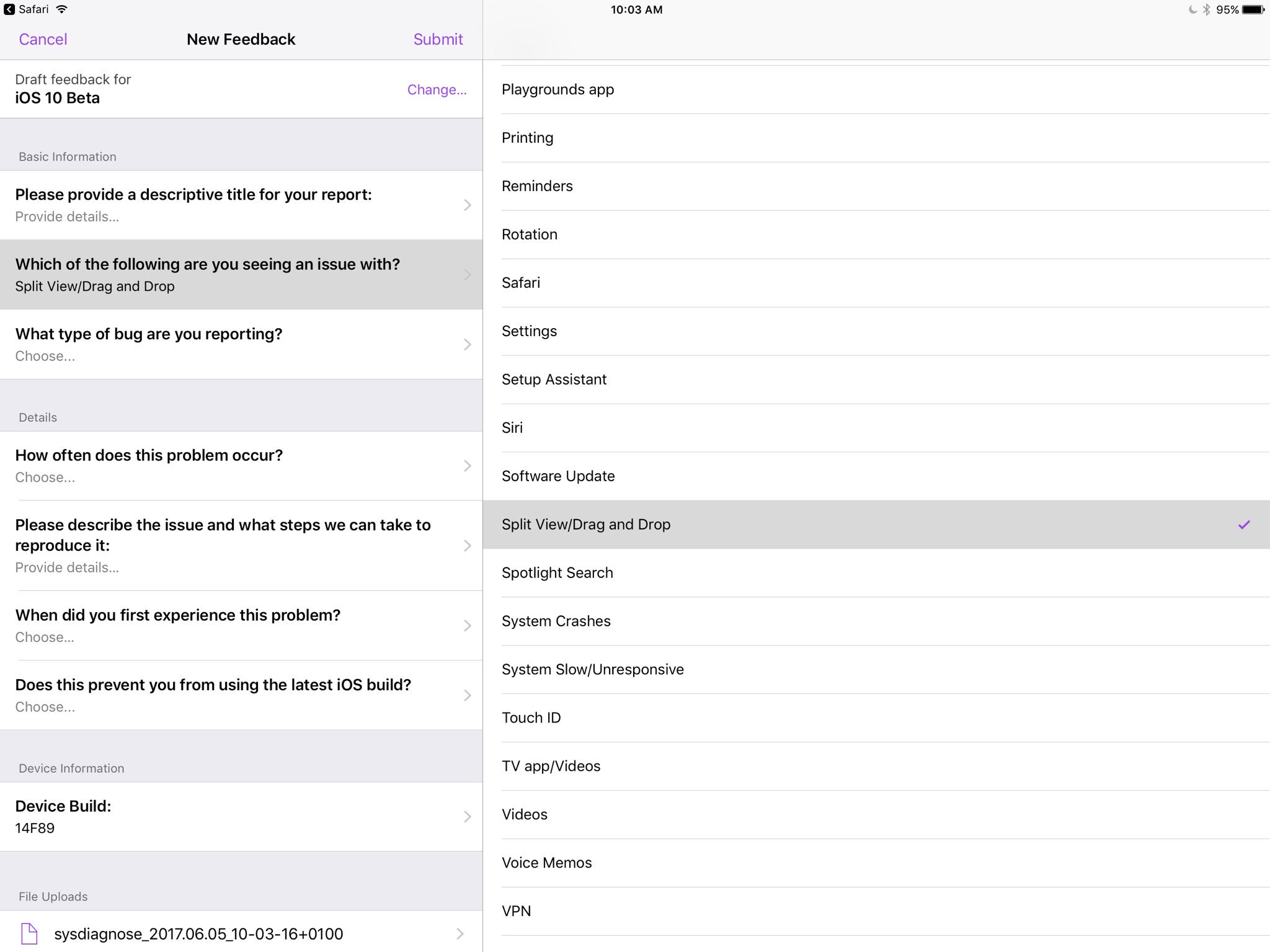
Apple's own Feedback app, that iOS beta testers use for reporting bugs, contains references to a drag and drop feature, as first spotted by developer Steven Troughton-Smith this morning.

An entry labeled “Split View/Drag and Drop” now appears in the list of preset options when filing a bug using the Feedback app. iOS, of course, lacks any drag and drop features that would admittedly be tremendously useful, especially in Split View mode.

That said, it's unclear that the Cupertino technology giant will formally announce drag and drop functionality in iOS 11 during today's live-streamed WWDC keynote.

Ukrainian developer Readdle's popular iOS apps were updated last week with the ability to drag and drop content between them in iOS's Split View multitasking mode on iPad, providing an early preview of how Apple's version of system-wide drag-and-drop might work in iOS 11.

https://www.youtube.com/watch?v=epzh9-rd-AI

MacStories editor Federico Vittici and his team painstakingly created some awesome iOS 11 productivity concepts, imagining new productivity features for iPad. Among them is—you guessed right—drag and drop functionality. “Because drag-and-drop would be fully multitouch-enabled, it wouldn’t block the iOS interface,” Vittici explained.

https://www.youtube.com/watch?v=UyFUDQ5LLZw

“Another finger could be used to navigate in a different 'drop area' of an app, or a user could keep dragging until the Split View app picker is shown and drop an item onto an app’s icon, opening a contextual action menu.”

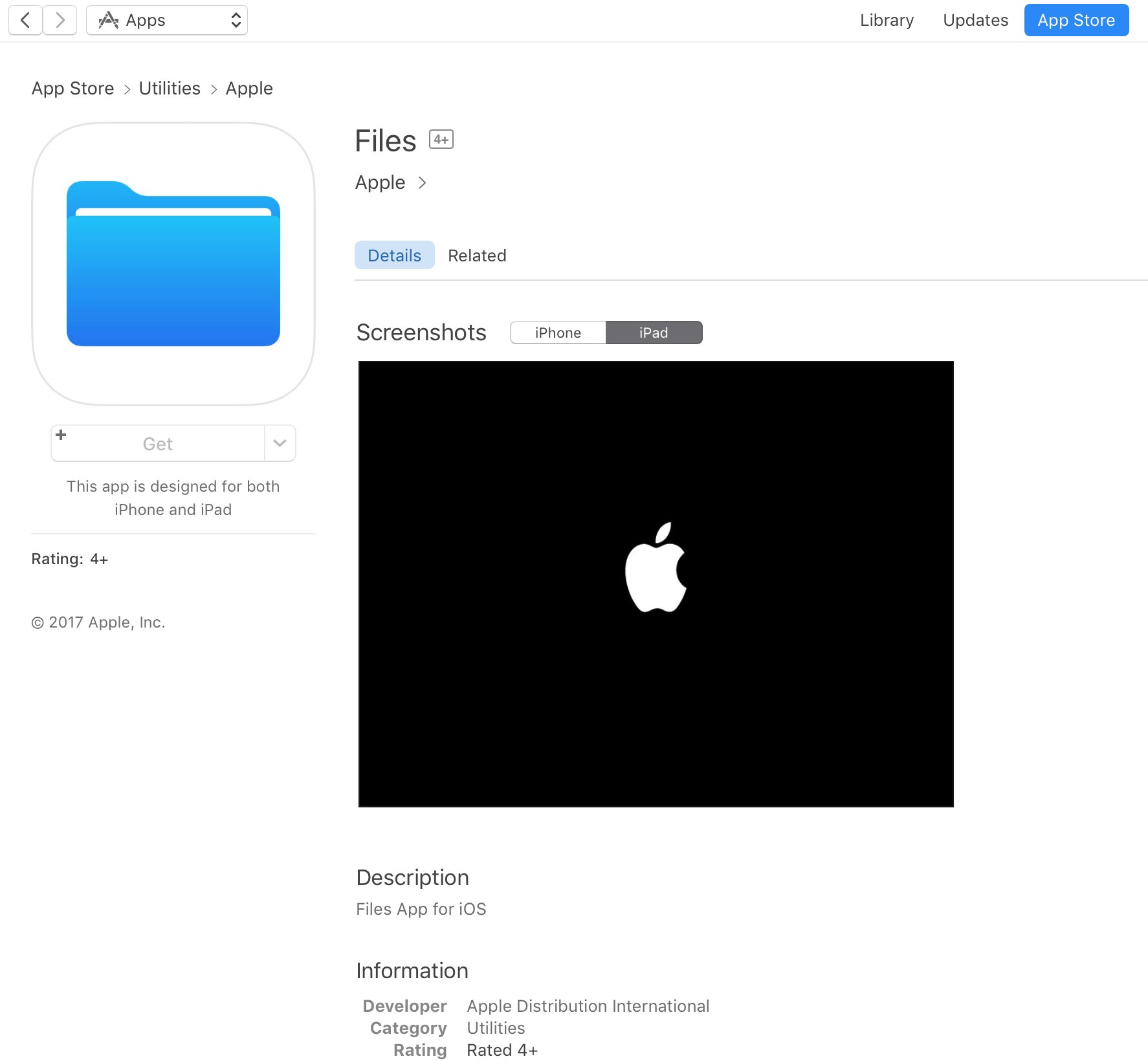
Late Sunday, Troughton-Smith discovered a placeholder listing for Apple's unreleased Files app on App Store. It's since been removed and no screenshots or official descriptions were provided, but we do know it's going to require iOS 11 and 64-bit support.
App Store placeholder listing for Apple Files app appears briefly ahead of WWDC keynote

A placeholder listing for a new Apple Files app has briefly appeared on App Store ahead of today's live-streamed WWDC keynote, as spotted by iOS developer Steven Troughton-Smith late Sunday. It's surfaced in the Utilities section of App Store and has since been removed.

No screenshots or the official description were provided.

The app requires iOS 11 and 64-bit support and is designed for both iPhone and iPad. It sports a blue file folder icon resembling the design for folder icons in macOS. It's entirely possible that the new Files app is really just a rebranded version of the existing iCloud Drive app.

It's unclear if the forthcoming app will be a new stock item in iOS 11 or an optional download. If I had to guess, I'd say it will likely come pre-installed with iOS 11. Since iOS 10, Apple has allowed users to hide most of the stock apps from their Home screen.

To help users easily re-install any removed stock apps, Apple has provided all of its first-party iOS apps that are removable as downloadable App Store items. iOS 11 will be previewed at WWDC later today along with tvOS 11, watchOS 4 and macOS 10.13.

How to track your sleep using AutoSleep

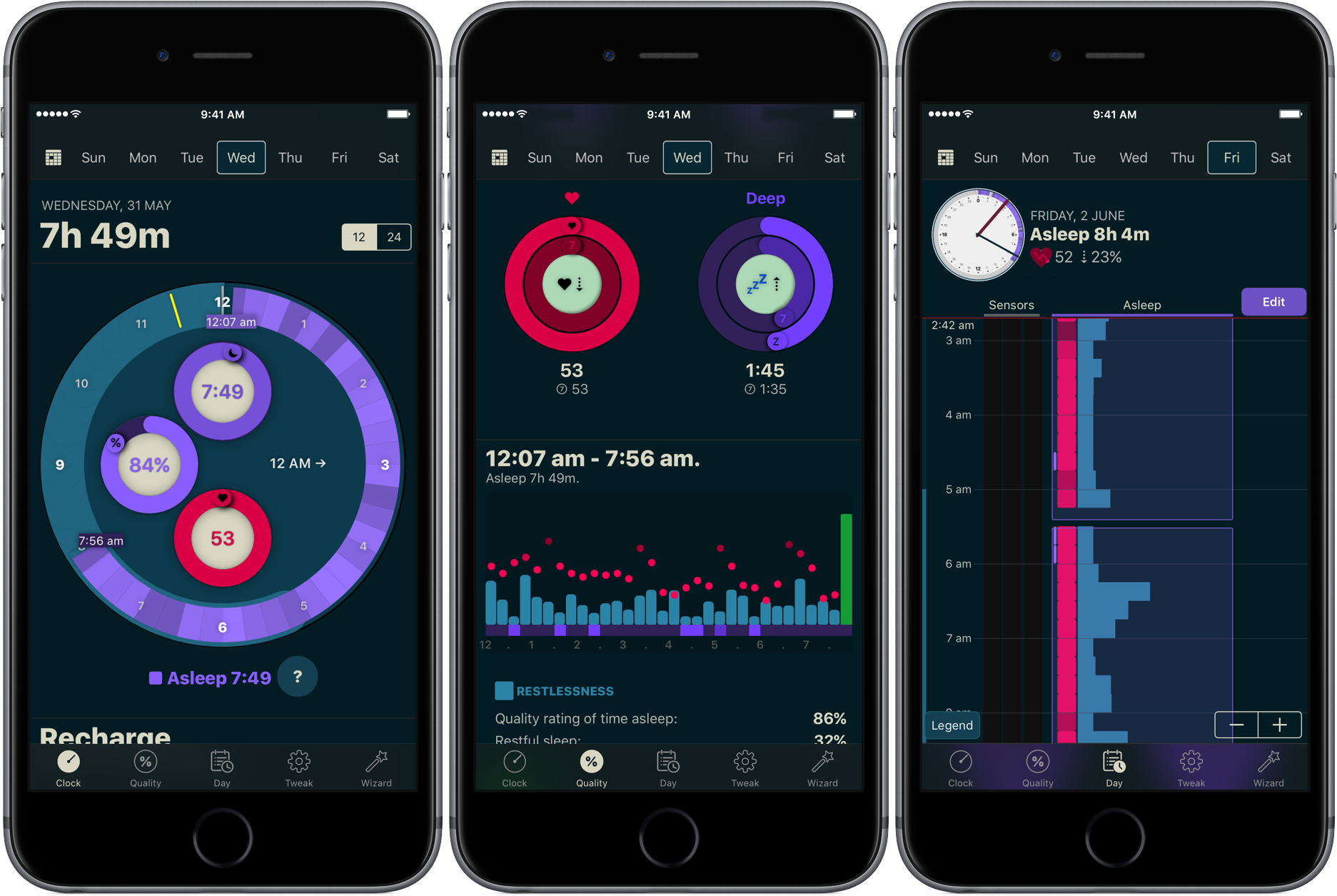
You don’t have to be a scientist to know that a good night’s sleep is conducive to your overall wellbeing and health. On that note, a while ago we have screened the App Store for the best sleep trackers available on iPhone and Apple Watch so as to make it easy for you to pick and choose your new sleep companion.

While varying in looks and features, all of the apps listed serve the same purpose: record how you slept and explain possible discrepancies in perceived quality of sleep and your actual rest. With the hands-off roundup in mind, we decided to select the most requested and popular app featured - AutoSleep - and throw a complementary hands-on tutorial on sleep tracking into the mix. Want to learn more about how to track your sleep using your iPhone, Apple Watch, and the AutoSleep app? Then join us for the tour!

WWDC 2017 wallpapers and logo pack

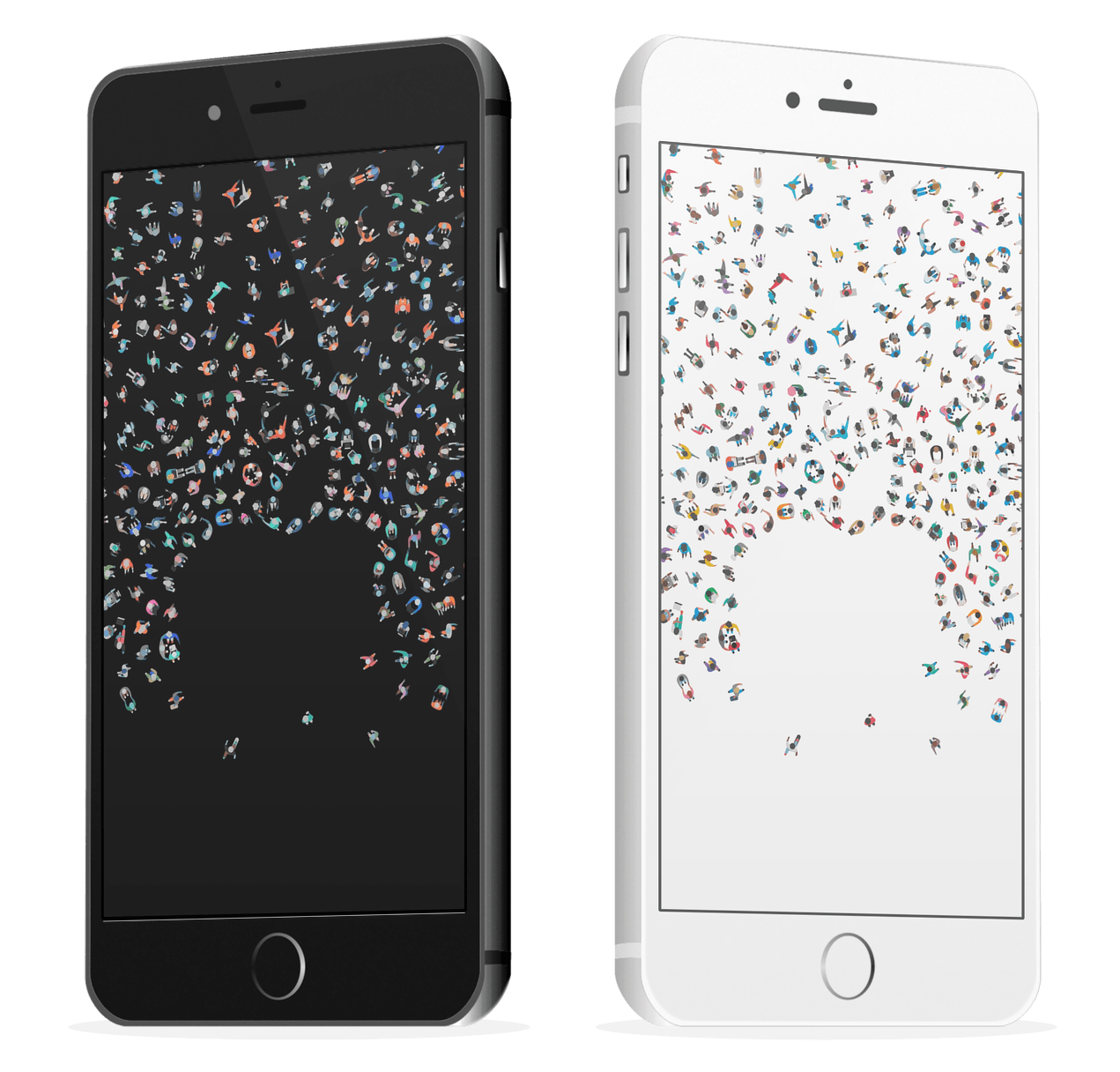
Tomorrow, we await the media event during the kick off at WWDC 2017. The live stream (how to), which starts at 10:00AM Pacific, will bring us first glimpses of new hardware. It has been about three years since Apple last announced new hardware at the developer event, in addition to the standard operating system updates. While getting new iOS, macOS, tvOS, and watchOS platforms is awesome, nothing really excites like getting a new device in-hand.

While we wait to hear whether Siri power speakers, 10.5" iPads, or any number of calculated guesses from Sébastien and Cody appear, update your iPhone wallpapers to celebrate with these WWDC 2017 wallpapers.

Jailbreak tweaks of the week: Charge, TouchBar, & more…

Recovering from a somewhat slow week just before Memorial Day, the Cydia Store appears to be back up and kicking with some interesting new jailbreak tweaks for modding out your device to make it cooler than everyone else's.

In this roundup, we'll talk about all the jailbreak tweaks that were released in Cydia this week, starting with our favorites and then moving on to the rest afterwards.

Apple to announce Siri support for larger variety of apps at WWDC

Apple is expected to announce plans next week to make Siri work with a larger variety of apps, reports Reuters. Currently the digital assistant integrates with apps from just six categories: ride sharing, messaging, photo search, payments, fitness and auto infotainment.

The move will make Siri more competitive against other assistants, such as Amazon's Alexa, which is capable of handling some 12,000 different tasks. Apple has taken criticism for lagging behind other tech giants in the AI space, and next week it looks to close the gap.

In addition to announcing improved app support for Siri, Apple is also expected to unveil an Echo-like speaker featuring the assistant. Reports have said that it is cylinder in shape, like the latest Mac Pro, and it features a high-end sound system and a dedicated touch panel.

Apple's WWDC keynote begins on Monday, June 5 at 10am PDT. Be sure to join us as we cover the event, and all subsequent announcements, live. Also make sure you check out our inaugural WWDC Fantasy Draft.

Source: Reuters

New jailbreak tweak brings a MacBook Pro-style Touch Bar to your iPhone

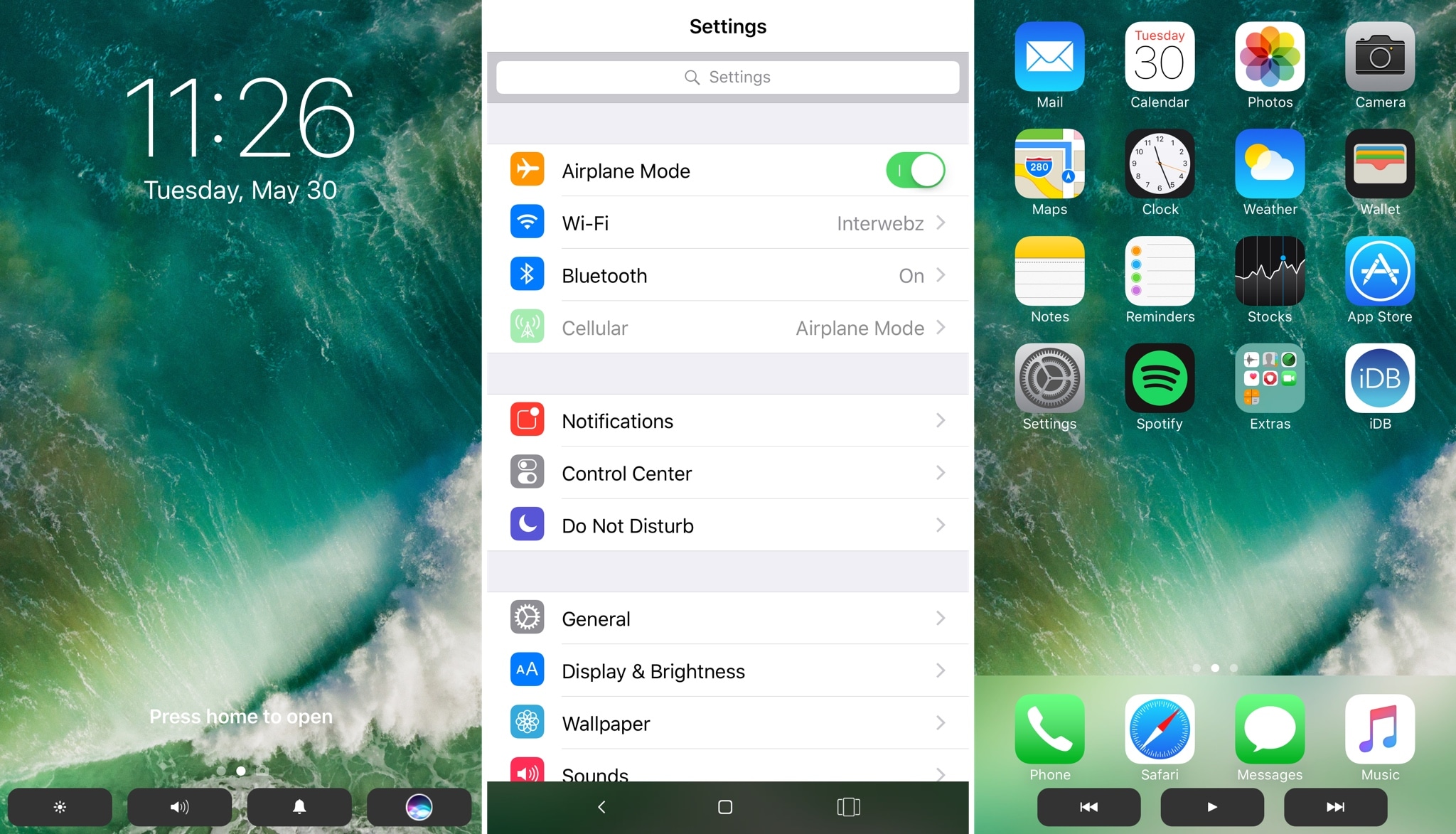
The Touch Bar is perhaps one of the most innovative new features of the latest model of MacBook Pro, but a new jailbreak tweak dubbed TouchBar by iOS developer LaughingQuoll aspires to bring a similar feature to jailbroken iOS devices.

After installation, the tweak essentially hides out at the bottom of your device’s display in all interfaces. This makes it easy to get to, enabling you to access its shortcuts with ease, no matter what you might be doing.

Hide stuff from your Lock screen with LSHiddenTools10

The Lock screen is the first thing you see every time you wake your device up, whether it’s coming out of your pocket or you’re grabbing at it for the first time of the day from your nightstand.

That said, why not use your jailbreak to customize your Lock screen? A new free jailbreak tweak called LSHiddenTools10 by CydiaGeek will allow you to do just that.

Halide, Clarity, Adobe Scan, and other apps to check out this weekend

This week's edition of our Apps of the Week roundup includes a new camera app with a beautiful UI and powerful features, a wallpaper editor and a text scanner. And as usual, we have two great new games for you to check out this weekend.

Halide

The App Store probably didn't need another camera app, but Halide was just too beautiful to pass up. The developers describe Halide as a "groundbreaking camera app for deliberate and thoughtful photography." Its bag of high-end tools includes gesture-based exposure and manual focus controls, focus peaking, histogram, adaptive level grid and RAW support. Built by former Apple designers, this app is well-worth checking out. Halide is available for $2.99 (limited time).

Clarity

Clarity is a minimal, handy wallpaper editor. Simply load your favorite photo into the app and adjust things like Hue, Saturation and Opacity to ensure that any image makes a great wallpaper. Other features include 200+ gradients to choose from, as well as various blur and mask effects. The point is to make your photo light enough so that you can still clearly see the date/time on your Lock screen and icons on your Home screen. Clarity is available for free.

Adobe Scan

That's right, Adobe released a scanner app this week called Adobe Scan. Like similar apps, it turns your mobile device into a portable scanner that recognizes text automatically using OCR. Turn anything—receipts, notes, pictures, documents, business cards, whiteboards—into an Adobe PDF with content you can highlight, search and annotate. There are a few caveats here, such as you need an Adobe account to use the app, but this still looks like a solid option for folks in the market for a scanner app. Adobe Scan is available for free (with some IAPs).

Bouncy Hoops

Bouncy Hoops is a minimal basketball game for all the, in the developers' words, "street ballers and shot callers" out there. The gameplay is dead simple, with one-touch controls, and there is quite a bit of content to unlock—20 different basketballs and 5 unique locations to hoop in. It has a retro arcade style look and sound, and it's getting very favorable early reviews. The game is made by the same team behind Flappy Golf and Super Stickman Golf. Bouncy Hoops is available for free (with some IAPs).

SUP Multiplayer Racing

Gear up and make your engines roar for the craziest multiplayer mobile racing experience ever! Leave your rivals in the dust: drift, jump, blast off with boosters, and reach the finish line in one piece. Compete with up to 3 opponents from around the world on stunning tracks, smash others off the track and push your car to the limit! There is tons of customizable content and events to keep you entertained. If you're looking for a new racing game, this one is worth checking out. SUP Multiplayer Racing is available for free (with some IAPs).

More apps to check out Apple’s free app of the week: The Robot Factory Expand iPad’s Picture-in-Picture feature with PiPifier Skype is getting a major redesign with Snapchat-like features Plex app gets live TV support and DVR enhancements Twitter’s inbox now separates out messages from people you don’t follow

How to live stream WWDC 2017 on iPhone, iPad, Apple TV, Mac, Windows and Android

Apple will be live-streaming its WWDC 2017 event, just as they have for the last several years, so the world can tune in and see what’s new in the world of iOS, macOS, tvOS, watchOS, and more.

No matter what type of device you’re using the day of the event, you can live-stream the keynote. In this piece, we'll go over all the methods on how for every operating system and platform.

10.5″ iPad Pro screen protector surfaces ahead of rumored WWDC announcement

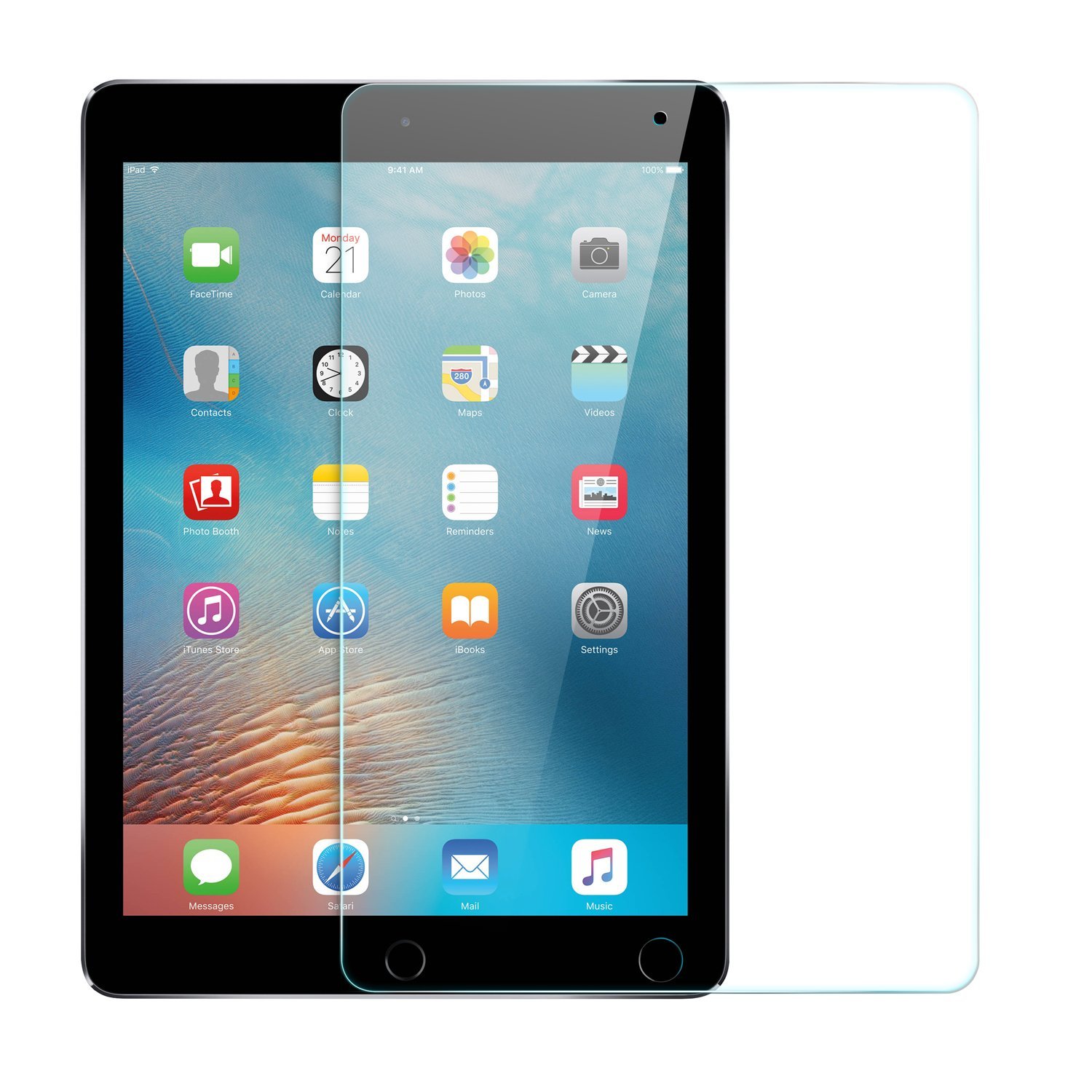
A screen protector for the rumored 10.5-inch iPad Pro has surfaced on Amazon ahead of Apple's WWDC keynote on Monday. It's made by popular accessory manufacturer Anker and is available for overnight delivery.

It's not unusual for accessories like this to pop up ahead of expected device announcements, but for a company as large as Anker to feel confident enough in pre-lease info to advertise and ship them is far less common.

Apple is widely believed to introduce a new 10.5-inch iPad on stage during its keynote next week. The tablet is said to have a footprint the same size as the 9.7-inch iPad, with slimmer bezels, and various other upgrades.

There are two customer reviews here: 1 5-star review where the user said they purchased this for the new iPad, and 1 1-star review where the user apparently tried to cut it to fit a smaller tablet. It's glass, so it...shattered. Weird.

Noted Apple analyst Ming-Chi Kuo gives the rumored iPad a 70% of being unveiled next week, and multiple reports claim Apple has ramped up production on the device. We've also seen alleged cases for the 10.5" tablet.

Join us Monday for full coverage of Apple's WWDC keynote and all subsequent announcements.

Source: Amazon via 9to5Mac

Another alleged iPhone 8 dummy with rear Touch ID surfaces

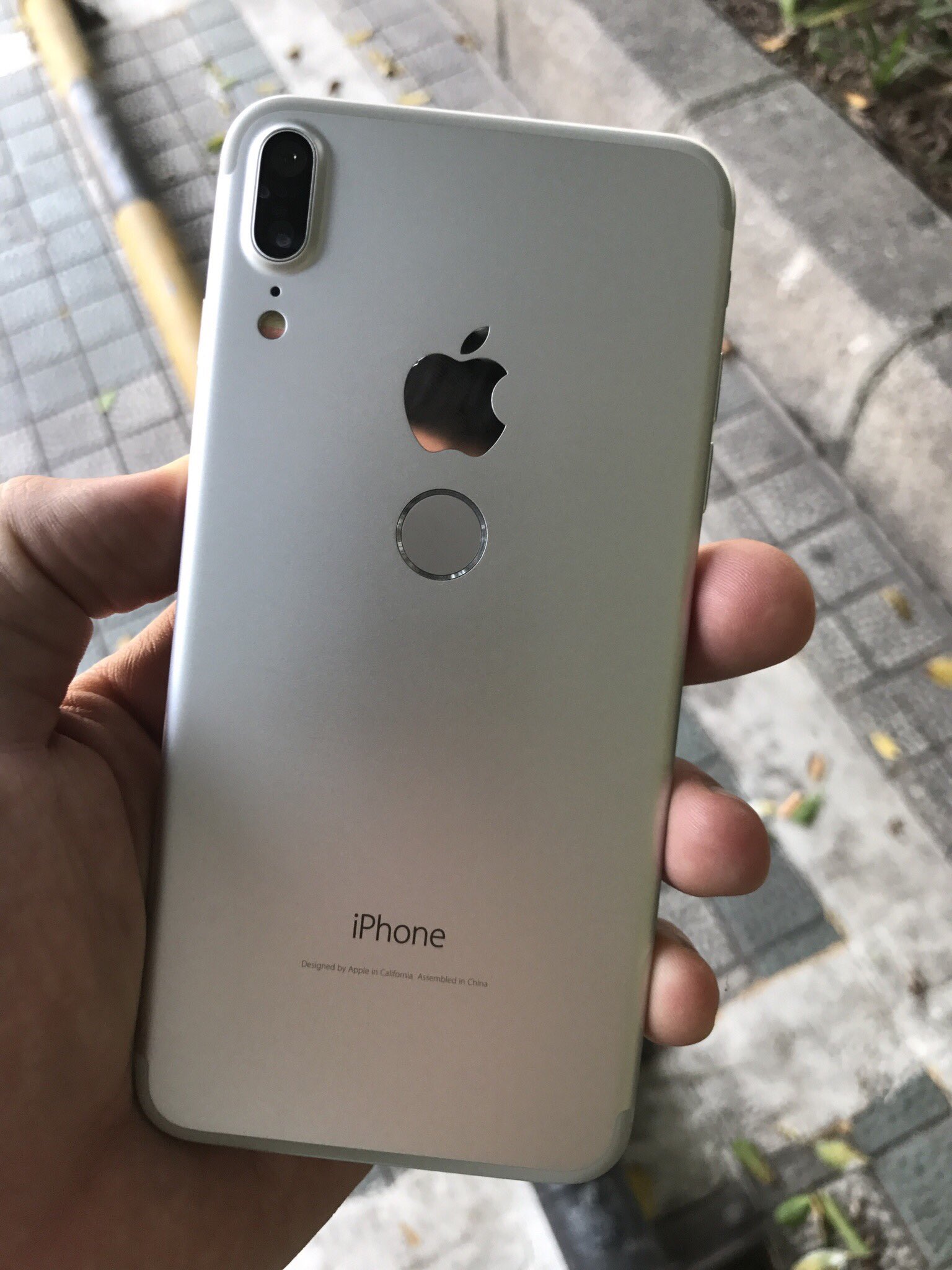
A new set of images surfaced this morning showing an alleged iPhone 8 dummy unit. It features a large display with small bezels, a vertically-aligned dual camera, and what appears to be a rear-mounted Touch ID/Home button.

While the device bears Apple and iPhone logos, and some of the rumored iPhone 8 features, serial leaker Benjamin Geskin says it's not the real thing. Geskin pointed to the photos on Twitter, calling the handset a "Chinese clone."

The consensus thus far seems to be that the next-generation iPhone will have Touch ID embedded into its display, but rumors—and as you can see, alleged leaks—claiming that it will have a rear-mounted Home button have persisted.

It's possible Apple considered such a design at one point, and it may have even made it to the prototyping stage. It's also possible this is the oft-rumored iPhone 7s expected to debut alongside the iPhone 8 this fall—it's been reported that Apple has had issues with mass-producing displays with embedded Touch ID, so this would be a cheaper, more efficient option. Or this could just be a Galaxy S8 clone that's been rebranded for higher pricing.

Apple's WWDC keynote is next week, where it is expected to preview the next major version of iOS. It's also believed we could see a new iPad model with slimmer bezels, which may give us some insight on the next iPhone's design.

What do you think of this iPhone 8 dummy?

Source: Twitter