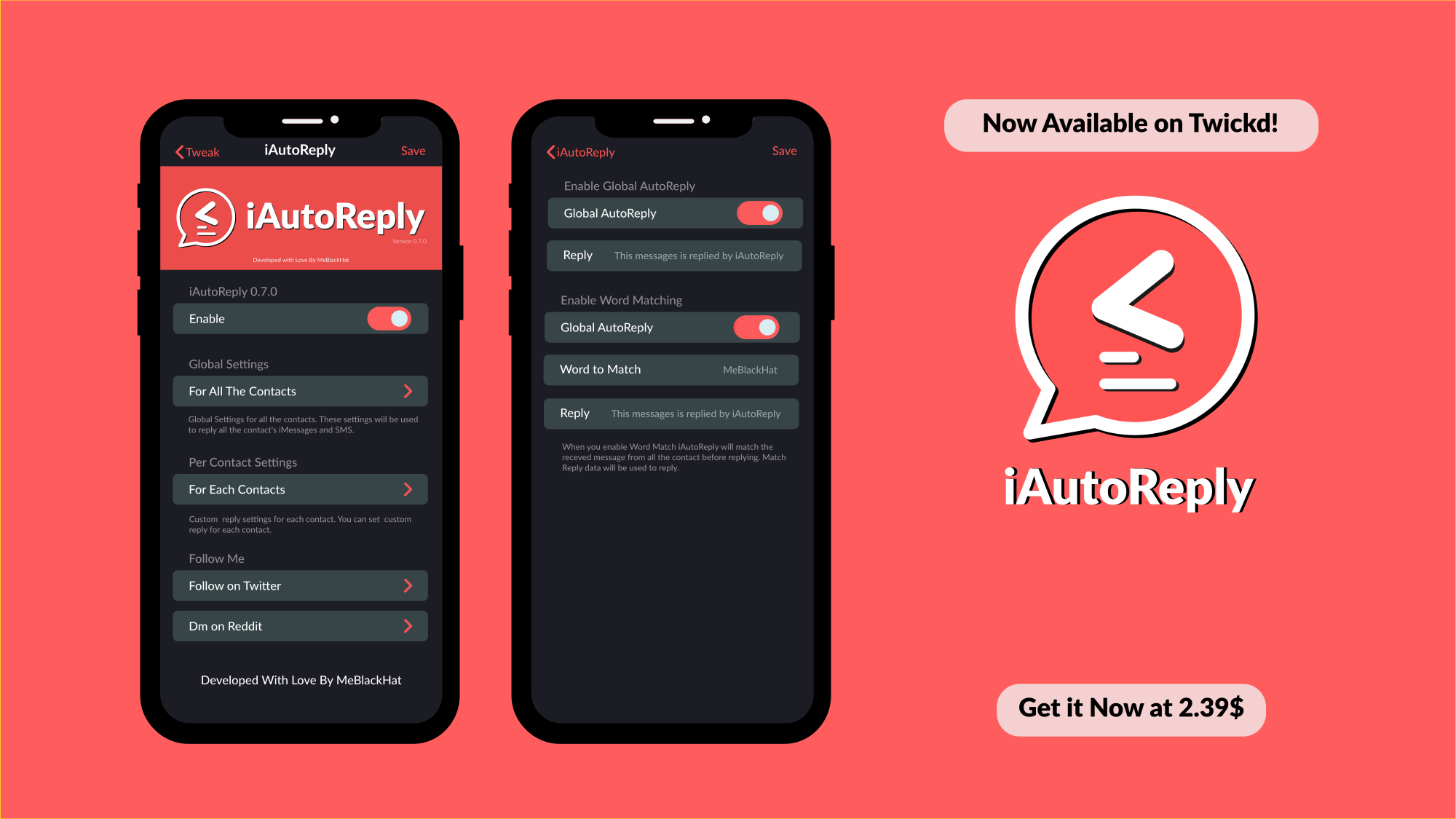
iAutoReply lets you configure automatic responses for text messages & iMessages

If can be tough, if not nearly impossible, to respond to every text message or iMessage throughout the day. This is especially true if you’ve got a lot of friends and a busy schedule. Fortunately, a newly released jailbreak tweak called iAutoReply by iOS developer MeBlackHat is here to help our friends know that their messages aren’t falling on deaf ears.

Just as the tweak’s name implies, iAutoReply offers many flexible features for users who might want to configure automatic replies for text messages or iMessages that they can’t reply to right away. Not only can iAutoReply be configured for global message responses, but it can also be configured to reply to certain contacts in a different way.

Colorful brings powerful interface colorization to pwned iOS 13 devices

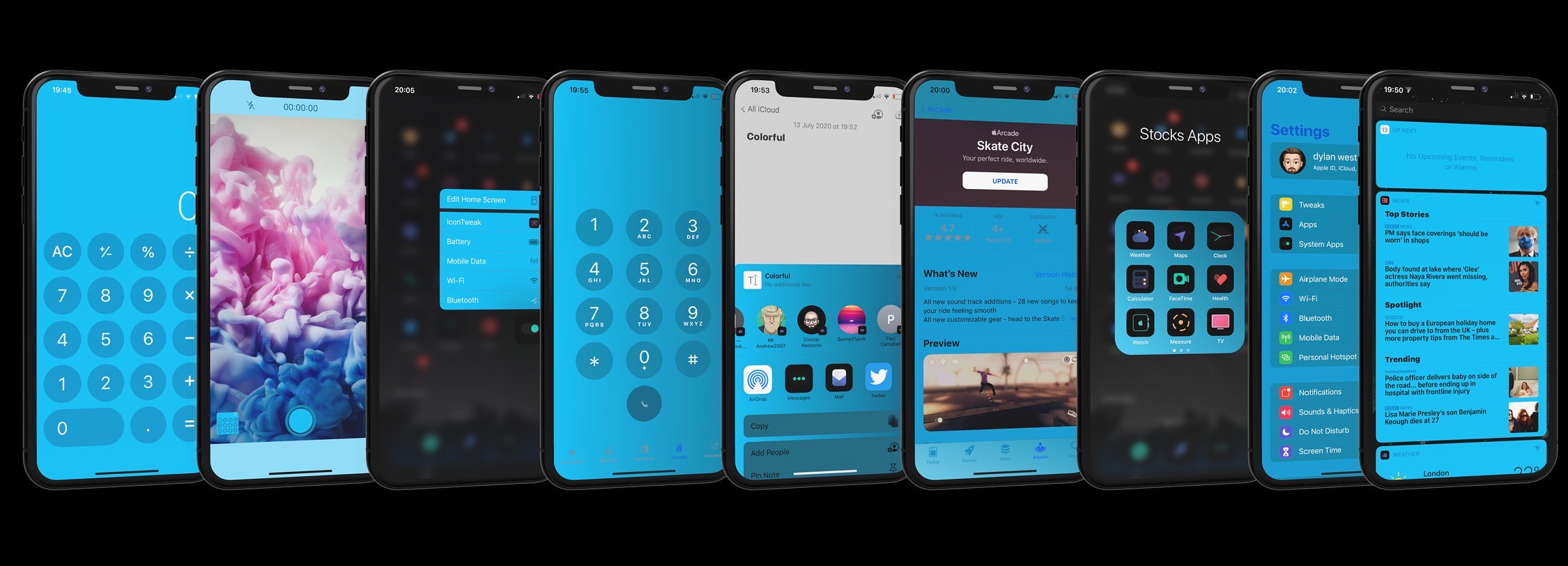
For some jailbreakers, theming and system colorization are two of the most exciting aspects of having a pwned handset at their disposal. Fairly regularly, jailbreak tweak developers release some kind of add-on that allows users to colorize their handset’s aesthetics — some made specifically for certain interfaces, and others made to work system-wide.

A new jailbreak tweak release dubbed Colorful by iOS developer Dylan West (iOSthemem0d) is one of the latter, and it comes with so many options for tweaking your iPhone’s color scheme that you can captivate the interest of your peers regardless of what interface you might be looking at on your handset.

This tweak adds a screen recording length indicator to the Status Bar

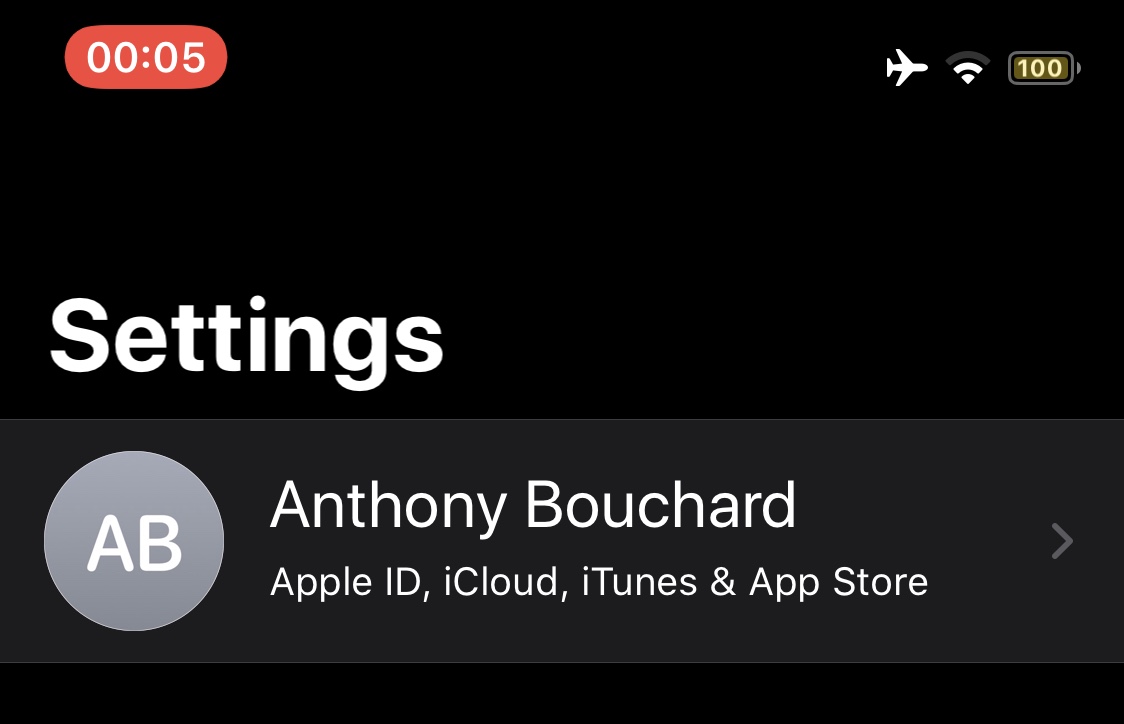
Whenever you initiate a screen recording on a notched iPhone, a red pill-shaped indicator appears over the Status Bar’s time display. This is useful for reminding you that your display is recording so you remember to stop it at some point, but iOS developer h4ckua11 had another idea for improving the screen recording indicator that would go on to become a new and free jailbreak tweak dubbed ScreenRecording Time.

As shown in the screenshot example above, ScreenRecording Time merely replaces the current time display in the red pill-shaped screen recording indicator with a timer denoting the length of time that the screen recording has been in effect. In other words, it reminds you of how long your screen recording is before you end it.