iPhone News

Apple posts open letter regarding PRISM accusations and customer privacy

Apple has just issued a statement regarding its customer privacy policy, following accusations that it is involved in a US government-run PRISM program that offers up user data without warrant. It's already commented on the situation, but it obviously felt it needed to be more clear.

Tonight the company posted an open letter to its website entitled 'Apple's Commitment to Customer Privacy.' The letter reiterates that Apple knew nothing about the so-called PRISM program, and offers insight into its relationship with the government and what it means for users...

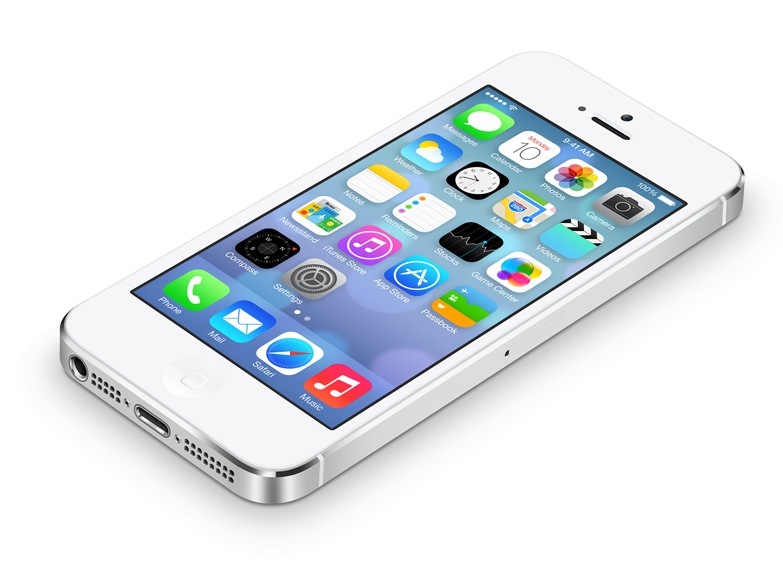
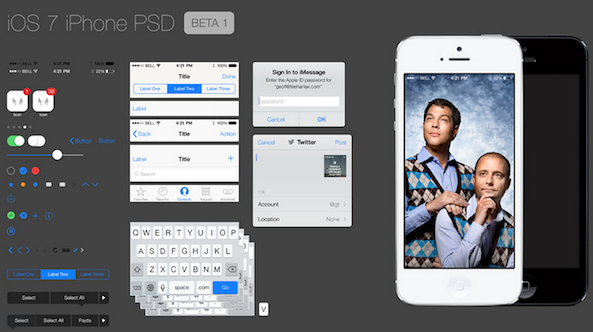
iOS 7 beta GUI PSD file now available for download

Heads up all of you designers and concept artists. The entire GUI (graphical user interface) for iOS 7 has just been uploaded to the web.

That’s right, all of the buttons, menus, icons and anything else you can think of graphic-wise in the developer beta are now available for download…

Features MIA in iOS 7

I'm sure technophiles by now are aware that Apple restricts beta code to registered developers, but that didn't stop iOS 7 Beta 1 from popping up in a lot of places on the web.

You can't blame the curious types for wanting to get a taste of Apple's most important software upgrade since the iPhone's inception.

But as a side-effect, those unfamiliar with Apple's betas are taking to blogs to write about crashes, UI inconsistencies and allegedly missing features. To be fair, teething issues are the norm for major software releases, let alone betas.

But tell that to concerned citizens who are blogging about iOS 7 "issues". We've scourged the web for top complaints in order to lay out Apple's thought process and explain why some features are "missing" in the first beta and what can be expected from upcoming beta releases...

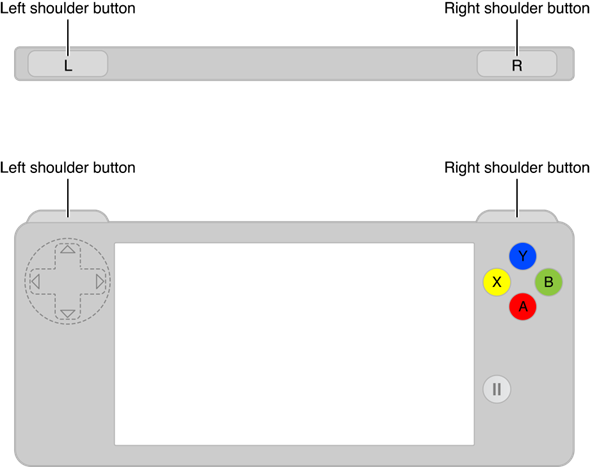
Photo surfaces of first ‘Made for iPhone’ game controller prototype

We know that iOS 7 is going to offer developers an easy way to make their games compatible with physical controllers. After years of ignoring the space, Apple is finally going to officially support third-party gamepads, and both Logitech and MOGA are already onboard.

Today, we get our first glimpse of what at least some of these controllers may look like. A photo has surfaced of what is said to be a prototype of the first 'Made for iPhone' game controller. It's made by Logitech, and the control scheme looks reminiscent of the PS Vita...

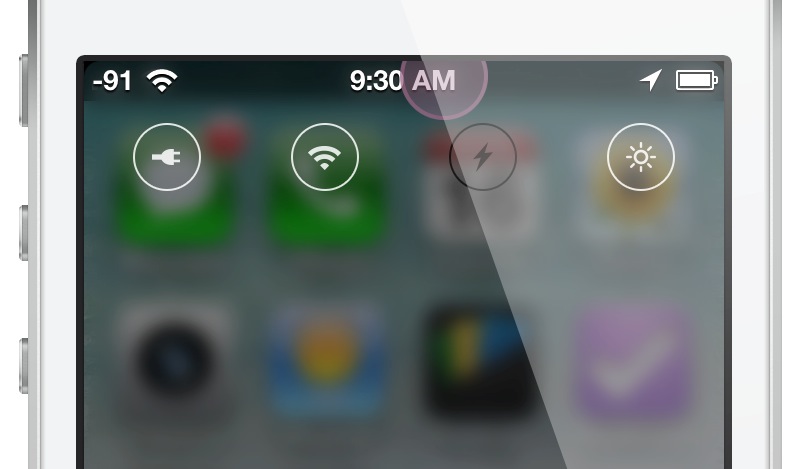
How to add iOS 7 Control Center inspired toggles to iOS 6

iOS 7 Control Toggle Icons is a new jailbreak theme that brings iOS 7 inspired toggles to lesser firmware. The toggles, based on those that appear in iOS 7's new Control Center, help bring the look and feel of iOS 7 to jailbroken iPhones.

Designed by renowned designer, Surenix, the toggle theme integrates with NCSettings, and requires WinterBoard. It's also been recommended that you add a blur effect tweak to the Notification Center window, further emulating the signature style of iOS 7.

I've installed iOS 7 Control Toggle Icons on my iPhone, and I'd like to show you how it all comes together. Check out our hands on video walkthrough after the break...

The iDownloadBlog top news stories of the week – June 17, 2013 edition

Like every Sunday, we bring you the stories that were the most popular on iDB during this past week. Whether it is a news piece, an editorial, a tutorial, a new jailbreak tweak, or an accessory review, we sum it all up in one convenient place.

If you like what you're reading, please make sure to spread the love by sharing our posts on your favorite social network.

We're usually hanging out a lot on Twitter and Facebook, more rarely on Google+.

Everything you need to know about Apple’s WWDC keynote 24 new iOS 7 features Apple didn’t talk about during WWDC iOS 7: first boot iOS 7: the Lock screen iOS 7: Charging A closer look at Messages in iOS 7 A closer look at the new Notification Center in iOS 7 New in iOS 7: dynamic and panoramic wallpapers Icon comparison: iOS 6 vs iOS 7 iOS 7 availability and the devices that will be supported Ten iOS 7 features that were borrowed from the jailbreak community Give your iPhone an iOS 7 makeover with this new theme How to downgrade iOS 7 to iOS 6.1.3 iOS 7 beta 1 download available for developers

Of course, don't forget to listen to the latest episode of our podcast, Let's Talk Jailbreak:

We’re social! Find iDB on Twitter, Facebook, Google+, App.net, YouTube, and in your RSS reader. Also make sure to subscribe to our new podcast!

Google reveals plans to bring internet to the masses using balloons

Google's 'X' division has gained a reputation for making the seemingly impossible, possible. The not-so-secret lab is responsible for churning out a number of innovative projects, including self-driving cars and more recently, Google Glass.

Yesterday, the search giant unveiled X's next 'moonshot' venture called Project Loon. The idea behind Loon is to let loose a ring of balloons, outfitted with cellphone tower-like tech, in the sky in an effort to provide internet to the masses...

New tweak based on Sentry’s ‘fan out app grouping’ concept coming soon

The news cycle was completely dominated by iOS 7 this week. As most of you know, Apple took the wraps off of its next generation mobile operating system on Monday during its WWDC keynote. And good or bad, people can't stop talking about it.

But that doesn't mean things have quieted down on the jailbreak front—it's just the opposite. Caughtinflux, an iOS developer and one half of the group A3Tweaks, announced this week that him and Sentry have a new jailbreak tweak in the works.

And it looks awesome...

Steve Jobs originally didn’t want to enter the e-book market

In a dose of irony that shouldn't be lost on anyone and at a time when Apple's Eddy Cue is being hauled before the U.S. Department of Justice in Manahattan, Apple's Senior Vice President of Internet Software and Services has admitted that Apple co-founder and then CEO Steve Jobs didn't even want to sell e-books in the first place.

Speaking whilst testifying during the ongoing price fixing case yesterday, Cue said that when first approached about the idea of launching iBooks, Steve Jobs was not keen on it, leaving Cue to bide his time before broaching the subject again.

In fact, it was only with the release of the iPad fast approaching that Jobs realized that iBooks may be a good idea after all, and the rest as they say, is history...

Impressive iPhone concept shows iOS 7 running on a 4.3-inch edge-to-edge display

Now that Apple has unveiled iOS 7, and we know what its next generation software is going to look like, it's time to start thinking about its next-generation handset. No, I'm not talking about the iPhone 5S that's expected this year. I'm talking about after that.

Well if you ask the folks over at ADR Studio, they think it's going to sport a 4.3-inch edge-to-edge display and a fingerprint scanner. The design team has put together an impressive iPhone 6 concept that mixes their creativity with ongoing iPhone rumors...

iPhone 4S/5 users to get Wireless Emergency Alerts via AT&T

U.S. carrier AT&T announced Friday that its subscribers will soon start receiving Wireless Emergency Alerts to their iPhone 4S or iPhone 5 devices. Text notifications will include AMBER, Imminent Threat and Presidential Alerts and will be enabled following an upcoming carrier update pushed out to iPhone devices running iOS 6.1 or later.

Of the three types of alerts, users will be able to disable AMBER and Imminent Threat alerts. Presidential alerts, which are sent straight from the President, can't be turned off...

How to make TextExpander work with OS X 10.9 Mavericks

As a huge TextExpander fan, and a person that relies on the app on a day to day basis, I freaked out a bit when I couldn't get TextExpander working on my MacBook. Yes, I'm one of the very foolish ones who decided to put a beta OS on their main work computer, but that's just how I roll.

At any rate, I needed to get this fixed ASAP, because it was hindering my ability to be productive. The problems stems from the fact that OSX 10.9 places the access to assistive devices option — an option absolutely necessary to run TextExpander — in a brand new location, under the guise of a new security setting.

So every time I received this error: "Please go to the “Universal Access” preference pane and enable access for assistive devices before using TextExpander!" TextExpander would point me to a section of the System Preferences that no longer exists.

How to fix? It's actually quite easy to do, follow me inside...