Tutorials

Pro Tip: create an applet to watermark images

Adding watermarks to photos is an invaluable tool for photographers who want to put a company logo or information on a photograph to share the proper credits that made the photo possible.

It can be done manually in a variety of different kinds of photo-editing software, such as Adobe Photoshop or Pixelmator, but in this tutorial, we'll show you how you can create an applet that automatically watermarks photographs for you.

Converting a regular video to slow motion with iMovie on Mac

Slow motion videos are one of the fun aspects of using your iPhone for videogprahy. You can record videos in 120 or 240 frames per second and then watch it play back in a much slower manner than it typically would.

On the other hand, if you don't use your iPhone to capture video, getting the video files from your other devices to transform into slow motion is a little trickier. Fortunately, iMovie for Mac can convert your videos into slow motion, and in this tutorial, we'll show you how.

How to stop your iPhone from asking to install iOS updates

iOS can download and install updates without the need to connect to iTunes; this is known as Over-the-Air (OTA) updating.

When you have an OTA update waiting for you, your Settings app typically gets a red badge and iOS will constantly nag you about software updates. The thing is, not everyone always wants to install Apple's updates.

In this tutorial, we'll show you how to disable requests for iOS updates on your iPhone or iPad. This trick will also remove the nagging badge on the Settings app.

The best tips for saving battery power while playing Pokémon GO

Without a doubt, many who are reading this post right now are huge Pokémon GO fans. The game took the mobile device market by storm and it became an instant hit, topping the application stores on two of the largest competitors on the market today: iOS and Android.

One of the things that can't be avoided while playing Pokémon GO is the battery drain you're going to suffer, and this is because it's a GPS-based game, but there are still some pointers you can follow to help reduce battery drain so you can play as long as possible.

How to un-jailbreak iOS 9.3.3 with Cydia Eraser

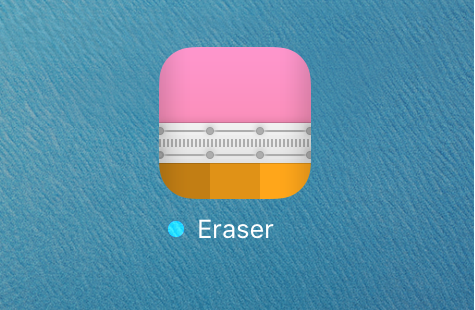
Saurik has officially updated Cydia Eraser this week with support for iOS 9.3.3, which means anyone who jailbroke with the Pangu jailbreak tool now has a way to un-jailbreak their devices without using iTunes to restore and update their device.

In this tutorial, we'll show you how and why to use Cydia Eraser to un-jailbreak your iOS 9.3.3 device.

Go Radar tracks Pokémon locations in real time

Pokémon GO is all the hype right now, and lots of people are enjoying playing it, but there is a substantially high number of people who are upset with the removal of the Footsteps feature in the game, and even more-so game developer Niantic's decision to start shutting down real-time Pokémon trackers.

If you're having trouble finding the Pokémon you want after the update that removed Footsteps, you might consider trying a crowdsourced Pokémon tracker app instead of one that relies on Niantic's servers to feed information.

How to change your player name in Pokémon GO

One of the new features that shipped with the Pokémon GO 1.3.0 update this week was the ability to change your player name in the game. This is the name that everybody sees when you compete in gyms, so if you accidentally chose a name you didn't want, now is your chance to switch it out.

In this tutorial, we'll show you the steps to take to change your name in Pokémon GO.