Learn how to increase the bass and boost the sound when listening to music with AirPods, HomePod, and other headphones and speakers.
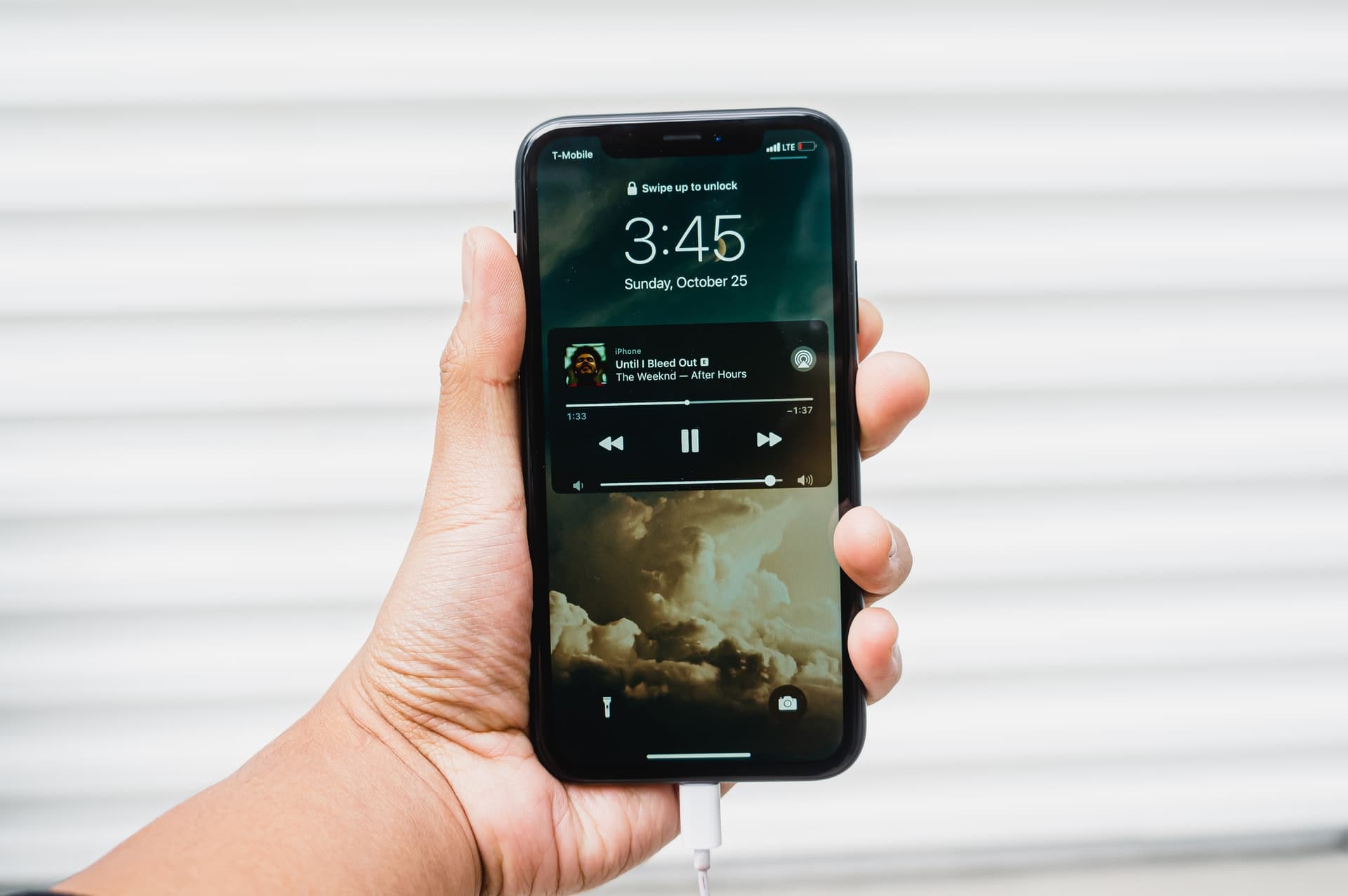
Why adjust the bass response
By default, your iPhone puts out balanced sound, and most people don’t feel the need to change it.
However, some folks prefer to customize bass response to their liking. For that reason, Apple provides an equalizer (EQ) setting on the iPhone, iPad, and Mac to fine-tune how audio sounds.
If more bass is what you’re looking for, you’ll focus on bass-related EQ settings for more boom and less treble. This process works for Apple’s AirPods and EarPods, as well as third-party headphones and speakers.
Increase the bass for music playback
Before you begin, I suggest playing some music in the background so you can hear the sound changes in real time. Then:
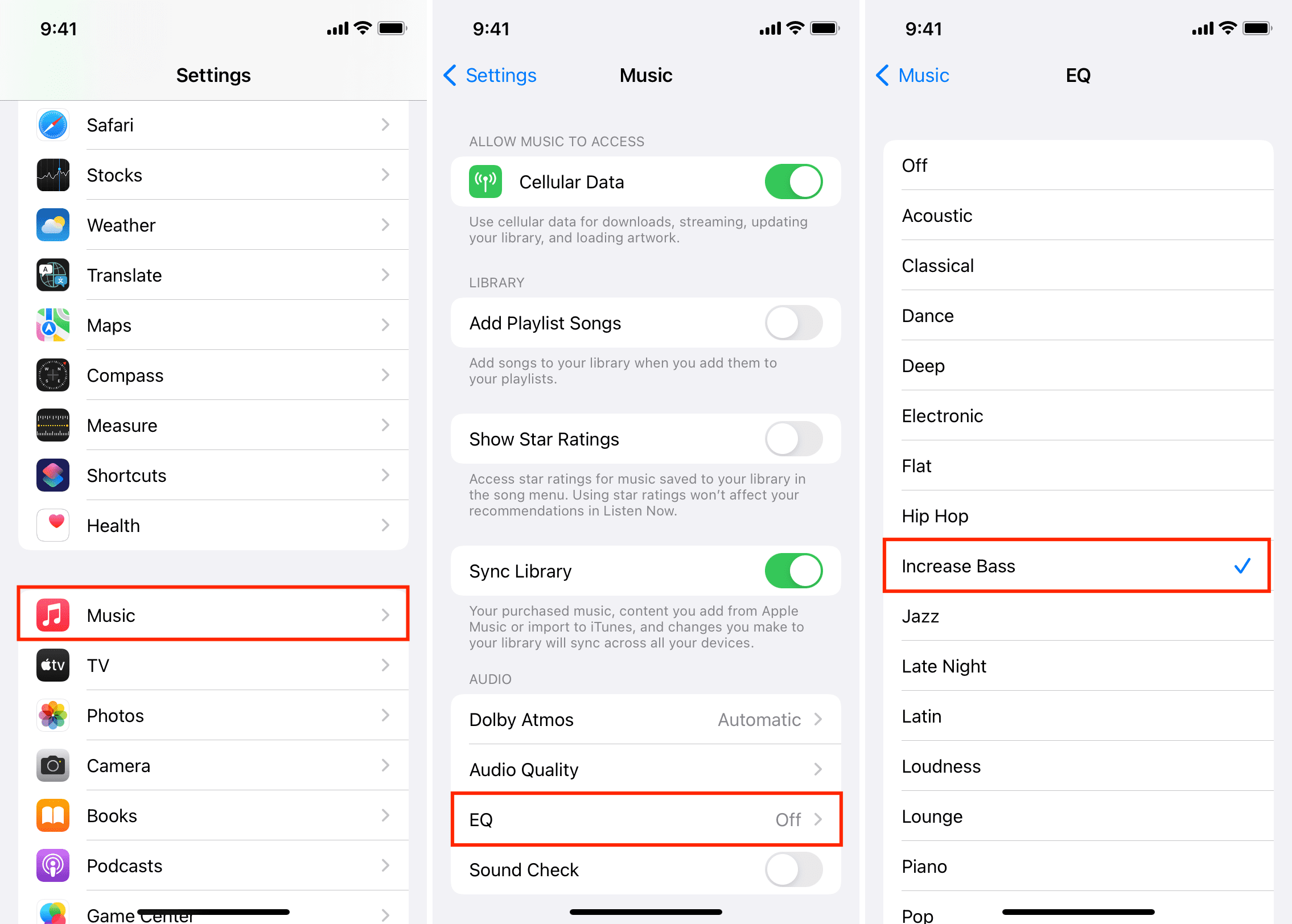
- Open the Settings app.
- Scroll to the bottom and tap Apps.
- Select Music in the list of apps.
- Tap EQ to access the equalizer.
- Select the Increase Bass setting.
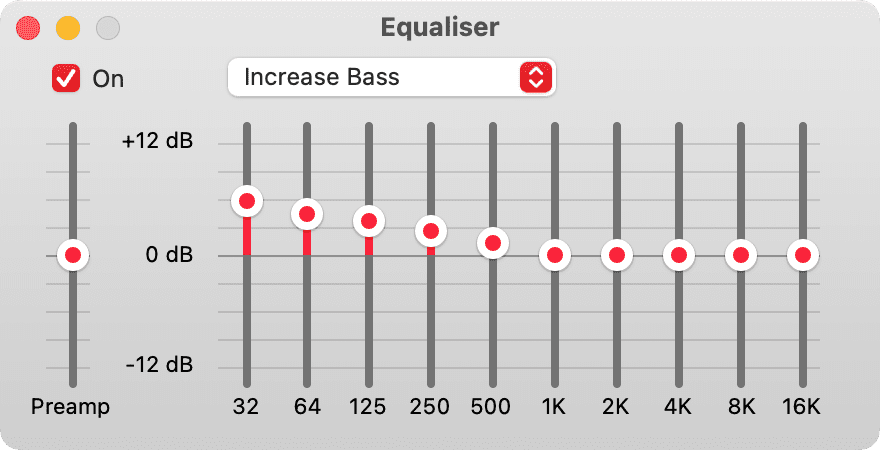
Mac
- Open the Music app.
- Click the Window > Equalizer in the top menu bar or press the Option + Command + E keys to open the equalizer.
- Tick the ‘On’ box.
- Select Increase Bass in the drop-down menu. With music playing in the background, you’ll hear the changes immediately.
Now what?
Increasing the bass boosts the boom and reduces the treble. It doesn’t make the bass any louder. Instead, bass becomes more prominent because it’s isolated from higher frequencies more effectively. Of course, that won’t make your tiny headphones or speakers magically sound like a high-end Hi-Fi system.
Feel free to experiment with other EQ settings. Regardless of whether your headphones or speakers have a built-in equalizer, tweaking EQ settings on the operating system level will always give you the richer sound you’re looking for.
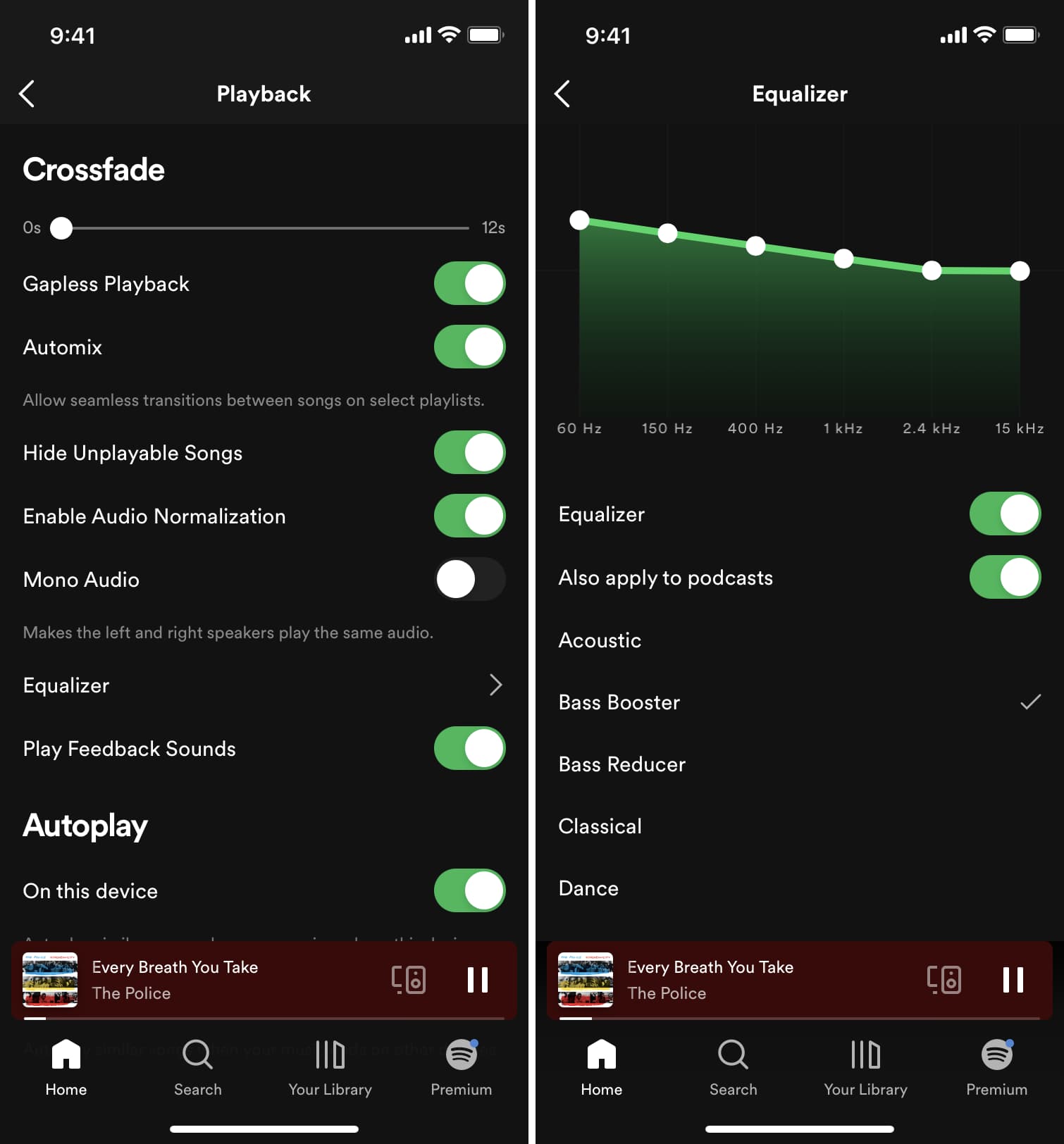
For Spotify and other apps with their own EQ settings, use those controls to adjust the sound.
Do you like having more bass in your music? Let us know in the comments below!
More on music playback: