Learn how to clear cached media and other temporary files in the X app on your iPhone or Android phone to free up storage space or troubleshoot issues.
How to free up space on your iPhone by clearing X’s cache and media files

Learn how to clear cached media and other temporary files in the X app on your iPhone or Android phone to free up storage space or troubleshoot issues.

Messaging service Viber today rolled out a new Secret Chats feature. Not to be confused with Secret Messages, a similar feature introduced in February 2017 that lets you define how long your photos, videos and texts are available after the recipient has opened them, Secret Chats use Viber's end-to-end encryption let you set a timer on individual messages so they disappear after a few seconds, get an alert when a screenshot is taken and be sure no messages get forwarded.

Learn how to manually update the Spotify app on your Mac to ensure you have the latest available version with the newest features and bug fixes.

Looking for some new apps to try this weekend? iDB has you covered. In this week's edition of our Apps of the Week roundup, we've selected some great new apps including a wallpaper-maker, an adult coloring book, and an interactive video platform. And as always, we've also picked two great new games for you to check out.

WhatsApp's longstanding text-based status feature was recently supplanted by Snapchat-esque slideshows containing auto-vanishing images, photos, emoji, drawings and other multimedia items. Our tutorial explains how to use this new feature, but it seems many users are unhappy with the overhauled status. If you count yourself in this group, you'll be delighted to learn that Facebook is working on bringing back the original status feature, called About.

Twitter recently introduced several features in its mobile app that give users the option to filter out anonymous and “egg” accounts, as well as mute words, phrases, mentions and hashtags in their timelines (be sure to read our tutorial for step-by-step instructions on the new filtering options).
In its continuing mission to fight trolls on the service, the company is taking additional steps to make the platform a safer place, as Mashable reported Friday.
In a nutshell, the service has now begun censoring profiles that post “potentially sensitive” content even if the implementation seems a bit heavy-handed at the moment.
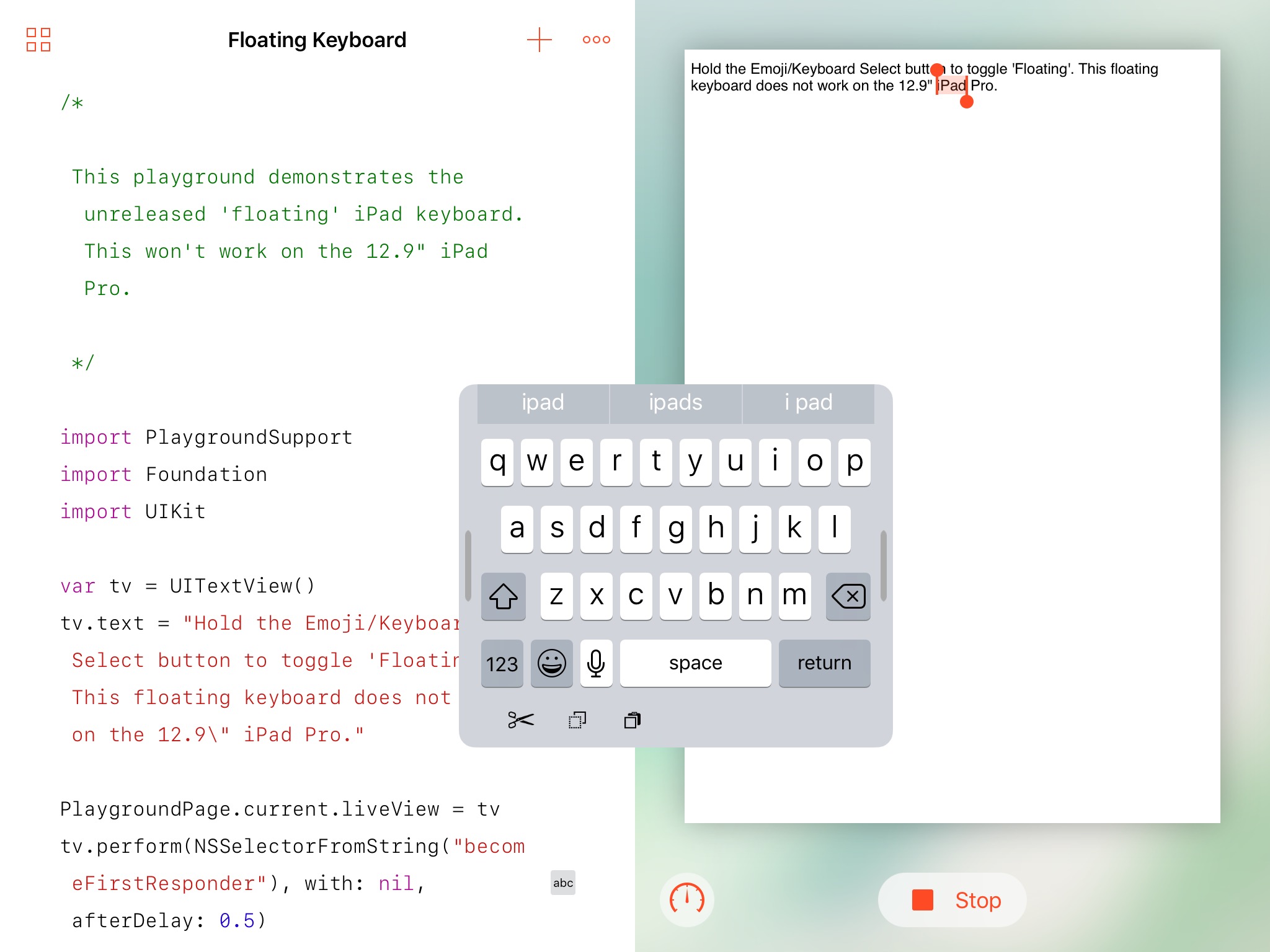
Developer Steve Troughton-Smith recently discovered a one-handed floating iPad keyboard in a beta of iOS 10.3. While it's unclear whether or not Apple will debut this handy unpublished keyboard officially when the software update releases for public consumption, Troughton-Smith has kindly provided a way for iPad owners to try it out early using Apple's free Swift Playgrounds app, here's how.

Google yesterday released Chrome 57 for Mac, Windows and Linux. The release contains a number of fixes and improvements, as well as a bunch of improvements mostly focused on Android and Chrome OS devices. The browser brings a major feature for web developers: a new grid layout system allowing programmers to easily create web designs for a variety of screen sizes. On the iOS side, Google is currently testing a Safari-like Reading List feature for saving webpages for later.

Safari for iPhone, iPad and Mac has long included a tremendously useful Reading List feature that allows you to save your favorite webpages and access them easily between devices—even without an Internet connection. Google has been working on its own version of Reading List and it's slated to arrive in an upcoming update to Chrome for iOS, as reported by 9to5Mac. Like with Reading List on Safari, this nifty new addition will let Chrome users save articles and webpages for offline reading at a later date.

Microsoft today rolled out a major update to its Cortana personal assistant app for iPhone, with enhancements like faster page transitions, improved app responsiveness and overhauled user interface all part of the update. The new version arrived three months after its release on Android. Design improvements in Cortana 2.0, a free download from App Store, include a fresh new look with an improved user experience, immersive full-page answers and overhauled calling, texting and reminders.

In this short tutorial, we’ll show you how to block people on Instagram as well as unblock them if you change your mind down the road.

Developers could refresh App Store's meta data for their apps at any time, but not anymore. According to 9to5Mac, which first spotted the change, Apple's iTunesConnect tool for developers used for editing metadata now requires that a new version of the app be submitted for review before its description, release notes and other metadata can be edited. Any changes made to an app's metadata won't go live on App Store until the new binary has been approved by Apple's editorial team.
UPDATE: Several developers we talked to have confirmed that this was indeed a glitch in the system, saying they're now able to update an app's description and other meta data without submitting a new binary for approval.