Apps

Apple’s Workflow app gains new Apple Music actions, brings back Chrome and Pocket integrations

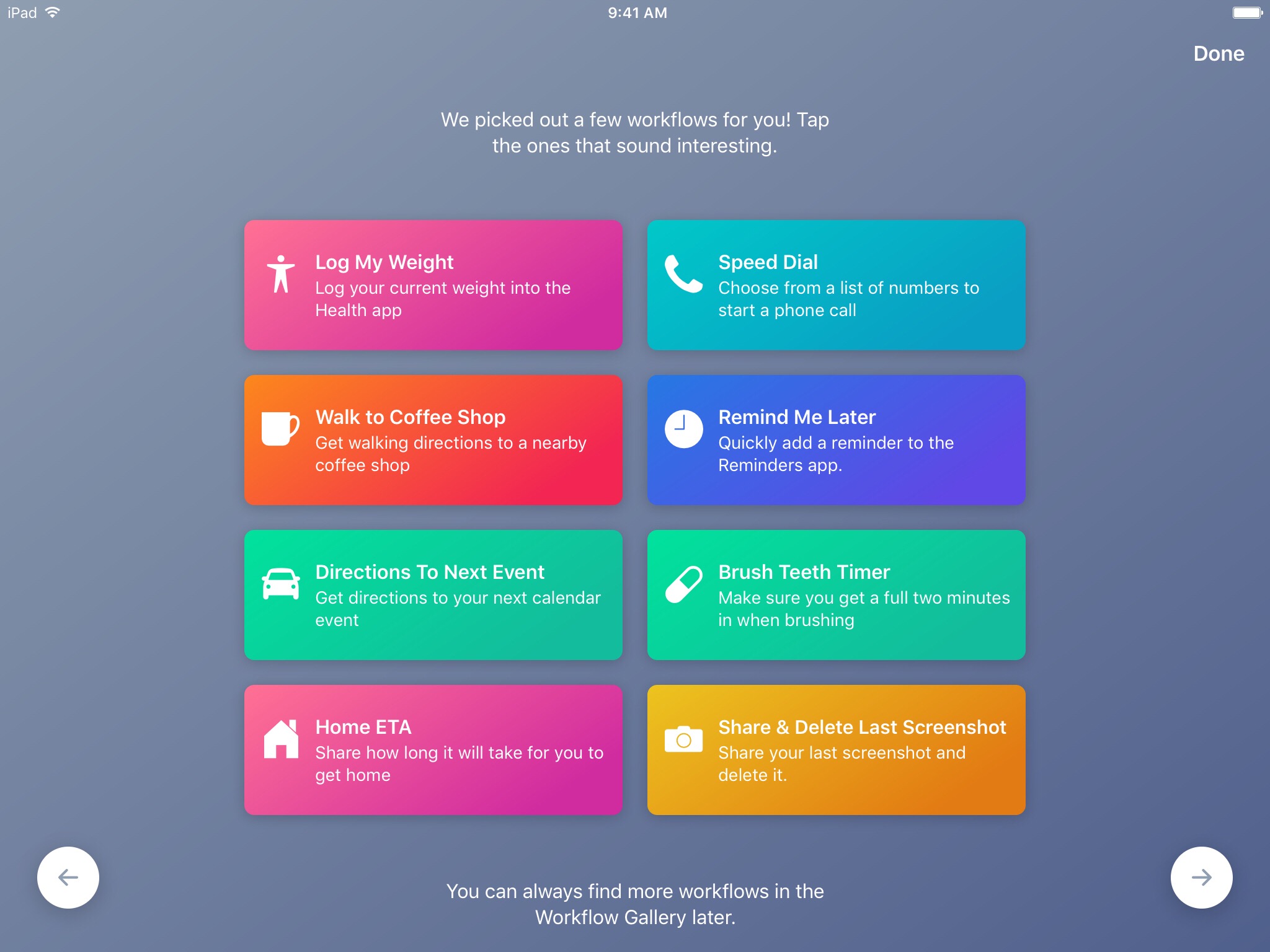
Workflow, the powerful iOS automation app that Apple acquired in March, has brought back a few features that were originally removed from the software following the Apple deal while adding updated Apple Music actions.

In Workflow 1.7.4 for iPhone and iPad, users can now create workflows using actions specifically designed for Google's Chrome browser and the read-later app Pocket, which browser vendor Mozilla acquired in February.

With the updated Apple Music actions, Workflow fans can now add songs to their Up Next queue in the Music app. Another new action lets you clear the songs in the Up Next queue.

Additionally, Workflow's Get Distance actions has been updated with support for getting the distance from a specified location while the order of items passed from a Dictionary action to Choose from List is now preserved.

Here's everything new and fixed in Workflow 1.7.4:

Bug fixes and improvements Restored the Google Chrome and Pocket actions Add music to your Up Next queue with the Add Music to Up Next and Clear Up Next actions Get Distance now supports getting the distance from a specified location The order of items passed from a Dictionary action to Choose from List is now preserved Fixed getting prices for books in Search iTunes Store Fixed making archives with special characters in the filename on iOS 10.3 and later Fixed an issue where workflow glyphs in the Today Widget may be stretched and cut off Fixed an issue where latitude and longitude may be formatted incorrectly in international locales Fixed an issue where .wflow files may fail to open on iOS 10.3 and later Fixed an issue where improperly formatted URLs from Pinboard could cause Workflow to crash Fixed an issue where booleans may not update when their value is changed inside dictionary fields Fixed an issue where handing off clipboard content from the Today Widget or Action Extension may throw a “The file Clipboard could not be opened” error Fixed an issue that could cause Workflow to crash on launch Other bug fixes and minor additions

Apple has said that it will continue to push maintenance updates to Workflow, but no new user features will be added to the software. Today's update makes good on that promise.

https://www.youtube.com/watch?v=7rJXJcn93jU

Subscribe to iDownloadBlog on YouTube

Apple's plans for Workflow are unclear at the moment. For what it's worth, any new features or major changes that could be in the works for the app should be formally announced at the company's annual conference for developers next month.

Workflow is available at no charge via App Store.

How to gift iTunes credit on iPhone and iPad

A particularly cruel proverb says there's more than one way to skin a cat. True or not for cats, its intended meaning certainly applies to sending iTunes gifts and gift cards to your loved ones. For years, Apple has done their homework to make sure we can easily swoop up gift cards for iTunes at most retailers, online through services such as PayPal and also directly gift apps or music we come across and want to share immediately.

On top of the bevy of options available, there's another simple trick to send (any desired) iTunes credit to a fellow application user, right through iTunes or the App Store on iOS. While on no account a hidden gem, we haven't called attention to it before on iDB, so let's bring you up to speed on it if necessary.

How to open your iTunes playlists in separate windows

In older versions of iTunes, you could easily open a playlist in a separate window. It was both a great time-saver and a boon to your productivity, especially on large screens.

For reasons unknown, Apple has removed that functionality from the iTunes 12 update which was overhauled around a single-window workflow.

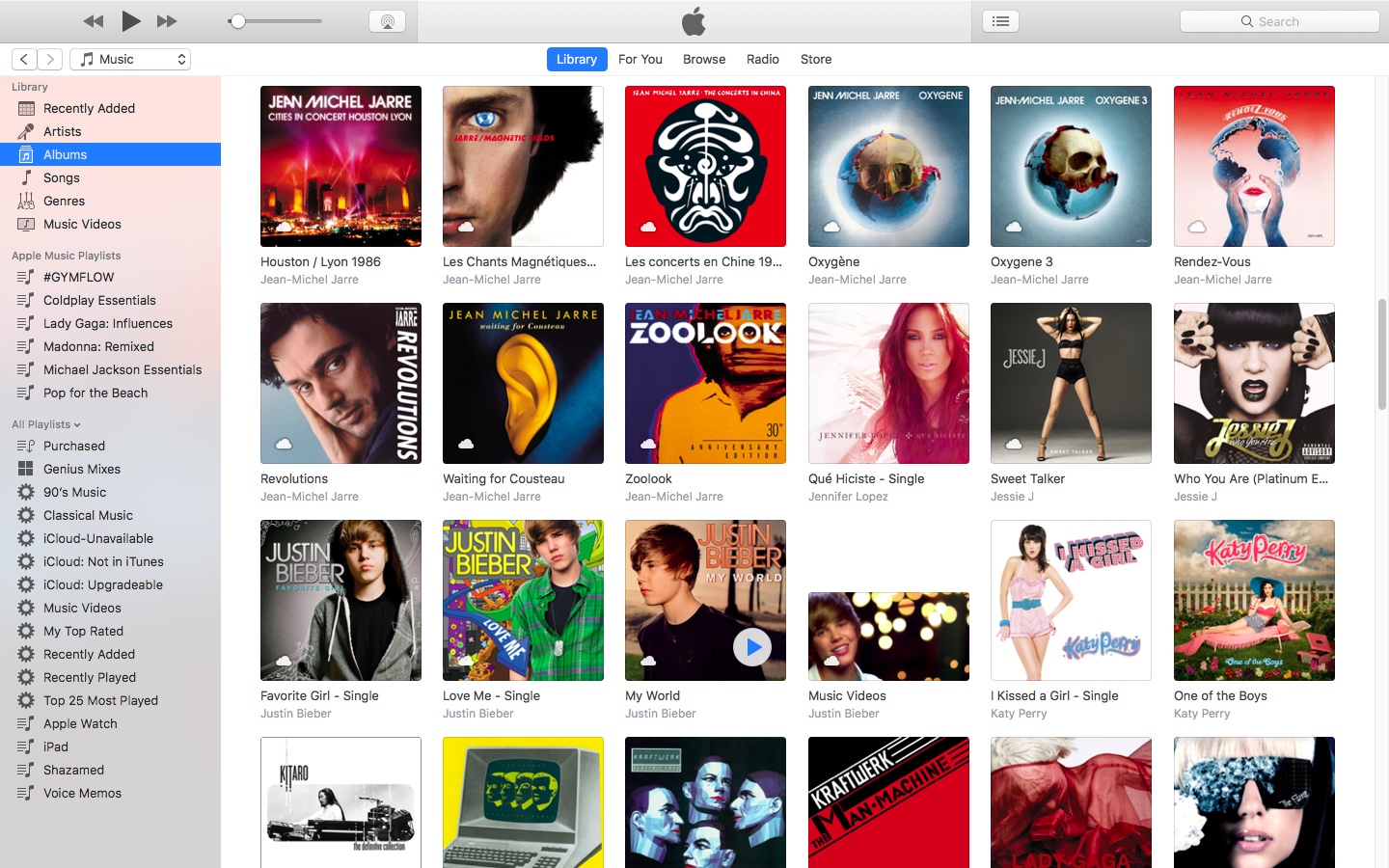
Thankfully, the company has reinstated the ability to open playlists in new windows with iTunes 12.6. Here's how to open your playlists in their separate windows using iTunes for Mac.

How to open your playlist in a new iTunes window

1) Launch iTunes on your Mac.

2) Choose Music from the menu near the upper-left corner, then click the Library tab.

3) In the lefthand column, right-click or Control (⌃)-click your playlist underneath the All Playlists heading, then select the option Open In New Window from the popup menu.

This will open a new iTunes window containing the selected playlist, as shown top of post.

You can drag songs at will between the playlist windows and open as many playlists in separate windows as you like. I don't have that many playlists created in iTunes so I was able to open “only” four playlist windows, but it worked like a charm.

How to open an Apple Music playlist in a new window

Playlists on Apple Music cannot be opened in their separate windows unless they're in your iTunes library. To do so, follow the steps below:

1) Launch iTunes on your Mac.

2) Choose Music from the popup menu near the upper-left corner of the window, then click either the Library or the For You tab.

3) Find a playlist on Apple Music and click the three dots in the lower-right corner of playlist graphics to bring up the contextual menu, then choose the option Add to Library.

4) With the selected Apple Music playlist now in your iTunes library, switch to the Library tab, right-click it underneath the Apple Music Playlists heading in the lefthand column, then select the Open in New Window command.

Just like that, the selected Apple Music playlist from your library opens in a new window.

iTunes playlists windows and Split View

Sadly, playlists windows in iTunes don't support macOS's useful Split View feature.

If iTunes supported Split View properly, it could have been a great multitasking feature. In other words, you cannot browse your iTunes library in the main window and have your favorite playlist in its separate window in macOS's Split View mode.

And that's it, boys and girls!

Pass along this article to other Mac users you support and don’t forget we accept your submissions regarding future coverage ideas via tips@iDownloadBlog.com.

If you have any questions, please post a comment below.

Snapchat launching original TV shows lasting between 3-5 minutes long

Snap Inc. is gearing up to launch original TV shows on the service that would last between three and five minutes long. As per the Wall Street Journal today, the company has partnered with a bunch of content owners on the initiative, including NBCUniversal, Turner, A+E Networks, Discovery, BBC, ABC, ESPN, Vice Media, Vertical Networks, NFL and Metro-Goldwyn-Mayer.

Snap is aiming to air between two and three new episodes of original TV shows per day by the end of 2017. The company is looking for scripted dramas, daily news shows, horror, documentaries, animated shows and more.

Snap is also in discussions with CBS and Fox, said people familiar with the matter.

They could soon reach a deal with Scripps Networks Interactive, which owns Food Network and HGTV. According to the report, HGTV could produce offshoots of its current TV shows for Snap, including House Hunters and Chopped.

TV companies “are flocking” to create original shows for Snap because its executives “embrace certain old media values” like scarcity and promoting a select group of premium content above user-generated fare.

“I don't want to be a TV killer,” said a former News Corp. executive who works for Snap.

Here's an excerpt from the article:

To this extent, Snapchat might change some fundamental aspects of the social network in order to encourage binging and catching up with its shows, instead of sticking to its ephemeral content strategy which removed some past shows from the service after 48 hours.

For the new slate of TV shows, it's still unclear when exactly Snapchat plans to begin the launch, but users can at least expect them to begin debuting by the end of the year.

TV shows will be provided in the Stories tab of the mobile Snapchat app.

Snap has now launched an interactive audition experience akin to “The Voice” in its mobile app.

NBC's “Saturday Night Live” has already created original shows for Snapchat, like an episode pictured top of post where a couple tries to boycott all things related to Donald.

Apple’s social video editing app Clips gains new feature in first update since launch

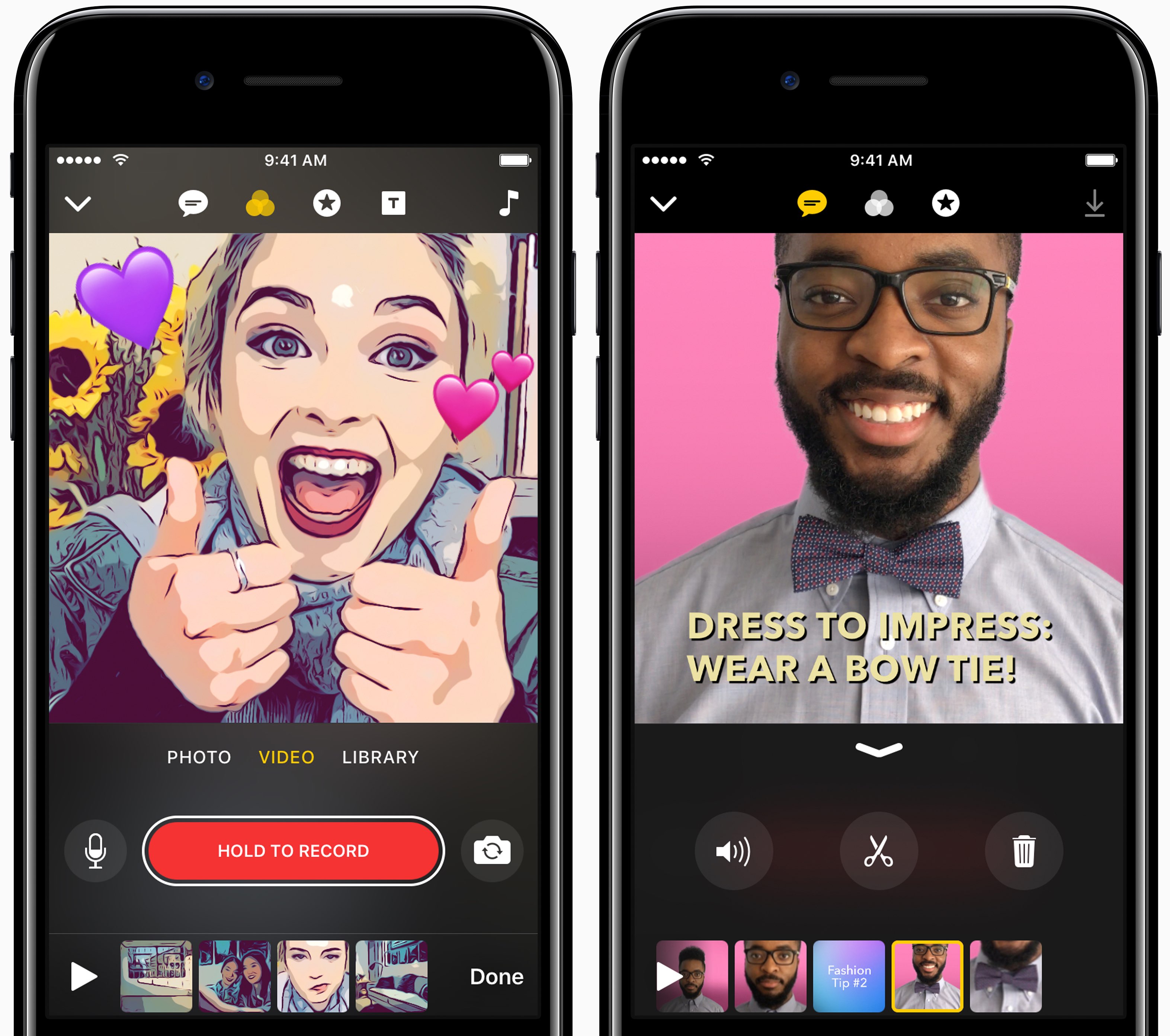
Apple yesterday pushed the first update to Clips for iPhone and iPad following the software's debut on App Store nearly a month ago. Bumped to version 1.0.1, Clips packs in improvements to the Live Title feature that lets you create animated captions and titles in 36 different languages using your voice.

Apple says you can now tap on Live Title text while playing or paused to edit it manually in case Siri misheard you. Additionally, when you share your edited video to a contact who has multiple messaging addresses in your address book, the app will now suggest the most frequently used address.

Lastly, the stability and reliability when capturing and sharing videos that contain certain posters have been improved in this edition of the app.

https://www.youtube.com/watch?v=-2dfeWpwfyk

Subscribe to iDownloadBlog on YouTube

Clips is compatible with iPhone 5s and later, 9.7-inch iPad (2017), all iPad Air and iPad Pro models, iPad mini 2 and later and sixth-generation iPod touch.

The app requires iOS 10.3 or later and does not work on 32-bit devices.

For more on Clips, check out our walkthrough video included above. Clips was introduced as part of a flurry of Apple's Spring product refreshes in March.

Download Clips for iOS for free via App Store.

Colorize your Instagram app with ColorGram

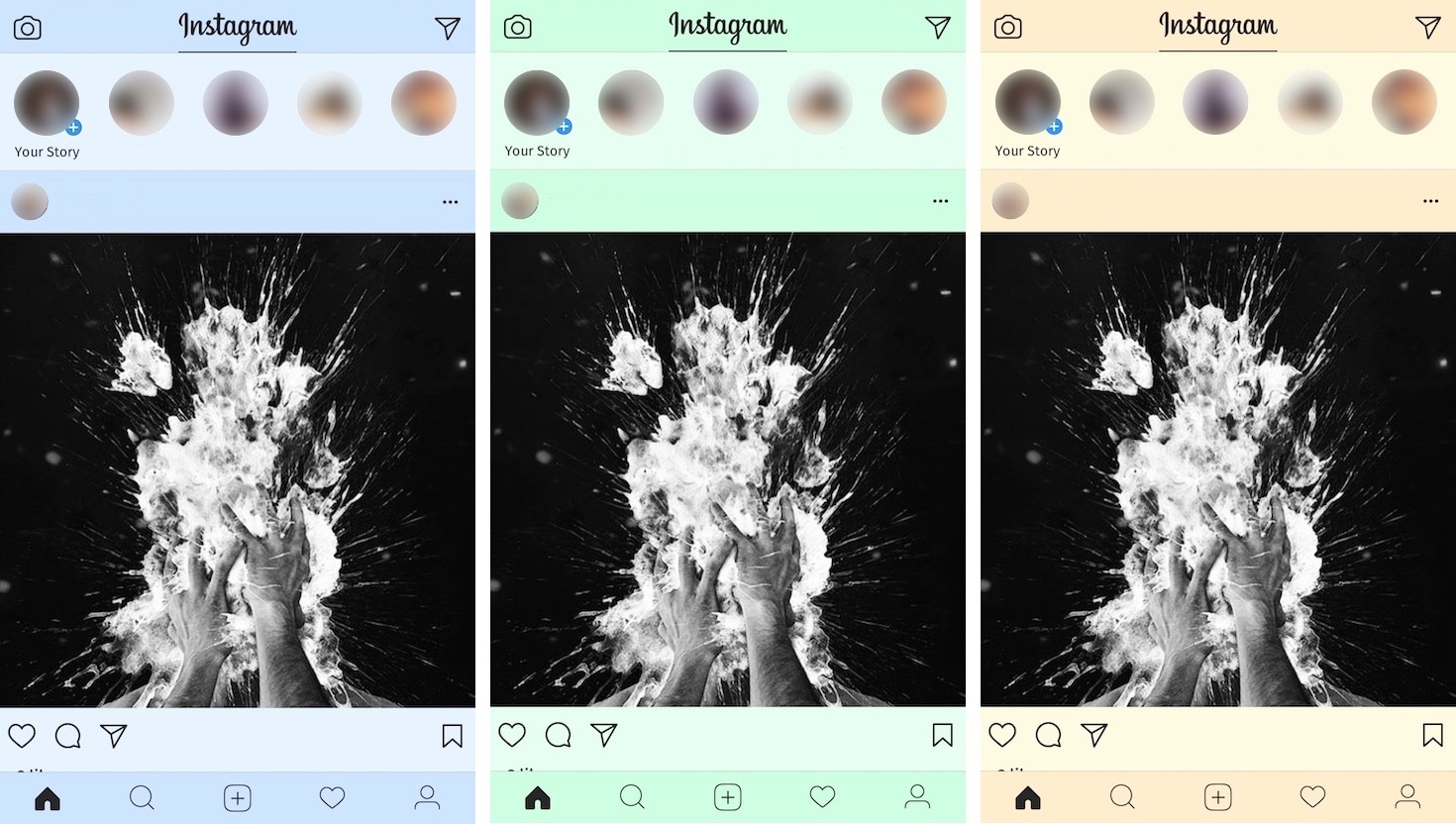
Instagram users typically get to see the app’s generic white interface introduced back in 2016, but if you'd like to add a splash of color to it, then you’ll love a new free jailbreak tweak release dubbed ColorGram by iOS developer Justin Petkovic.

This tweak lets you go hands-on with colorizing various elements of the Instagram app so you don’t have to put up with the boring flat colors anymore.

Hulu’s $40 per month Live TV service launches, app hits App Store

Hulu's long-expected live TV service has gone official with today's launch of the Hulu Live TV app on App Store. Designed for iPhone, iPad, iPod touch and Apple TV, the software lets subscribers access the entire Hulu streaming library and more than 50 top live and on-demand channels, including FOX, ABC, NBC, CBS, ESPN, FX, NBCSN, FS1, History Channel and TNT.

In addition, live sports from top pro and college leagues, as well as regional sports networks, are available in certain areas. As a bonus, you'll get to stream national news with local feeds in select cities, popular kids shows, can’t-miss events and thousands of popular on-demand shows and movies from many of these channels.

You can choose to subscribe to Hulu with ad-supported Live TV for $40, or an additional $4 per month to get rid of advertising. Advanced features are available for extra money, such as Cloud DVR which lets you record live TV to watch your favorites on your own time, the ability to watch concurrent streams on multiple devices, as well as track and record games from your favorite teams with a My Teams feature.

https://www.youtube.com/watch?v=sT-7kxJDX-o

Subscribe to iDownloadBlog on YouTube

For an additional $15 per month, you can upgrade Cloud DVR functionality with up to 200 hours of cloud storage and the ability to fast-forward through commercials. Unlimited simultaneous viewing on as many screens as you want is an additional $15 per month. And if you purchase both add-ons, you'll save a cool $10.

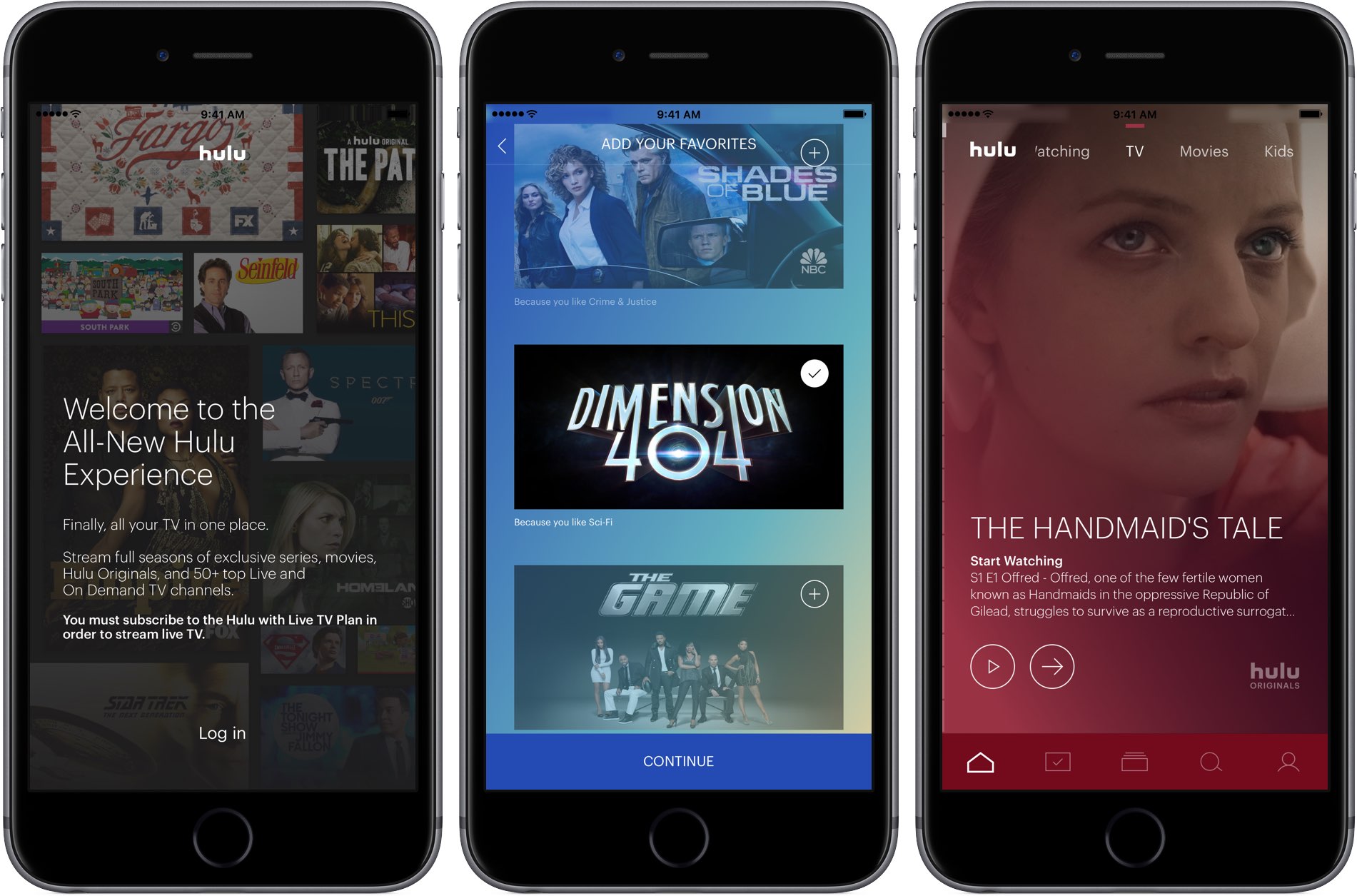
As soon as you launch the app, you're greeted with all-new onboarding experience.

Firstly, you're asked to log in with your Hulu subscription credentials. The app cannot be used unless you're a subscriber. The setup procedure then takes you on a quick tour of the app's main features such as your personal live TV lineup, a My Stuff section and more.

Next, you can optionally tell the app about the kinds of shows you prefer to watch, helping it recommend content that's tailored to your needs. Finally, you can add your favorite shows and movies to the My Stuff section, or skip this step and set up these items at a later stage.

The app lets you create up to six personalized profiles so everyone in your household gets to enjoy their own personalized Hulu experience with their own collection of shows, movies, networks and more. Like with other services, the more you watch, the smarter the system gets.

You can browse Hulu's library while you watch with a Fliptray feature that lets you quickly find what else is on, change the channel, or get recommendations of what to watch next. Just tap the Fliptray button during playback to get started with this multitasking capability.

The app supports iPhone and iPad with iOS 10+ and the fourth-generation Apple TV.

A free seven-day trial of Hulu Live TV is available to new and eligible subscribers. As a cool bonus, Hulu will let you try out each of the add-ons for one month without being charged.

Download Hulu Live TV from App Store.

Airmail for Mac gains HTML user templates, Bear/DEVONThink integrations and other improvements

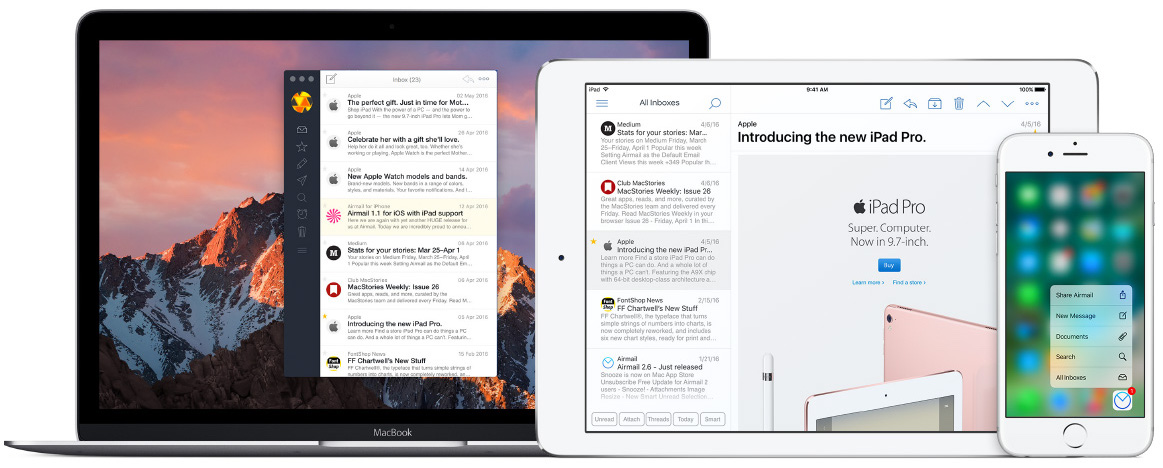
Italian developer Bloop today updated its excellent Mac email client Airmail with a bunch of new features, third-party integrations and other enhancements. Airmail 3.2.5 for macOS, a free update for existing users, introduces new integrations with the information management app DEVONThink and Bear, a beautiful writing app for notes and prose. Other new features include HTML user templates, out-of-office auto responders, enhanced privacy and more.

The best wallpaper apps for iPhone

Every so often as an iPhone user, we get a little bored with the optics of our device and feel the need to give it a fresh coat of paint. Cases and skins aside, the fastest and most immersive option to shake things up visually is to go down the wallpaper path, which we very much love assisting you with here at iDB.

Granted there is no shortage of wallpapers anywhere on the internet, at the same time the ever-growing demand for more has also given rise to a bevy of unusable, flat-out lousy offers. So where to turn to for quality material you ask? We’ve got your back on that, as we have compiled a list of the best wallpaper apps available on the App Store today.

Time to dust off your iPhone’s home screen and live it up in your pocket!