Jeff Benjamin

Jeff has been with iDownloadBlog since 2010, acting as resident video specialist, and tutorial expert. He earned his degree in Computer Network Systems back in 2001, but decided Cisco routers and the like just weren’t for him. Since then, he’s been heavily involved with online writing. He’s written for numerous tech and video game sites since the late 1990′s, and has a knack for explaining things in a simple, clear, and concise manner. Jeff works primarily from the east coast on his Retina Macbook Pro, and shoots video with a Canon DSLR. During downtime he likes to travel the world, visiting the various Apple Stores across the globe. You can email him at jeff [at] idownloadblog.com and follow him on Twitter @JeffBenjam or on Google+.

iOS 6: App Store video demonstration

[tube]http://www.youtube.com/watch?v=jXCrM1rzLZY[/tube]

Apple left little untouched with its iOS 6 overhaul, and that includes the App Store app. The App Store has remained relatively the same over the years, but this version is a completely new and improved iteration.

It's so different, that you might not even recognize it on first glance. Thankfully, the changes are for the better, as this new App Store refresh provides a much more intuitive and seamless experience overall. One of the best new features is the ability to download items without being kicked back to the Home screen time and again. It really is that much better than before. Please feel free to share your thoughts on the iOS 6 version of the App Store app in the comments.
iOS 6: Maps video demonstration

[tube]http://www.youtube.com/watch?v=IgLDkHJduRg[/tube]

The new Maps app is the premier new feature in iOS 6. Although I was a bit skeptical at first after seeing some early screenshots, I'm a definite believer after giving it some hands-on time. It is rightfully so that the new Maps app is Apple's most compelling upgrade to iOS.

Maps is leaps and bounds above anything offered in the previous Google powered Maps app. With 3D views, turn by turn navigation, and full integration with Siri, Maps is a truly amazing package. What do you think about it?

iOS 6: Siri video demonstration

[tube]http://www.youtube.com/watch?v=7h5KtC3m3YY[/tube]

Here is our first video demonstration showcasing some of the new Siri features included in iOS 6. As we previously reported, new features include sports scores, Movie info, including showtimes, trailers, reviews, and actor information, the ability to launch apps, and much more.

The new Siri is also iPad compatible, and we provide you with a sneak peak of the virtual assistant running on the iPad near the tail end of the video as well. Be sure to let us know what you think about Siri's new and improved features and iPad compatibility in the comments below.

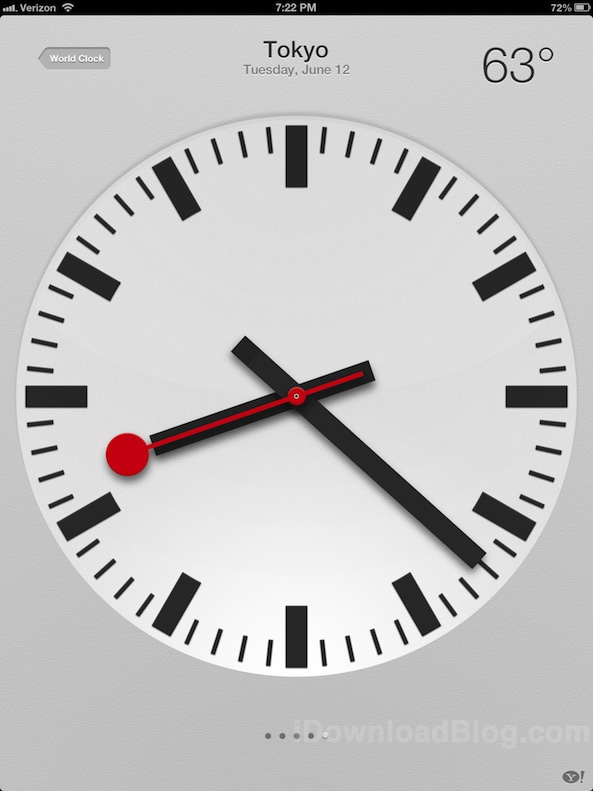
New in iOS 6: a new Clock app for the iPad

Finally. There is now a Clock app included with iOS 6 on the iPad. I guess having Siri on the iPad forced Apple's hand. But this isn't just any old ordinary Clock app, Apple went the extra mile and created a downright beautiful interface that puts the iPhone Clock app to shame.

Even the icon on the iPad version of the Clock app looks much better. Check inside for a handful of new images showcasing the Clock app and all of its various features...

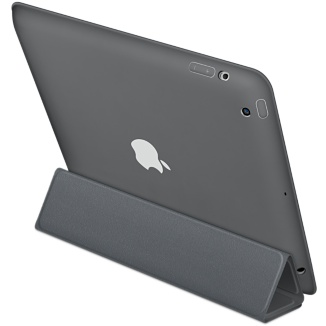
Apple’s new iPad ‘Smart Case’ available for purchase

If you're smart, then you won't use a Smart Cover alone to protect your new iPad. Instead, many people have opted for a polyurethane back cover to go along with their Smart Cover purchase. That's because Smart Covers, despite their name, don't protect the back of your device, making it susceptible to scratched ans dings.

Well it appears that Apple has heard the cries, as they're now providing a new Smart Case, which is basically Apple's own iteration of the solution mentioned above. Even better is the fact that the new Smart Case is now available for purchase on Apple's online Store...

Apple’s dedicated iOS 6 page goes live

iOS 6 has a ton of new features, and like always, Apple has created a new page highlighting the upgrade's most compelling bullet points.

We've covered all of the major features here on iDB, but it's always nice to see how Apple themselves present the update.

Inside you'll find highlights for new features like updated maps, Facebook integration, new Siri features, Passbook, Shared Photo Streams, and much, much, more.

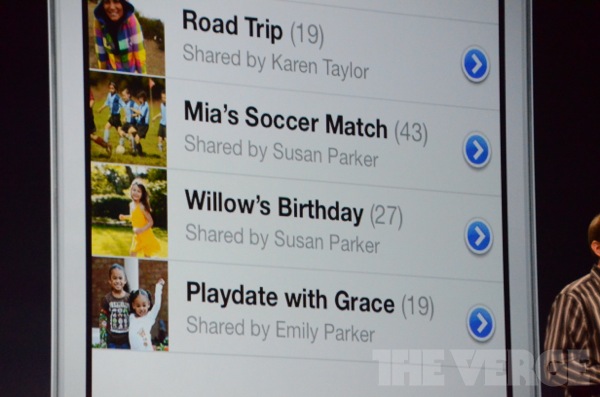
Shared Photo Streams coming to iOS 6

Photo Stream has always been a nice feature, but it's always felt a bit limited, because you can't currently share your Streams with other iOS users. Now all of that is about to change with iOS 6.

Shared Photo Streams will allow you to share you photos on the fly with selected iOS users. This could be a great feature to keep family and friends in touch with what's going on in your life...

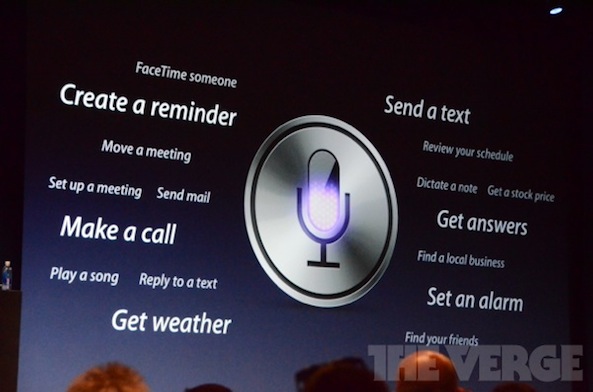
Siri receives major upgrades for iOS 6 and is officially coming to iPad

Siri has received a major update with iOS 6. She can now provide sport scores for the NBA, NFL, etc. She can also tell you batting averages for specified baseball players, and provide arbitrary information like the height differences between basketball players. And this is just the very tip of the iceberg. There's also integration with Rotten Tomatoes to highlight movie reviews, and even watch trailers from within Siri.

Even better is the fact that the iPad is now officially receiving Siri support!

iOS 6 allows you to login to separate iTunes and iCloud accounts on the same device [updated]

One of the big problems with the introduction of iCloud, was the inability to properly segregate it from iTunes accounts on a single iOS device. With iOS 5, you had one iTunes ID, and that same ID was used for iCloud.

While in many circumstances this posed no issue, (ad there are a few inconvenient work-arounds) it did cause problems for those whose purchases were tied up to a particular iTunes ID. I'm happy to report that this is no longer a problem in iOS 6, as it now allows you to log in with separate iTunes and iCloud IDs upon first setup...

Deck HD is coming to a jailbroken iPad near you

When I took the original version of Deck for a spin, I thoroughly enjoyed the experience. Here was a tweak that sought to add quick access to your favorite apps, settings, and toggles, and had the nerve to look good while doing so.

Deck also proved to be fairly popular with our readers and viewers, as our original video demonstration gained well over 100,000 views on YouTube.

Since Deck is an iPhone/iPod touch only tweak, what about the iPad users that would love to give SBCoders' hotbar tweak a try? You won't have to feel left out much longer, because Deck HD is coming with full iPad compatibility in tow. Take a gander at our full walkthrough inside for the video proof...

AnimateLockscreen now available on Cydia

[tube]http://www.youtube.com/watch?v=DVse_1b4nlY[/tube]

AnimateLockscreen, the highly anticipated jailbreak tweak that allows you to add custom boot logo animations to your iPhone's Lock screen, is now available for download on Cydia.

As noted in our previous walkthrough, AnimateLockscreen has almost 1,000 different boot logo animations at its disposal. If you're interested in trying it out for yourself, then head over to Cydia's BigBoss repo where you can download it now for $1.00. After trying it out, be sure to let us know what you think about it in the comment section below.

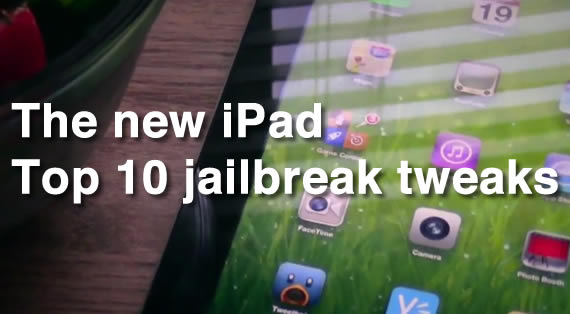
10 must have jailbreak tweaks for the new iPad

So you finally got around to jailbreaking your new iPad, and you're wondering which apps and tweaks are the best? Don't worry, iDB has you covered. We've taken the time to test out some of the best tweaks available for the new iPad to ensure that they perform as expected on the latest 5.1.1 firmware.

While many of the items shown here work great on the iPhone, the list was compiled strictly with the new iPad in mind. For that reason, just because you see an item on the list doesn't necessarily mean it'll play 100% nice with an iPhone or iPod touch.

Take a look inside for the top 10 jailbreak tweaks for the new iPad...