Jeff Benjamin

Jeff has been with iDownloadBlog since 2010, acting as resident video specialist, and tutorial expert. He earned his degree in Computer Network Systems back in 2001, but decided Cisco routers and the like just weren’t for him. Since then, he’s been heavily involved with online writing. He’s written for numerous tech and video game sites since the late 1990′s, and has a knack for explaining things in a simple, clear, and concise manner. Jeff works primarily from the east coast on his Retina Macbook Pro, and shoots video with a Canon DSLR. During downtime he likes to travel the world, visiting the various Apple Stores across the globe. You can email him at jeff [at] idownloadblog.com and follow him on Twitter @JeffBenjam or on Google+.

HTCLock lends an HTC styled interface to the iPhone’s Lock screen

The stock iPhone Lock screen leaves a lot of untapped potential on the table, and for that reason it's no surprise that we see so many jailbreak tweaks that focus on modifying the Lock screen.

HTCLock is the latest tweak to focus on the Lock screen. It allows you to launch apps easily using an HTC-styled interface. Check inside for the full video walkthrough...

This upcoming tweak allows you to add an animated Lock screen to your iPhone

AnimateLockscreen is an upcoming jailbreak tweak that allows you to add animation to your iPhone's Lock screen. Because it uses boot logo animations to accomplish the effect, it means that there are almost 1,000 different animations that you can enjoy right out of the box.

If you're looking to add some splash to your iPhone's Lock screen, and a static wallpaper just isn't enough, then AnimateLockscreen is the next logical choice. It should be available soon on Cydia's BigBoss repo, but until then, have a look at our video walkthrough...

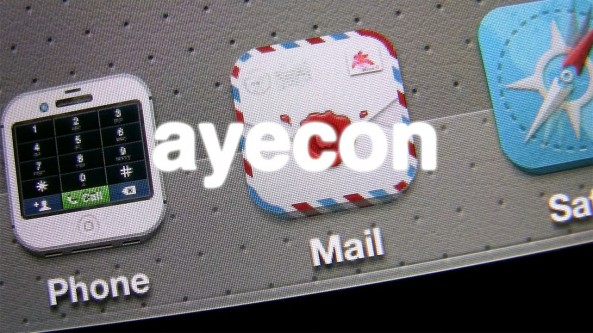
ayecon WinterBoard theme released on Cydia

[tube]http://www.youtube.com/watch?v=SrE8qxkG9ik[/tube]

ayecon, the highly anticipated WinterBoard theme from popular iOS theme designer, Surenix, just made its debut on Cydia's BigBoss repo. To take advantage of the theme, you must have a Retina enabled iPhone or iPod touch, and be running iOS 5 or above.

As you no doubt noticed in our hands-on walkthrough, ayecon is a stunner in the looks department. Although I think our video does a good job at displaying the crazy amount of detail possessed by ayecon, it really needs to be witnessed in person to be totally appreciated.

I'll be the first to admit that I'm not nearly as into theming my iPhone as I used to be, but ayecon has helped rekindle my interest somewhat. You can purchase it now for $2.99 on Cydia's BigBoss repo. Let us know what you think about it in the comments.

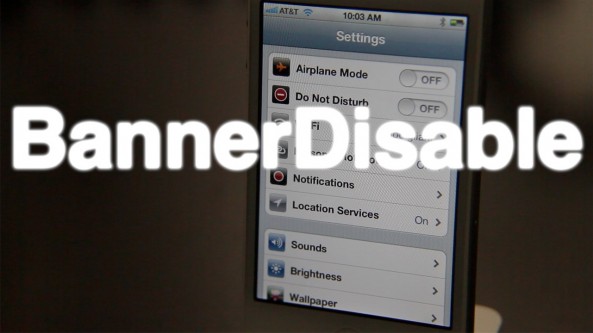
BannerDisable adds a new “Do Not Disturb” option to your iPhone

BannerDisable is a jailbreak tweak that adds a new "Do Not Disturb" toggle switch to the iPhone's settings app. This switch allows you to globally enable or disable banner notifications on the fly, which can be very useful if you're trying to get some rest or take a meeting.

Although it's always been possible to selectively disable or enable notifications for specific apps, BannerDisable excels because it allows you to do so for all apps in one simultaneous motion.

FacebookThis integrates Facebook photo sharing in iOS 5

Don't feel like waiting for iOS 6 for native Facebook integration? Then try FacebookThis on for size.

While it won't give you system-wide Facebook integration at the level that's bound to be present in iOS 6, it will lend you the ability to easily share your photos directly from your Camera Roll. Want to see how this jailbreak tweak works in action? Take a look inside for a hands-on video walkthrough...

Upcoming ‘ayecon’ theme saturates the Retina display with meticulously detailed goodness

Are you looking for a theme that makes ample good use of your iPhone's Retina Display? If so, then look no further than the upcoming release of ayecon.

ayecon is the latest jailbreak theme from legendary iOS themer and graphic designer, Surenix. Scheduled to hit Cydia on June 8th, it's a theme that has to be witnessed to be able to appreciate the amount of effort that went into putting together such an incredibly detailed project.

Even coming from someone who's no longer overly fond of themes, I have to give credit where credit is due — ayecon looks spectacular — hardcore iOS themers will likely love it. Don't believe me? Then take a look at our hands on video...

MountainLionCenter now available on Cydia

[tube]http://www.youtube.com/watch?v=0ZZ8tS2cfIk[/tube]

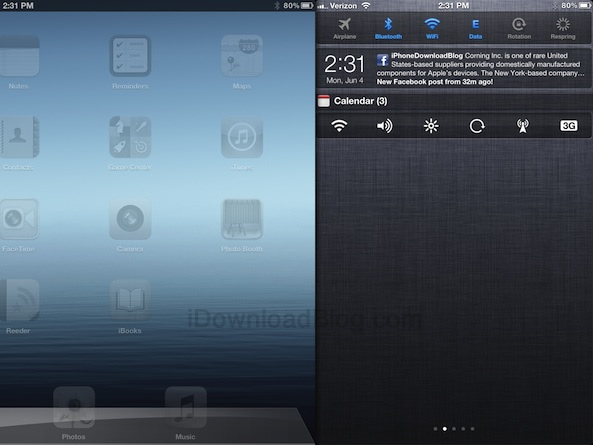
MountainLionCenter — the jailbreak tweak that adds an OS X Mountain Lion inspired Notification Center panel to your iPad, was just released on Cydia's BigBoss repo as a free download.

As noted yesterday, this is a feature that's been long overdue; in my opinion, it makes Notification Center a lot less intrusive feeling on the iPad. Couple it with IntelliScreen X, and it's even better.

It should be noted, that despite my ability to get it working on my iPhone, the tweak has been released as iPad only, at least for the time being. Be sure to check out our full walkthrough of MountainLionCenter, and let me know what you think about it in the comments below.

How to restore SAM unlock activation tickets with RedSn0w

The latest version of RedSn0w now includes a new option nestled under the extras menu for restoring SAM unlock activation tickets. The iPhone Dev Team relates in the release notes that "you can now include your SAM tickets as part of your initial ramdisk jailbreak of iPhone 4 or earlier, or alternatively you can upload your SAM tickets to any device after its been jailbroken."

Previously, we posted a manual method to go about restoring your activation tickets, but this newer method is preferable due to its simplicity.

Since the SAM ticket upload feature works universally with A5 and A4 devices, we suggest sticking with this method when it comes to restoring your unlock activation tickets. We've also posted a full video walkthrough; be sure to take a look inside...

Which tool should I use to jailbreak iOS 5.1.1?

With iOS 5.1.1, there's no shortage of tools available to perform an untethered jailbreak. In fact, there's so much saturation from a tool perspective, that it can be a little difficult to discern which tool to use.

Inside, we'll briefly cover some of the tools available, and some of the popular scenarios where certain tools fare better than others.

MountainLionCenter brings OS X’s Notification Center back to iOS

Apple's initiative to bring several highly notable iOS features "back to the Mac" is one of the hallmarks of its upcoming release of OS X Mountain Lion. One of the most touted iOS features to make its way to Mountain Lion is Notification Center. Notification Center on the Mac works similar to the way it does on iOS, with a few noted differences.

One of the main differences is the location of Notification Center — on the Mac it is docked and hidden on the right-hand side of the screen. Wouldn't such change be welcomed to Notification Center on the iPad? I say this, because in its current form, it's placed square in the middle of the screen no matter the orientation. In fact, it's sort of like an afterthought.

MountainLionCenter is the upcoming jailbreak tweak that plans to change this, placing it more in line with the way Notification Center works on OS X Mountain Lion. For more details, watch our full video walkthrough inside.

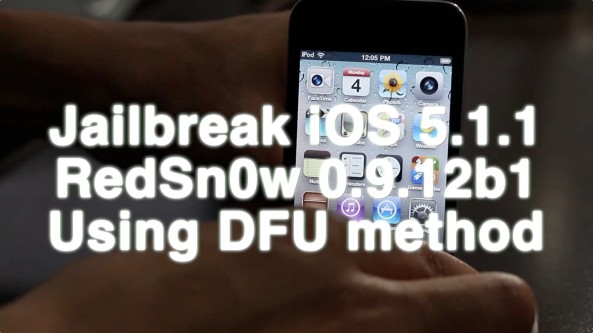
How to jailbreak iOS 5.1.1 using RedSn0w 0.9.12b1 with DFU mode, A4 Devices and below only

As promised, here is the follow up tutorial for performing an untethered jailbreak on iOS 5.1.1 using the traditional DFU method. This tutorial is for the latest version of RedSn0w 0.9.12b1, and only works with A4 devices and below (A5 devices are not compatible with this method). If you want to use your A5 device — iPad 2, the new iPad, or the iPhone 4S — then see our previous Non-DFU mode tutorial for RedSn0w.

In most cases you should use the Non-DFU method for jailbreaking your devices, even if it's an A4 device. The exception comes if you have a lot of media stored on your A4 device or below. If you have a lot of media on your device, the iPhone Dev Team advises that this traditional method for jailbreaking may be a best practice due to iCloud syncing issues.

Take a look inside for the full walkthrough...

How to jailbreak iOS 5.1.1 using RedSn0w 0.9.12b1, no DFU method

With the release of RedSn0w 0.9.12.b1, you now have the ability to perform an untethered jailbreak on almost every iOS 5.1.1 compatible device. RedSn0w 0.9.12b1 even works with A5 devices like the iPad 2, the new iPad, and the iPhone 4S.

The only requirement for A5 devices is that you use the non-DFU method when using RedSn0w. RedSn0w also includes support for the older DFU-based limera1n method as well, but that is for A4 devices and below only. In this particular tutorial, we will showcase how to jailbreak your device using the universal non-DFU method that works with all devices.

This is the simpler of the two methods included with RedSn0w, and is recommended unless your device happens to contain a lot of media, as noted by the iPhone Dev Team.

Check inside for the full how-to...